
EAP670(US) v2.0 upgraded to firmware 1.3.7 now broadcasting Bluetooth


I was trying to pair a bluetooth device to my phone the other day and noticed this device showing up. I was able to track it down to the access point. I don't remember this appearing prior to upgrading to the latest available firmware. I tried turning the bluetooth radio off via the controller ( device config -> bluetooth) and also disabling the default bluetooth advertising profile but it's still there. I also tried to factory reset the AP but didn't make any difference. Is there any way to disable bluetooth on this AP now or at least change the name it's broadcasting?
- Copy Link
- Subscribe
- Bookmark
- Report Inappropriate Content


Hi @xeno9283
Bluetooth feature is enabled by default, and can only be disabled when both Controller and Omada devices support V6.1.
Currently, EAP670 V2.0 are not fully adapted to V6.1 yet and the corresponding firmware will be released in Q2.
Please rest assure that if you do not configure IoT Transport Stream and Bluetooth Advertising, then the Bluetooth will not take any effect and would not cause any security issue.
- Copy Link
- Report Inappropriate Content
@xeno9283 Thanks for bringing this up! Can confirm this is happening to me as well, same symptoms, EAP version (670), and firmware version (1.3.7). WifiMan is able to detect that the weird symbol name is the EAP and replace it with the local domain name while im on the network. One notable difference is that I am running my 670 in standalone, and as far as I can tell there are not any settings related to bluetooth in the standalone interface. Any help with this would be appreciated as if it doesn't need to broadcast id rather it didn't.
- Copy Link
- Report Inappropriate Content

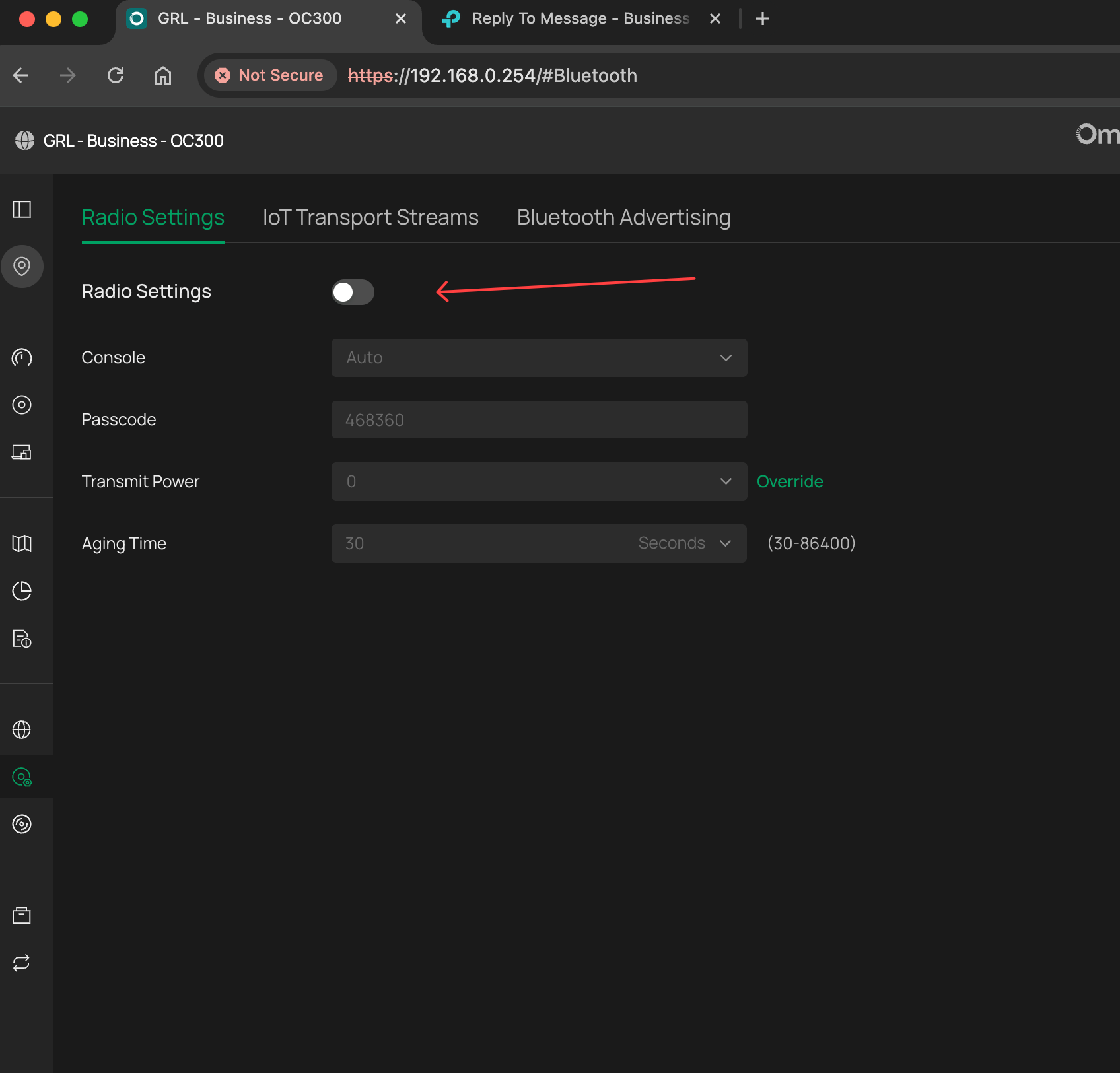
Site > Device Config > Bluetooth
Havent tested this, buyt the option is there to disable the radios
- Copy Link
- Report Inappropriate Content
Hi @xeno9283
After upgrading both our controller and Omada devices that are adapted to V6.1 or above version, then Bluetooth IoT feature will be supported.
You can refer to this How to Configure Bluetooth feature on Omada Controller | Omada Network Support
- Copy Link
- Report Inappropriate Content
@Gabriel-TP That feature sounds really nice for the people who need it! It doesn't really explain why it's enabled/broadcasting by default though? Or why it would be broadcasting in standalone without a controller.
- Copy Link
- Report Inappropriate Content
Gabriel-TP wrote
Hi @xeno9283
After upgrading both our controller and Omada devices that are adapted to V6.1 or above version, then Bluetooth IoT feature will be supported.
You can refer to this How to Configure Bluetooth feature on Omada Controller | Omada Network Support
@Gabriel-TP This seems like a bug. As I stated in the original post I have unchecked the "Enable" checkbox on the bluetooth radio setting in the controller.
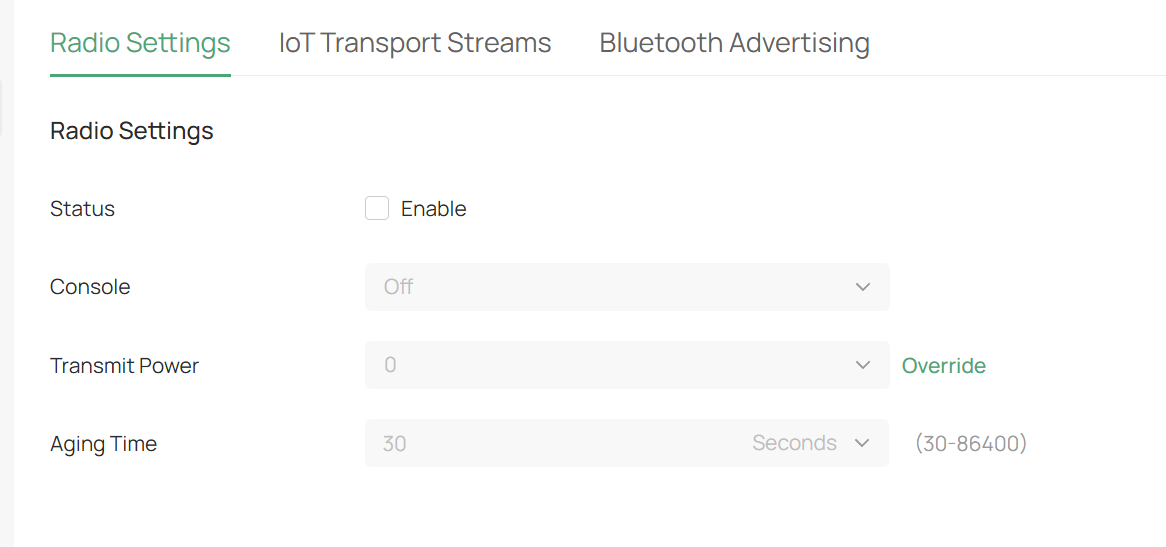
I don't know whether or not the firmware is "adapted to v6.1" as the terse release notes state only "Recommended Omada Controller version 6.0 or above." I'm running version 6.2.0.17.
- Copy Link
- Report Inappropriate Content
Hi @xeno9283
Bluetooth feature is enabled by default, and can only be disabled when both Controller and Omada devices support V6.1.
Currently, EAP670 V2.0 are not fully adapted to V6.1 yet and the corresponding firmware will be released in Q2.
Please rest assure that if you do not configure IoT Transport Stream and Bluetooth Advertising, then the Bluetooth will not take any effect and would not cause any security issue.
- Copy Link
- Report Inappropriate Content
@Gabriel-TP Hello, just checking up on this as we get closer to the end of Q2. Is everything still on track for this, and should we expect a beta first or straight to a full release?
- Copy Link
- Report Inappropriate Content
@Gabriel-TP Hello, we are now a week into Q3. Do you know if there is any news about the v6.1 compatible firmware? Still looking to disable this feature in standalone mode. Any help is greatly appreciated.
- Copy Link
- Report Inappropriate Content

Hi, @angrynerd
Thank you very much for your continued interest in the firmware release for this device.
Due to a recent adjustment in project priorities, the firmware adaptation to version 6.1 for this device has been rescheduled. We now expect it to be released between September and October. Note: the exact release date may vary, as we want to ensure the final product meets our quality standards.
Firmware development is a complex and iterative process, and release timelines can sometimes shift due to a variety of factors beyond our control. Your understanding and ongoing support mean a lot to us.
We appreciate your patience as we work to deliver the best possible experience.
- Copy Link
- Report Inappropriate Content
Hello, this issue is now fixed as of firmware 1.3.13! The bluetooth is now disabled by default (like it should have been from the start). Warning if upgrading from the current beta, you may need to update using recovery mode, however it didn't wipe my config.
- Copy Link
- Report Inappropriate Content
Information
Helpful: 4
Views: 2022
Replies: 10
Voters 2
