
Early Access NVR2016H-16MP V2.0 | NVR2008H-8MP V2.0 Pre-release firmware (release on June 5th 2026)


This Article Applies to
NVR2016H-16MP(UN) 2.0/ NVR2008H-8MP(UN) 2.0
Overview
We hope to offer you with a chance to experience the new features added in the VIGI NVR in advance, and also give us TP-Link the opportunity to fully test the software in your real network environment and scenarios before the official release. All feedback is welcome, including lettings us know about successful upgrades.
Release Notes
New Features:
Support for One-Key Disarming:
-
- Supports connecting an external alarm input button to Alarm Input AI1
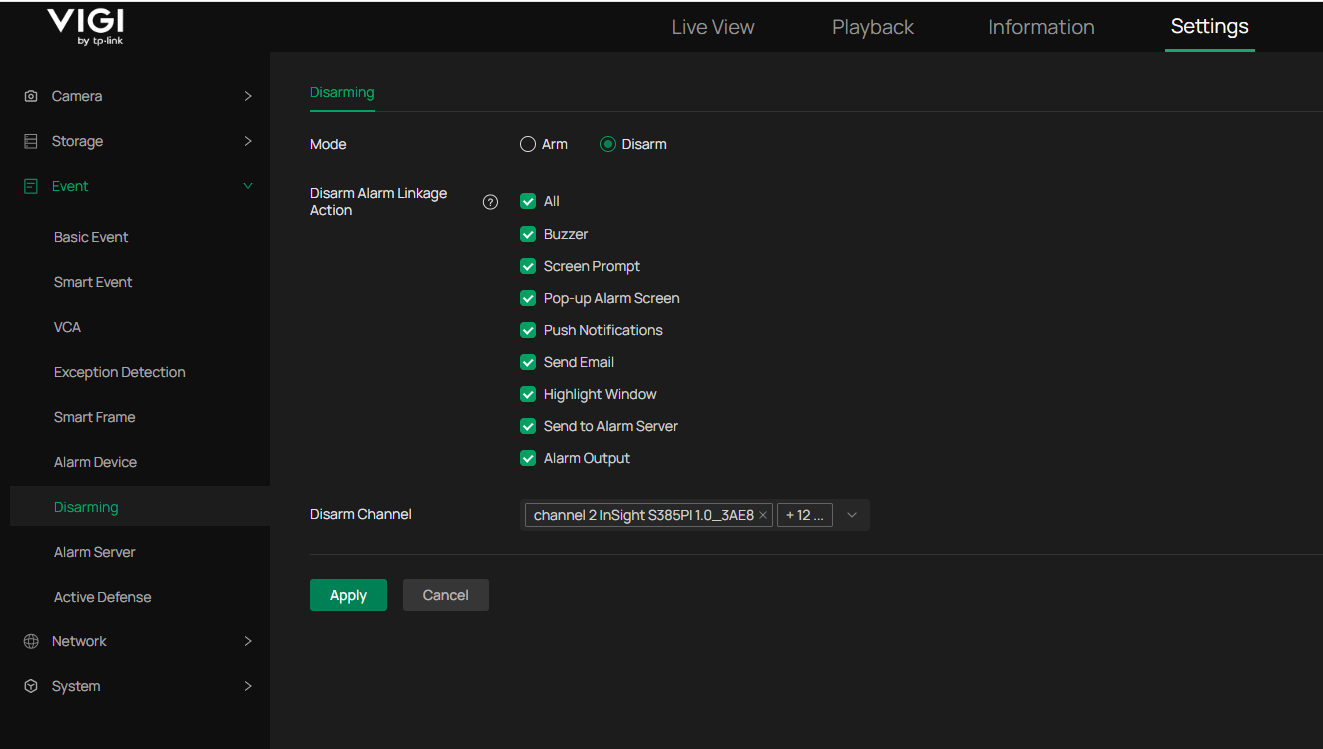
- On the Disarming page, users can enable or disable NVR alarm linkage actions with a single click, including:
- NVR buzzer
- Alarm notification on the live view interface
- Alarm pop-up window on the live view interface
- Event push notifications
- Email notifications
- Alarm preview pane highlighting
- Alarm Server notifications
- Linked alarm output actions
- On the Disarming page, users can enable or disable IPC alarm linkage actions with a single click, mainly including:
- Sound alarms
- Light alarms
Configuration of One-Key Disarming (both the GUI and Web Interface)
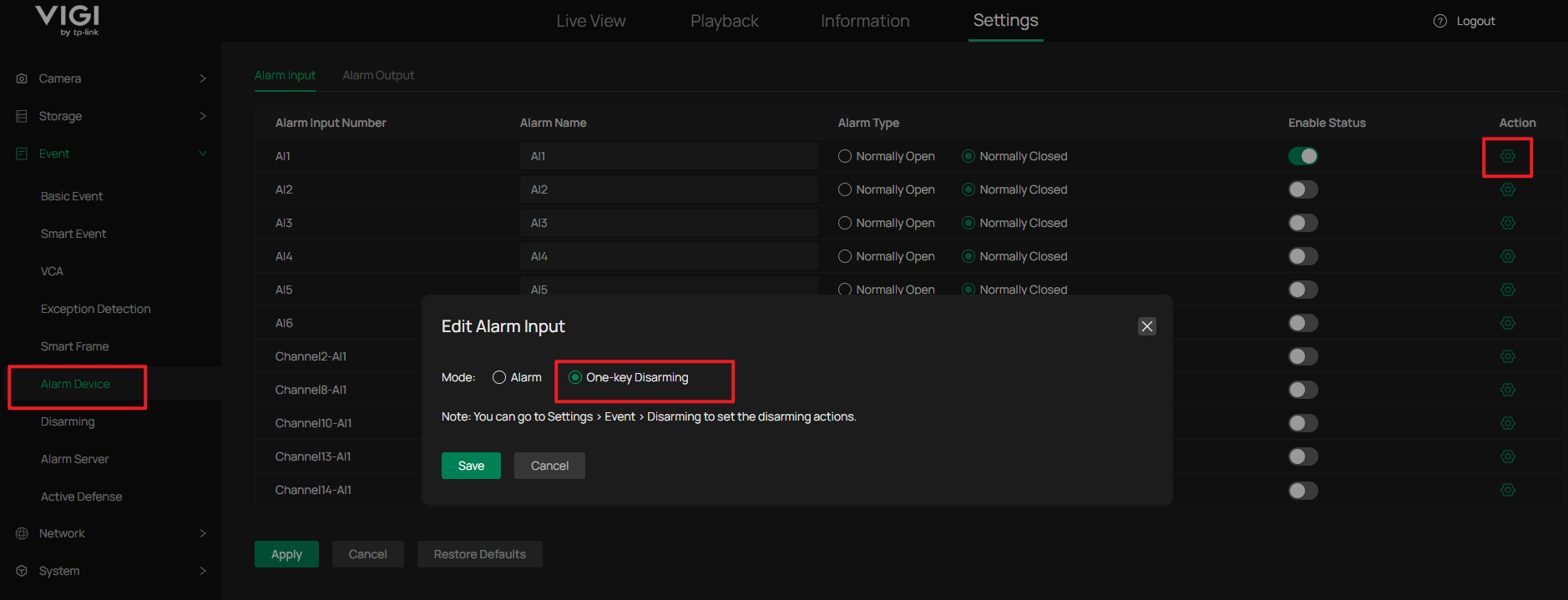
If an external alarm button is installed, users can configure Event > Alarm Device > Alarm Input AI1 as a One-Key Disarming input. Each button press will toggle the system between Arm and Disarm modes on the Disarming page. (Optional)
Disarming Page Enhancements:
-
- Disarm Alarm Linkage Action (This option mainly controls alarm linkage actions performed by the NVR itself)
- When Disarm is selected: All selected linkage actions will be disabled.
- When Arm is selected: The Disarm effect is removed, and all NVR event linkage actions will function according to their configured event settings, regardless of the selections in this section.
- Disarm Channel (This option mainly controls IPC Sound and Light alarm linkage actions)
- When Disarm is selected: The selected channels will have their audible and visual alarm linkage actions disarmed. The channel status can be verified on the Active Defence page, where the corresponding channels will be shown as Disarmed.
- When Arm is selected: The selected channels will have their audible and visual alarm linkage actions armed. The channel status can be verified on the Active Defence page, where the corresponding channels will be shown as Armed. (Note: The actual audible and visual alarm behavior still follows the channel's previously configured linkage settings.)
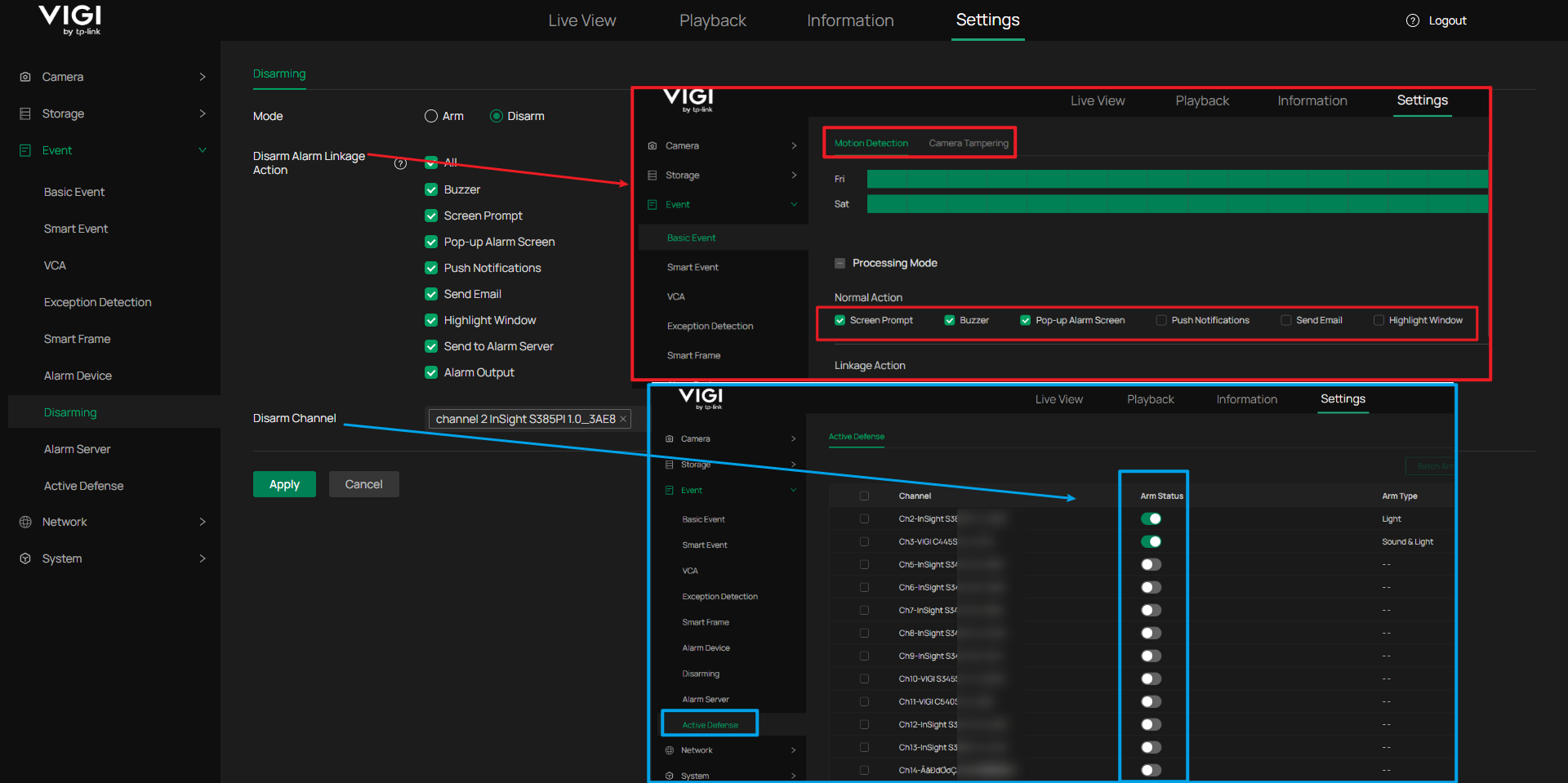
Corresponding Configuration Diagram
Note:
- The Disarm Alarm Linkage Action setting does not disable the options shown in the highlighted red box. Instead, those actions remain configured but are prevented from taking effect by the system.
- The Disarm Channel setting toggles the audible and visual alarm options shown in the highlighted blue box between Arm and Disarm states.
Firmware Download
Before the Upgrade
(1) Please be sure you have read the Beta Test Agreement before upgrading the Beta firmware!
(2) Important: Downgrading is not supported after upgrading to this firmware version. Just in case, it's always recommended to save a copy of the NVR Config file before upgrade or downgrade.
(3) You may follow the User Guide to upgrade your NVR.
(4) The following beta firmware cannot be upgraded via TP-Link cloud access, please access the NVR through the Web Management interface or VIGI Config Tool
Firmware Download Link
Additional Information
If somehow you encounter an issue while using the software, it's suggested to contact us with the following info:
- Detailed description of the issue.
- Related settings items. (Screenshots, Pictures or screen records)