
Failover not working
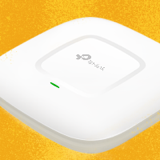
Hi all,
i am trying to set up the TL-MR100 as a failover for the ER707-m2, but the two don't seem to talk.
i checked the cables, disabled the wifi, connected the MR100 to the LAN/WAN3 port as WAN 2 with Dynamic IP, but somehow they don't connect.
ER707 ip is 192.168.0.1
MR100 IP is 192.168.100.1
- Copy Link
- Subscribe
- Bookmark
- Report Inappropriate Content
Thanks for your message!
Updated the firmware and tweaked the settings and the backup shows Link Up now.
Next step is testing the failover.
Thanks for the support!
- Copy Link
- Report Inappropriate Content
- Copy Link
- Report Inappropriate Content


Hi, @MV92
Thank you for your post in the Business Networking Forum.
When you mentioned that the two devices "don't connect," were you referring to the Link Backup feature on your ER707-m2 not working as expected?
If so, please ensure that both Load Balance and Online Detection are enabled on the ER707-m2. Also, please confirm that both WAN ports on the ER707-m2 are able to obtain valid WAN IP addresses.
You may refer to the following guide to configure Link Backup on your ER707-M2 again:
How to configure Link Backup on Omada Gateway in standalone mode | Omada Network Support
After that, you can test whether the ER707-m2 successfully switches to the Backup WAN when the primary WAN is disconnected.
- Copy Link
- Report Inappropriate Content

Hi @MV92
Any update on this concern?
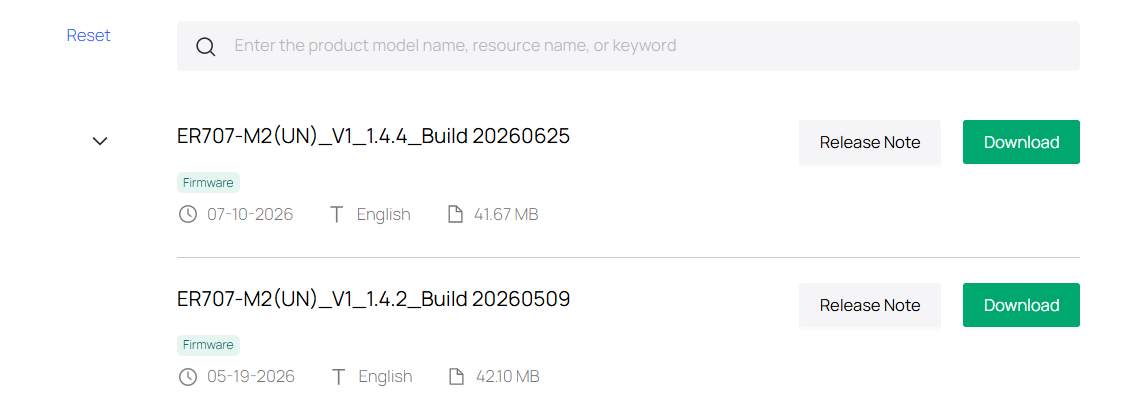
BTW, the firmware for your ER707-M2 is not the latest; please upgrade to 1.4.4 and let us know if the same situation persists:
https://support.omadanetworks.com/en/product/er707-m2/v1/?resourceType=download
- Copy Link
- Report Inappropriate Content
Thanks for your message!
Updated the firmware and tweaked the settings and the backup shows Link Up now.
Next step is testing the failover.
Thanks for the support!
- Copy Link
- Report Inappropriate Content
- Copy Link
- Report Inappropriate Content
Information
Helpful: 0
Views: 474
Replies: 5
Voters 0
No one has voted for it yet.