Trouble with VLAN EAP235-Wall

Trouble with VLAN EAP235-Wall

Trouble with VLAN EAP235-Wall
2026-07-24 07:59:11
Model: EAP235-Wall  
Hardware Version: V1
Firmware Version: 3.3.1 Build 20251203 Rel. 58135

I have trouble with all my EAP235:

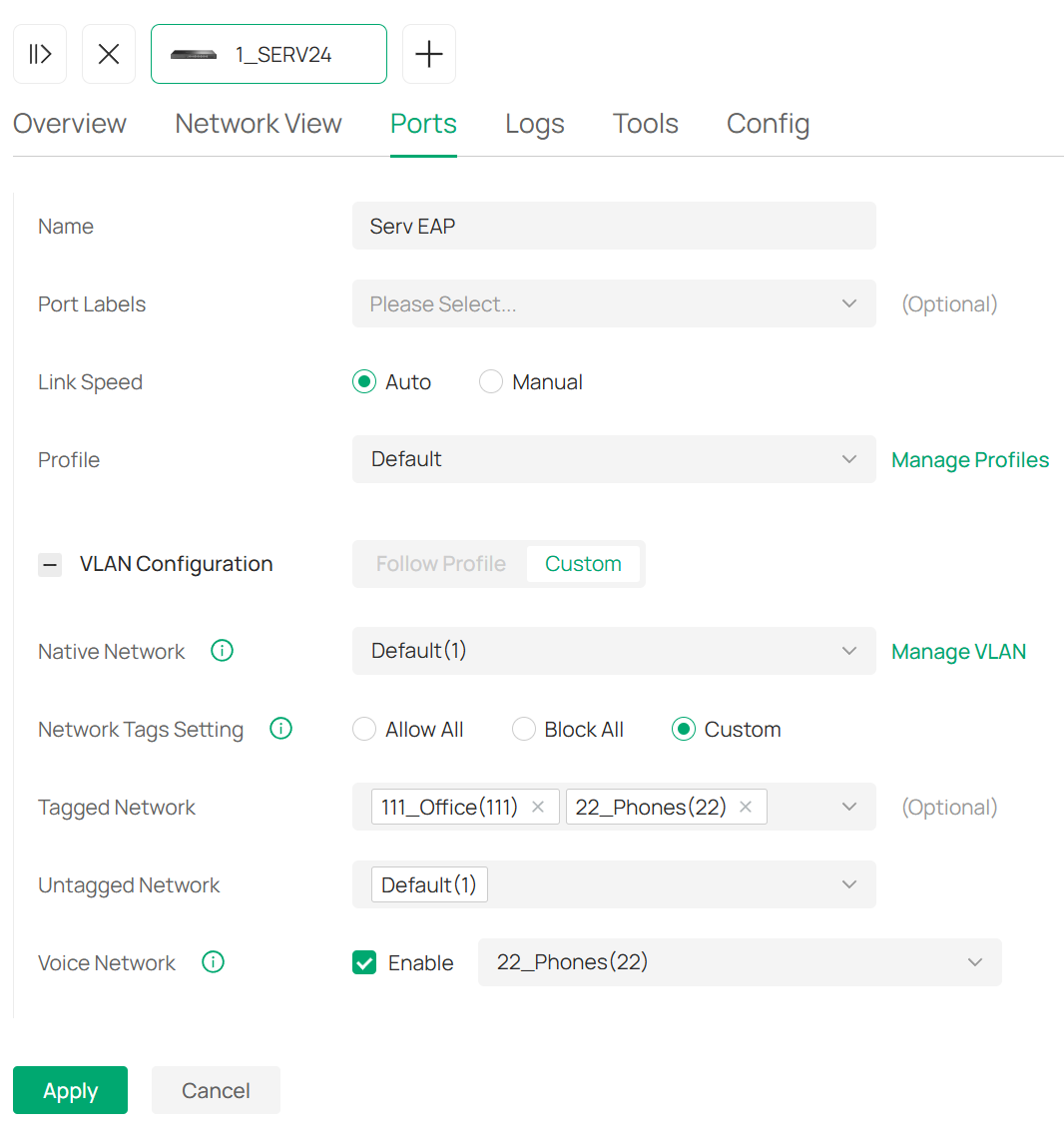
1) SwitchPort1 settings on SG3428MP v6.20: VLAN1(Untagget Native), VLAN111 (Tagget office), VLAN22(Tagget VOIP)

2) EAP235-Wall Poe-in_Port connected to SwitchPort1

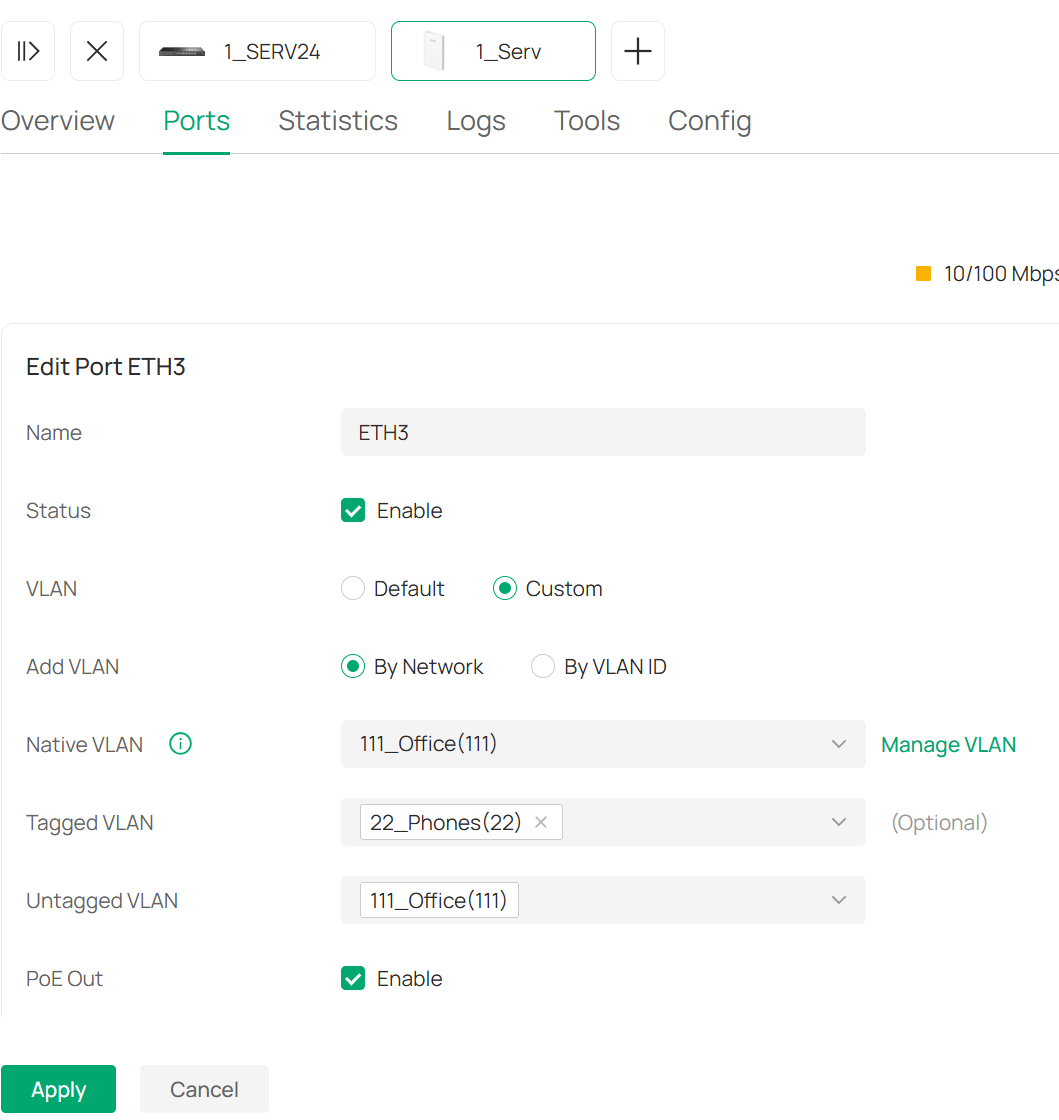
3) EAP235-Wall Poe-out_Port settings VLAN111 (Untagget), VLAN22(Tagget VOIP)


after connection VoipPhone on Poe-out_Port on tagget VLAN, phone lease ip address from DHCP VLAN22, and working, but Omada controller show phone how client VLAN111 with address from VLAN22
 

  0      
0
#1
Options
2 Reply
Re:Trouble with VLAN EAP235-Wall
2026-07-24 09:55:53
Switch Port settings


EAP Port Settings
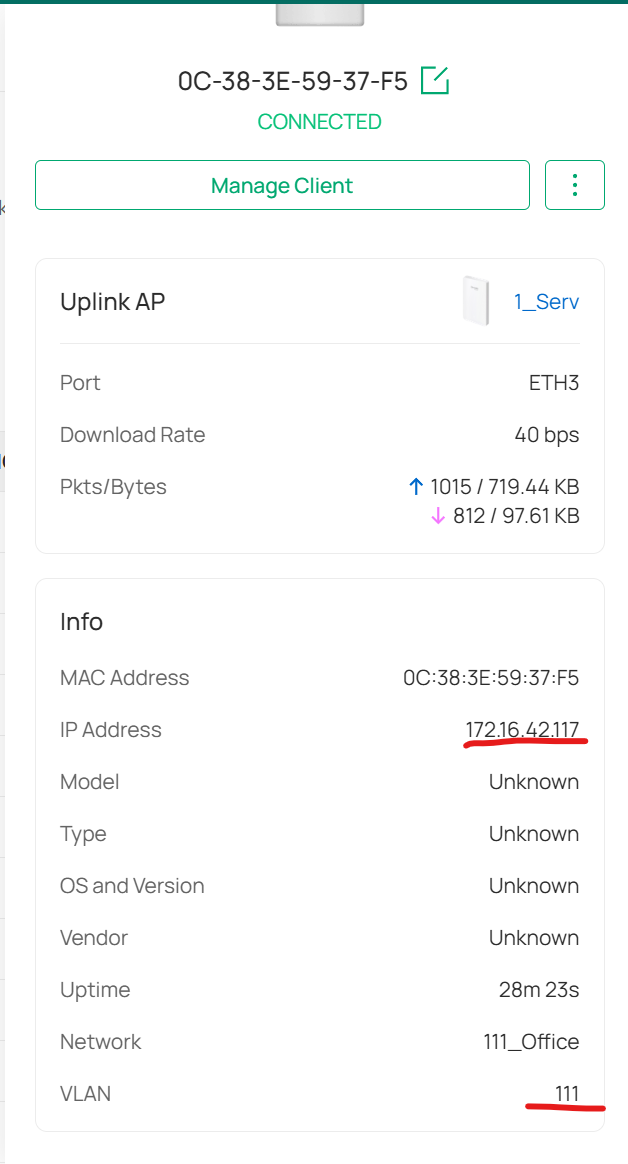
 

Client Voip Phone on EAP ETH3


Client have ip address 172.16.42.117 from VLAN22, but omada sees it as a vlan111 client


This trouble in Omada controller 6.2.10.17 and 6.2.14.11


@Vlad_it 


  0  
0
#2
Options
Re:Trouble with VLAN EAP235-Wall
2026-07-24 10:33:15

Supplement: If VLAN22 (Untagget) and VLAN111 (Tagget), then the VOIP Phone will be displayed as a VLAN22 client with an address from VLAN22, and the PC connected to the tag will be displayed as a VLAN22 client with an address from VLAN111. This means that all clients connected to the EAP port receive correct addresses and participate in the correct VLANs, but omada displays them as native VLAN clients on the port. 

@Vlad_it 

  0  
0
#3
Options