
General What is VIGI?



What is VIGI?
VIGI is TP-Link’s surveillance suite targeted at small to medium-sized businesses. While consumer-level cameras focus primarily on convenience in setup and access, businesses often need more robust, feature-rich systems. In case you haven’t heard, VIGI comes from “vigilance”, demonstrating a commitment to providing reliability and continuous recording. This idea guides VIGI through every stage of the development process.

VIGI’s design philosophy consists of 4 principles: Easy Planning, Easy Installation, Easy Setup, and Easy Maintenance. The goal is to merge the convenience of consumer cameras with the security and features of a business-class product. The Omada Design Hub now includes VIGI products for easy planning of not only full network signal coverage, but full surveillance coverage. Picking the appropriate camera, whether it’s Wi-Fi, PoE, or 4G, will make installation of your surveillance network a breeze. Easy setup with the VIGI app helps those who are less technically minded, but setup over an Ethernet cable works just fine. Lastly, maintenance can be performed via the VMS cloud, allowing you to keep your networks secure from anywhere in the world.
Check out the VIGI product lineup here!
What can VIGI do for my network?
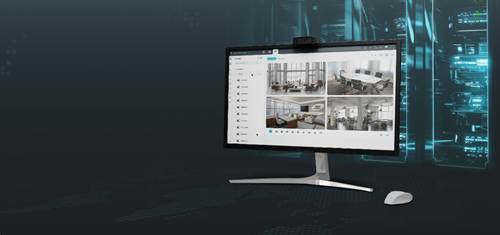
Keep track of your facilities with Advanced AI features like people counting, facial recognition, and human/vehicle classification. Simplify your surveillance network with a VIGI NVR as well, which can process videos and even power the cameras with built-in PoE ports. Make your security center with ease, thanks to VIGI Video Management System, or spin up a cloud VMS to access your cameras from anywhere with an internet connection.
Do I need to manage VIGI in the cloud?
Cloud VMS is convenient, but you may need to account for security considerations. What if you need your recordings to stay within the local network? VIGI VMS works even without an internet connection. Also, VIGI is compliant with the U.S. 2019 National Defense Authorization Act, keeping your footage safe and secure.
How do I set up ___ feature with my VIGI System?
Take a look at our FAQ page or the Community Knowledgebase to find relevant guides for VIGI products. Can’t find a guide to do what you need to do? Let us know in the comments! Our community team is always happy to hear any feedback or requests for better instructions and can make sure this content is provided.