
WAN Port Incorrectly Shows Offline
WAN Port Incorrectly Shows Offline

Hi,
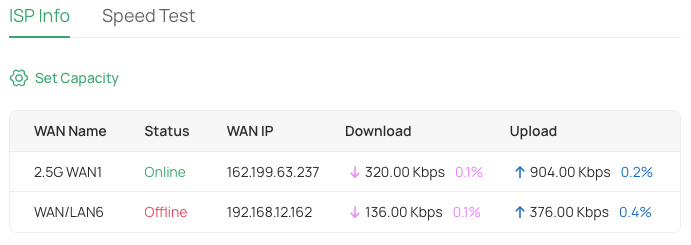
Controlling this from my OC220, but ... WAN/LAN6 is configured as a WAN port, and if I run a ping on this particular interface - it works fine. But - the controller keeps saying this interface is Offline, but it clearly is not. A known issue? Or suggestions to fix it?
I do have load balancing on, 10:1 ratio (this is the lower percentage).
Thanks!
- Copy Link
- Subscribe
- Bookmark
- Report Inappropriate Content
@Vincent-TP Sort of ;). Forgetting and re-adopting the device seemed to work ... though that would indicate an underlying bug?
Thanks!
- Copy Link
- Report Inappropriate Content

Hi @arrmo
Thanks for posting here.
Did you enable Link backup, and the WAN/LAN6 is the backup WAN? If so, this is expected.
For more details, please refer to the following link:
Common Questions About the Load Balancing, Link Backup(Failover) & Online Detection
- Copy Link
- Report Inappropriate Content
@Vincent-TP Hi,
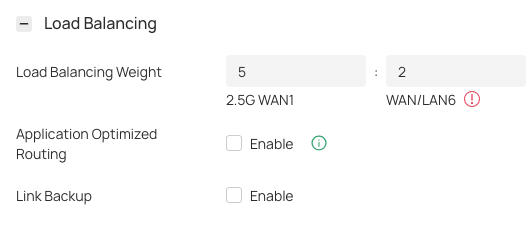
Nope, not running Link Backup, part of the reason I'm confused. And I purposely adjusted the link balancing, to 5:2, so it should use that second WAN with some ratio?
Thanks!
- Copy Link
- Report Inappropriate Content
Hi,
A follow up, to show some of the settings - hope this helps!
Here is the pic, showing the second port is offline
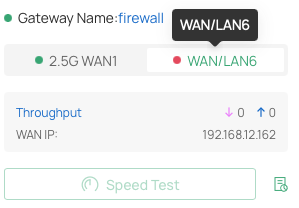
But, as you can see, it's not set up for Link Backup,
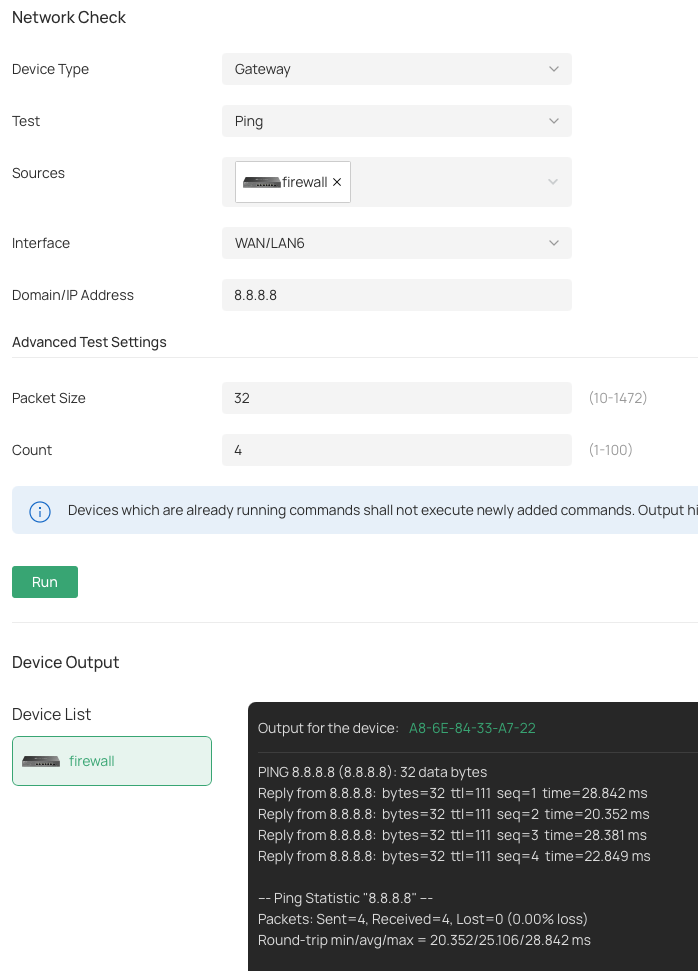
And, I can ping (the internet) over that interface ... so it is up! So why does the firewall think it's down?
Thanks!
- Copy Link
- Report Inappropriate Content
Hi @arrmo
Thanks for the detailed info.
What are the firmware versions of the gateway and the OC220?
When did you notice this abnormality? Since installation, or after a certain change?
We released a new firmware for the OC220; please check for updates and see if the situation persists.
OC220 V1:
https://support.omadanetworks.com/en/product/oc220/v1/?resourceType=download
ER707-M2 V1:
https://support.omadanetworks.com/en/product/er707-m2/v1/?resourceType=download
- Copy Link
- Report Inappropriate Content
@Vincent-TP Hi,
Yes, I have the current versions running - 1.7.11 on the controller, 1.4.5 firmware on the ER707.
This has been happening all along, since setting this up recently. Never have been able to get it working. Oddly enough, with the latest controller version, the daily speed test shows data (and passing), but the interface stills says offline, and a manual speed test won't run?!?!
Thanks!
- Copy Link
- Report Inappropriate Content
Hi @arrmo
Thanks for the reply.
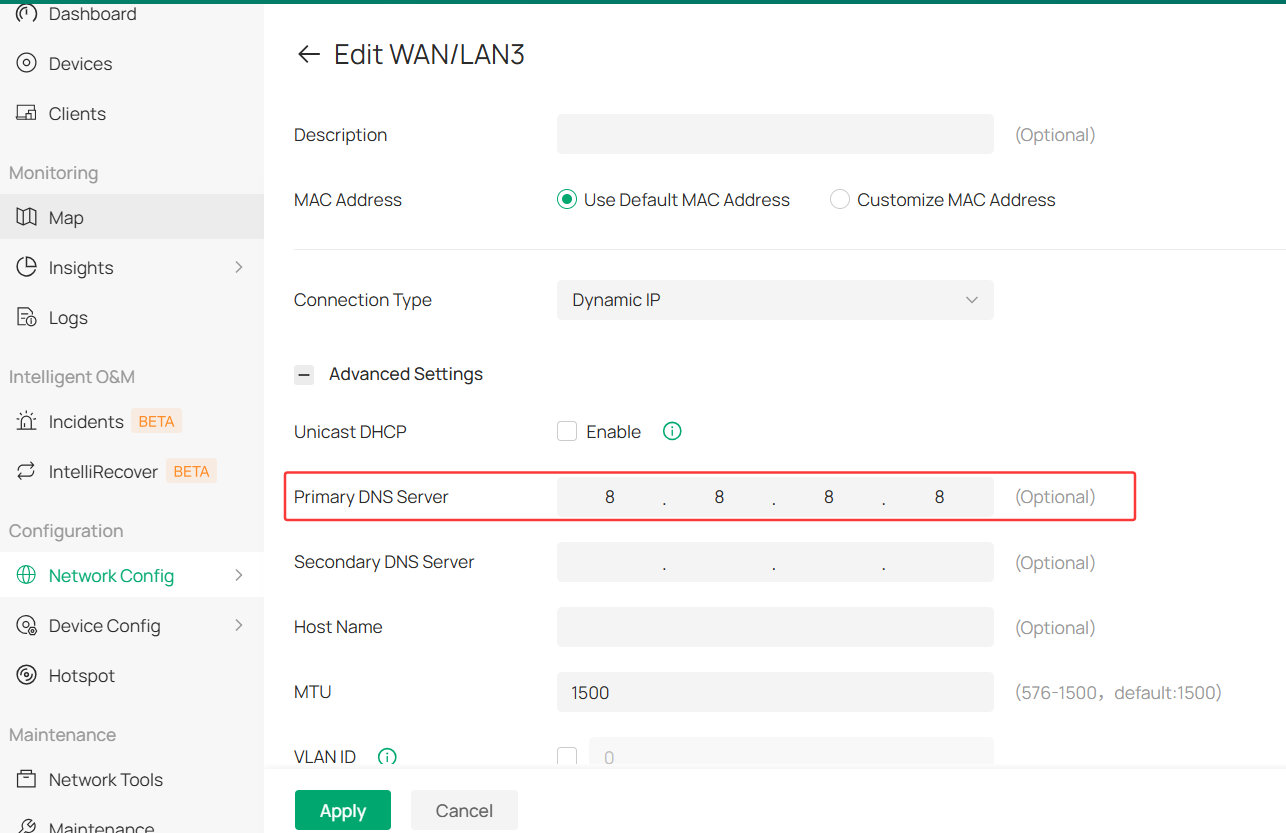
What's the DNS config of the WAN/LAN6?
Please set the DNS server to 8.8.8.8, refresh the controller, and see if it helps.
- Copy Link
- Report Inappropriate Content
@Vincent-TP Changed DNS, no difference :(. And it's odd, for sure ... here is the recent (nightly) tests,
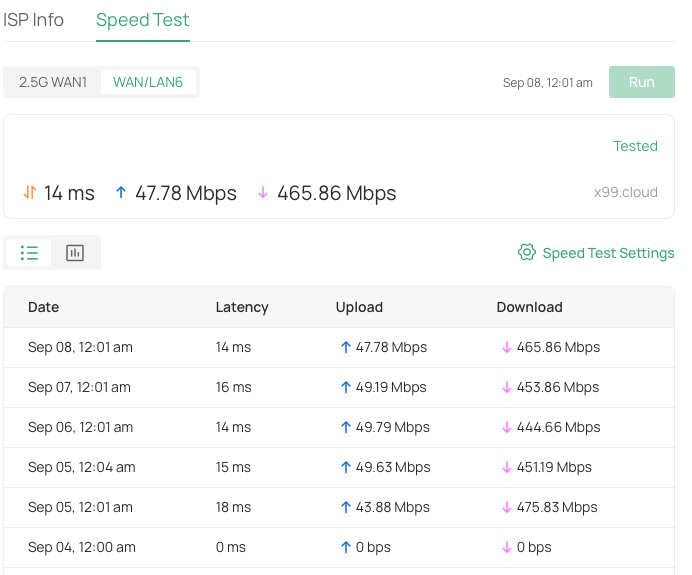
Yet, the interface shows offline?
Thanks!
- Copy Link
- Report Inappropriate Content
Hi @arrmo
Thanks for the reply.
For your case, we recommend sending the following details to the listed Support Email on your region’s support page:
Subject: [Forum Escalation][ID 871470]
Forum Nickname:
Thread URL: https://community.tp-link.com/en/business/forum/topic/871470
Model & Version:
Description:
Once sent, a ticket will be created in our support system, and a team member will follow up to gather more information or troubleshoot the issue. If you would like our team to ensure your ticket is responded to in a timely manner, feel free to reply with your Ticket ID Number.
- Copy Link
- Report Inappropriate Content
@Vincent-TP Done! Let's see ... I have had very little luck with this path in the past :(.
- Copy Link
- Report Inappropriate Content
- Copy Link
- Report Inappropriate Content
Information
Helpful: 0
Views: 733
Replies: 13
Voters 0
No one has voted for it yet.