Applying Omada 09: Eccentric Billionaire
 NeilR_M

Applying Omada 09: Eccentric Billionaire
This article series simulates real-world examples of network configurations completed with Omada equipment for home lab and/or business environments. Any similarities to real persons or organizations are purely coincidental.
Challenge
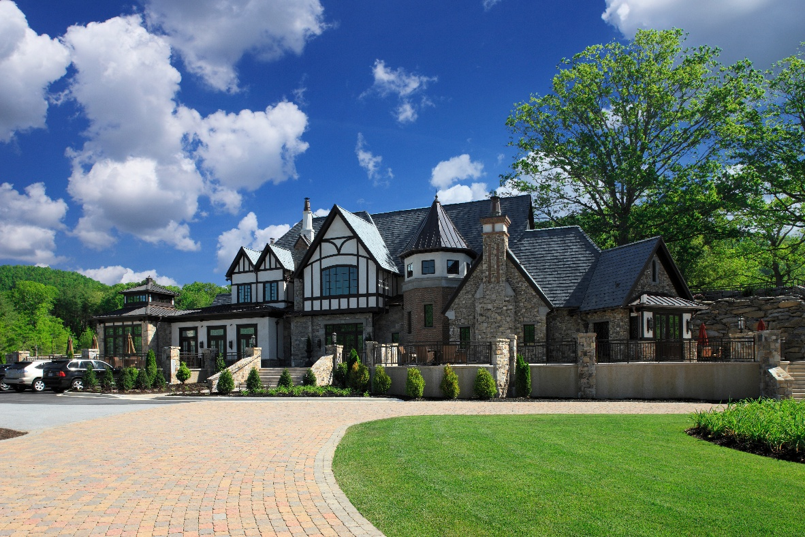
Omar is contacted by a local billionaire, Spruce Wade, who wants him to set up security cameras across one of his estates. He wants full camera coverage across his estate, with exceptions for sensitive areas, and is willing to provide a floor plan.
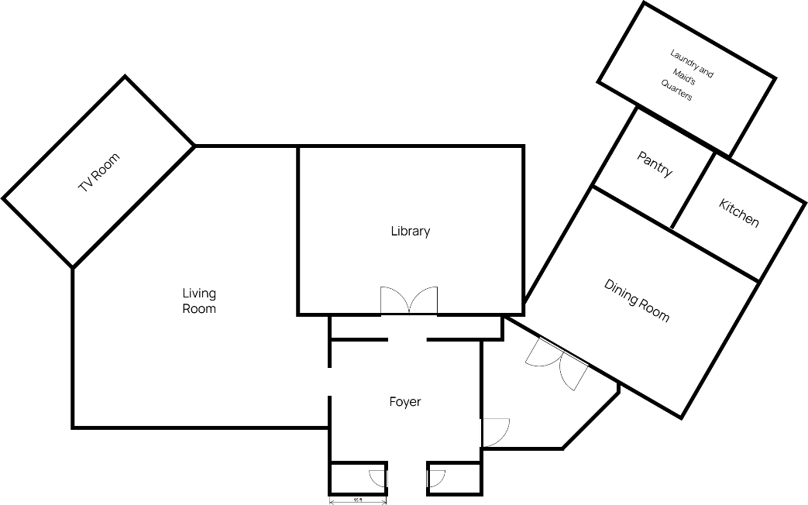
Ground Floor
Upper Floor
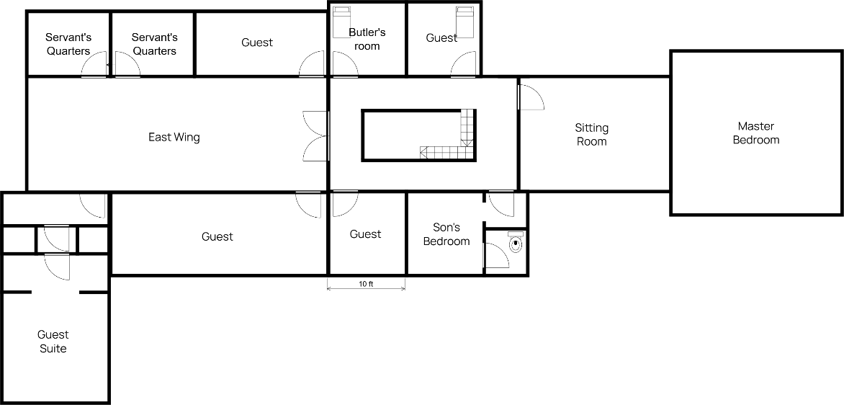
Project Requirements
- Mr. Wade wants security cameras installed to provide sufficient coverage.
- Certain areas should not be captured under surveillance. Do not cover private spaces such as bathrooms and bedrooms.
- Money is no object, but ensure sufficient coverage across both floors.
Implementation
Omar gets the floor plan and starts mapping out a solution using the Omada Design Hub. Considering sensitive areas and private spaces, Omar provides this general plan with cameras.
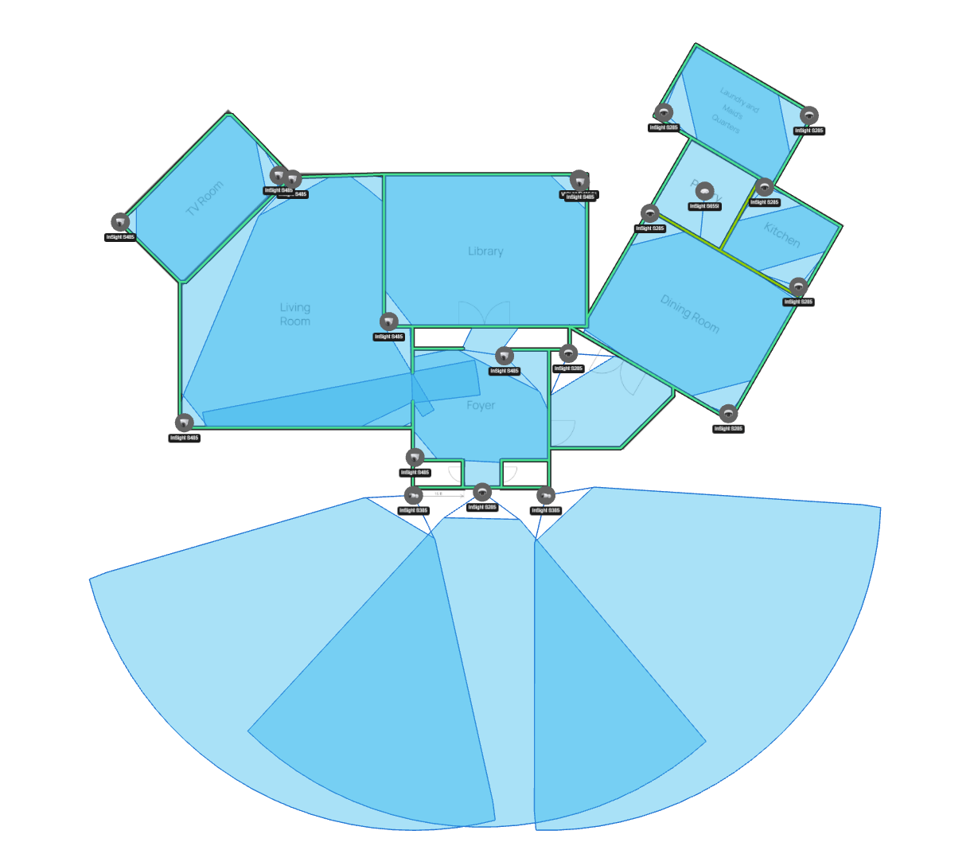
The front turret cameras are intended to cover the long driveway, with an additional dome camera for additional coverage in the front. Each room on the ground floor has a camera to capture each individual corner. The camera between the foyer and the dining room serves to cover the walled garden and can track targets going through each door. A fisheye camera was selected for the pantry.
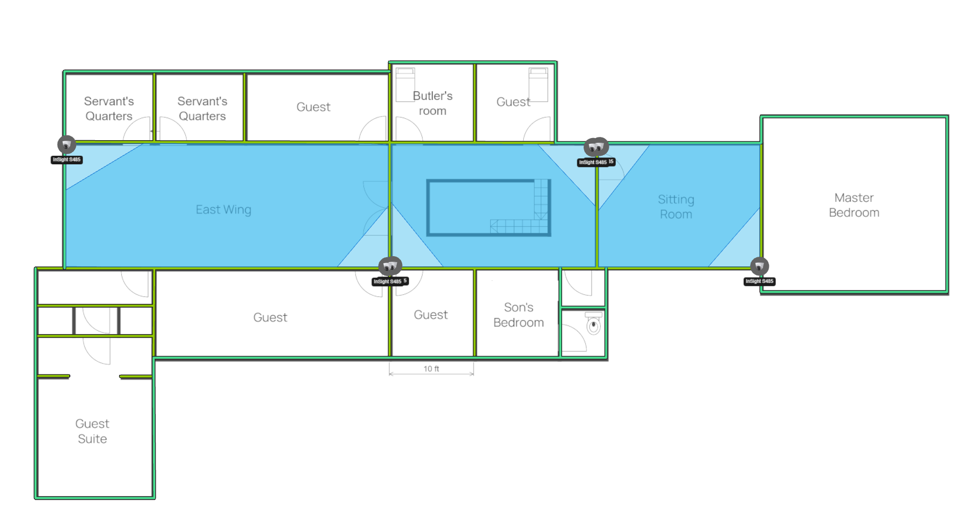
The upper floor contains more sensitive, private spaces, so cameras are installed where guests are expected to pass through. Guest rooms are not covered with cameras to protect their privacy. Mr. Wade and his son also enjoy the exemption from the security coverage.
Omar shows this plan to Mr. Wade, who shares something a bit sensitive. His son, Jay, has been known to sneak out past curfew. He wants to add measures that will alert him when his son sneaks out of the house.
Omar walks him through a few features that can help. First, motion detection in the hallways at night should help Mr. Wade keep track of his son. If he wanted to filter out the detections of staff throughout the night, he could use the AI face analysis feature that comes with his VIGI NVR.
Want to learn more about face analysis? Check out the FAQs here.
How to Configure Face Analysis on VIGI NVR GUI
Configuration Guide of VMS AI Search | TP-Link
On the VIGI NVR Web GUI, Omar logs in and goes to Settings > Event > VCA > Smart Analysis. From there, he enables Face Analysis, then configures the schedule to nighttime hours as shown below.
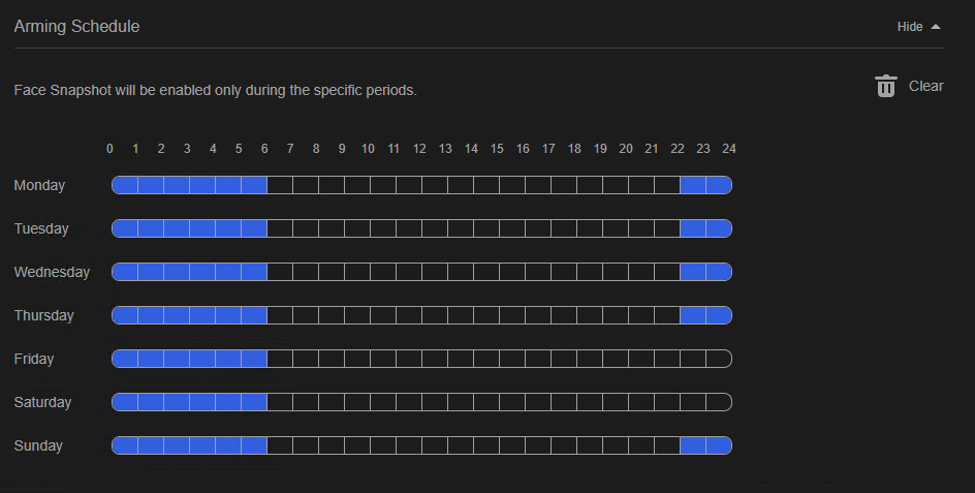
With this feature configured, Mr. Wade would have a log to search when his son attempts to leave the house. Omar also configured the event settings to have the camera emit a light when an event is triggered and send an email to Mr. Wade.
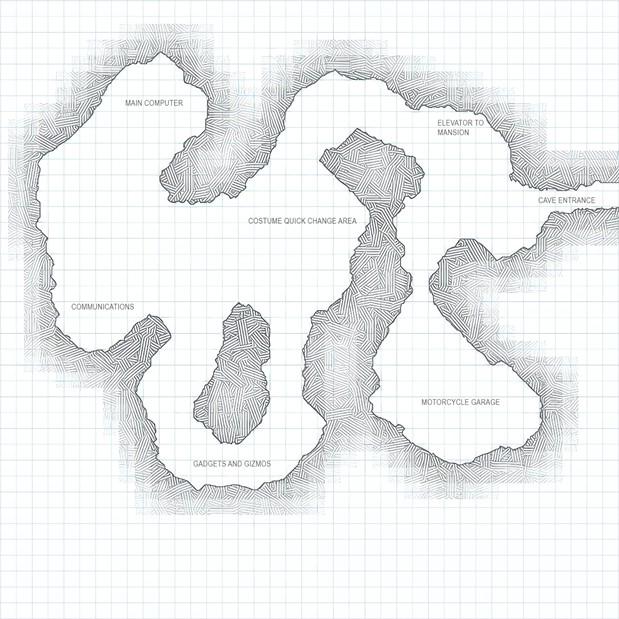
With this configuration, Mr. Wade seems pleased. He then presents Omar with a hypothetical project to see how he would approach setting up a surveillance network in a cave. Considering the request a bit odd, Omar turns around to consider the project. After considering the offer, Omar turns once more, but Mr. Wade is nowhere to be seen.
With the example floor plan below, how would you approach installing cameras in a not-so-secret cave? Assume power and cabling are not an issue.