
Solution Deco APP Frequently Showing "0 Online Clients"


This Article Applied to
Deco X50/X55_V1/1.6,V2/2.6
Deco X20/Deco X60 V4/V4.6
Phenomena Description
Occasionally, users might find Deco APP shows 0 clients connected or the online list is almost empty. While these devices appear to be connected to Deco Mesh and actually work well.

Available Solutions
The following beta versions have been confirmed to be effective, and the fixes will be incorporated into the official releases in the future.
| Deco X50/X55_V1/1.6 | 1.6.7_build_20250314_Pre Release |
| Deco X50/X55_V1.2/1.26 | 1.4.5_build_20250108_Beta |
| Deco X20/Deco X60_V4/V4.6 | 1.6.6_build_20250306_Beta |
Update Advice:
1. Please be sure you have read the Terms and Conditions for TP-Link Beta Firmware before proceeding.
2. How to manually update the firmware via web UI- How to Update the Firmware of Deco.
- Copy Link
- Subscribe
- Bookmark
- Report Inappropriate Content

@ARGamingPK1 x20v4
- Copy Link
- Report Inappropriate Content
@JWhitaker80 cool. but maybe 1,7.7 or 1.8 ;)
- Copy Link
- Report Inappropriate Content

- Copy Link
- Report Inappropriate Content
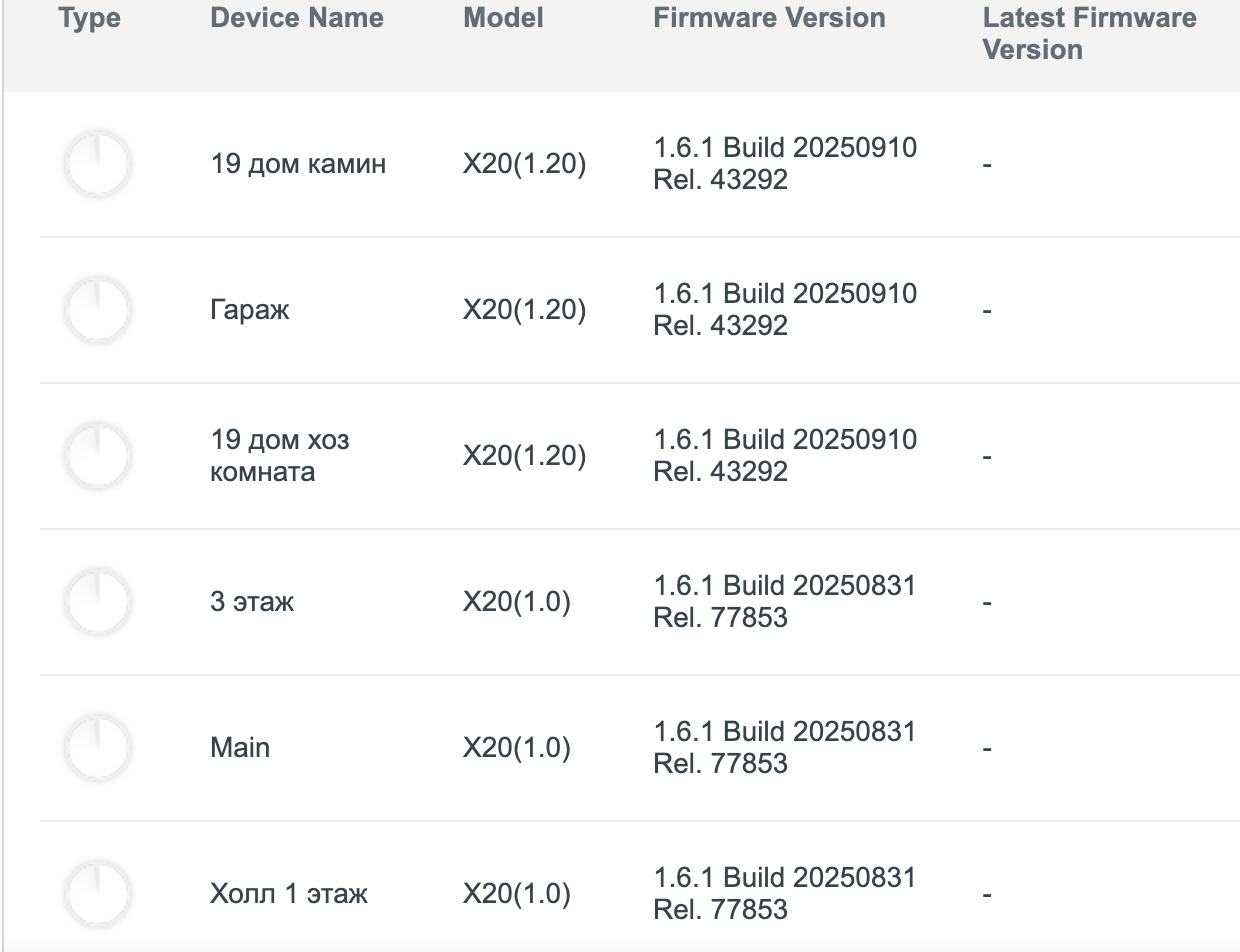
Hi, I'm afraid the beta firmware for Deco X20_V4 here can't be used on Deco X20_V1/V1.2.
Did you also have the issue that "Online list has 0 online client"?
Best regards.
- Copy Link
- Report Inappropriate Content
On my network, it seems to have problem with satellite Deco (X20) only.
No device can connect to this satellite Deco. Always showing "Connected Clients 0".
All devices are connected to main Deco. The main Deco show number of connected correctly.
Setup in Access point mode.
Network map: (ISP) -> ONU -> Router (Mikrotik) -> Deco X20 main -> Deco X20 via LAN line.
- Reset all Deco devices but still the same.
- Change connection on satellite Deco from wire to wireless still the same.
- Set prefer connection of my phone (on Deco app) to satellite Deco and re-connect Wi-Fi always failed. Unable to connect to Wi-Fi. Must reset satellite Deco and re-add it to network and re-connect the Wi-Fi on my phone.
- Copy Link
- Report Inappropriate Content

Hi, welcome to the community.
For the reported phenomenon, please ensure your Deco app and the Deco X20 are up to date, then check if the client device can connect to the satellite Deco and display correctly in the Deco app.
If they are up to date, try the following steps and see if they help.
1. Factory reset the satellite Deco, disconnect the main Deco from the front router, turn off the main Deco, and connect the satellite Deco to the router.
2. Create a new Deco network in the Deco app for the satellite Deco, set it as a main Deco in the new Deco network, and check if it's working.
How to Create Multiple TP-Link Deco Networks in the Deco App
3. If the Deco in the new Deco network works fine, you can factory reset the original main Deco, add it to the new Deco network, and check if they will work.
If the Deco in the new Deco network does not work, please describe the detailed phenomenon you are experiencing. For example, what's the LED status on the Deco unit? Does the client device see the new Wi-Fi name but can't connect, or is it something else?
Best Regards
- Copy Link
- Report Inappropriate Content
I've already done all that but not working. Only one Deco works fine.
The other one always reset itself when re-plug the power in and cannot work with other Deco, only stand alone.
In the end, I send that one Deco to the store to claim/fix and recently I've got new one because the old one is really broken. Everything works fine now with one old and one new.
- Copy Link
- Report Inappropriate Content
@kvee Hi, thanks for your explanation, and glad to hear your Deco nodes are working now.
- Copy Link
- Report Inappropriate Content
Information
Helpful: 4
Views: 15604
Replies: 48
Voters 3