Early Access New Firmware for Archer AX53 Introduces Web Protection Whitelist, ECO Mode v2, and More


Hello everyone!
We are pleased to announce a pre-release firmware update for the Archer AX53 V1, introducing new features such as the Web Protection Whitelist, ECO Mode v2, and more.
All users are encouraged to upgrade to the latest firmware and share your feedback. This is crucial for our continuous product improvement! We look forward to your experience!
Download the update now and experience your router's new features!
New Features/Enhancements:
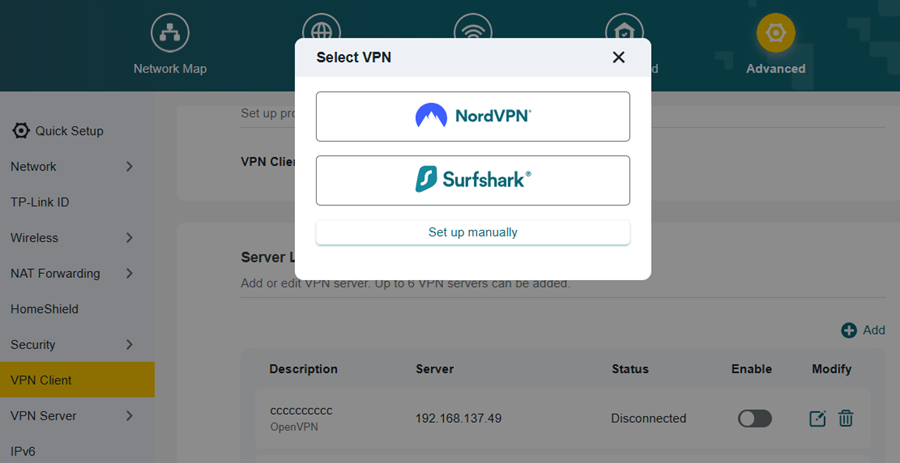
1. Third-Party VPN Client Integration (NordVPN & Surfshark)
Added native support for NordVPN and Surfshark configurations. You can now set up your VPN client using either an Access Token or dedicated Account Credentials directly.
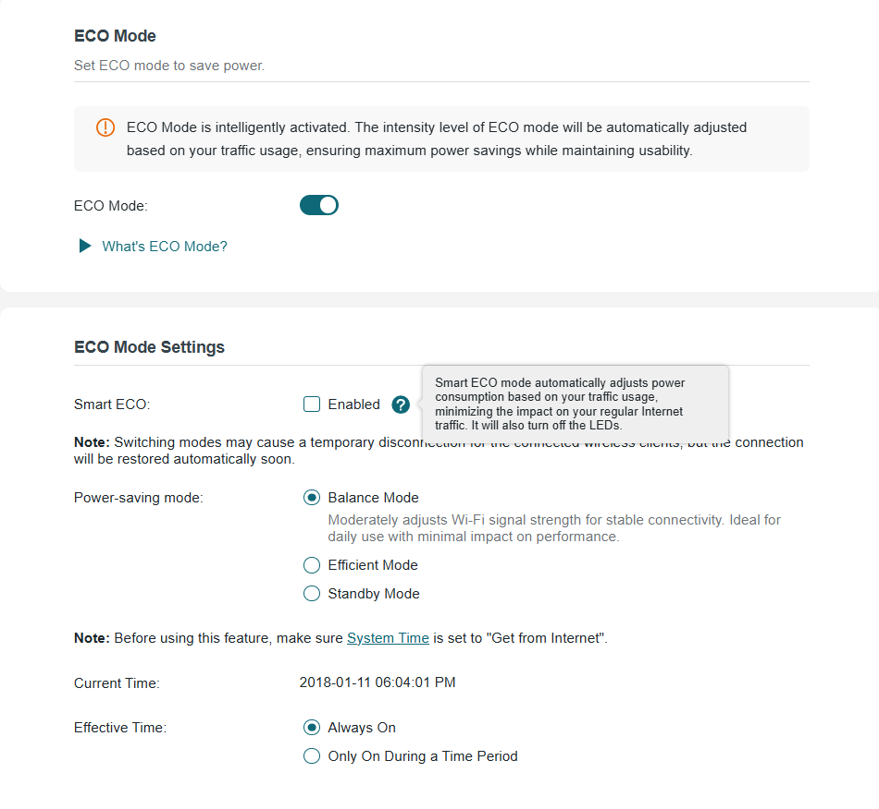
2. ECO Mode v2
Smart ECO Mode (Default): Automatically adjusts power consumption and turns off status LEDs based on real-time network traffic, minimizing energy use without affecting performance.
Custom Profiles & Schedules: Choose from multiple power-saving profiles and customize active time periods to match your daily schedule.
3. Admin Password Recovery
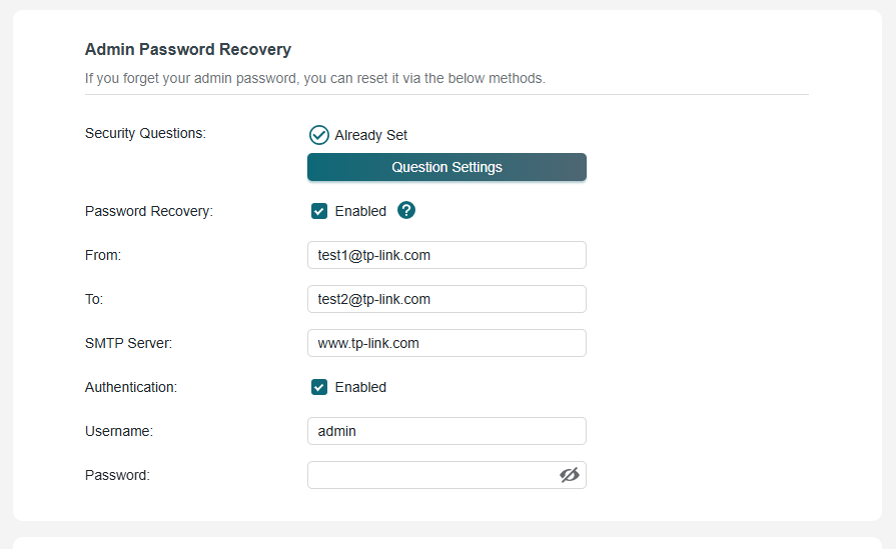
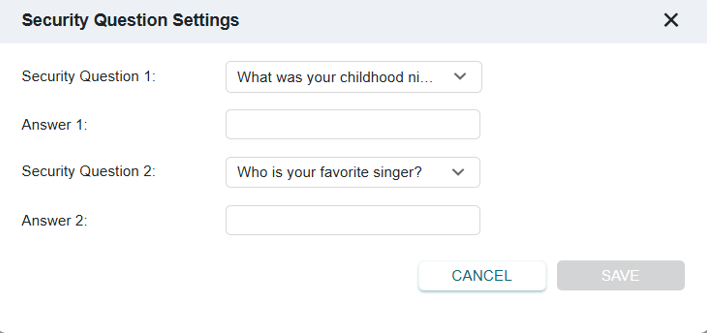
We have introduced new methods to recover your local administrator password, ensuring you never lose access to your router's settings. You can now choose between two secure recovery options:
Security Questions: Set up answers to predefined security questions. This allows you to quickly verify your identity and reset your password.
Email Recovery: Configure a designated email address and your own SMTP server to receive password recovery instructions directly to your inbox.
You can enable and configure these options under System > Administration.
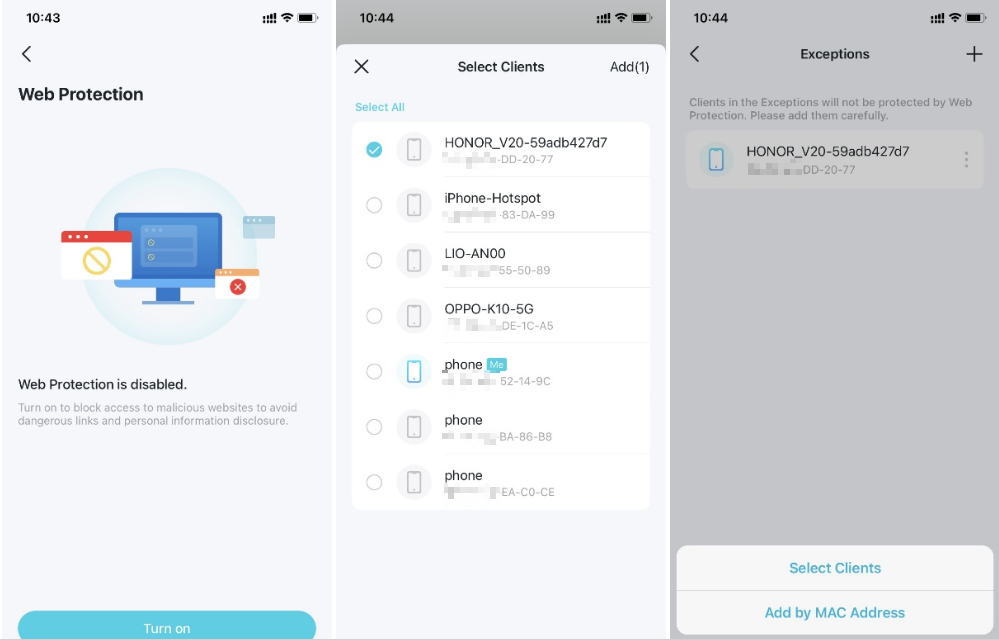
4. Whitelist for Web Protection
Added an exception/whitelist feature to Web Protection. Added client devices can bypass web filtering and access the internet without security blocks or restrictions.
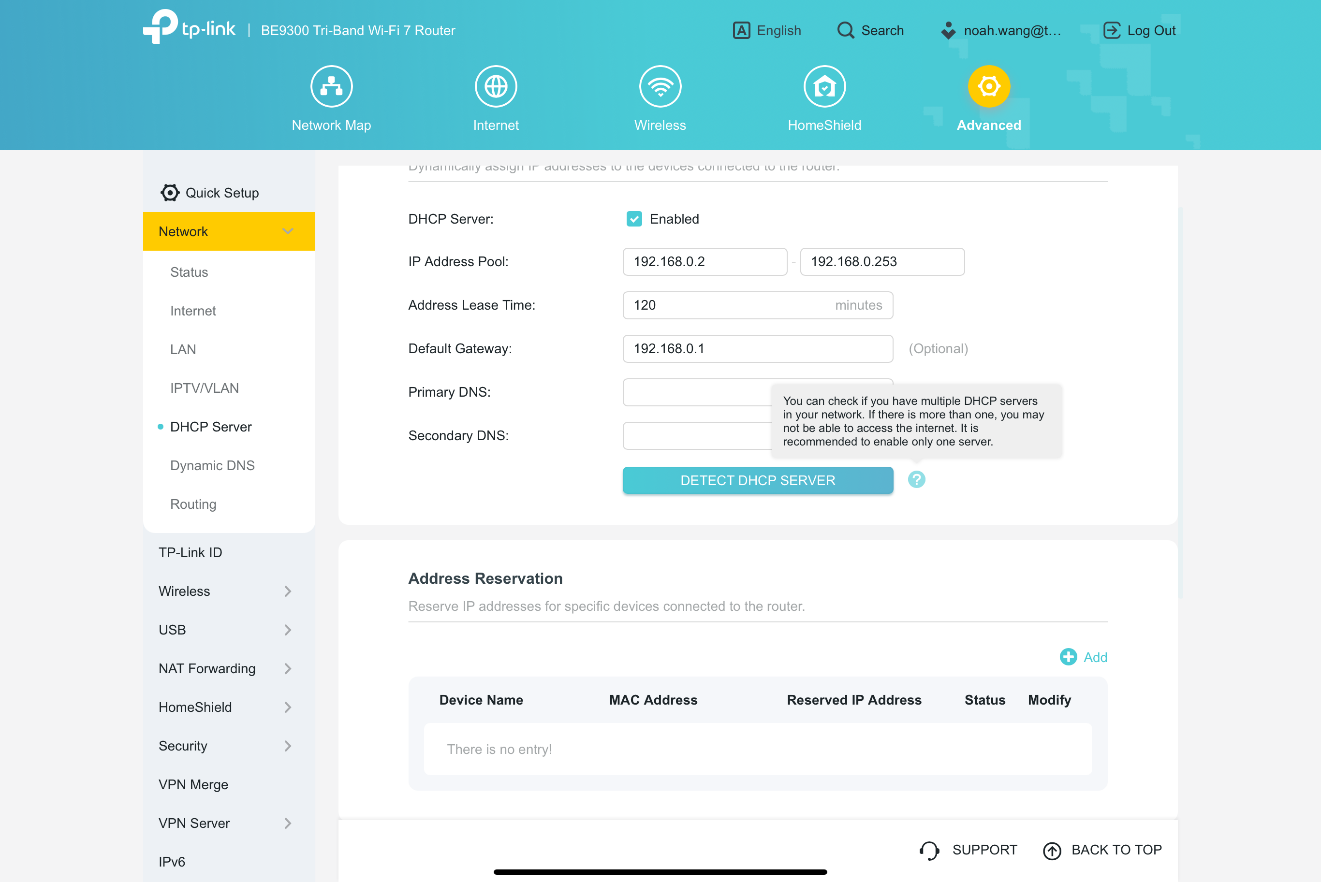
5. DHCP Detection
Having rogue or multiple active DHCP servers on a local network can cause IP conflicts and disconnects. This one-click diagnostic tool scans the LAN to detect duplicate DHCP servers, helping you quickly identify and resolve IP address conflicts.
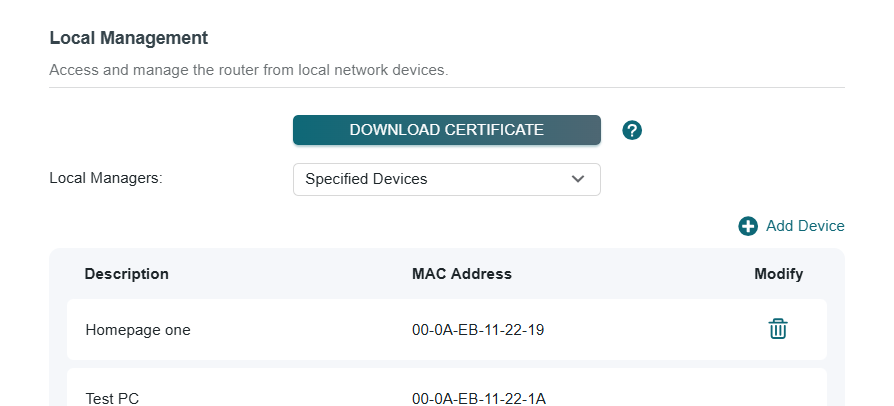
6. HTTPS Certificate Export
When HTTPS Management is enabled, browsers may flag the local management page with a "Not Secure" warning. You can now download and export the router’s SSL certificate directly from the Web UI and install it on your PC or mobile device to eliminate browser security prompts.
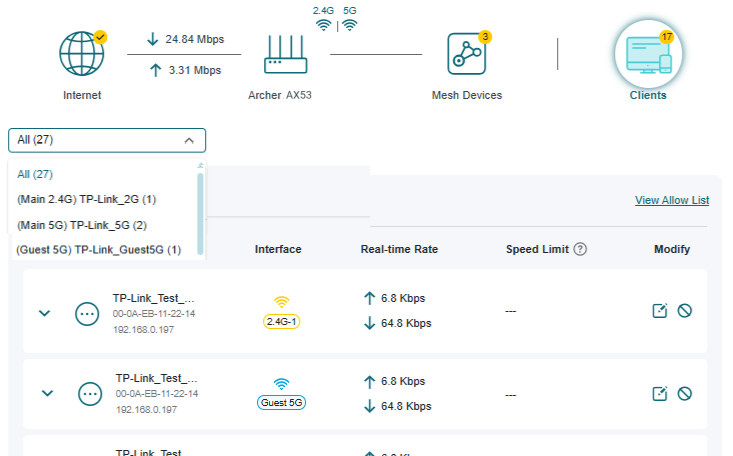
7. Client Filtering by SSID in Client List
Added the ability to filter and view connected devices based on their specific wireless network (SSID).
Other Enhancements:
- Added an option in Access Control whitelist to exempt Guest Network clients.
- Added Interactive Help Tooltips with direct links to official FAQs.
Firmware Download:
Before the Upgrade
(1) Please be sure you have read the Beta Test Agreement before upgrading the pre-release firmware!
(2) For the sake of insurance, it's always recommended to save a copy of the router's Backup Config file before upgrading or downgrading.
(3) You may follow the guide to upgrade the firmware of your router. How to Upgrade the Firmware on the TP-Link Wi-Fi Routers.
(4) This version upgrade is irreversible and you cannot downgrade to the previous firmware after the upgrade.
Direct Firmware Download Link
| Archer AX53_V1 | Archer AX53_V1_1.8.0 Build 20260821 (Pre-Release Firmware) |
Additional Information
As always, we value your feedback. If you encounter any concerns during or after the router firmware upgrade, please leave a message below and include the following information. Your feedback helps us improve and provide better products and support.
Please provide detailed information, including but not limited to:
- A complete network topology diagram.
- The device's connection method and whether EasyMesh networking is enabled.
- Screenshots of relevant error messages, etc.
Thank you for your continued support and for being a member of our community.
- Copy Link
- Subscribe
- Bookmark
- Report Inappropriate Content

@Joseph-TP please add DNS over HTTPS support. this is the most basic thing that is missing from this router
- Copy Link
- Report Inappropriate Content
Hello @Pankajuuuuu ,
Our engineers are already analyzing your feedback. Latency appears significantly higher when QoS is disabled than when it is enabled.
We need to escalate this issue to our engineering team. Please note that this may require your cooperation for further testing, and your network environment may need to support remote access. Is this convenient for you?
If this isn't convenient right now, you can also contact your local technical support team at any time; they can assist you based on the situation.
- Copy Link
- Report Inappropriate Content

@Joseph-TP DoH/DoT needs to be added to AX53 V1. Forward the feature request to the relevant team.
- Copy Link
- Report Inappropriate Content
@Joseph-TP
JFYI, in our Russian Community there are not any problem with version 1.8.0 pre-release 
Some feedback about WiFi quality and client's disconnections was in versions 1.7.1 and 1.7.3 and users had to revert back to version 1.6.2 (which is most stable)
Awaiting for release version for AX53, AX3000 and AX58
- Copy Link
- Report Inappropriate Content
@Joseph-TP Please tell the engineers to work on DoH and DoT too. people has been asking for this for so long. And your customer support keeps giving the same clerical response.
- Copy Link
- Report Inappropriate Content
Hello. When will you add the DoH/DoT option to the AX53? We’ve been waiting for a really long time, it’s an important feature that’s really missing
- Copy Link
- Report Inappropriate Content

I need some help, but first I need to tell you a story.
I bought my first AX53 in 2025 and it always worked fine. Even with weak signal at the far edges of my property, my IP cameras (Tapo C500 and C310) and IoT switches stayed connected. One Sonoff Basic 4 kept dropping, so I bought a second AX53 and set it up in Mesh mode - only to find out later that the mesh only extends the main network, which is not made clear on the box. Then, on firmware 1.7, devices at the edges of the property started dropping as well. The last version that worked properly for me was 1.6, and it was out of frustration that I upgraded to 1.8.
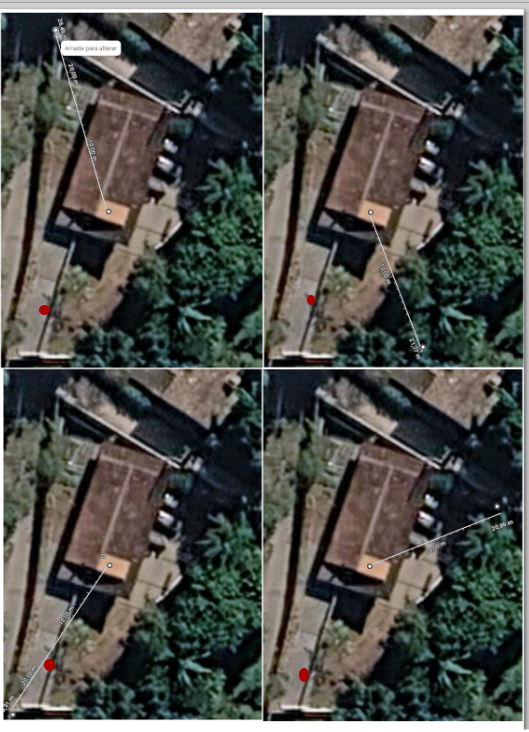
Version 1.8 has brought me nothing but problems. After a lot of troubleshooting (removing the units from mesh, moving every device to the main network, disabling the IoT and guest Wi-Fi), I factory reset the AX53 and kept a single unit running. Over Ethernet everything is fine; over 2.4 GHz it is terrible. I haven't even enabled 5 GHz on this fresh setup.
Important: the problem is intermittent. The link works normally for a while and then degrades badly, with no pattern I could identify so far, and later recovers on its own.
Current setup
- Router: Archer AX53 v1.0, firmware 1.8.0 Build 20260821 rel.13486(4252)
- Factory reset, single unit, no mesh/OneMesh, no guest network, no IoT network, 5 GHz disabled
- Client: Dell OptiPlex 7020, Debian 13 (kernel 6.12.107+deb13-amd64), Intel Wi-Fi 6E AX211 (iwlwifi firmware 89.4d42c933.0), no errors or radio resets in dmesg
- Wired tests from the same machine, onboard Intel I219-LM
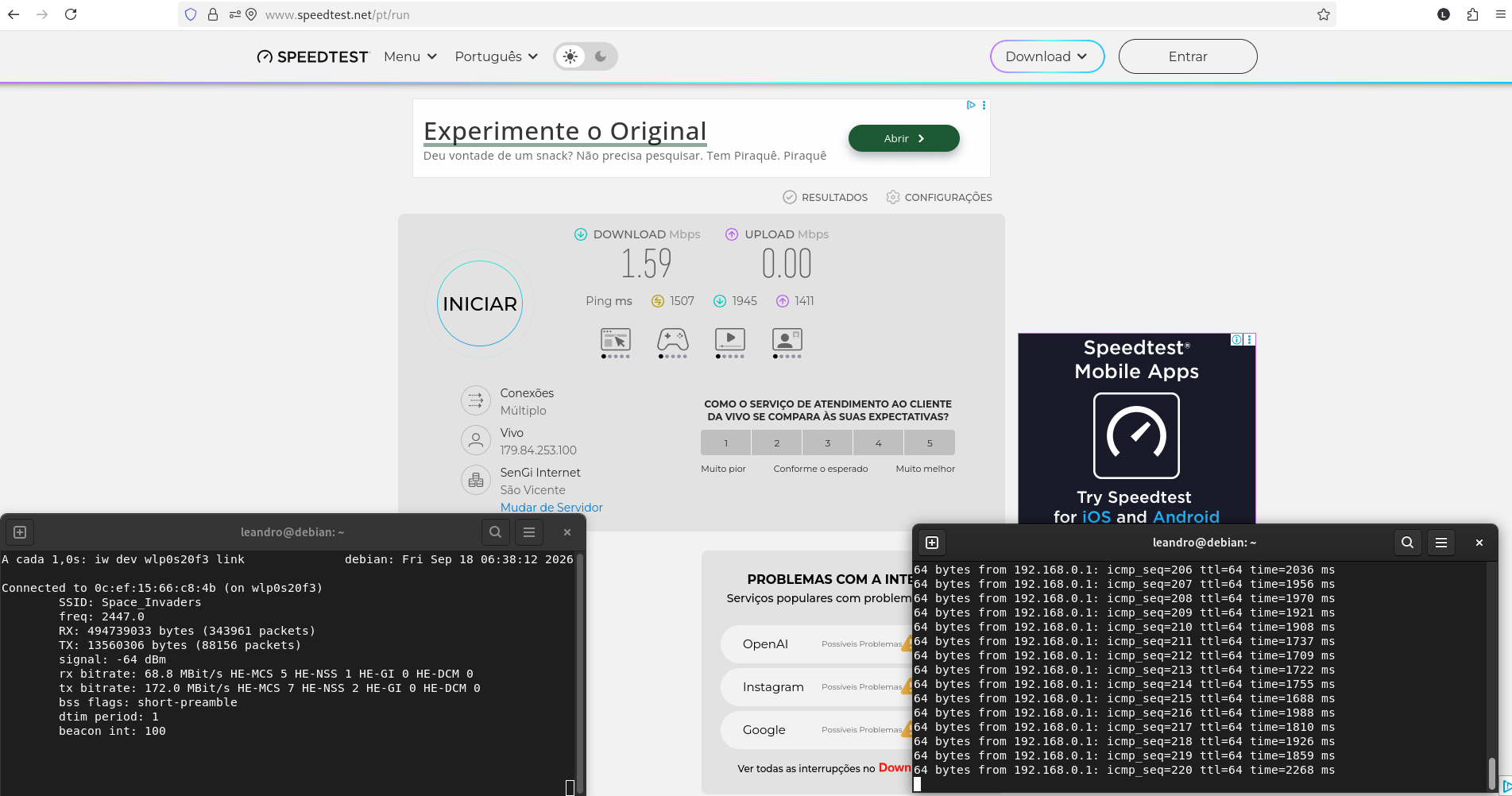
What the attached screenshot shows, captured during one of these episodes
- Speedtest over 2.4 GHz: 1.59 Mbps down, 0.00 Mbps up, 1507 ms idle ping, 1945 ms loaded latency
- `iw dev wlp0s20f3 link`: healthy association - 2447 MHz, signal -64 dBm, RX 68.8 Mbit/s (HE-MCS 5, NSS 1), TX 172.0 Mbit/s (HE-MCS 7, NSS 2)
- Continuous ping to the router itself (192.168.0.1): 1700-2300 ms, repeatedly. This traffic never leaves the LAN, so the delay is between my client and the AX53
For comparison, the same machine over Ethernet pings 192.168.0.1 at 0.47-0.68 ms. Same router, same gateway, same PC - only the medium changes. So this is not an ISP issue, not a range issue and not a client issue: negotiated rates are normal, signal is acceptable and the driver logs are clean, yet the round-trip time to the gateway over Wi-Fi reaches almost two seconds.
What I'm asking for
1. Is this a known regression in 1.8.0 Build 20260821? If a fix is on the way, what is the expected timeline?
2. Is downgrading really not possible? The router rejects any older firmware I try to upload and the website only offers the latest build. If there is a supported way to roll back to 1.6 - the last version that was stable for me - I would like to know it. If downgrading is blocked by design, please say so clearly, because that leaves me stuck on a build that makes 2.4 GHz unusable for the devices this network was built around.
3. Since the problem is intermittent, is there any specific test or log I can collect to help identify what is happening? I have a Linux machine available and I'm comfortable running continuous pings, captures, channel scans or anything else you suggest. I just need to know what would actually be useful to you, and I'll run it the next time the issue shows up.
Thanks in advance.
- Copy Link
- Report Inappropriate Content

It is always possible to revert to an earlier version: download the firmware to a computer connected via cable, turn the router off and then on again while holding down the reset button, wait for the orange LED to appear, and then navigate to the address 192.168.0.1 on your computer to load the firmware.
https://community.tp-link.com/en/home/forum/topic/868756
- Copy Link
- Report Inappropriate Content

@Joseph-TP
After Updating to 1.8.0 the Range of Wi-Fi in both 2.4GHz and 5GHz decreased. On 1.7.3 it was perfect.
Expect this I don't face any other problem.
FYI but yeh after updating one day the router's Lan LED went off suddenly and the internet connection just gone, but after rebooting that problem never occurred 2nd time.
- Copy Link
- Report Inappropriate Content
@Niojar Can you send me firmware 1.5.4?
- Copy Link
- Report Inappropriate Content
Information
Helpful: 7
Views: 7971
Replies: 54
Voters 3