Early Access New Firmware for Archer AX53 Introduces Web Protection Whitelist, ECO Mode v2, and More


Hello everyone!
We are pleased to announce a pre-release firmware update for the Archer AX53 V1, introducing new features such as the Web Protection Whitelist, ECO Mode v2, and more.
All users are encouraged to upgrade to the latest firmware and share your feedback. This is crucial for our continuous product improvement! We look forward to your experience!
Download the update now and experience your router's new features!
New Features/Enhancements:
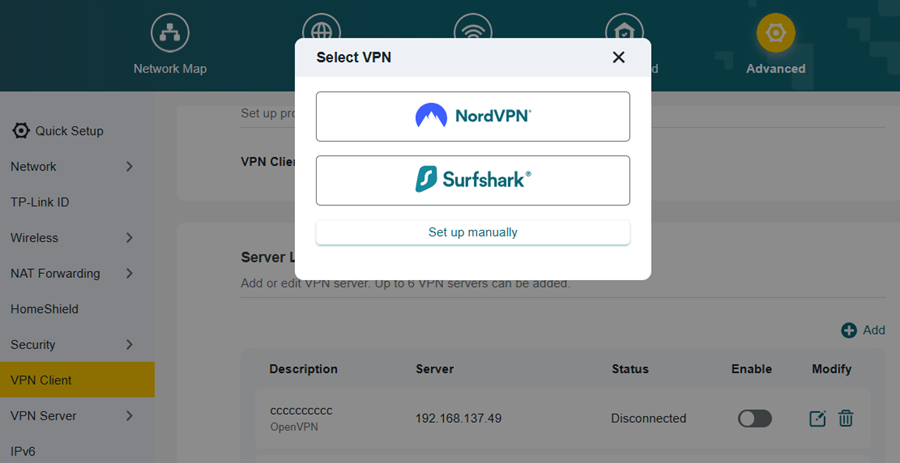
1. Third-Party VPN Client Integration (NordVPN & Surfshark)
Added native support for NordVPN and Surfshark configurations. You can now set up your VPN client using either an Access Token or dedicated Account Credentials directly.
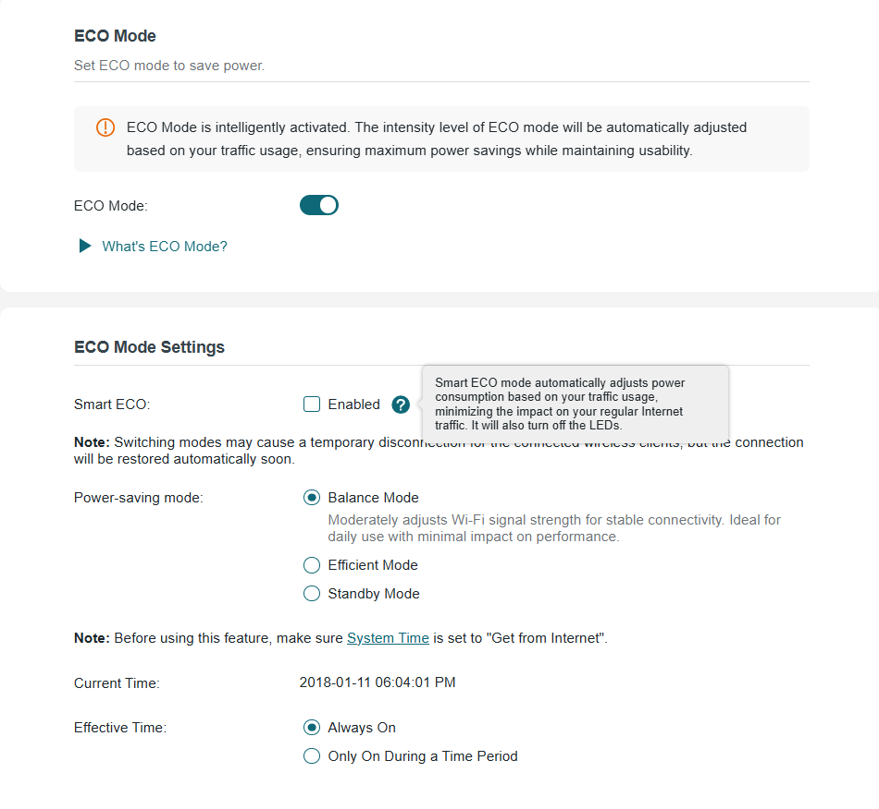
2. ECO Mode v2
Smart ECO Mode (Default): Automatically adjusts power consumption and turns off status LEDs based on real-time network traffic, minimizing energy use without affecting performance.
Custom Profiles & Schedules: Choose from multiple power-saving profiles and customize active time periods to match your daily schedule.
3. Admin Password Recovery
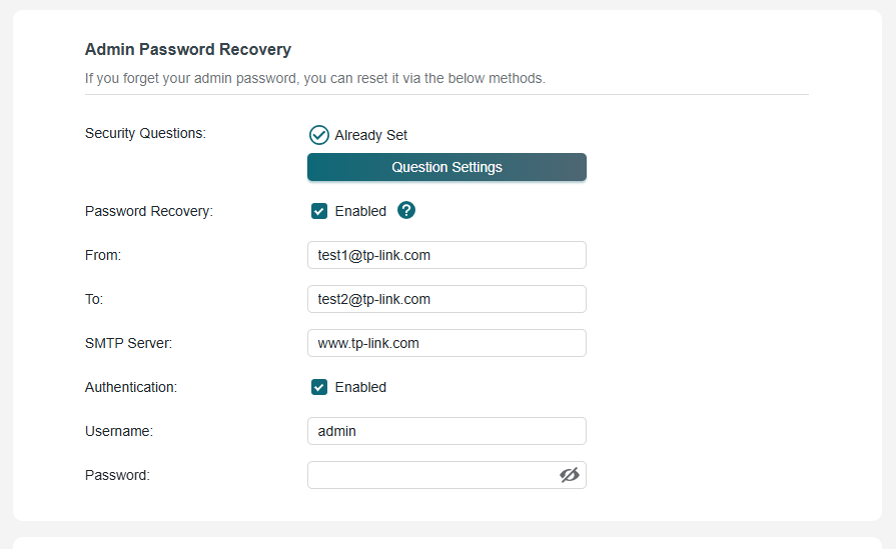
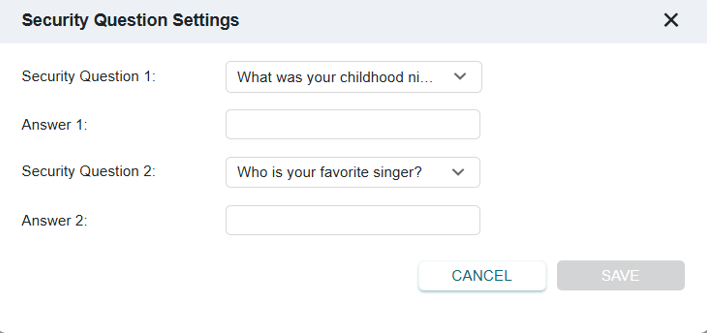
We have introduced new methods to recover your local administrator password, ensuring you never lose access to your router's settings. You can now choose between two secure recovery options:
Security Questions: Set up answers to predefined security questions. This allows you to quickly verify your identity and reset your password.
Email Recovery: Configure a designated email address and your own SMTP server to receive password recovery instructions directly to your inbox.
You can enable and configure these options under System > Administration.
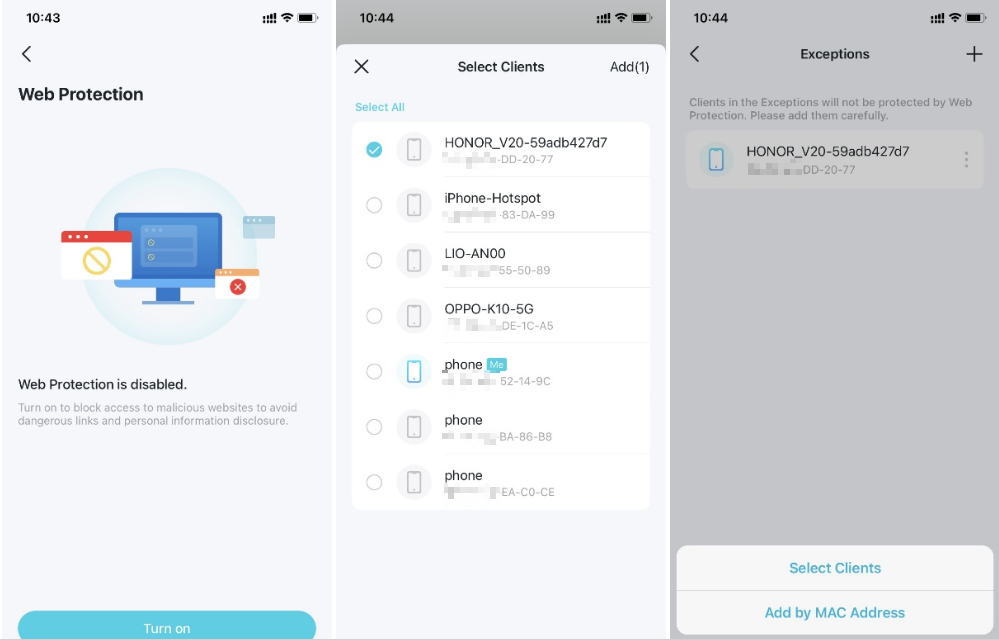
4. Whitelist for Web Protection
Added an exception/whitelist feature to Web Protection. Added client devices can bypass web filtering and access the internet without security blocks or restrictions.
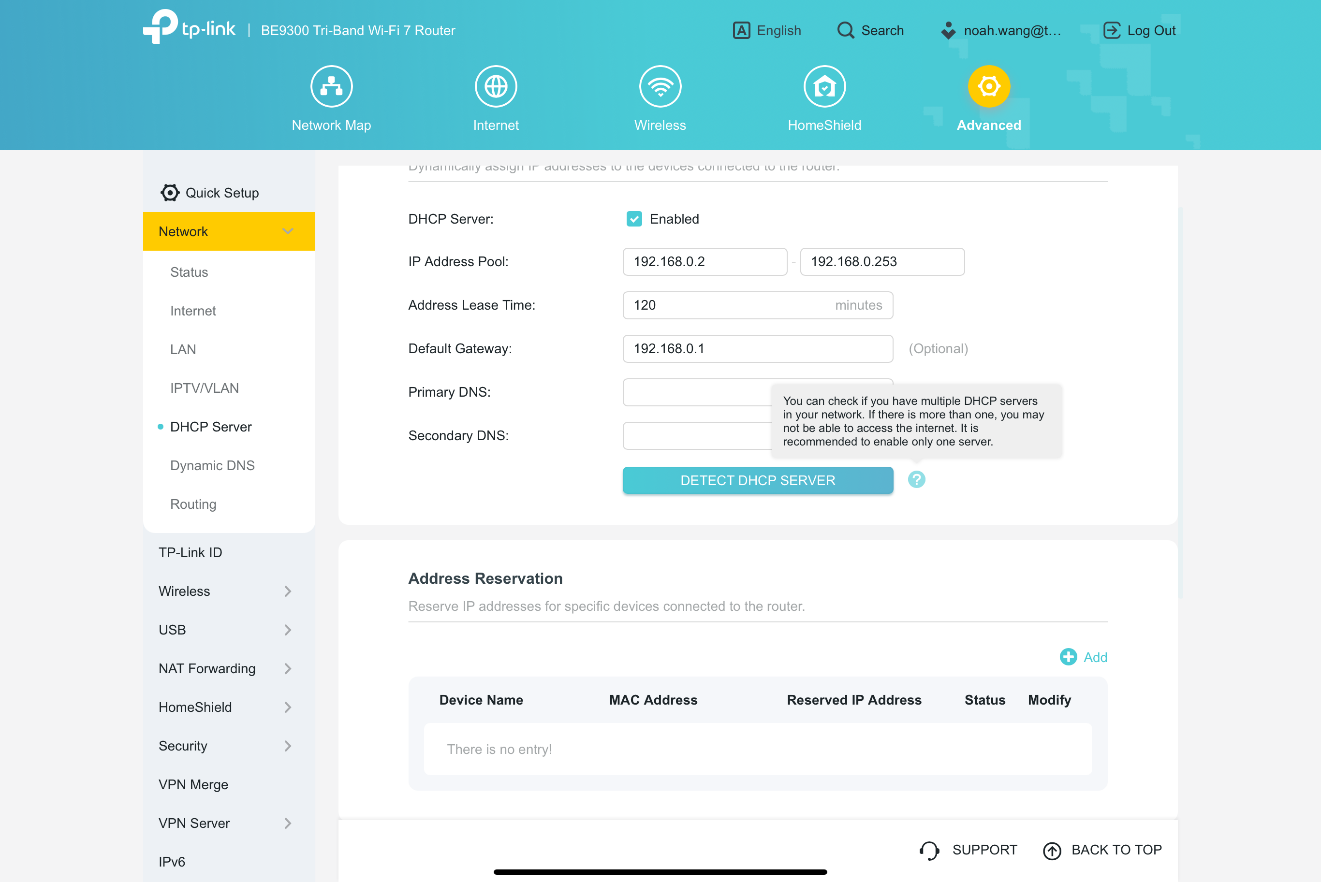
5. DHCP Detection
Having rogue or multiple active DHCP servers on a local network can cause IP conflicts and disconnects. This one-click diagnostic tool scans the LAN to detect duplicate DHCP servers, helping you quickly identify and resolve IP address conflicts.
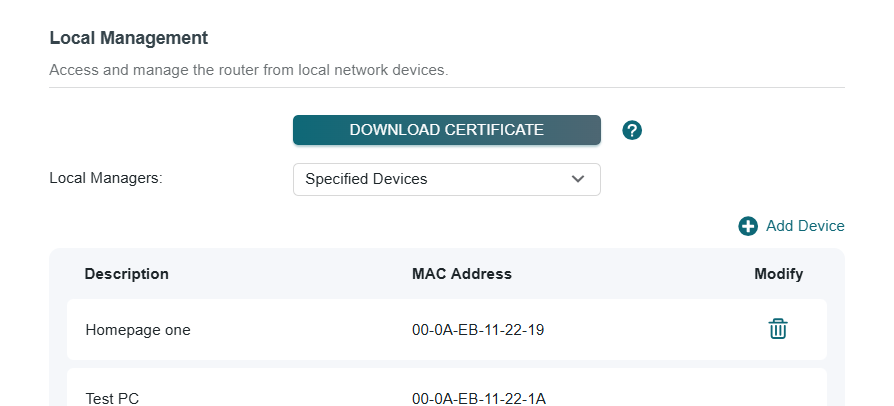
6. HTTPS Certificate Export
When HTTPS Management is enabled, browsers may flag the local management page with a "Not Secure" warning. You can now download and export the router’s SSL certificate directly from the Web UI and install it on your PC or mobile device to eliminate browser security prompts.
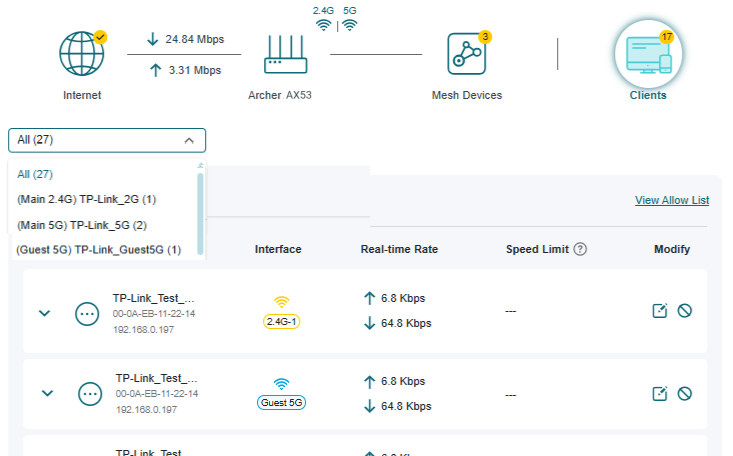
7. Client Filtering by SSID in Client List
Added the ability to filter and view connected devices based on their specific wireless network (SSID).
Other Enhancements:
- Added an option in Access Control whitelist to exempt Guest Network clients.
- Added Interactive Help Tooltips with direct links to official FAQs.
Firmware Download:
Before the Upgrade
(1) Please be sure you have read the Beta Test Agreement before upgrading the pre-release firmware!
(2) For the sake of insurance, it's always recommended to save a copy of the router's Backup Config file before upgrading or downgrading.
(3) You may follow the guide to upgrade the firmware of your router. How to Upgrade the Firmware on the TP-Link Wi-Fi Routers.
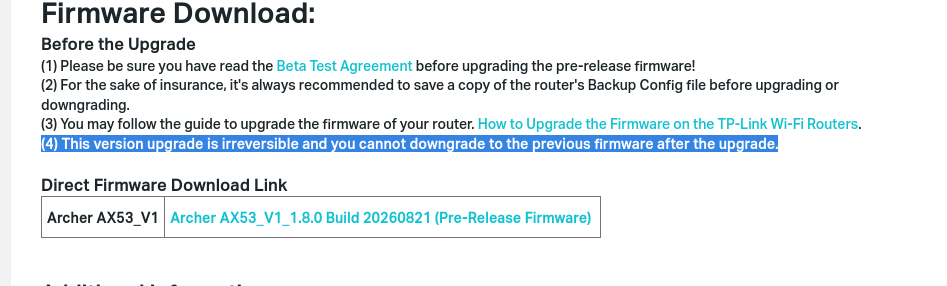
(4) This version upgrade is irreversible and you cannot downgrade to the previous firmware after the upgrade.
Direct Firmware Download Link
| Archer AX53_V1 | Archer AX53_V1_1.8.0 Build 20260821 (Pre-Release Firmware) |
Additional Information
As always, we value your feedback. If you encounter any concerns during or after the router firmware upgrade, please leave a message below and include the following information. Your feedback helps us improve and provide better products and support.
Please provide detailed information, including but not limited to:
- A complete network topology diagram.
- The device's connection method and whether EasyMesh networking is enabled.
- Screenshots of relevant error messages, etc.
Thank you for your continued support and for being a member of our community.
- Copy Link
- Subscribe
- Bookmark
- Report Inappropriate Content
@Joseph-TP Will the AX90 be receiving any new updates like the above?
- Copy Link
- Report Inappropriate Content
Hello @dynamoAnik ,
Could you share how you tested the reduced Wi-Fi range? Does adjusting the router's placement improve it? Here are some suggestions: TP-Link Router Antenna Position and Placement Guide: 6 Tips for Better Wi-Fi
Regarding the second problem, it appears to be an isolated incident; I suggest monitoring the situation for a while longer.
- Copy Link
- Report Inappropriate Content
Could you share your experience trying out the 1.8.0 firmware? Or did you encounter any problems?
- Copy Link
- Report Inappropriate Content
Hello @Leandro_Sampa ,
Thanks for contacting our community.
Are your 2.4GHz and 5GHz networks separate? Have you tried modifying the 2.4GHz channel width and channel? For example: set the 2.4GHz channel width to 20MHz and the channel to 1/6/11.
Regarding your feedback, our tech team is aware of your case and will likely reach out via email to continue troubleshooting. Please check your email inbox and confirm.
- Copy Link
- Report Inappropriate Content
Hi @Niojar ,
Noticed you haven't followed up on the previous feedback; have there been any developments?
Also, which firmware version are you currently using? Have you already downgraded to firmware version 1.5.x or 1.6.x? How is it performing?
- Copy Link
- Report Inappropriate Content

@Joseph-TP
Hi Joseph,
Before firmware 1.8.0 I was using 1.7.3. My Router is in Fixed position all the time, while using other Firmwares before 1.8.0, at my belcony I could easily use 2.4GHz and A little closer to the router I was able to use 5GHz also but after shifted to 1.8.0 at my belcony simply there is no Wifi signal, my Router is in fixed position like pervious.
So I am 100% sure Firmware 1.8.0 just reduced the Wifi power. I don't change anything in my Flat that can interfare the signal. Same channel 11 and 149.
Thank you
Anik
- Copy Link
- Report Inappropriate Content

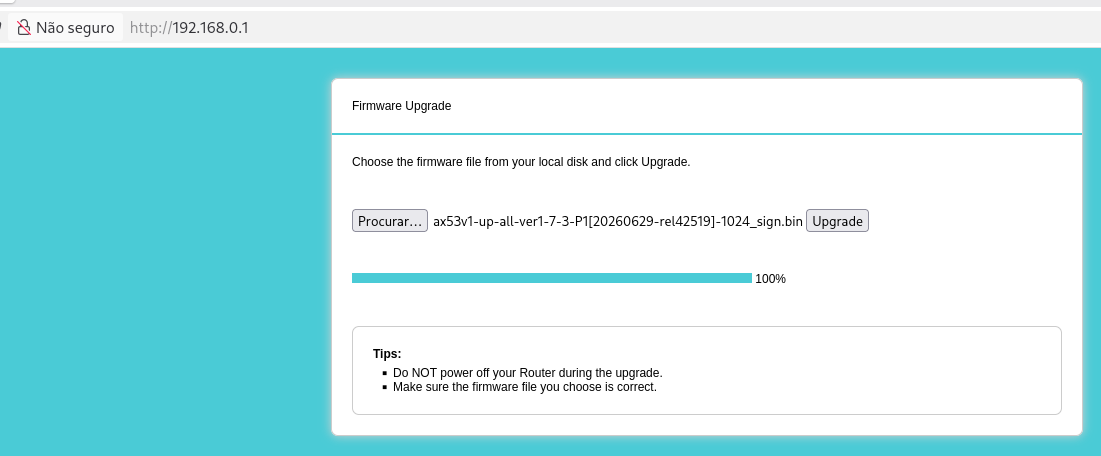
Is the downgrade really irreversible? Even when starting the modem while holding the reset button?
I’m asking because I tried it, but I haven’t been able to get it to work.
- Copy Link
- Report Inappropriate Content

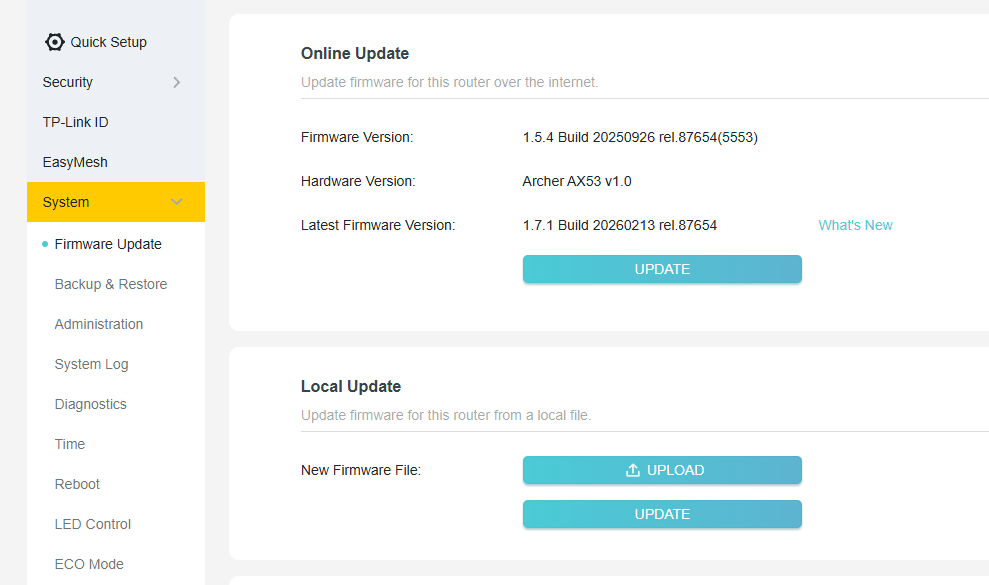
It's possible; I've already tried the 1.8.0 beta firmware, but I wasn't convinced because of some visual bugs in AP mode, so now I'm using the version that has worked best for me. I've also tried older firmware versions, such as 1.2.2, and haven't had any problems. I'm currently using the AX53 as an AP and a C80 as an EasyMesh node; firmware 1.5.4 is the one that worked best for me in router mode.
- Copy Link
- Report Inappropriate Content
Hello @dynamoAnik ,
Thanks for sharing that. We have forwarded this feedback to the relevant department and will provide updates here as soon as we have progress.
- Copy Link
- Report Inappropriate Content
Good to know the AX53 is still getting feature upgrades.
I'd love to see a few more though, namely fast roaming support (802.11r) and extending IoT/guest networks to mesh satellites/broadcasting those networks while set up as mesh satellite. Most of these features are available in the latest BE550 beta firmware, but I can't use them because my AX53 satellite doesn't support them.
- Copy Link
- Report Inappropriate Content
Information
Helpful: 7
Views: 7282
Replies: 52
Voters 3