Early Access New Firmware for Archer AX53 Introduces Web Protection Whitelist, ECO Mode v2, and More


Hello everyone!
We are pleased to announce a pre-release firmware update for the Archer AX53 V1, introducing new features such as the Web Protection Whitelist, ECO Mode v2, and more.
All users are encouraged to upgrade to the latest firmware and share your feedback. This is crucial for our continuous product improvement! We look forward to your experience!
Download the update now and experience your router's new features!
New Features/Enhancements:
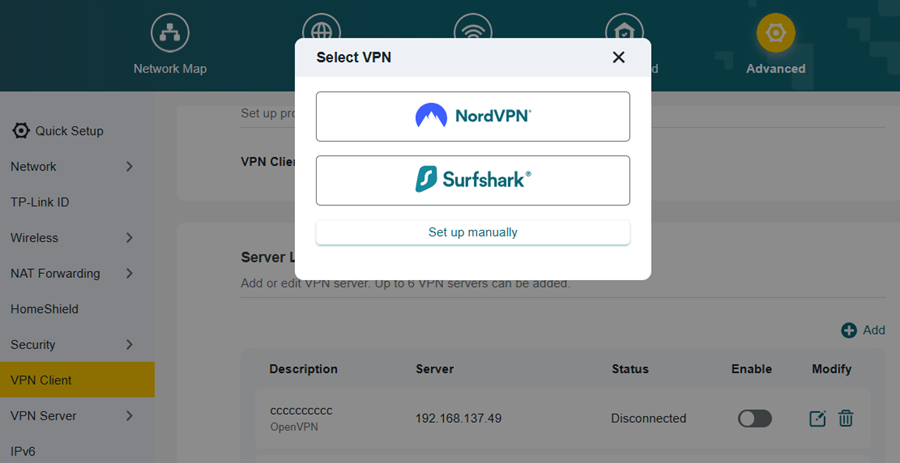
1. Third-Party VPN Client Integration (NordVPN & Surfshark)
Added native support for NordVPN and Surfshark configurations. You can now set up your VPN client using either an Access Token or dedicated Account Credentials directly.
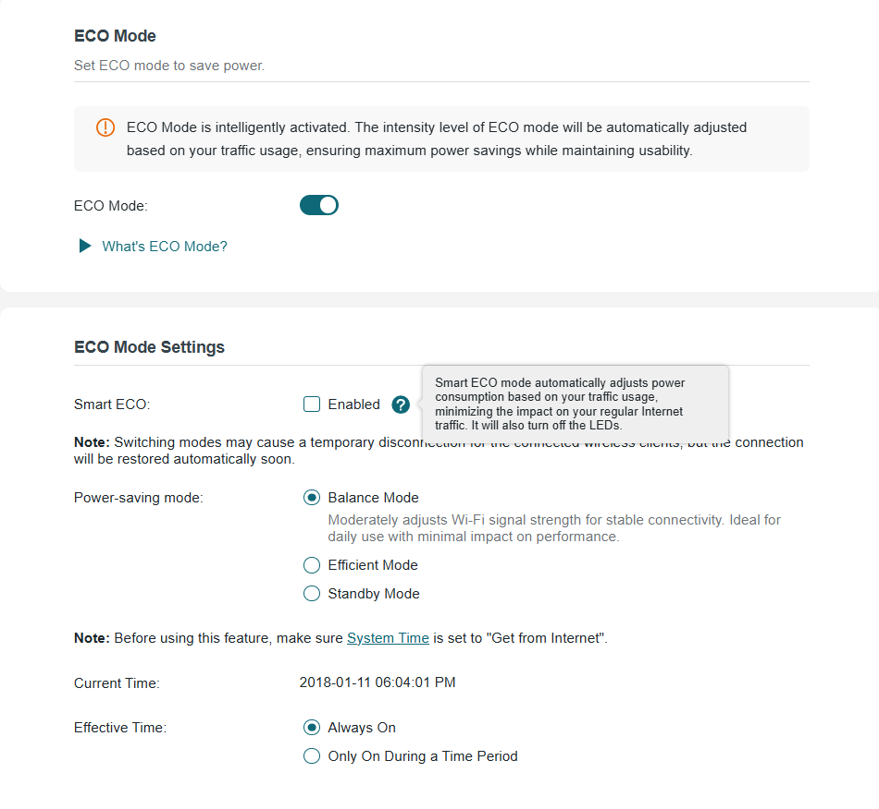
2. ECO Mode v2
Smart ECO Mode (Default): Automatically adjusts power consumption and turns off status LEDs based on real-time network traffic, minimizing energy use without affecting performance.
Custom Profiles & Schedules: Choose from multiple power-saving profiles and customize active time periods to match your daily schedule.
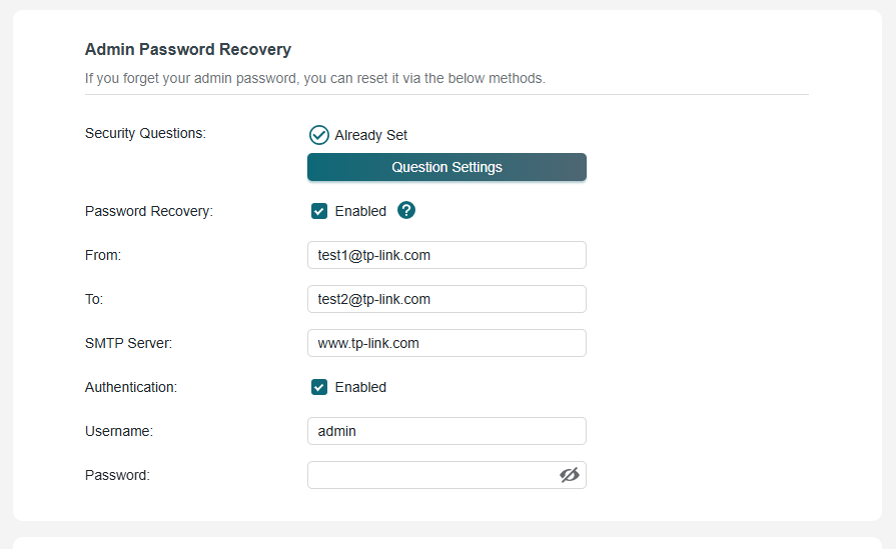
3. Admin Password Recovery
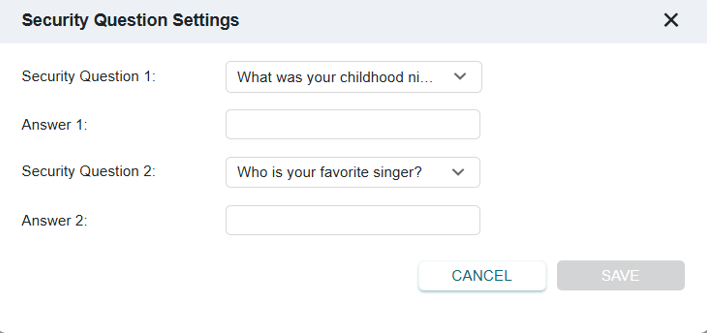
We have introduced new methods to recover your local administrator password, ensuring you never lose access to your router's settings. You can now choose between two secure recovery options:
Security Questions: Set up answers to predefined security questions. This allows you to quickly verify your identity and reset your password.
Email Recovery: Configure a designated email address and your own SMTP server to receive password recovery instructions directly to your inbox.
You can enable and configure these options under System > Administration.
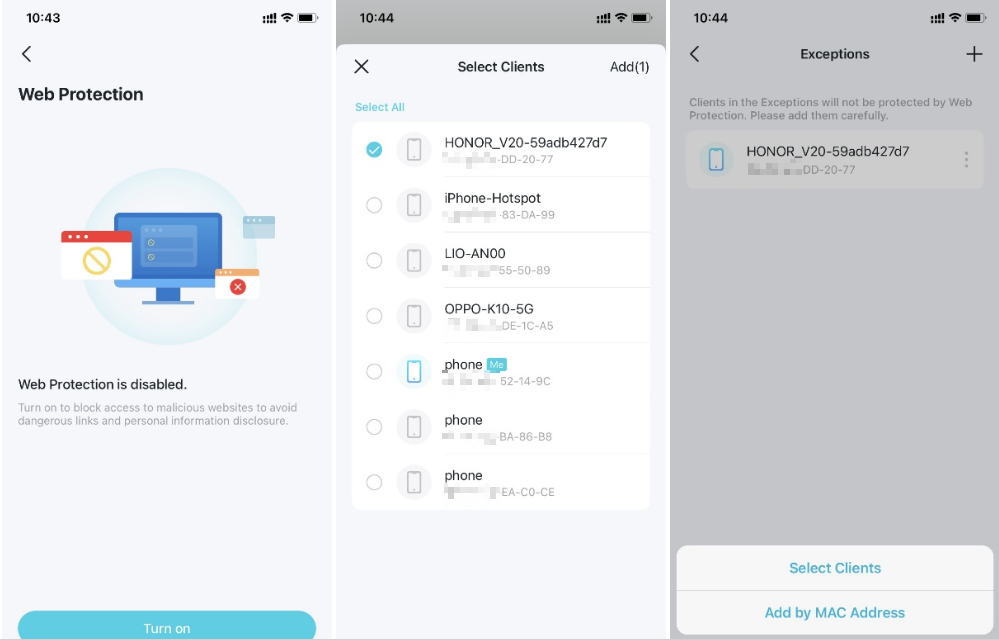
4. Whitelist for Web Protection
Added an exception/whitelist feature to Web Protection. Added client devices can bypass web filtering and access the internet without security blocks or restrictions.
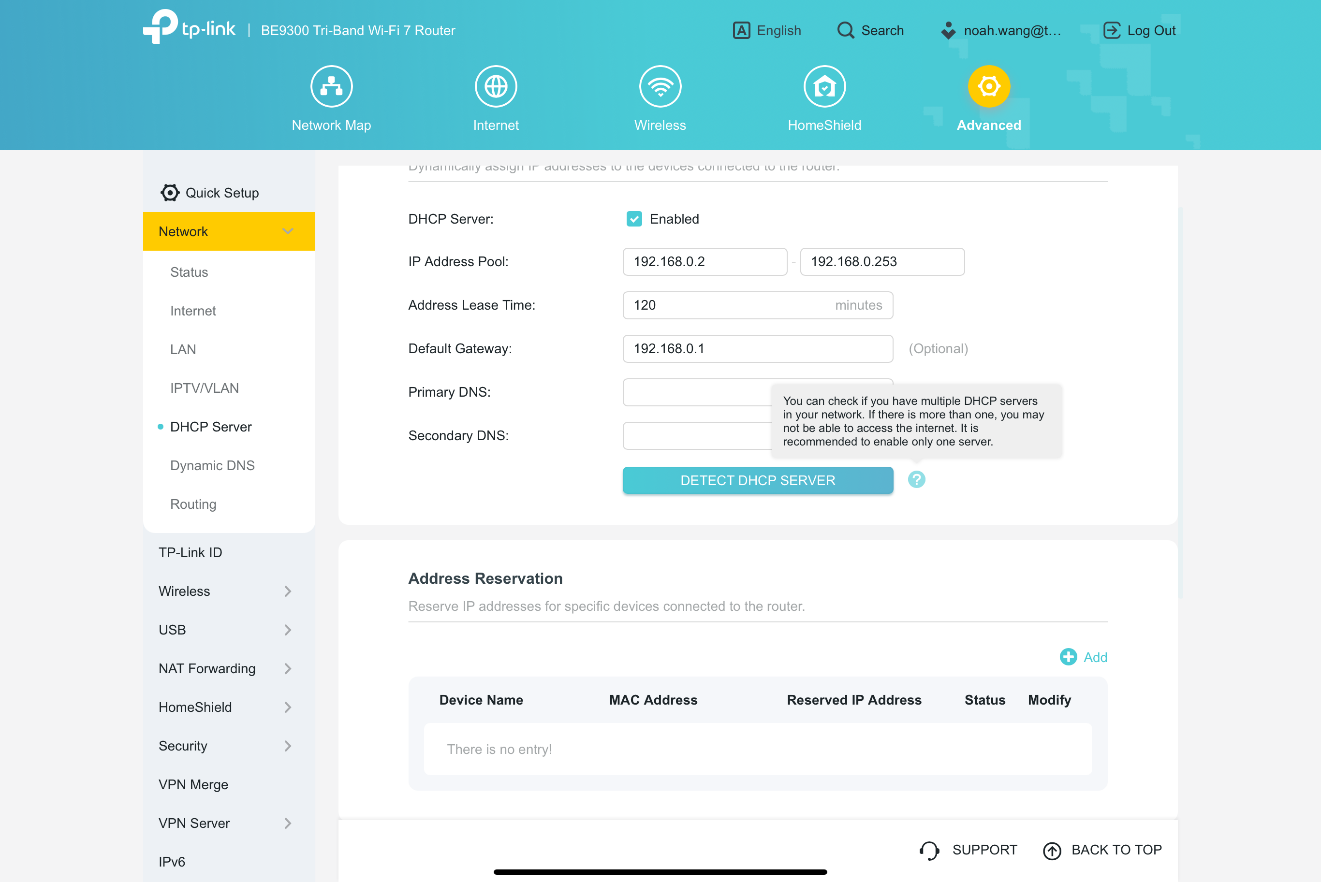
5. DHCP Detection
Having rogue or multiple active DHCP servers on a local network can cause IP conflicts and disconnects. This one-click diagnostic tool scans the LAN to detect duplicate DHCP servers, helping you quickly identify and resolve IP address conflicts.
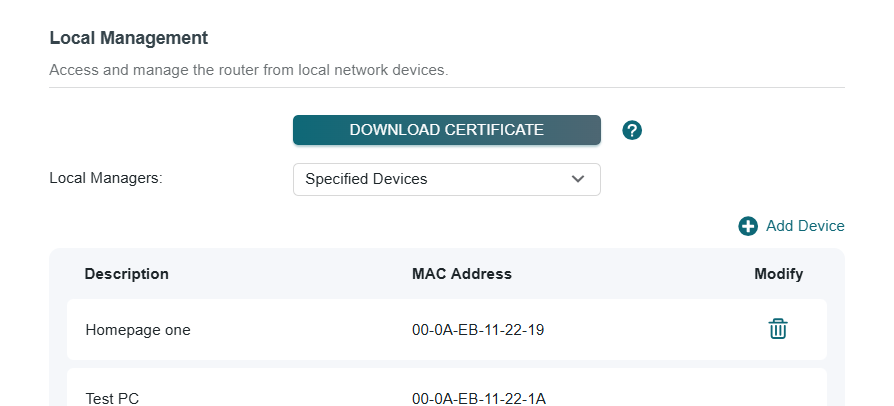
6. HTTPS Certificate Export
When HTTPS Management is enabled, browsers may flag the local management page with a "Not Secure" warning. You can now download and export the router’s SSL certificate directly from the Web UI and install it on your PC or mobile device to eliminate browser security prompts.
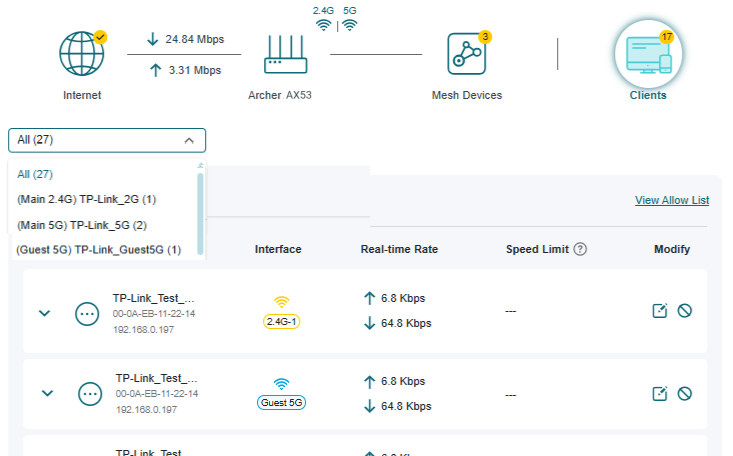
7. Client Filtering by SSID in Client List
Added the ability to filter and view connected devices based on their specific wireless network (SSID).
Other Enhancements:
- Added an option in Access Control whitelist to exempt Guest Network clients.
- Added Interactive Help Tooltips with direct links to official FAQs.
Firmware Download:
Before the Upgrade
(1) Please be sure you have read the Beta Test Agreement before upgrading the pre-release firmware!
(2) For the sake of insurance, it's always recommended to save a copy of the router's Backup Config file before upgrading or downgrading.
(3) You may follow the guide to upgrade the firmware of your router. How to Upgrade the Firmware on the TP-Link Wi-Fi Routers.
(4) This version upgrade is irreversible and you cannot downgrade to the previous firmware after the upgrade.
Direct Firmware Download Link
| Archer AX53_V1 | Archer AX53_V1_1.8.0 Build 20260821 (Pre-Release Firmware) |
Additional Information
As always, we value your feedback. If you encounter any concerns during or after the router firmware upgrade, please leave a message below and include the following information. Your feedback helps us improve and provide better products and support.
Please provide detailed information, including but not limited to:
- A complete network topology diagram.
- The device's connection method and whether EasyMesh networking is enabled.
- Screenshots of relevant error messages, etc.
Thank you for your continued support and for being a member of our community.
- Copy Link
- Subscribe
- Bookmark
- Report Inappropriate Content

I managed to downgrade to 1.7 and also rearranged my setup: I kept only the 2.4 GHz band on the AX53s, fixed on channel 1 with 20/40 MHz width, with one AX53 as the router and the other as an access point, no mesh. Now it seems to have stabilized.
Honestly, I expected a lot more. I got so frustrated that I bought a UniFi U6+, which costs about as much as both AX53s combined, to handle the 5 GHz network. I'll be phasing out the TP-Link units little by little.
It's disappointing, but I learned the hard way that these devices don't deliver what they promise, or they come with a lot of hidden limitations. For example, the mesh feature is advertised for all networks, but it only applies to the main network.
Anyway, moving on. Thanks again!
- Copy Link
- Report Inappropriate Content
Hello, i use two Archer AX53 v.1 like satellite mesh nodes. Till now the 1.8.0 is ok but if i turn on QoS from the tether app and put inside my devices, the speed of them drops significtantly so i assume this feature don`t work at all and i turned it off. I use this pre-release for about 2-3 weeks. Till now everything else is ok. I think also it`s a way better than the prevoius firmware 1.7.3. 
- Copy Link
- Report Inappropriate Content
Have used this beta firmware on my AX53 V1 as a mesh satellite with an VX1800V connected by ethernet backhaul. The AX53 does not establish a stable ethernet backhaul connection. Instead it endlessly jumps between ethernet and wifi backhaul. Have downgraded back to 1.5.4 which works seamlessly.
- Copy Link
- Report Inappropriate Content
- Copy Link
- Report Inappropriate Content
What firmware are you using on the AX53 for the stable connection?
- Copy Link
- Report Inappropriate Content
- Copy Link
- Report Inappropriate Content

@Joseph-TP Any new updates regarding a stable release firmware for this router? Also, if possible, please offer us the ability to use DoH for encrypted dns. Not just that, but also qos in the web browser.. it's tiring to use the tether app all the time for that when other routers have it on the web page.. such as the C5400X and other routers. and it would be best if we had service based qos, or port based qos, rather than generic bandwidth/device based qos..because it's either hit or miss, especially on gigabit networks, or other network plans-- or at least, offer us fq_codel SQM/AQM, if the cpu is powerful enough, that is.
- Copy Link
- Report Inappropriate Content
Hello @Black_Wind ,
Would you mind sharing the QoS values you’ve set? If the configured values are lower than your actual bandwidth, it can sometimes lead to a drop in performance.
Black_Wind wrote
Hello, i use two Archer AX53 v.1 like satellite mesh nodes. Till now the 1.8.0 is ok but if i turn on QoS from the tether app and put inside my devices, the speed of them drops significtantly so i assume this feature don`t work at all and i turned it off. I use this pre-release for about 2-3 weeks. Till now everything else is ok. I think also it`s a way better than the prevoius firmware 1.7.3.
- Copy Link
- Report Inappropriate Content
No it`s my actual speed. Download: 50Mbps and upload 5Mbps. I can try now after a full reset of the satellite nodes. Maybe they stabilize...
- Copy Link
- Report Inappropriate Content

I need a firmware with suport iot on easymesh I have a 2 BE550 1 BE230 and 2 AX53
What all we need is EasyMesh Support with Extended Guest/IoT Networking on ax53 and BE230.
- Copy Link
- Report Inappropriate Content
Information
Helpful: 7
Views: 7303
Replies: 52
Voters 3