
Archer NX505 is automatically restarting when working on 5g

The 5G router Archer NX505 is automatically restarting often when working on 5G, it started after the recent firmware update.
Hardware and Firmware details:
1.2.0 3.2.2 v611a.0 Build 260714 Rel.39555n
It works fine with 4G and 4G+. What's causing the restarts?
- Copy Link
- Subscribe
- Bookmark
- Report Inappropriate Content


Hi,
Firstly, please ensure your router is powered by the original power adapter that came with it in the box. If so, please confirm the following information for analysis.
1. Have you noticed what kind of actions trigger the NX505 to restart automatically when connected to a 5G network?
2. What's the LED status on the router when it's rebooting?
3. How many clients are connected to the router? Does the auto-reboot occur when high-flow applications are running?
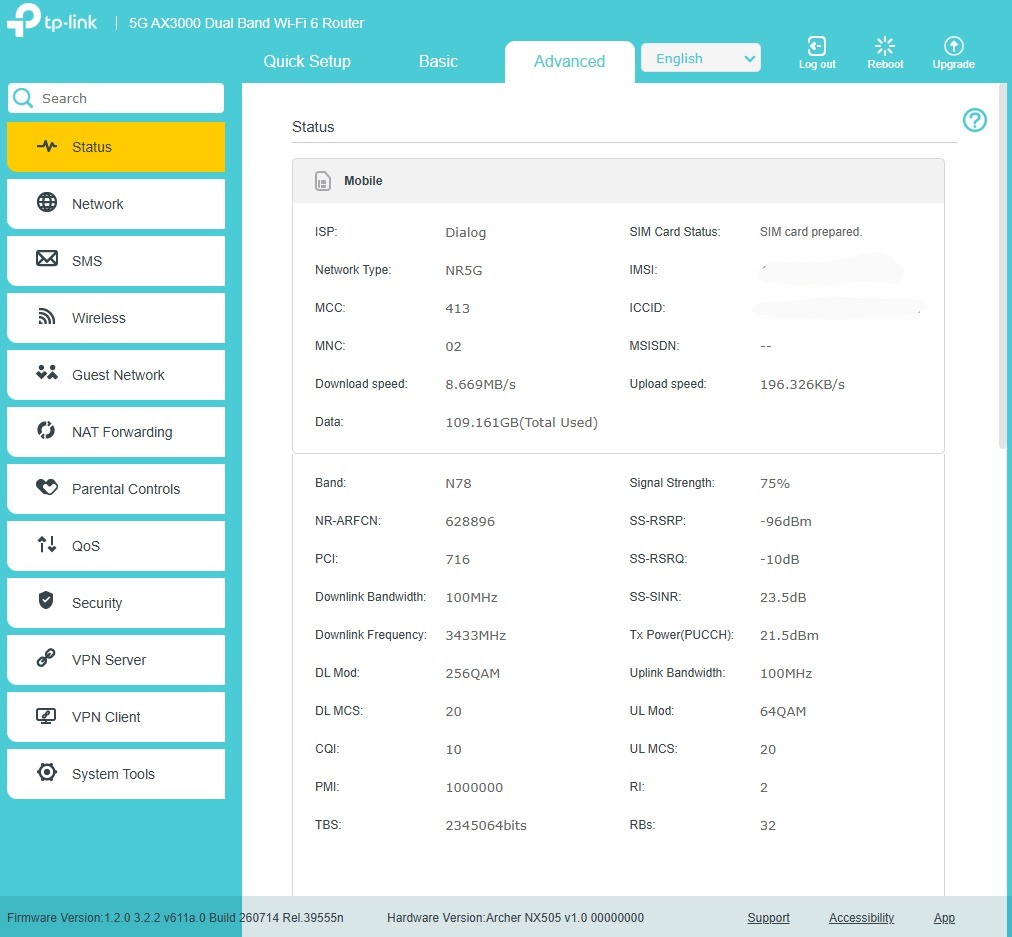
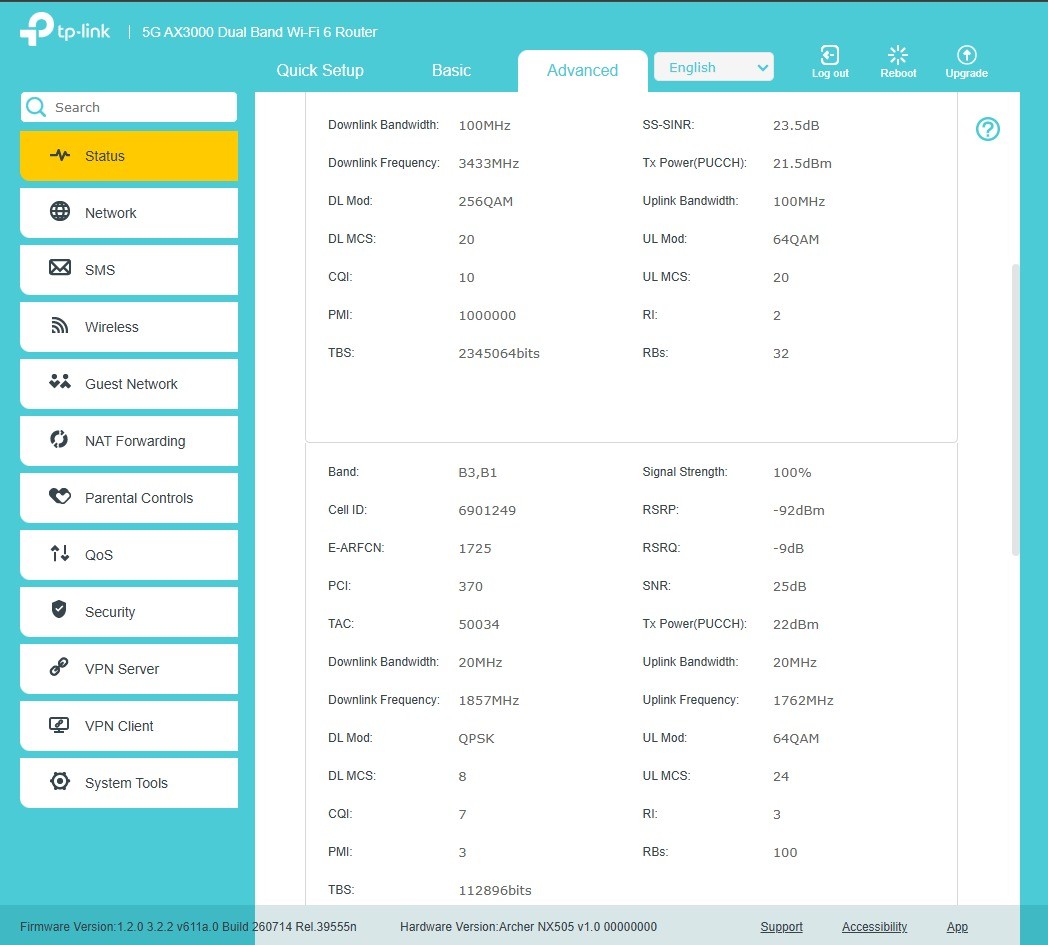
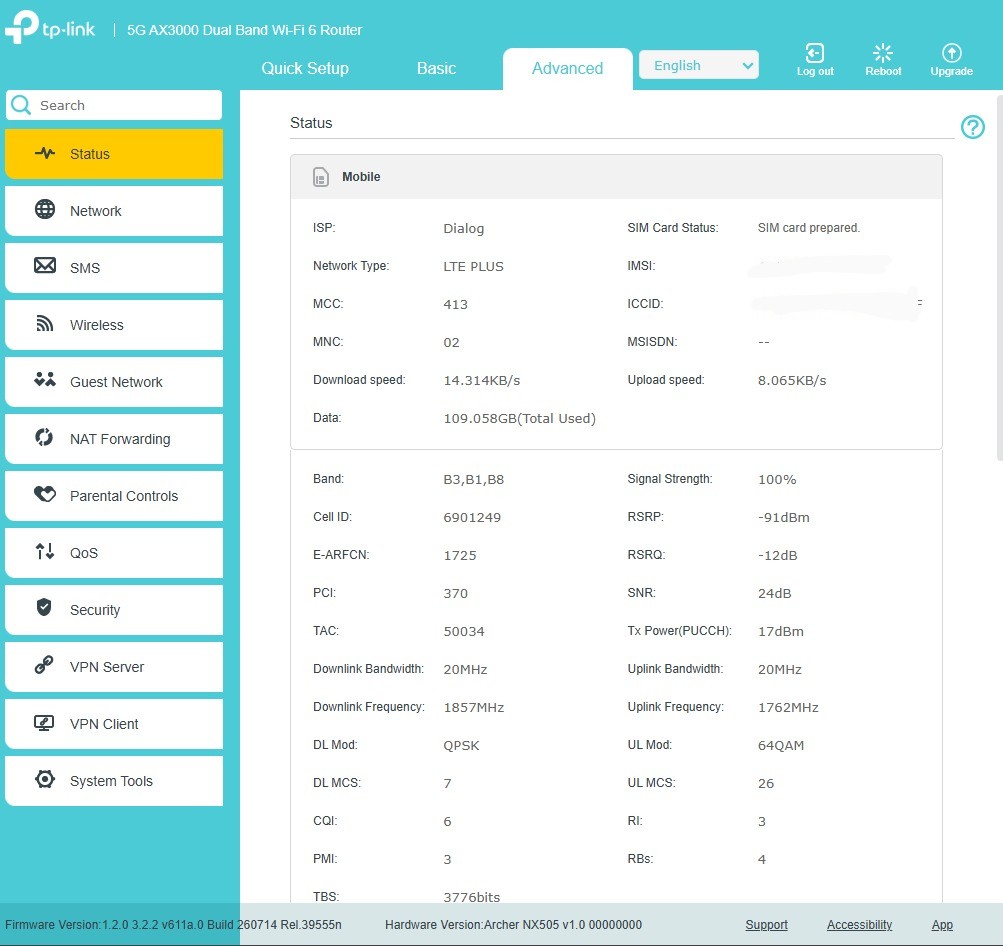
4. Please send us screenshots of the router's Advanced > Status page when it connects to the 4G and 5G networks.
Best Regards
- Copy Link
- Report Inappropriate Content
1. The router is powered with the power adapter came in the box. It restarts when it's connected to a client and using 5g. I have checked with laptop and mobile devices, regardless of the connected client, it starts even with on client. I didn't observe the issue when the signal is showing as 4g.
2. All the LEDs go off when restarting.
3. It restarts even with one client, just browsing or audio teams call. After the restart, the signal stays on 4g when it's idle, when the client connects and starts using internet, it connects on 5g and after a while it starts but it doesn't restart everytime.
4. Please find the attached.
- Copy Link
- Report Inappropriate Content
Hi,
Regarding the reported phenomenon, we suggest contacting the technical support team for further assistance.
Alternatively, please log in to the router's web UI > Advanced > System Tools > System log, and save the log file before and after the router restarts. Then reply to us if you have collected the log file.
Best Regards
- Copy Link
- Report Inappropriate Content
Information
Helpful: 0
Views: 284
Replies: 3
Voters 0
No one has voted for it yet.