
BE400 / BE6500 official firmware 1.4.3– Internet usage statistics getting stuck for devices/programs

Hello,
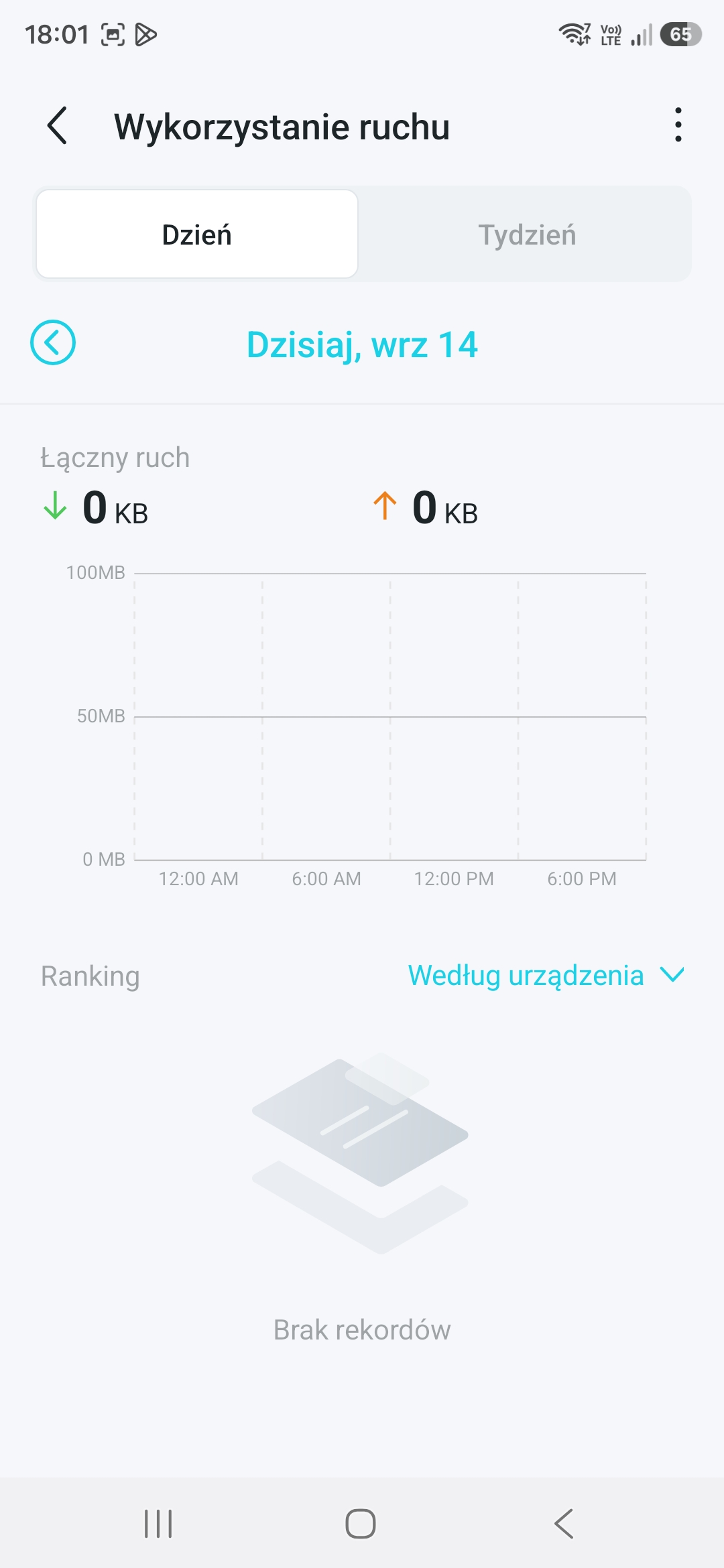
I recently updated the firmware on my BE400 V1 router to version 1.4.2—I noticed a problem then (which I’ll describe in detail below)—but a few days later, version 1.4.3 arrived. After installing it, I performed a full factory reset by holding the reset button on the back of the device (first, I removed the device from my Tether app account management as a precaution). Then came the standard Wi-Fi setup: no MLO, activated: SmartConnect, OFDMA+MU-MIMO; the IoT network was set to 2.4GHz only; and the WAN connection was 300 Mbps. While the internet connection itself works well over both cable and Wi-Fi across more than 20 devices, the statistics are now a disaster. After about a day of operation, traffic recording stops for every device, leaving the tables empty... the next day remains blank too. The only fix is restarting the device—or, ideally, setting up an auto-restart every 24 hours. This didn't happen before on version 1.2.4; everything was recorded, and the router ran flawlessly for 40 days straight, whereas now I have to keep restarting it...
Are you familiar with this problem?
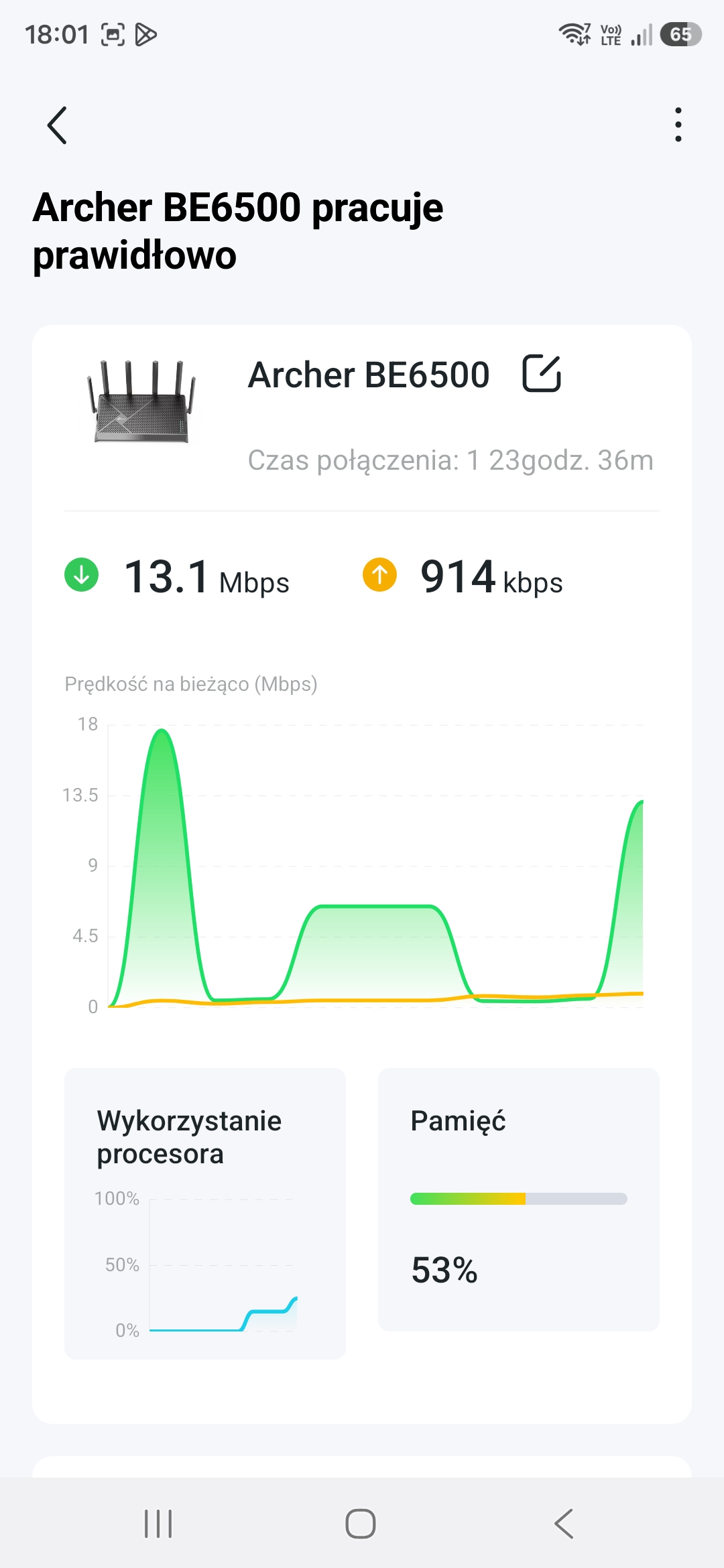
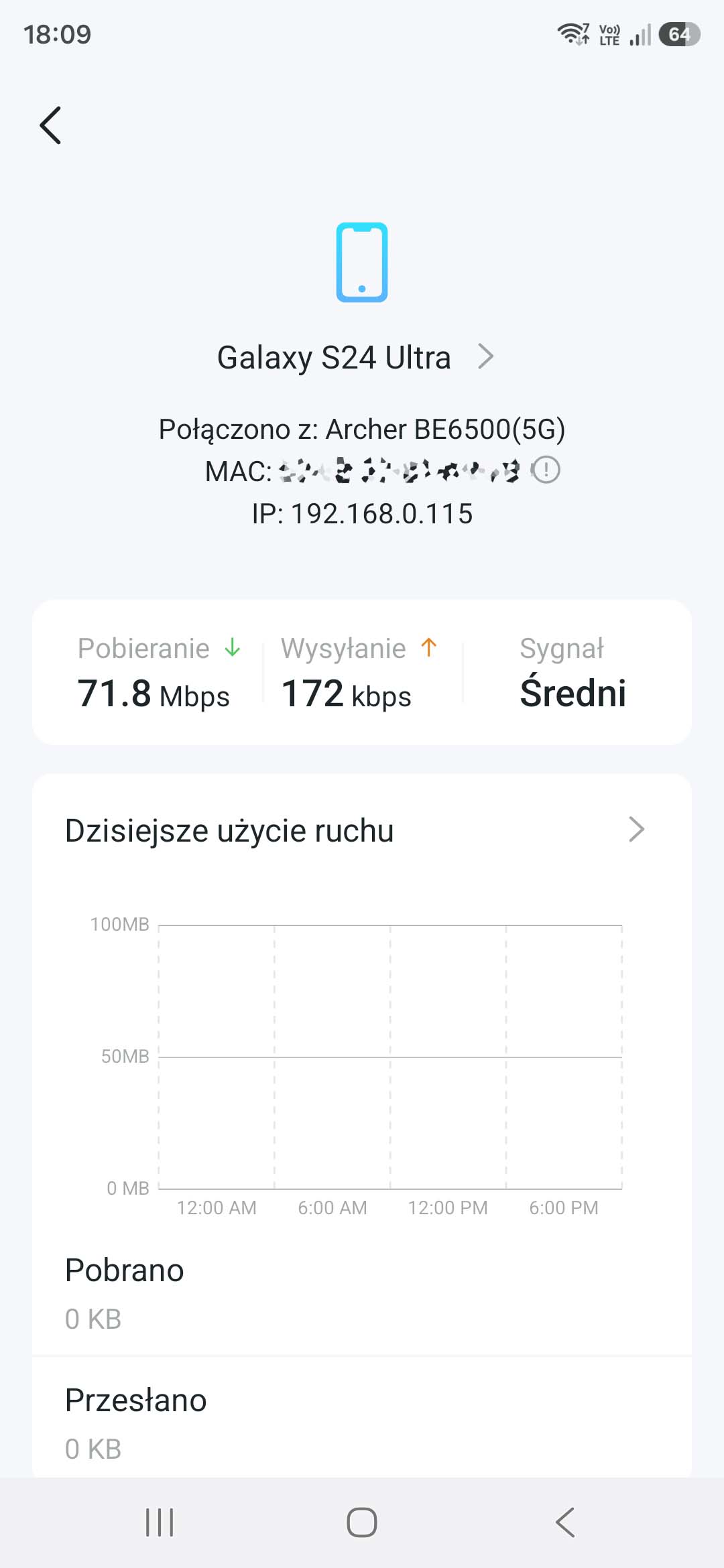
I’m attaching photos from three consecutive days prior to the update, showing that statistics were previously saved in the cloud (and noting the absence of data, even though my network is constantly in use and should be showing activity). Then, after the reset, statistics appeared for less than a day before going blank again. I’m also attaching a screenshot from my phone showing it downloading data (Mbps), while the statistics at the bottom show zero download...
These statistics are strange anyway, because on the older firmware, they weren't visible via the router interface itself—only in the Tether app. Does that mean they are calculated on your servers? Do they pull internal logs from the router, or how does it work?
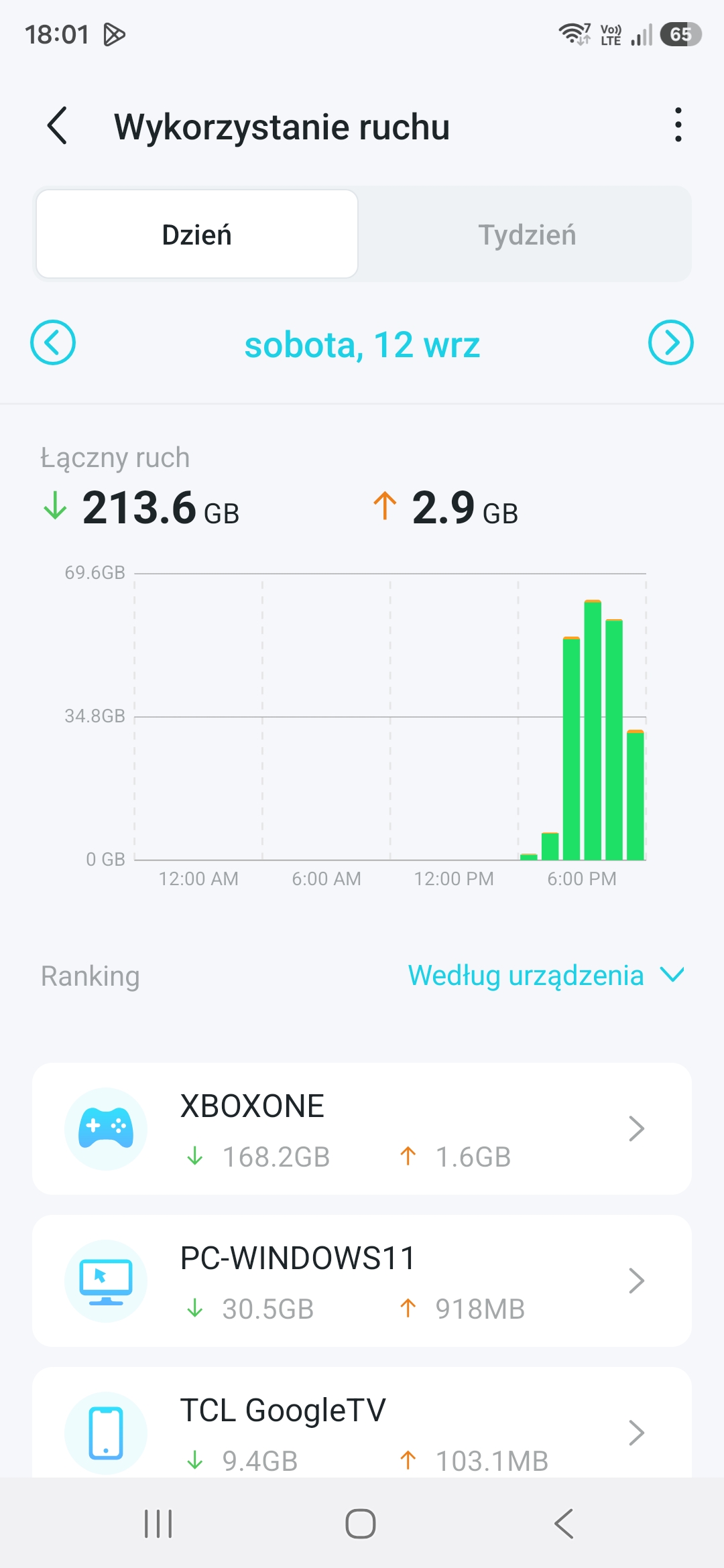
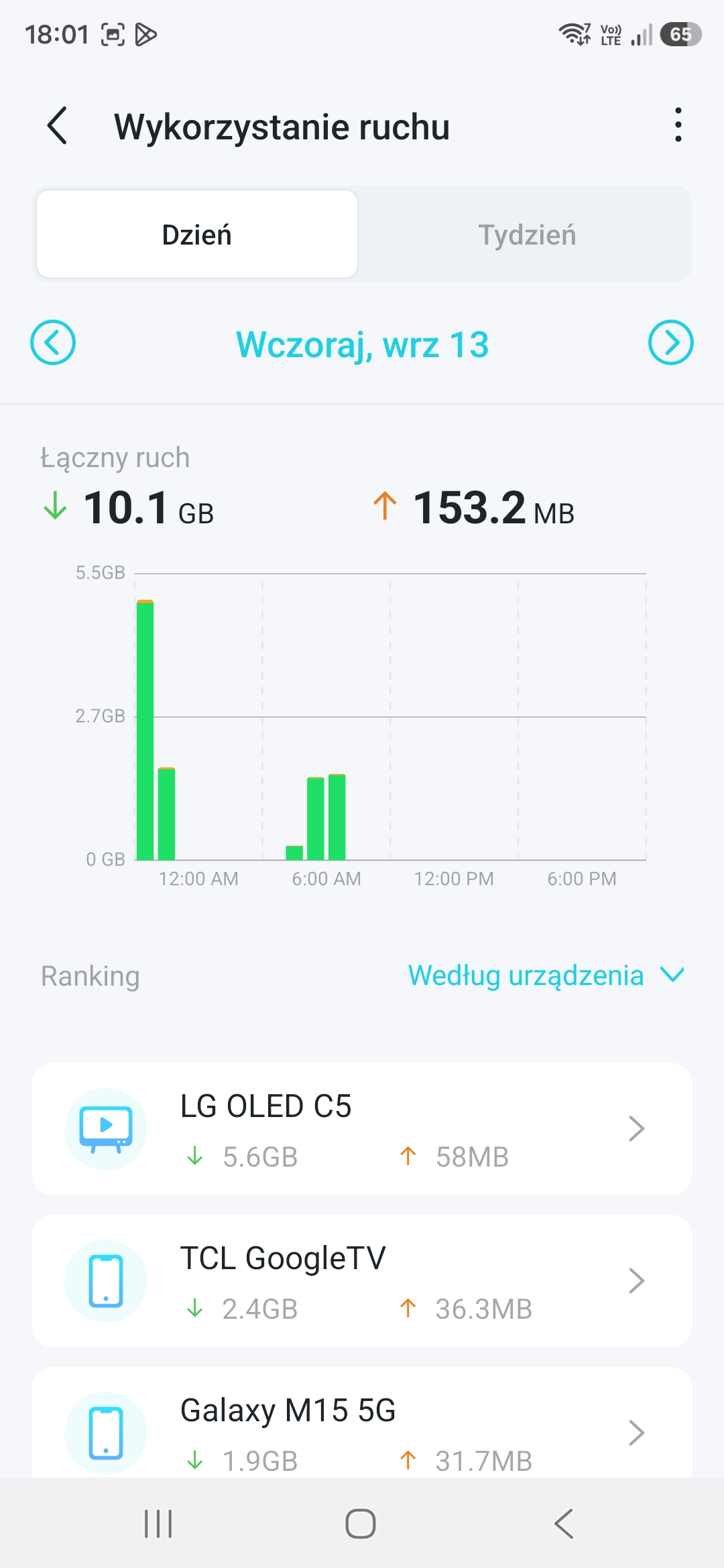
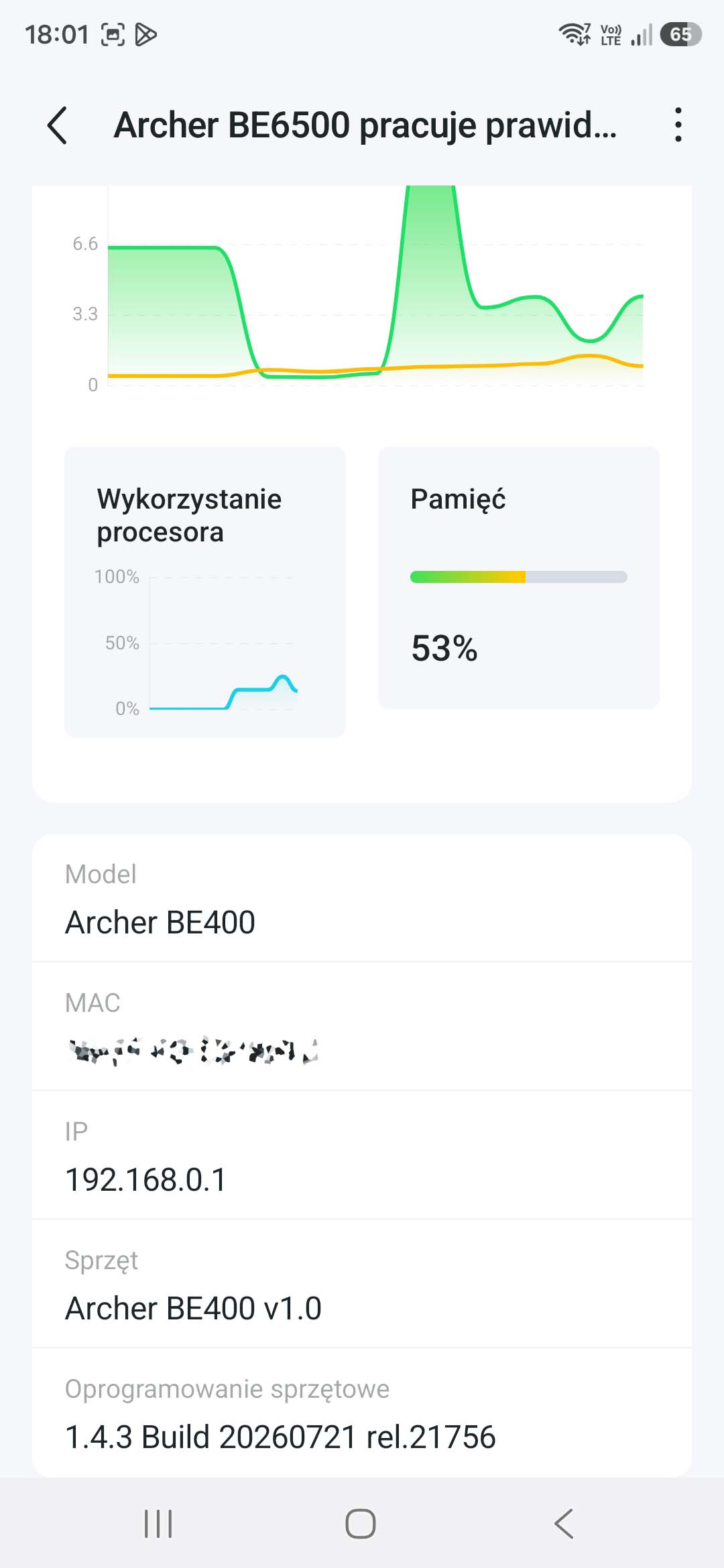
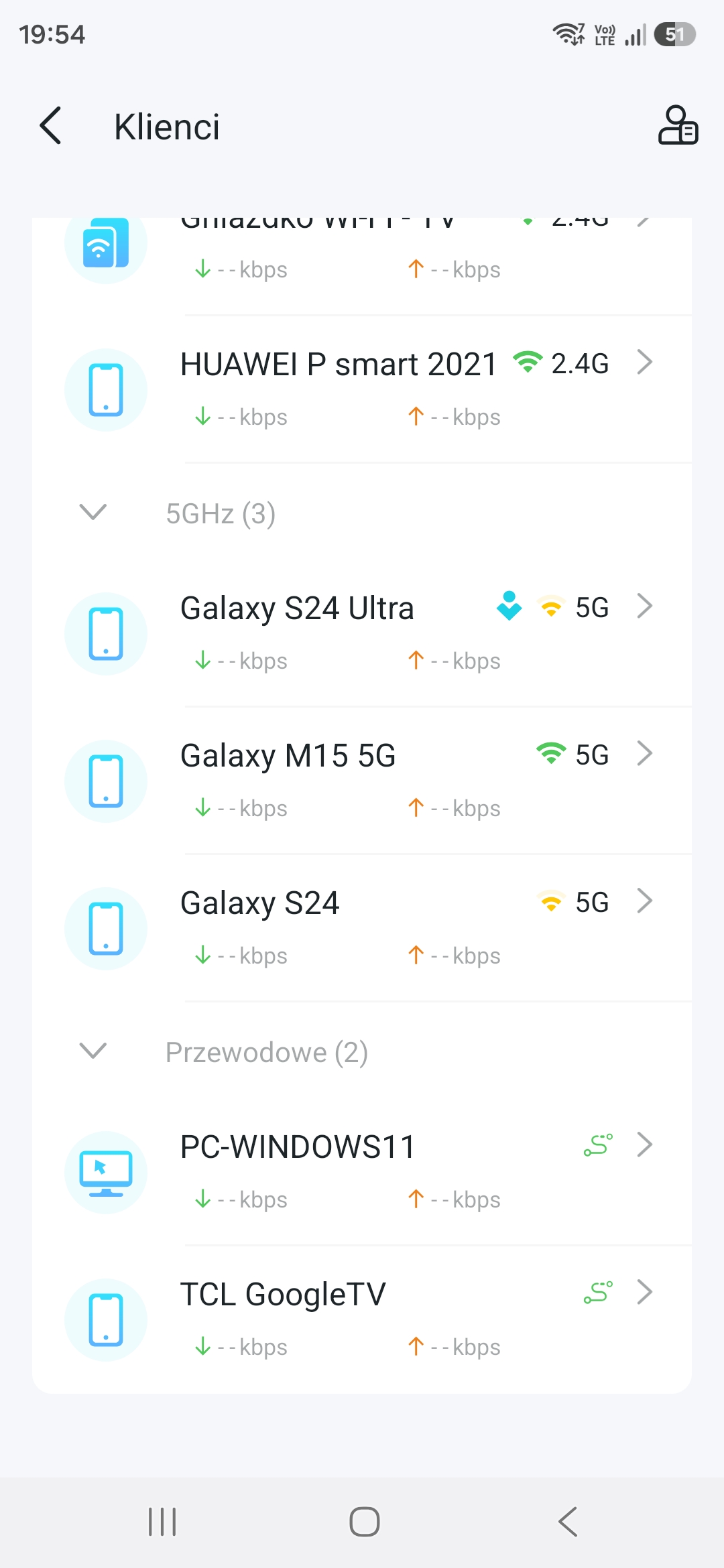
And one more interesting thing: the TCL TV is connected via 5GHz Wi-Fi, yet in the app, it shows up sometimes as wired and other times as Wi-Fi—it makes no sense, but it behaved the same way on versions 1.2.4, 1.4.2, and 1.4.3.
I’m attaching a photo showing it appearing as a wired connection—an hour ago it was showing up as Wi-Fi... It’s a total circus with TP-Link.
And a factory reset doesn't help either...
- Copy Link
- Subscribe
- Bookmark
- Report Inappropriate Content

I am observing a similar issue in AP mode on FW 1.4.3. A Samsung TV UE55MU7002 is connected wirelessly to the 5GHz band (Smart Connect is disabled).
When the TV is turned off I can see it connected as wired device, but with no traffic information available:

- Copy Link
- Report Inappropriate Content


Hello @terziyski ,
It only shows as a "wired connection" when the TV is turned off, right?
Did this behavior start with firmware version 1.4.3, or has it been present since earlier versions?
- Copy Link
- Report Inappropriate Content
Hey Joseph,
I can confirm that this happens only when the TV is turned off.
Unfortunately, I can't tell if this has started with FW .1.4.3. or an earlier release, because I just checked that, when I read this thread.
I want to point out another feature changes - Configuration Backup.
In FW 1.4.3 there's only one option - to backup your device configuration as password encrypted:
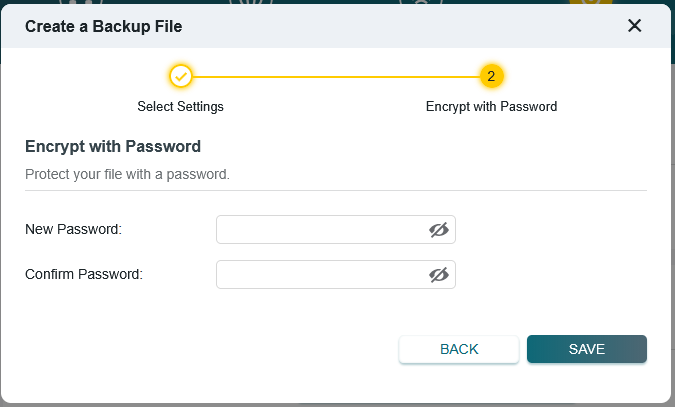
I believe, the user should be given the opportunity to choose whether to encrypt with password or not the backup configuration file.
In fact, the backup configuration file is encrypted anyway as a .bin file.
The other thing that I noticed is that if you're managing the device remotely, you can't make a configuration backup:
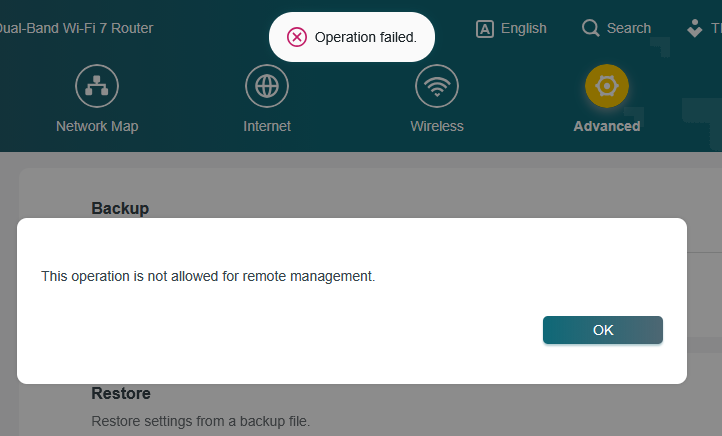
This makes the remote management even harder.
- Copy Link
- Report Inappropriate Content
But the beta I received is version 1.4.2—so a lower number—yet the subsequent part of the version string is higher. Am I to understand, then, that the beta was built on an older version but includes fixes related to the traffic counter?
- Copy Link
- Report Inappropriate Content

Yes, in App sometimes it show some data for 1 or 2 days, then no data will show up until the next reboot (Auto reboot once a week). Over Webui, I didn't monitor it but the data not accurate as mentioned by another users.
- Copy Link
- Report Inappropriate Content
Hello @terziyski,
Thank you for the feedback; We have reported this abnormal display to the relevant department and will post any updates here.
For your second question, are you saying that backup files can be encrypted in version 1.4.2, but not in version 1.4.3?
- Copy Link
- Report Inappropriate Content
Hello @MarcinB ,
Have you tried the beta firmware?
Compared to version 1.4.2, firmware version 1.4.3 doesn't have many changes.
- Copy Link
- Report Inappropriate Content
I previously sent you the beta firmware via Messages; have you installed it? And does it help?
- Copy Link
- Report Inappropriate Content
Hello @MarcinB & @terziyski ,
I would like to confirm whether your network topology includes any network extension devices, such as range extenders or access points.
- Copy Link
- Report Inappropriate Content
Joseph-TP wrote
Hello @terziyski,
Thank you for the feedback; We have reported this abnormal display to the relevant department and will post any updates here.
For your second question, are you saying that backup files can be encrypted in version 1.4.2, but not in version 1.4.3?
No, I've meant that with FW 1.4.3 you can make only a password encrypted backup.
Even though the configuratio file (.bin file) is already encrypted.
- Copy Link
- Report Inappropriate Content
Information
Helpful: 0
Views: 1895
Replies: 38
Voters 0
No one has voted for it yet.