
RE600X, RE605X appear offline

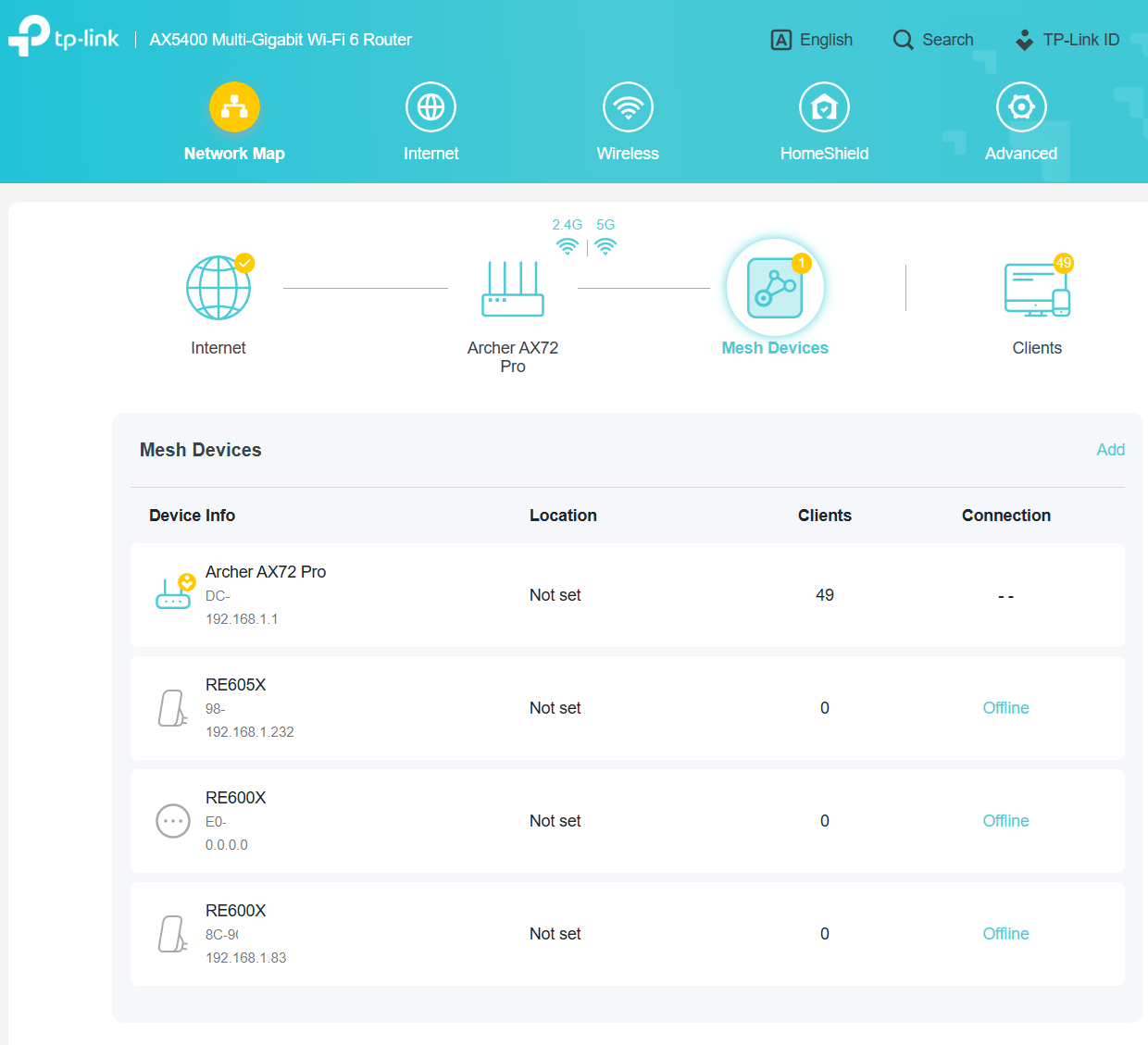
My Wifi-extenders RE605X and RE600X appear offline on both the router configuration page and Tether app. That does not change despite reboot of the router.
- Copy Link
- Subscribe
- Bookmark
- Report Inappropriate Content


Hello @wohltemperiert ,
Welcome to our community.
May I know the hardware and firmware versions of your router and extenders? How to find the hardware and firmware version of my TP-Link device
Have you created an EasyMesh Network among the router and extenders? Even the status is offline, the clients still can be connected to the range extenders, right?
I assume you recently updated the firmware for your router or extenders? This anomaly is most likely caused by the EasyMesh component of your router and extenders being out of sync.
If this doesn't affect your network usage, please keep your current settings. Meanwhile, I will report this situation to the relevant departments for further analysis.
Thank you.
- Copy Link
- Report Inappropriate Content
Hello @wohltemperiert ,
Welcome to our community.
May I know the hardware and firmware versions of your router and extenders? How to find the hardware and firmware version of my TP-Link device
Have you created an EasyMesh Network among the router and extenders? Even the status is offline, the clients still can be connected to the range extenders, right?
I assume you recently updated the firmware for your router or extenders? This anomaly is most likely caused by the EasyMesh component of your router and extenders being out of sync.
If this doesn't affect your network usage, please keep your current settings. Meanwhile, I will report this situation to the relevant departments for further analysis.
Thank you.
- Copy Link
- Report Inappropriate Content
@Joseph-TP Yes, I created easy mesh and I updated the firmware to the latest. I had read about similar issue with RE705X and thought it would not affect RE600X and 605X. Apparently it is the case.
- Copy Link
- Report Inappropriate Content
Please tell me the specific hardware and firmware versions of your router and extenders, you can refer to How to find the hardware and firmware version of my TP-Link device
- Copy Link
- Report Inappropriate Content
Information
Helpful: 0
Views: 137
Replies: 3
Voters 0
No one has voted for it yet.