Early Access Try the New Device Sharing 2.0 Feature Today!


The topic was originally posted by Riley_S in Try the New Device Sharing 2.0 Feature Today!
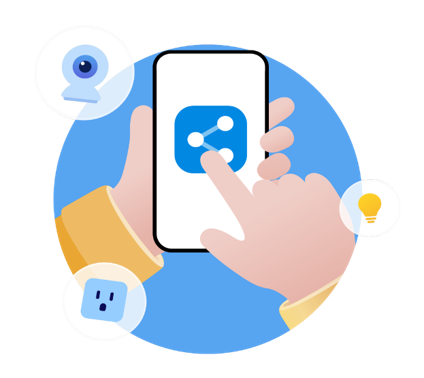 What Do You Think of Device Sharing 2.0?
With Device Sharing 2.0’s official release approaching, the team wants to give everyone a chance to test the features and share feedback before launch.
After testing the feature, please provide your feedback in the in-app form or leave a comment on this post with your thoughts.
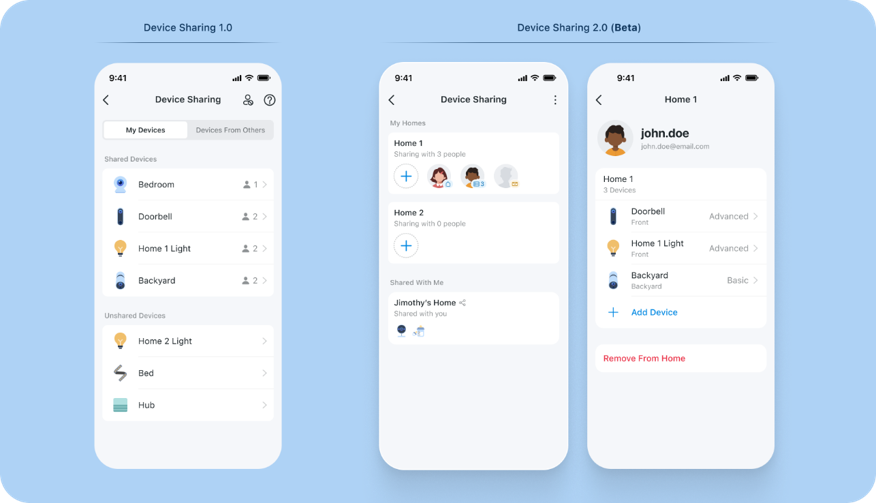
What You Can Expect in This Update to Device Sharing?
- New ThreeTier Permission Model: Advanced, Basic, Live View Only
- HomeLevel and Device-Level Sharing
- Brand New Member Profiles for Easily Managing Access
- New Device Sharing Invitation Process and App Flow
Note: BOTH the Account you are sharing devices from AND the account you are sharing devices to, must be using the beta application to use the latest device sharing features.
Missed the First Beta?
Join the Beta Below and Provide Your Feedback to Help Guide the Future of Device Sharing 2.0
Apple/iOS: Join the Official Device Sharing 2.0 TestFlight [Updated Link on 10/28]
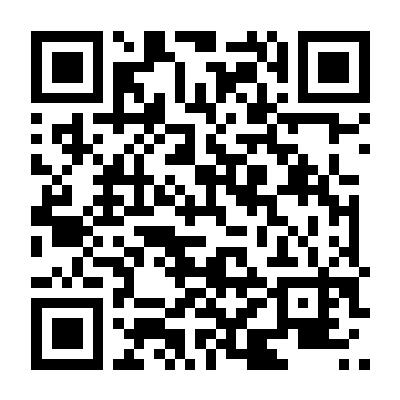
Android: Scan the QR Code Below or Download the Device Sharing 2.0 Beta App for Android
Provide Your Feedback to Help Guide the Feature's Development
After testing the feature, please provide your feedback in the comments below, through the in-app feedback form, or through a new post.
Our teams are currently looking for any feedback about the new interface, its ease of use, improvements you would like to see in the device sharing feature, and any other recommendations you may have for our development team.
- What Improvements or Additions to Device Sharing Are the Most Useful to You?
- Where Does Device Sharing 1.0 (or 2.0 for that matter) fall short of your expectations?
Device Sharing will continue to receive updates, so any feedback, whether significant or minor, is more than appreciated – if not for this update, definitely the next.
It’s never too late to request changes or improvements.
Check out the Current Permission Levels Planned for Device Sharing 2.0 Below (Subject to Change)
| Tier |
Who it’s for |
What they can do |
| Live View Only |
Babysitters, guests, neighbours |
Live view, capture, and record only. No controls, no settings. Camera products only. |
| Basic |
Family / regular users |
Live view, camera capture, record, volume, call, Tapo Care cloud playback. No device settings access. Mirrors Device Sharing 1.0 behavior. |
| Advanced (Admin) |
Trusted household members |
Full device access: live view, settings, playback, SD card management, and firmware updates. Cannot reshare or remove devices. |
Learn More About What's Coming in Device Sharing 2.0, Permission Levels, and More in our FAQ
Introduction to Tapo Device Sharing 2.0
1. You may return to the official app version by removing your account from TestFlight (iOS) and reinstalling the official Tapo App from the Google Play Store or Apple App Store.
2. Device and Feature functionality is expected to be limited during the beta trial. If you find any bugs or unexpected limitations, please leave a comment or forward your feedback through the app.
3. This beta has not yet been localized for various regions/languages and is currently only available in English during this beta.
Contact Support or Join our Official Subreddits: r/tapo, r/tplink, r/omada_networks