TC90 Kit Pink Image and Not Switching from Night mode to day mode Automatically

TC90 Kit Pink Image and Not Switching from Night mode to day mode Automatically
TC90 Kit Pink Image and Not Switching from Night mode to day mode Automatically
2026-09-03 10:11:25 - last edited 2026-10-09 09:47:30
Model: TC90 KIT  
Hardware Version: V1
Firmware Version: 1.2.6

I've recently bought a TC90 KIT from Radio Popular in Portugal and I've had it for 3 months now.


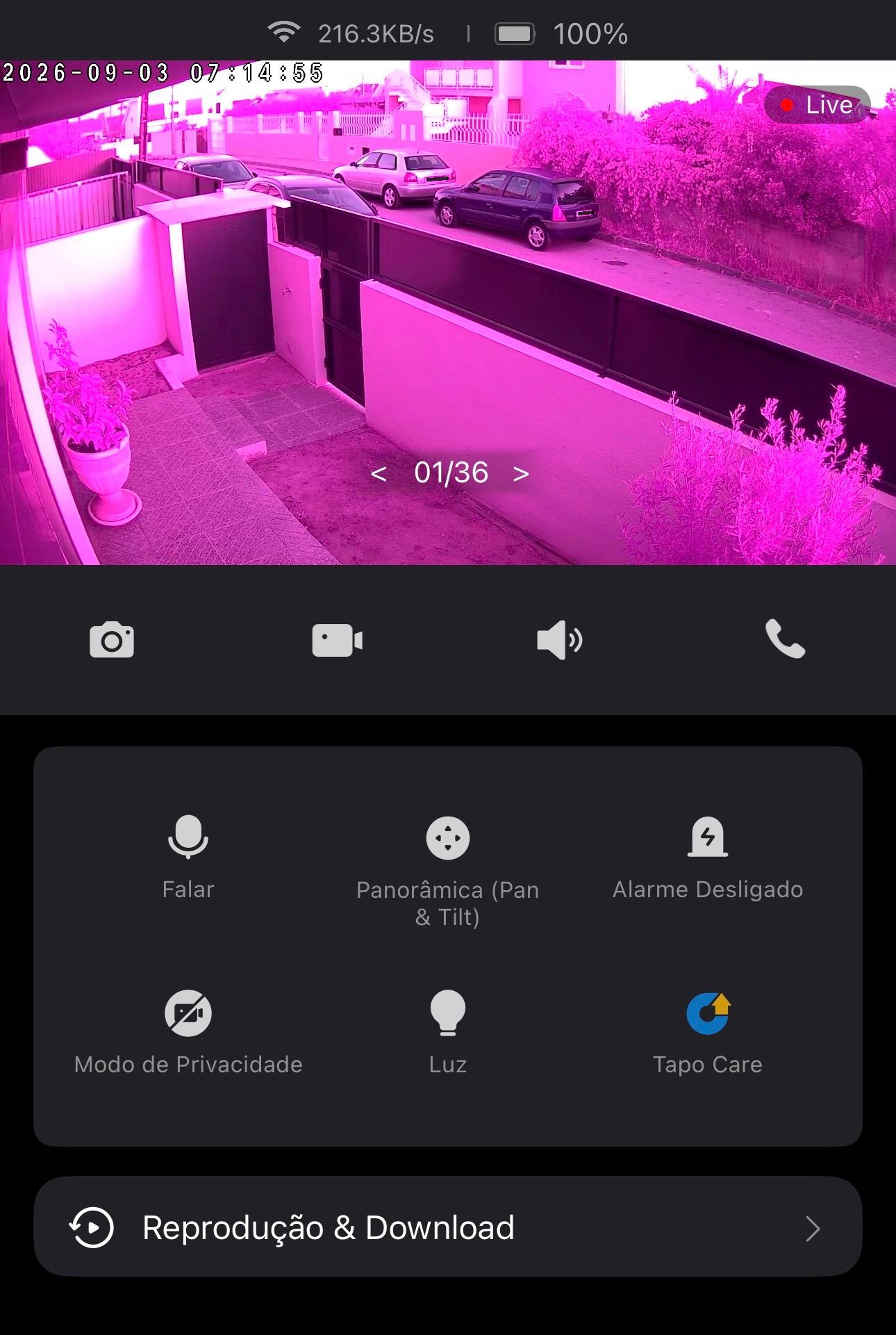
After de update to firmware version 1.2.6, the camera cannot totally change automatically from Night Mode to Day Mode, letting the image to stay in Pink, before this update this didn't occur.
 
If i don't open the app and don't change manually from night mode to day mode, all the recordings will be pink.


Please send this to the firmware team.

  0      
0
#1
Options
1 Accepted Solution
Re:TC90 Kit Pink Image and Not Switching from Night mode to day mode Automatically-Solution
2026-09-04 03:28:37 - last edited 2026-10-09 09:48:33

  @PedroDA 

Hello,
Thank you for your detailed feedback. 

Regarding this issue, we currently have a newer firmware version available that may help resolve this problem. Would you be willing to give it a try? If so, please send us a private message ( @Hilbert-TP ) with your camera's MAC address, and we will assist you further.


Alternatively, you can also contact our Support team directly for further follow-up.


Thank you for your cooperation and patience.

Recommended Solution
  0  
0
#4
Options
2 Reply
Re:TC90 Kit Pink Image and Not Switching from Night mode to day mode Automatically
2026-09-03 10:21:43

  @PedroDA 


I've attached a screenshot


  0  
0
#3
Options
Re:TC90 Kit Pink Image and Not Switching from Night mode to day mode Automatically-Solution
2026-09-04 03:28:37 - last edited 2026-10-09 09:48:33

  @PedroDA 

Hello,
Thank you for your detailed feedback. 

Regarding this issue, we currently have a newer firmware version available that may help resolve this problem. Would you be willing to give it a try? If so, please send us a private message ( @Hilbert-TP ) with your camera's MAC address, and we will assist you further.


Alternatively, you can also contact our Support team directly for further follow-up.


Thank you for your cooperation and patience.

Recommended Solution
  0  
0
#4
Options