
24/7 continuous recordings has random gaps/missing recordings during day time

I have two Tapo c665g kits with 24/7 continuous recording function on (full schedule), but both always have random gaps/missing recordings especially between 6am - 7pm. Event triggers still work.
Here are the setup:
Telstra prepaid SIM (two signal bars)
SanDisk 128GB Extreme microSDXC for local storage with loop
Power level above 90% at all times, powered by its genuine solar panel
Video quality 4K 25fps (tried lowering to 720p but made no difference)
no smart action applied
no cloud recording subscription
- Copy Link
- Subscribe
- Bookmark
- Report Inappropriate Content


For the time periods where the video is missing — did motion detection events occur in all of them? For example, when you tap a detection notification from that time period, you only find out there’s no video after entering the playback page. Or is it also happening randomly?
This case seems to require further investigation. Please contact technical support for help. To help with the investigation, please share as many relevant details as possible, for example:
1. Mac address of the camera.
2. Screenshots of the Playback page (ideally, the most recent one) and camera's recording settings.
3. Enable the diagnostics mode on your camera, wait until the problem reoccurs and collect the camera logs. How to Get Diagnostic Logs from Tapo Cameras and Doorbells
- Copy Link
- Report Inappropriate Content
Hi Wayne, thanks for the response.
Playback for triggered events works fine.
Here are screenshots for your reference. Sorry my camera is installed at a remote construction site, will have to retrieve the diagnostic logs sometime later.
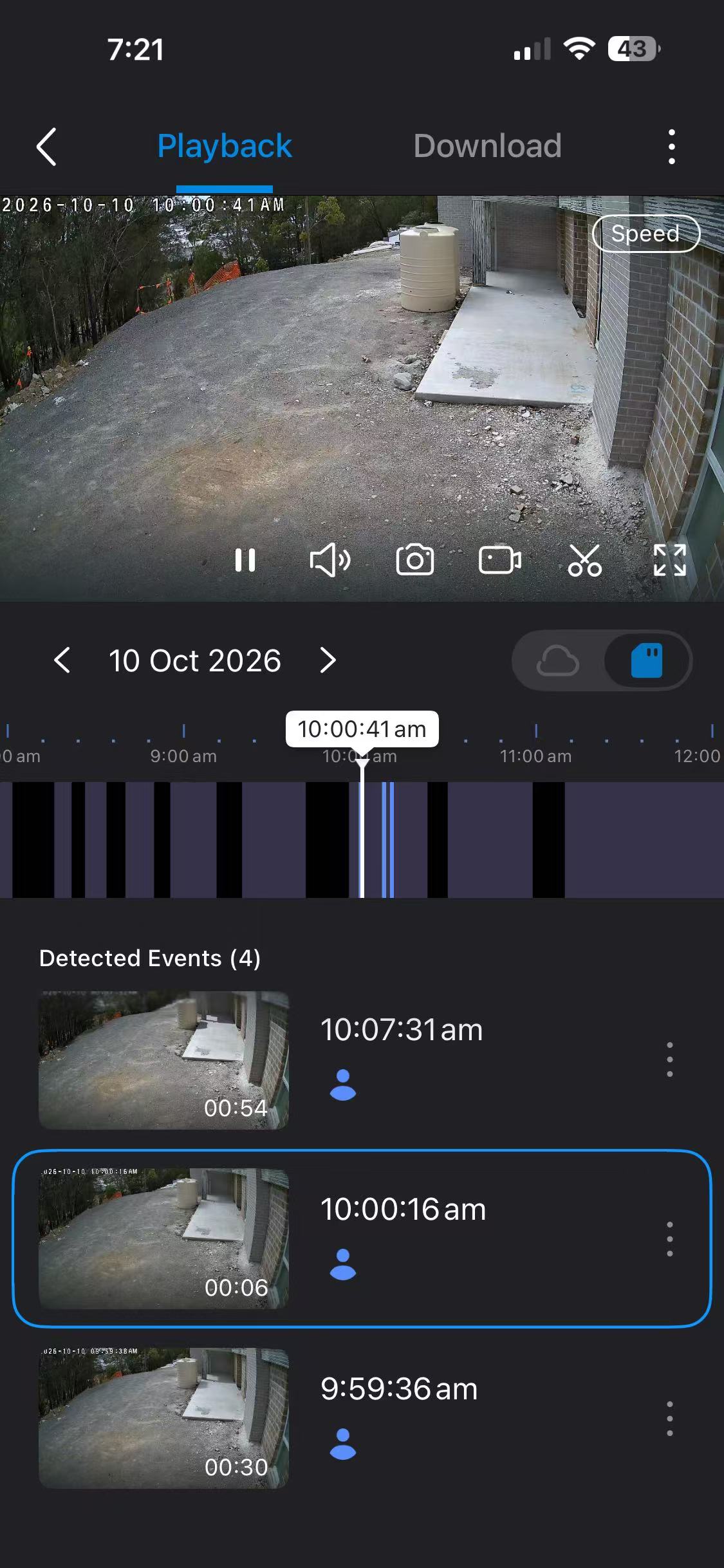
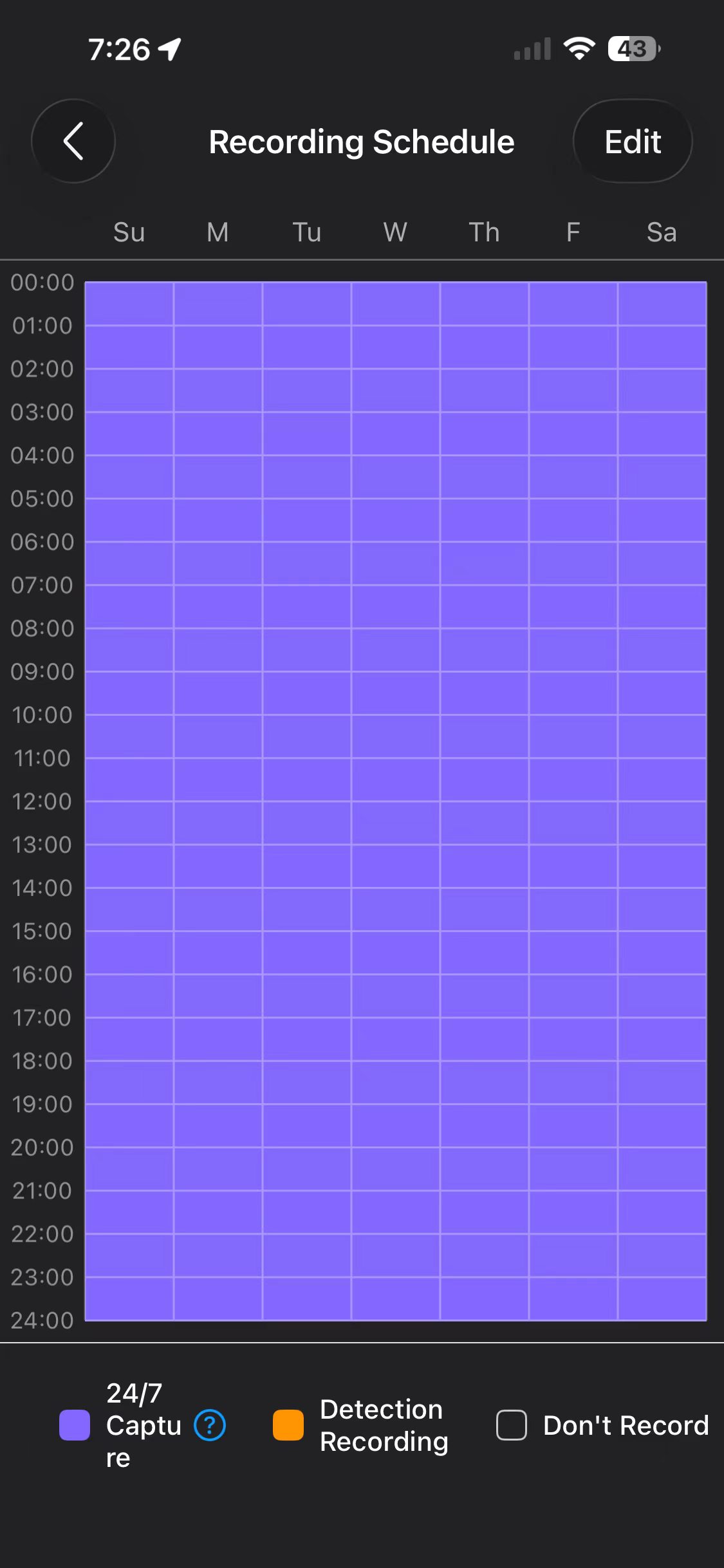
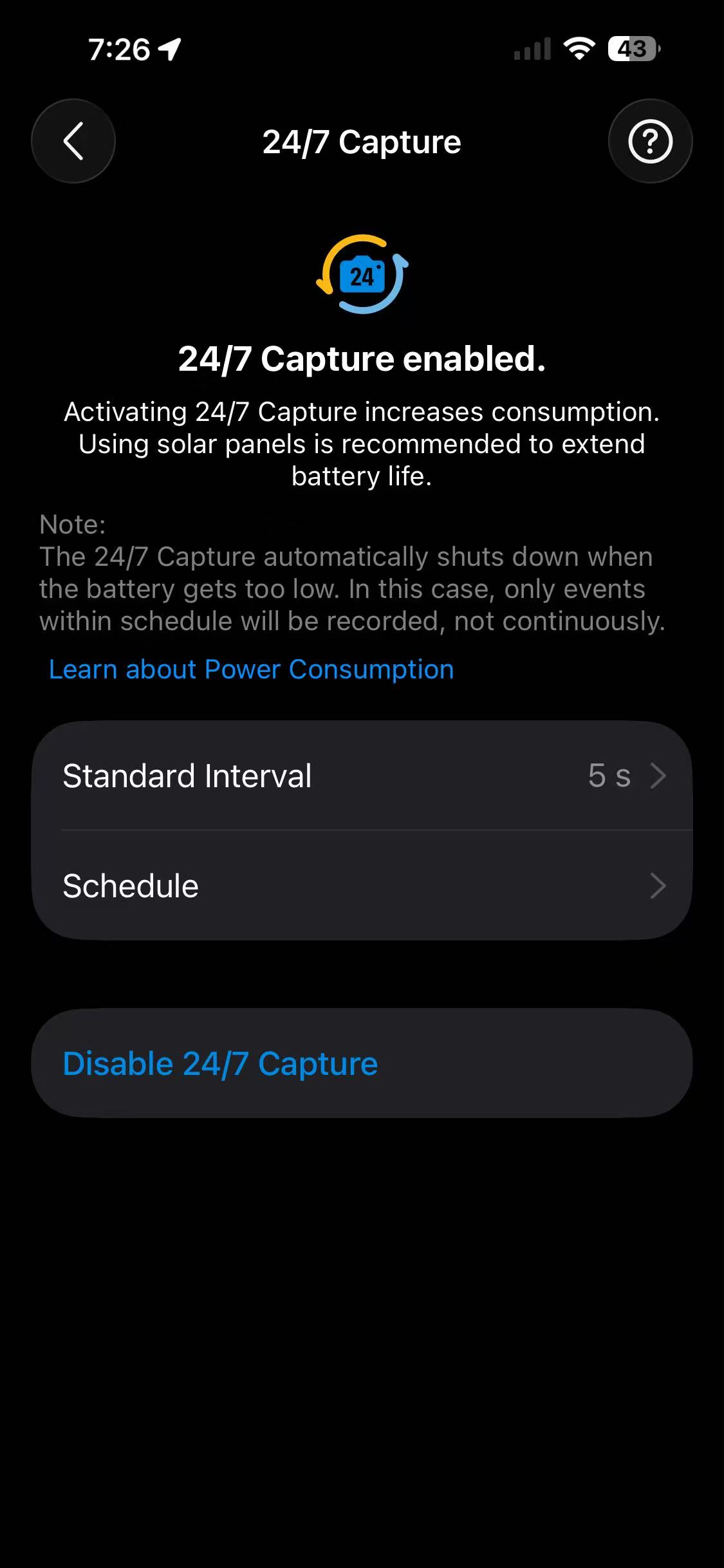
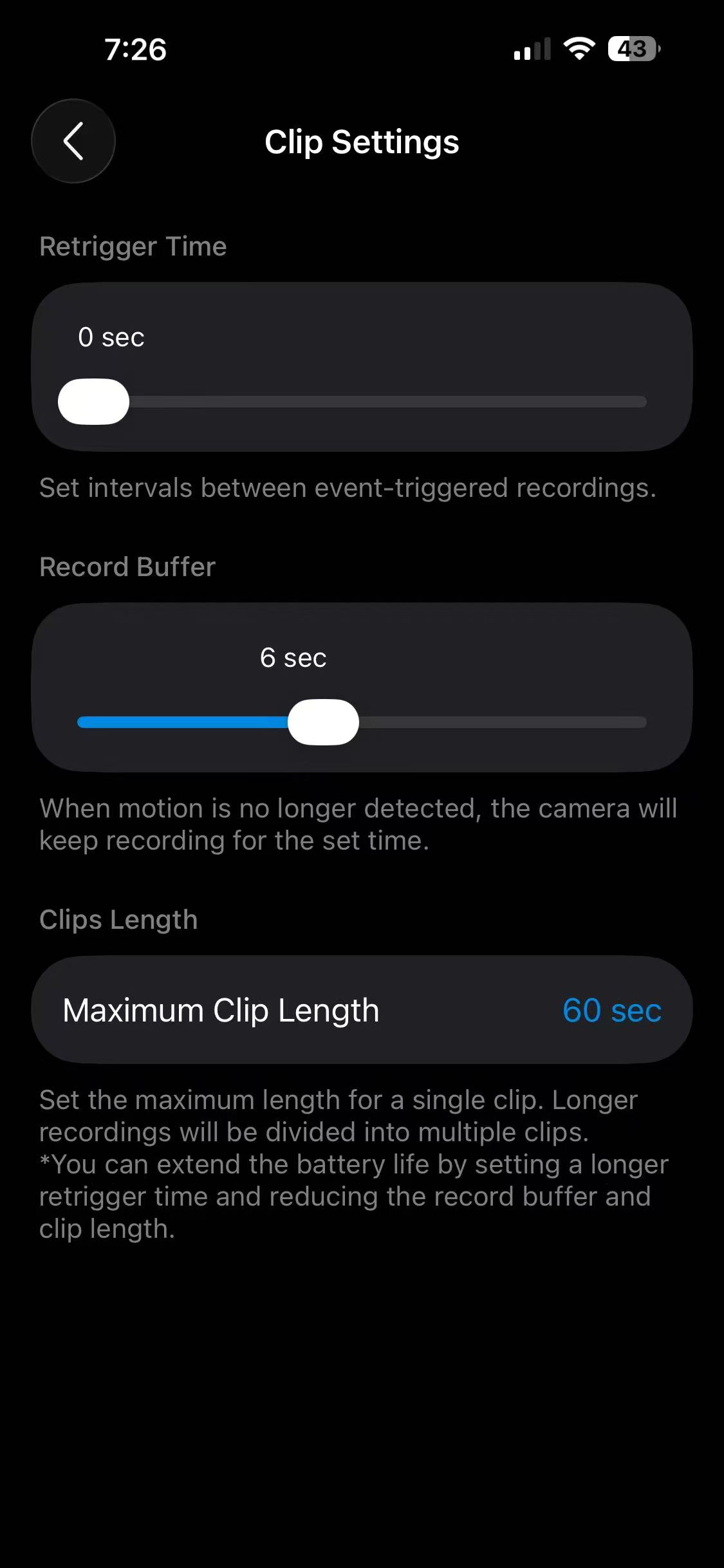
- Copy Link
- Report Inappropriate Content
@ShingoL Please share the information with your local TP-Link support, don't post any privacy information on a public platform, such as the Mac address of your device. You may edit your reply to remove it.
- Copy Link
- Report Inappropriate Content

@ShingoL Question: when are your cameras scheduled to check for updates, and do they have an automatic reboot programmed in? Because if the issue is happening around the same time every day, it could be either of those.
- Copy Link
- Report Inappropriate Content
@ShingoL Has your problem been solved yet? Please share the details with the community if you have a solution, that might be helpful for users who encounter similar problems.
- Copy Link
- Report Inappropriate Content

@ShingoL @Wayne-TP
hello, have you found any solution on random gaps? I bought a new Tapo C665G and has the same problem on recordings. It has random gaps of 5 minutes almost every hour. I'm using SIM card since there is no wi-fi available in the area.
I'm using a SanDisk Max Endurance 128 Gb, and recordings are good. I have reduced the video quality to 720P and still has the same problem. I've noticed that these gaps happen most during daytime.
I have another Tapo camera C615G on the same building and is working very well, with no problem at all for almost 1 year.
- Copy Link
- Report Inappropriate Content
Information
Helpful: 0
Views: 358
Replies: 6
Voters 0
No one has voted for it yet.