
C710 live view not working

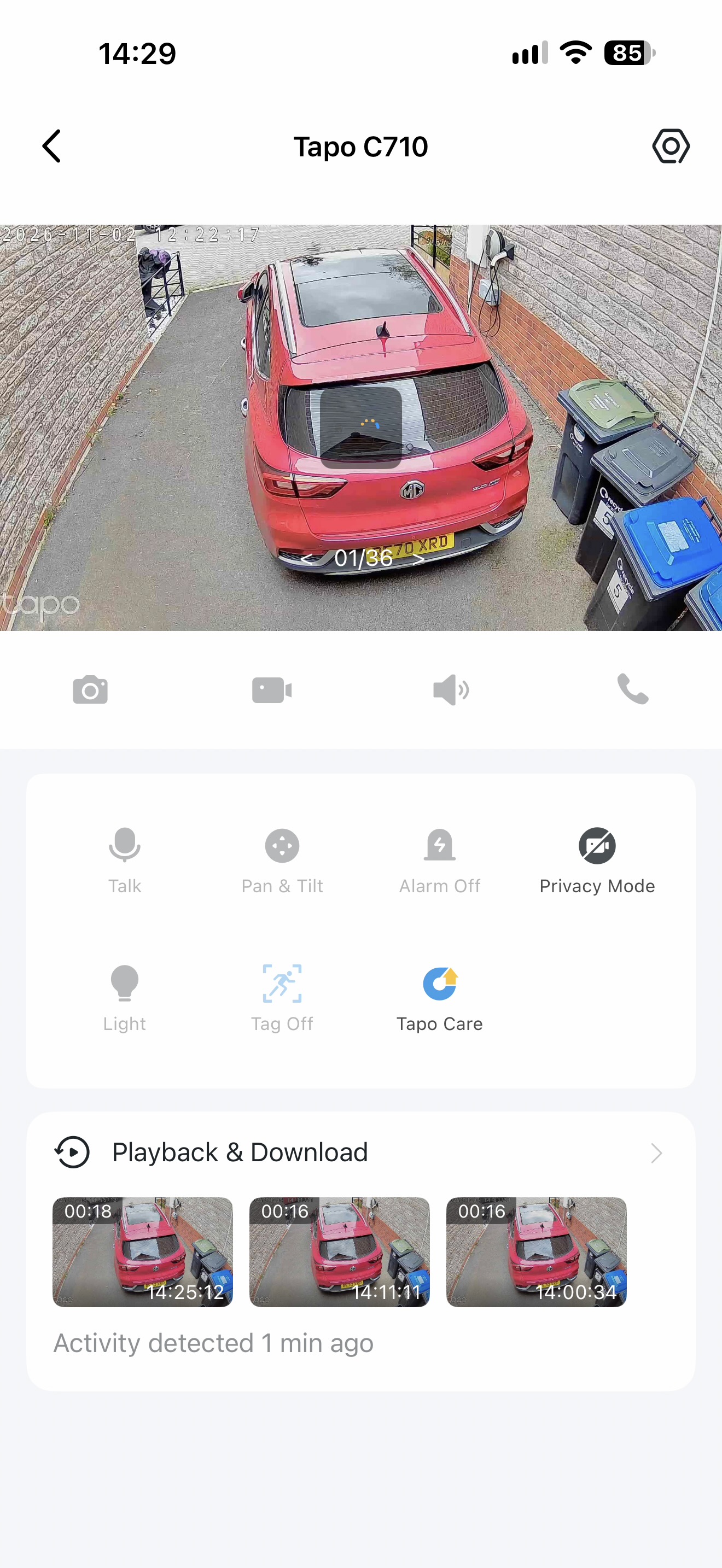 Not sure if anyone can help? I have the C710 floodlight, but despite good signal and speed it rarely allows me to view it live. I just get a figure of 8 animation. The recorded videos play fine, just not live
- Copy Link
- Subscribe
- Bookmark
- Report Inappropriate Content


The app, or say this page, has not been fully loaded yet. Please make sure your phone has a solid network connection, try switching to cellular data, or connecting to a different WiFi network.
You should keep the app updated as well. If you also try to uninstall and reinstall it.
Have you tried using another phone? Please test whether the camera live stream loads correctly when viewed on another device. Restarting your phone might help too, worth a try.
- Copy Link
- Report Inappropriate Content
@Wayne-TP all of that has already been done and makes no difference.
i am using a wireless connection but on a gigabit line. I've verified speeds around 350Mb/s which should be more than fine for the connection and was perfectly fine with my previous ring floodlight camera.
the app and firmware of the camera are both up to date. I do not have another phone to test the device with and honestly I think that expectation is unreasonable. I will however ask for a friend to come round to try and check, but again disagree with the fact that I will need to share my camera up with a third party to check if there is a problem or not.
- Copy Link
- Report Inappropriate Content
A comparison test is a great way to narrow things down, so if you’re able to run one, I’d suggest giving it a try.
By the way, how’s the signal strength on your camera? -> Go to camera's Device Settings > Network Connection, or Device Settings > Device Info > Wi‑Fi Network page//Wi-Fi Signal/Signal Strength, then tap the Wi-Fi icon to view the RSSI value.
In your screenshot, was your phone connected to your home WiFi at the time (the same WiFi as the camera)? If not, I’d suggest testing again with your phone on the same WiFi as the camera to check whether local viewing works properly. You could also try restarting your router and camera, and reinstalling the app, to see whether that helps.
- Copy Link
- Report Inappropriate Content
@Wayne-TP both devices were on the same network, and my RSSI is -47.
i have attempted reinstalling the app, restarting the phone and the device as well as the routers.
- Copy Link
- Report Inappropriate Content
Information
Helpful: 0
Views: 65
Replies: 4
Voters 0
No one has voted for it yet.