Early Access Archer BE550/BE9300 Firmware 1.3.1 - Guest/IoT Network Extension via EasyMesh, VPN Merge, and More


Hey All,
We’re excited to offer early access to the latest firmware for the Archer BE550/BE9300 V1. This update improves overall system security, stability, and performance while adding several new features, including major enhancements to VPN functionality and EasyMesh networking.
We encourage all Archer BE550/BE9300 V1 users to upgrade and share their feedback. Your input is valuable and helps us continue improving our products.
Download the update today to explore all the new features!
Patch Notes:
Enhanced VPN Functionality
-
VPN Merge
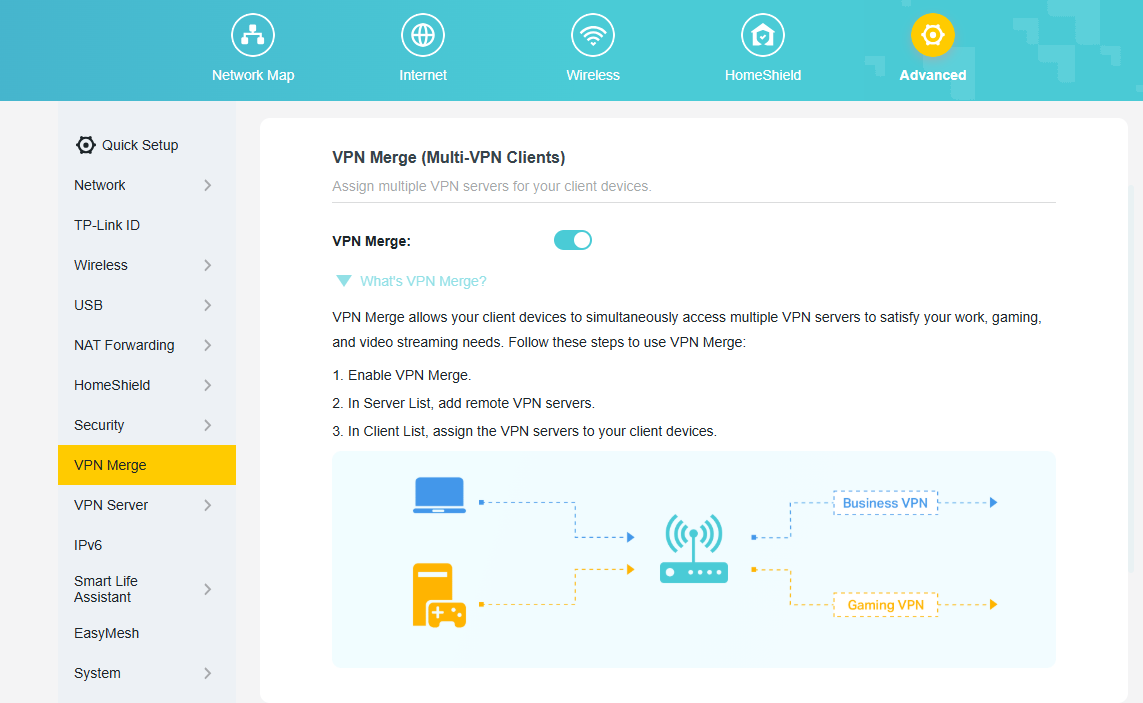
We have officially upgraded the previous VPN Client feature to the new, more powerful VPN Merge. This optimization significantly enhances the flexibility of your network. With VPN Merge, you can now connect different devices on your network to multiple VPN servers simultaneously. For example, your work laptop can connect to a corporate VPN while your smart TV uses another VPN for video streaming. To use this feature, simply enable VPN Merge, add your desired servers to the Server List, and assign them to specific devices in the Client List.
-
VPN Kill Switch
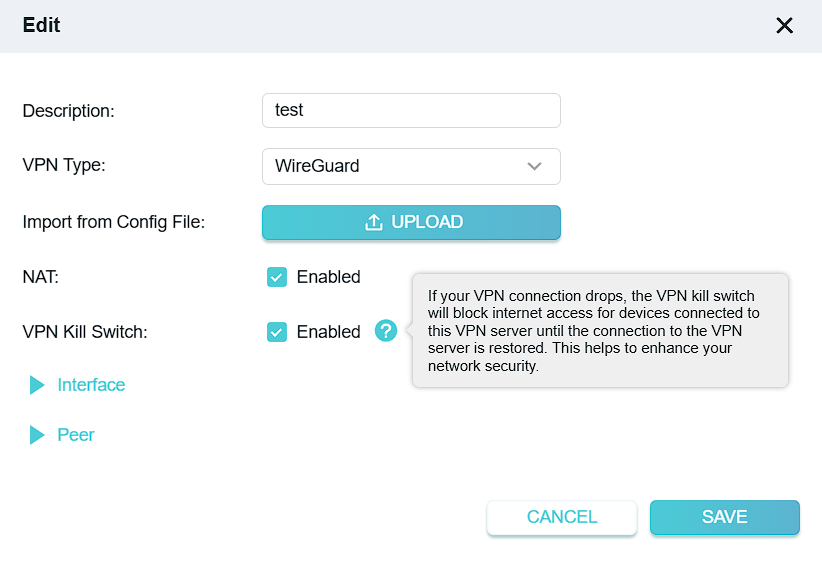
VPN Kill Switch can help improve your network security. When you enable this feature for a VPN server, it will continuously monitor the connection status. If your VPN connection drops unexpectedly, the Kill Switch will immediately block internet access for all devices using that VPN. This protection remains active until the connection to the VPN server is safely restored, preventing potential data leaks.
-
Other VPN Enhancements:
- Support for DDNS Synchronization during OpenVPN server configuration.
- Additional third-party VPN support when configuring the VPN Client: IPVanish, PureVPN.
Enhanced EasyMesh Network
-
EasyMesh Traffic Separation (Extend Guest Network)
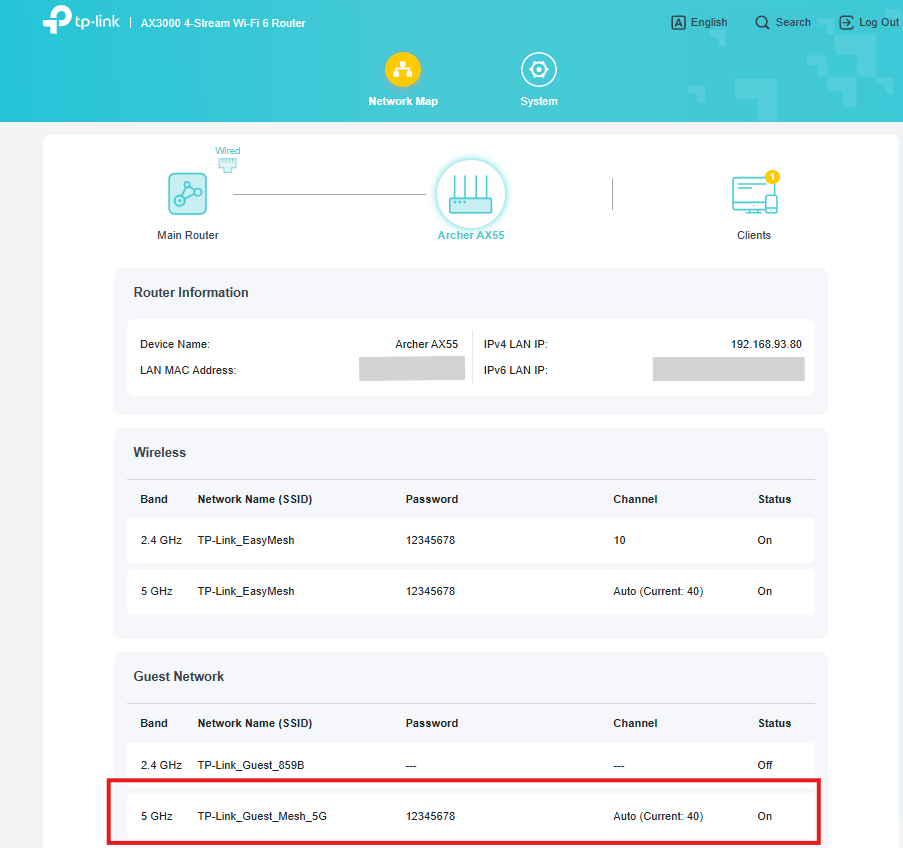
The Traffic Separation feature has been added via the EasyMesh R3 protocol, allowing the main router’s Guest Network to extend automatically to satellite devices and improving the primary network's security.
-
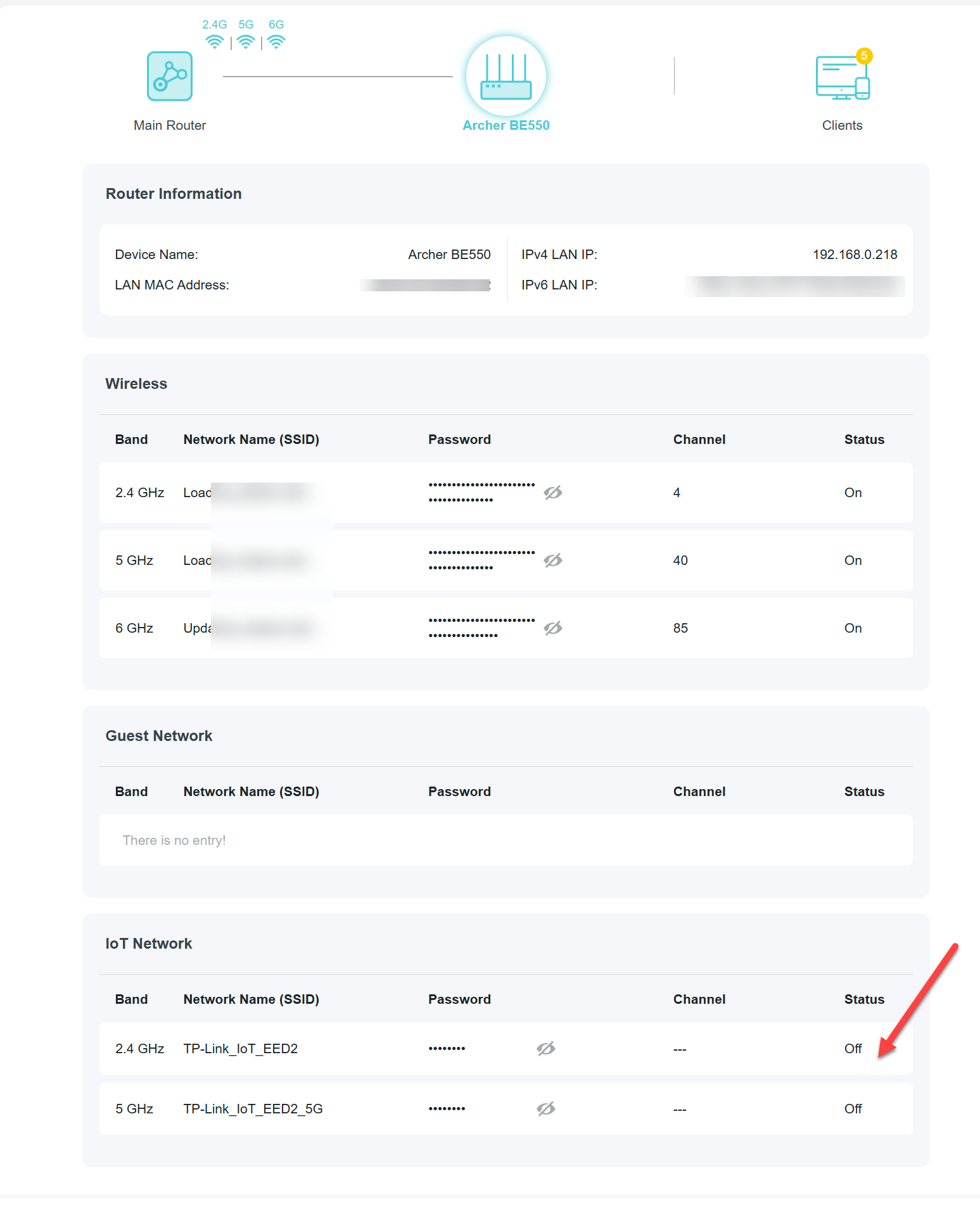
Guest/IoT Network configuration synchronization
Introduced the capability to synchronize Guest and IoT Network configurations from the main router to satellite devices, further enhancing the performance of EasyMesh satellite units.
-
EasyMesh Client Binding
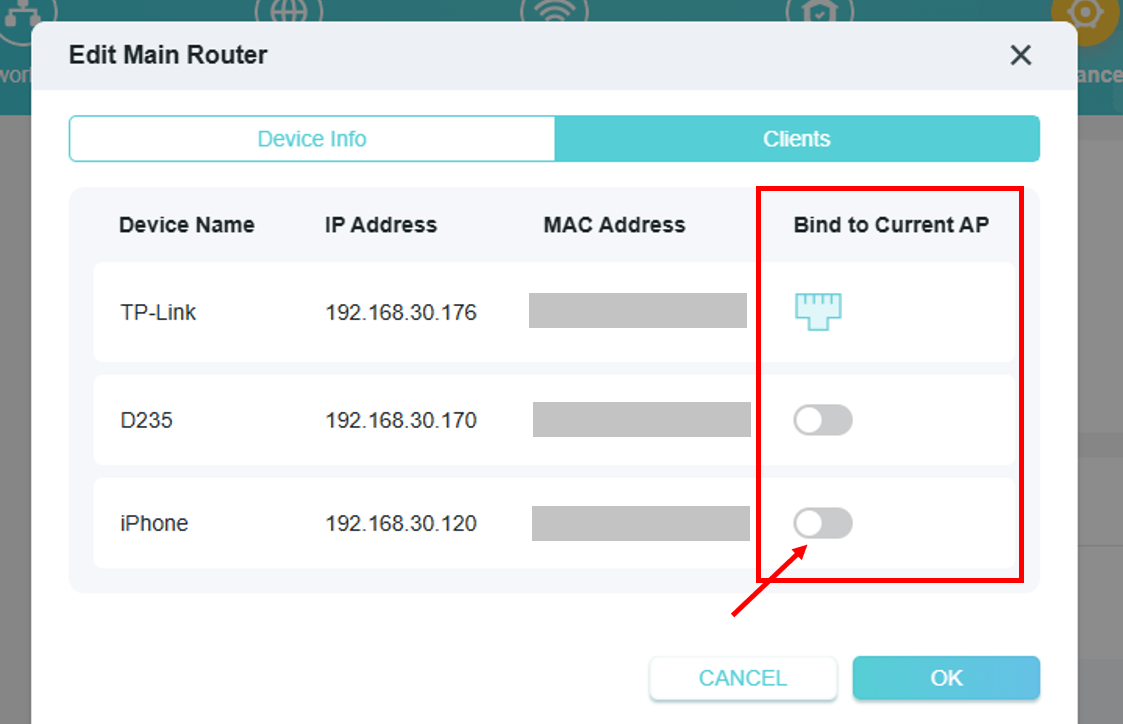
EasyMesh Client Binding allows you to pin specific devices (e.g., smart TVs or IoT sensors) to a designated EasyMesh node, preventing unnecessary roaming and improving connection stability for latency-sensitive or stationary clients.
-
EasyMesh Satellite Node Binding
EasyMesh Satellite Node Binding allows you to manually specify which upstream node a satellite should connect to.
ECO Mode V2
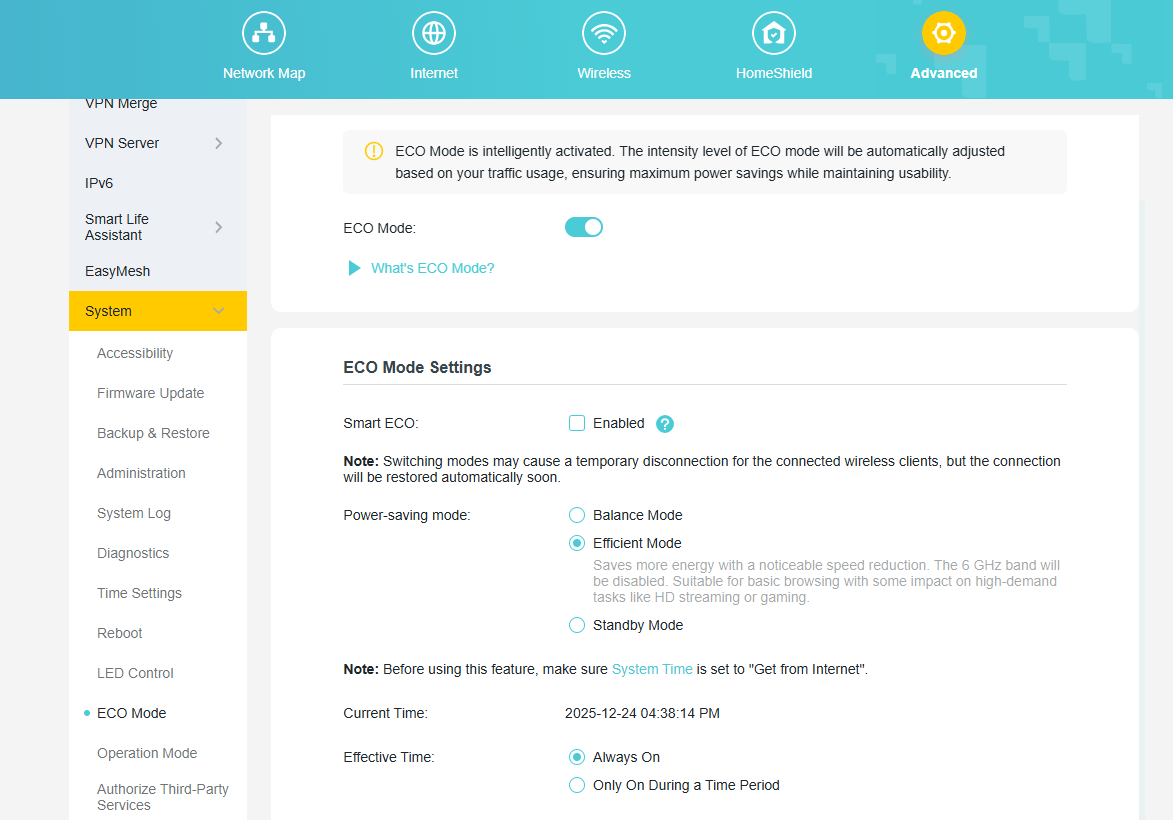
The new ECO Mode Feature is designed to help you save power intelligently. The default selection is Smart ECO mode, which automatically adjusts power consumption based on your real-time traffic usage and turns off the LEDs. This minimizes the impact on your regular internet activities while reducing energy use. For more personalized control, you can also choose from several other power-saving modes and even schedule them to be active only during a specific time period.
Admin Password Recovery
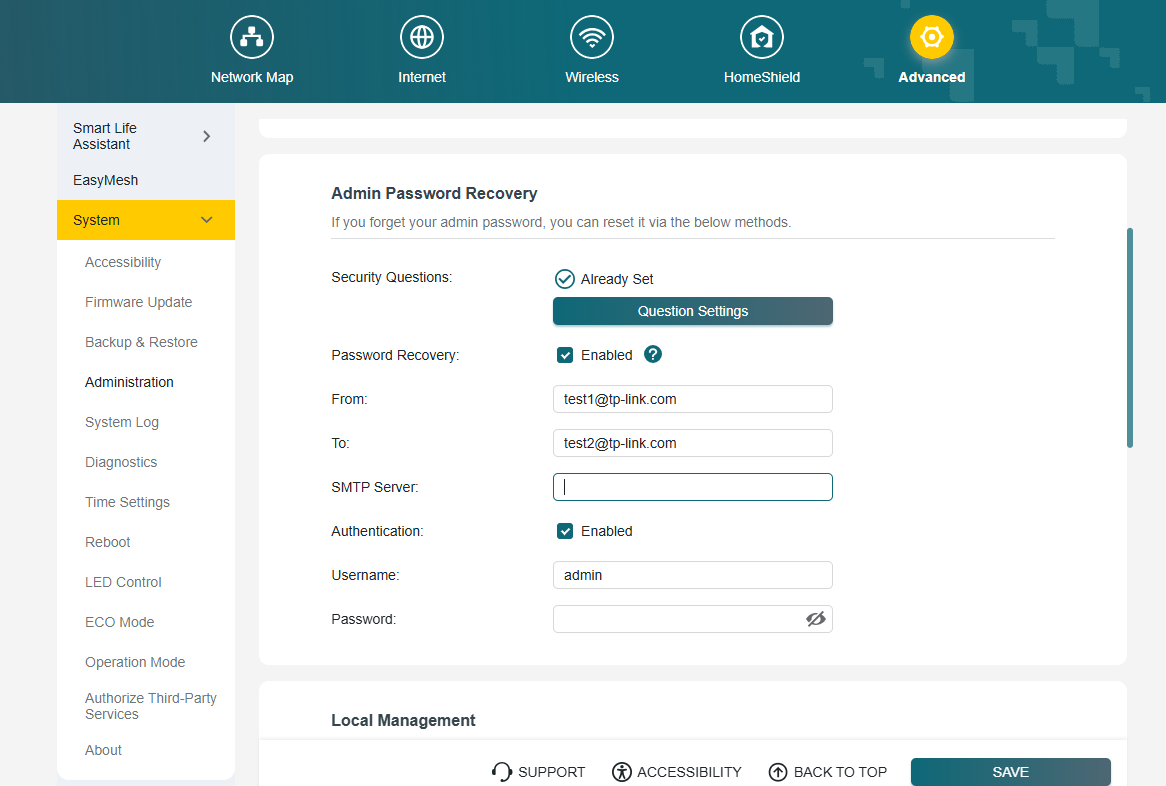
New methods to recover your local administrator password have been added, ensuring you never lose access to your router's settings. You can now choose between two secure recovery options. You can enable and configure these options under System > Administration.
Method 1: Security Questions
Set up answers to predefined security questions. This allows you to verify your identity and reset your password quickly.
Method 2: Email Recovery
Configure a designated email address and your own SMTP server to receive password recovery instructions directly to your inbox.
Advanced USB Features
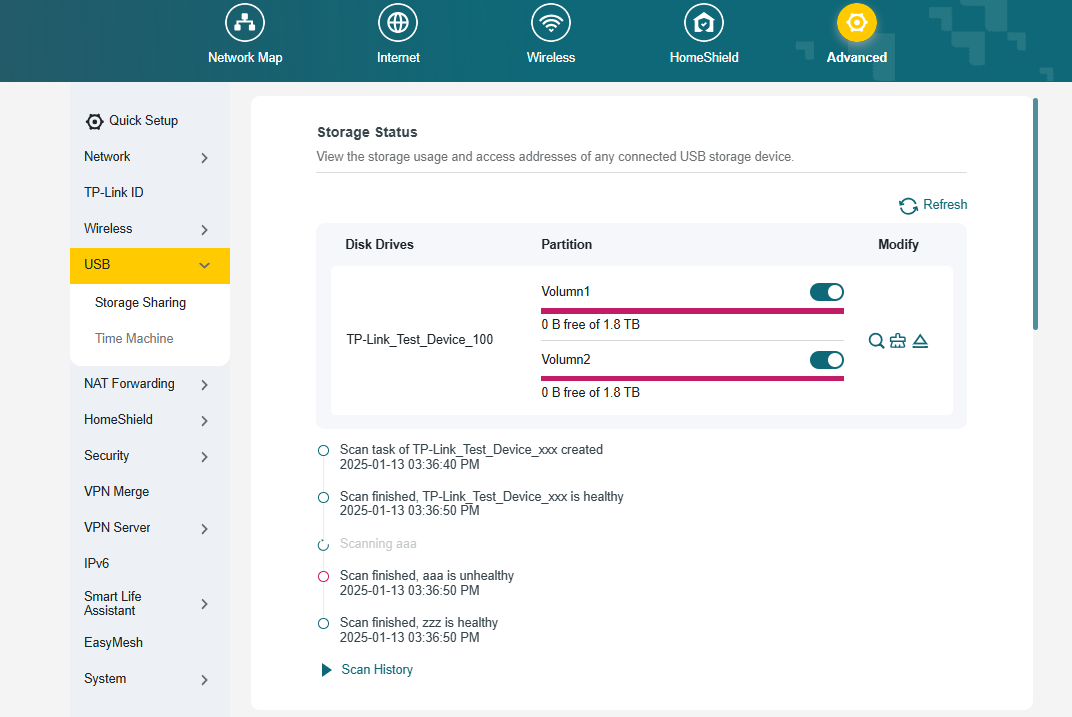
The USB Sharing Feature Suite now includes two powerful new management tools. First, you can now perform a Disk Scan to verify the health of your connected drive. This can be triggered manually or scheduled to run automatically at regular intervals for proactive data protection. Second, we have integrated a Format function, allowing you to format a USB drive directly from the router's interface without the need for a computer. These features provide greater convenience and control over your network storage.
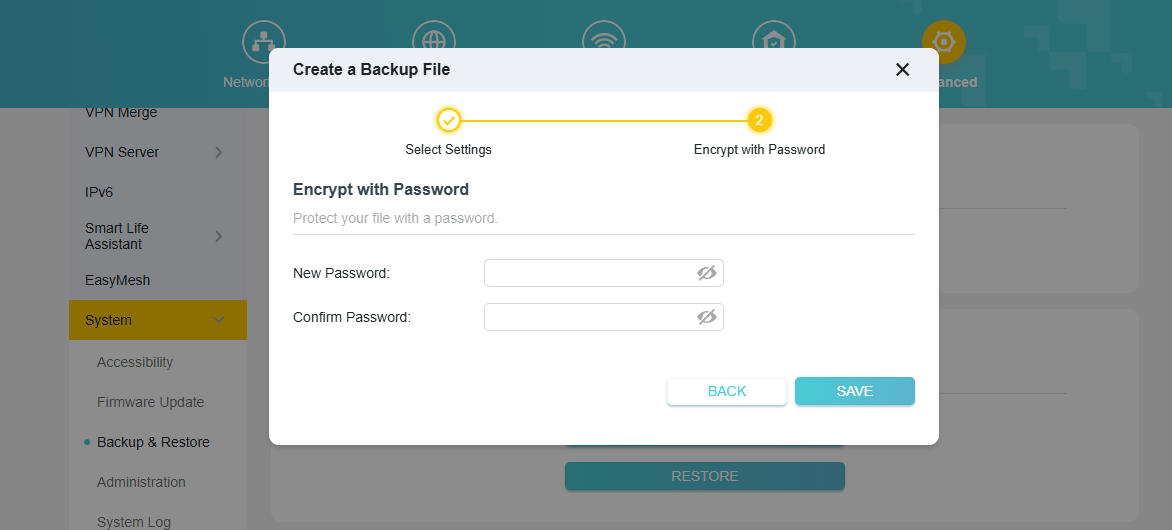
Backup & Restore
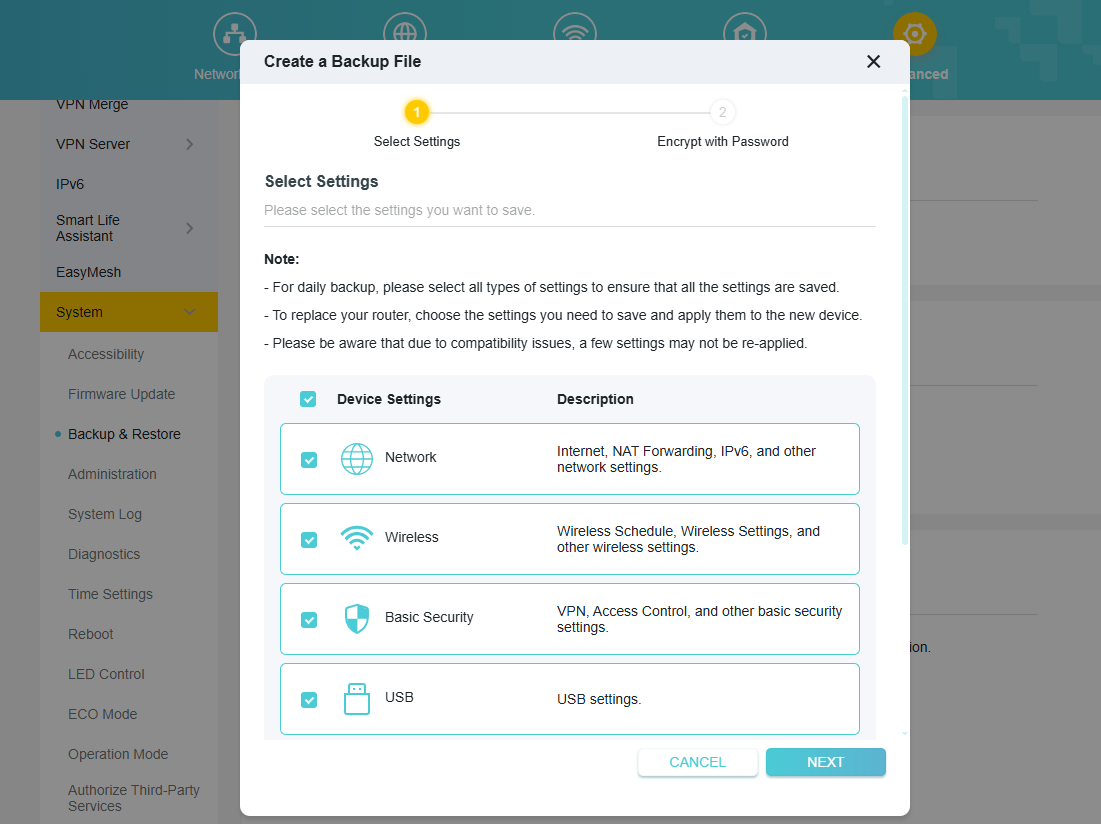
The router's backup functionality has been enhanced for greater control and security. You can now perform a Selective Backup, allowing you to choose specific configuration modules to save, such as Network, Wireless, or Security settings. Additionally, you can now encrypt the backup file with a password, ensuring your sensitive configuration data is protected from unauthorized access.
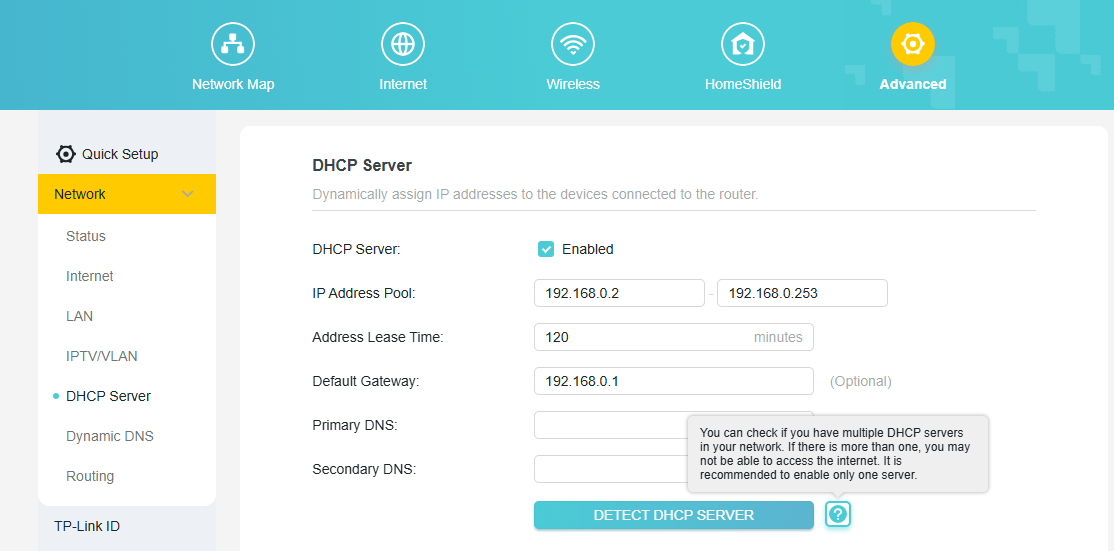
DHCP Detection
A DHCP Server Detection tool has been added to help troubleshoot common network anomalies. Having multiple active DHCP servers can cause IP address conflicts and prevent devices from connecting to the internet. With this one-click tool, you can scan your local network, identify other active DHCP servers, and resolve conflicts for a more stable connection.
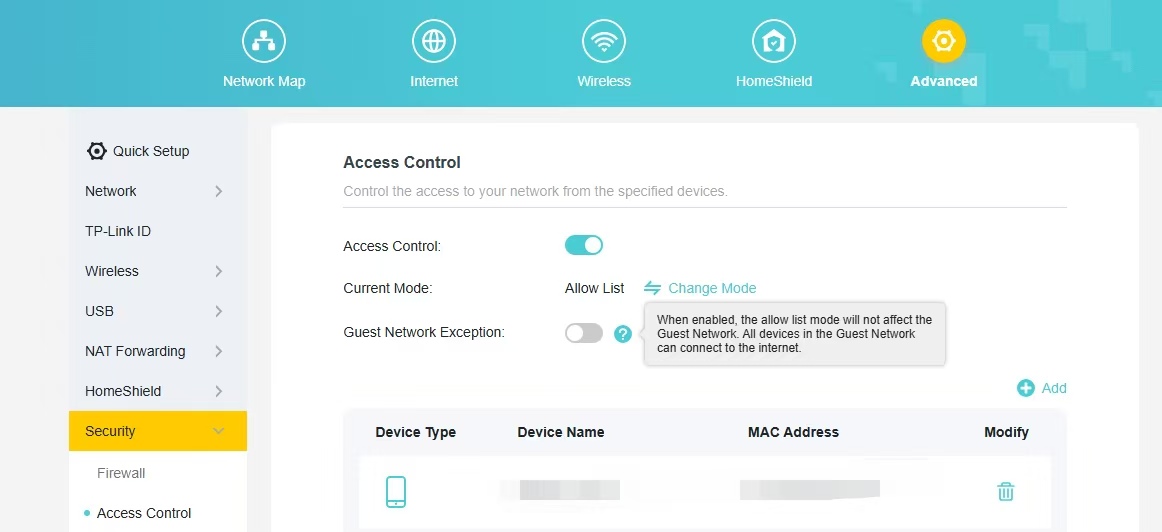
Guest Network Exception Button
A button has been introduced to add the Guest Network to the Access Control whitelist. When enabled, the allow list mode will not affect the Guest Network, so all devices in the Guest Network can connect to the internet.
New Tether App Features
- TSS (TP-Link Simple Setup): Added support for Auto Discovery & Quick Configuration of Tether App.
- QoS (Quality of Service): Added support for QoS configuration within the Tether App.
Other Enhancements and Fixes:
- Optimizations of IPv6 Dial-Up Methods and Functional Experience.
- Enhanced system security, stability, and performance.
Firmware Download:
Before Upgrading
- Pre-release and Beta firmware should be used at your own discretion. We cannot guarantee the functionality of features or technical support for Pre-Release or Beta Firmware.
- It is always recommended to save a copy of the router's Backup Config file before upgrading or downgrading firmware.
- This pre-release firmware is available for all regions.
- For instructions on how to upgrade your router's firmware, please see: How to Upgrade the Firmware on TP-Link Wi-Fi Routers
- There will be an official firmware release in the future. If you are not comfortable using beta firmware, please wait for the official release or contact our support teams for assistance.
- This Pre-Release Firmware cannot be reverted to the previous 1.2.x official release.
Direct Firmware Download Link
| Archer BE550/BE9300_V1 | Archer BE550_V1_1.3.1 Build 20260731 (Pre-release version) |
Additional Information
As always, we value your feedback. If you encounter any problems during or after the router firmware upgrade, please leave a message below and include the following information. Your feedback helps us continuously improve and provide you with better products and support.
Please provide detailed information, including but not limited to:
- A complete network topology diagram.
- The number, types, and specific models of 2.4 GHz clients connected to your network
- Screenshots of relevant error messages, etc.
Thank you for your continued support and for being a member of our community!