Early Access Firmware 1.4.1 for Archer BE550/BE9300 V2 Enhances EasyMesh with Extended Guest/IoT/MLO Networking


Hey all,
We are excited to introduce a new pre-release firmware update for the Archer BE550 V2/V2.6 and Archer BE9300 V2. This release brings several important enhancements to EasyMesh, wireless performance, and network management, while adding support for expanded Guest and IoT networking capabilities.
Alongside these additions, the update introduces a range of new EasyMesh features designed to improve network security, stability, and overall usability across your connected devices.
We encourage eligible users to install the pre-release firmware and share their feedback with the community. Your experiences and suggestions help us refine features and guide future firmware development
Key New Features & Enhancements
Enhanced EasyMesh Network Management
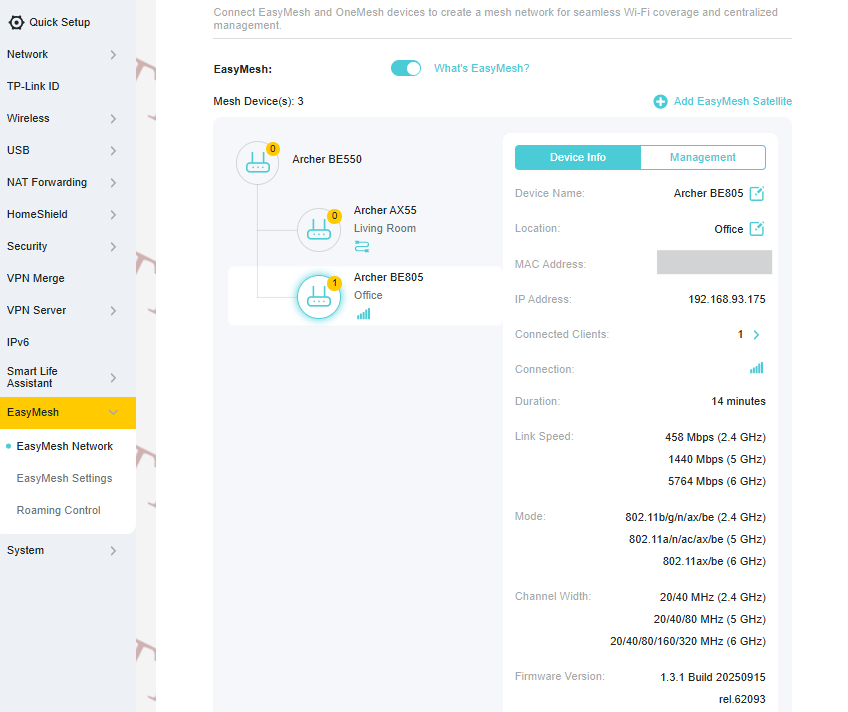
The EasyMesh topology view has been redesigned for improved clarity, offering an intuitive visualization of your mesh network structure. On the Device Info page, you can now view detailed information for each satellite unit, including assigned IP address, number of connected clients, and current connection speed.
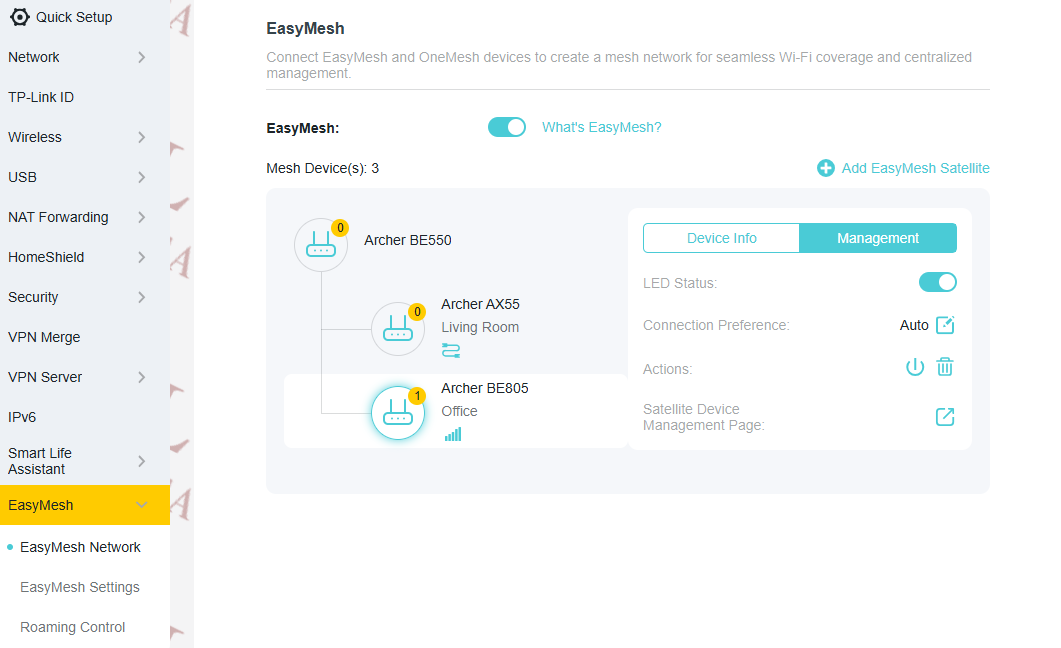
The Management page enables essential administrative actions directly from the main router, such as controlling LED status, rebooting individual satellites, and removing devices from the mesh network.
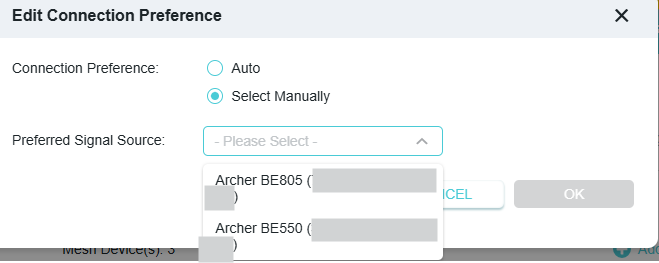
Additionally, a new Connection Preference setting allows you to manually specify which upstream node a satellite should connect to (e.g., directing an AX55 satellite to associate with either the BE550 or BE805).
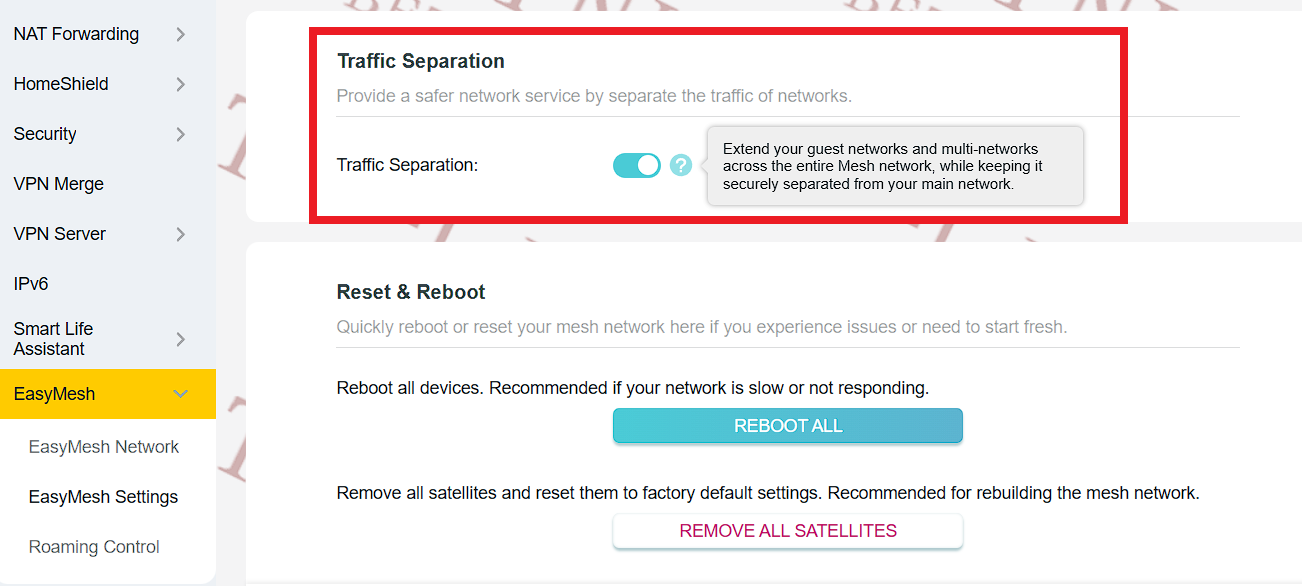
EasyMesh Traffic Separation: Extended Guest & Multi-Networks
Leveraging the EasyMesh R3 specification, this update introduces Traffic Separation, enabling seamless extension of the main router’s Guest Network and dedicated Multi-Network SSIDs to all compatible satellite units. This ensures logical isolation between primary, guest, and Multi-Network traffic - enhancing overall network security and segmentation.
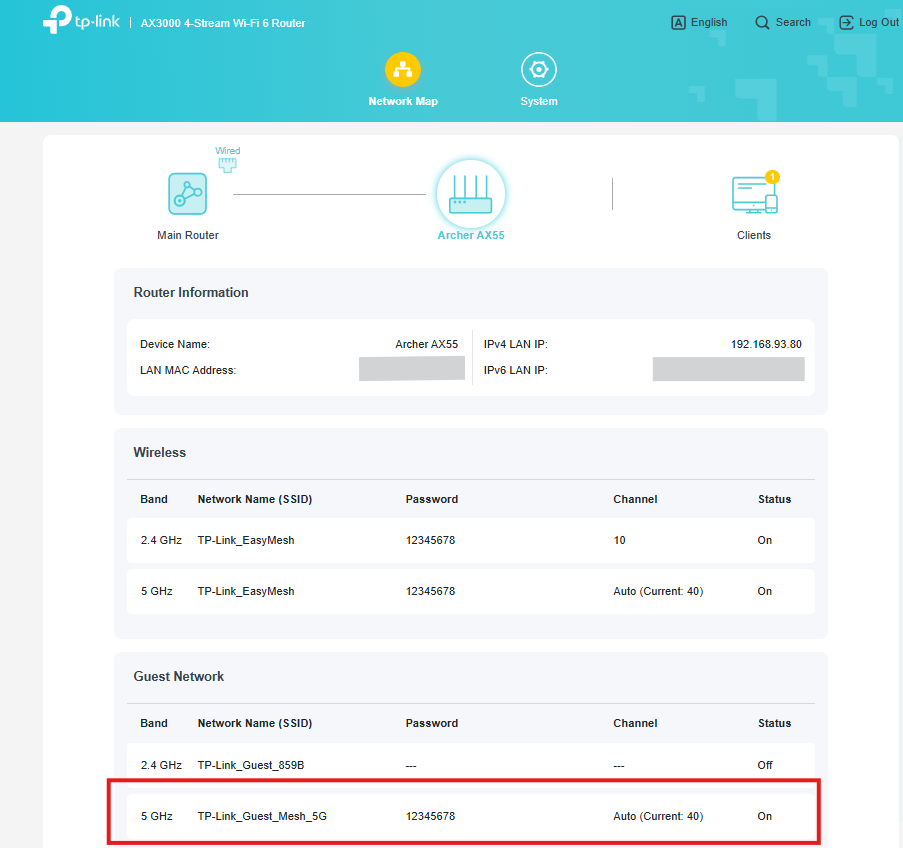
Synchronized Advanced Settings Across the Mesh
Critical wireless and security configurations from the main router can now be automatically synchronized to supported satellite units, ensuring consistent policy enforcement and simplified management.
(a) Wireless Network Configuration Sync
- Guest Network settings
- IoT Network settings
- MLO network profiles
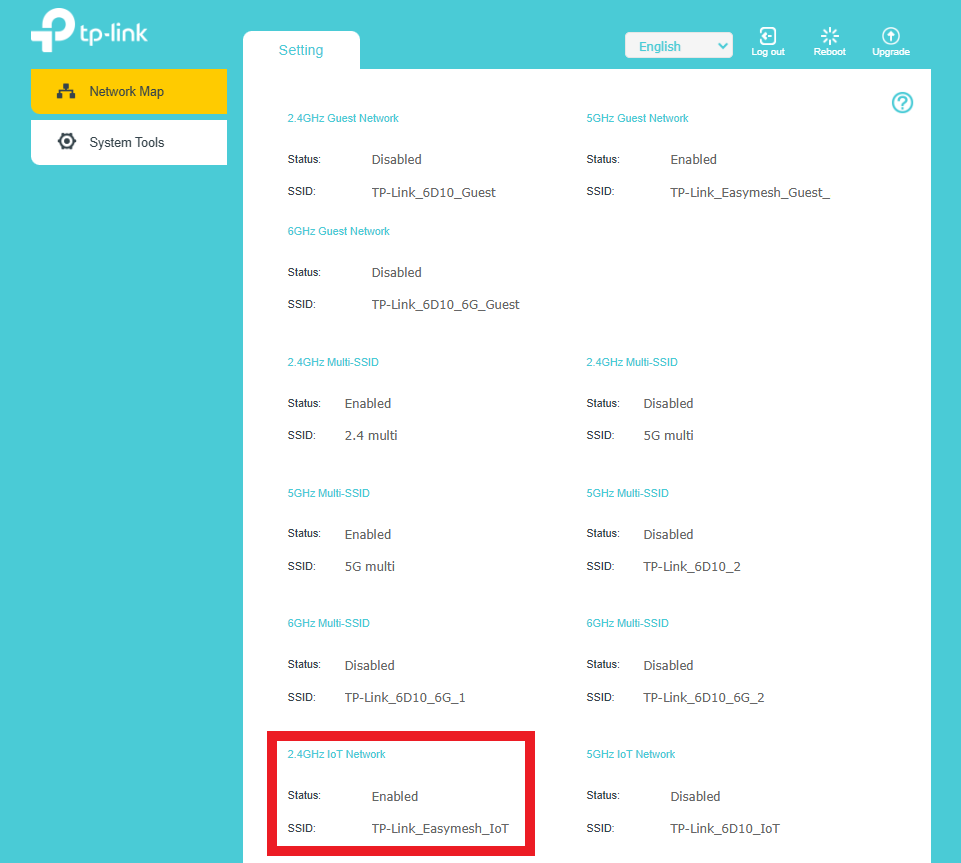
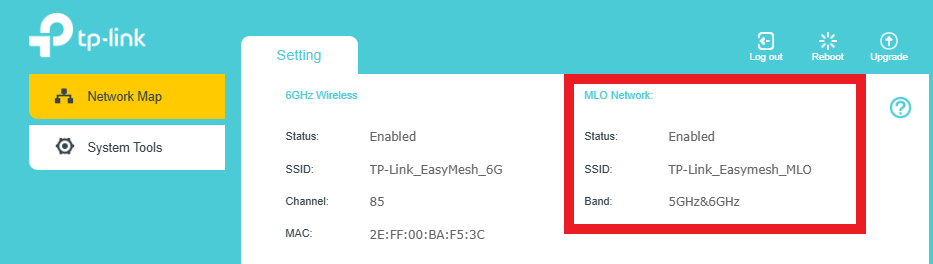
(b) Advanced Feature Sync
- ECO Mode
- Hidden SSID configuration
- Reboot Schedule
- Access Control rules
- Device Isolation
EasyMesh DPP (Device Provisioning Protocol) – QR Code Setup
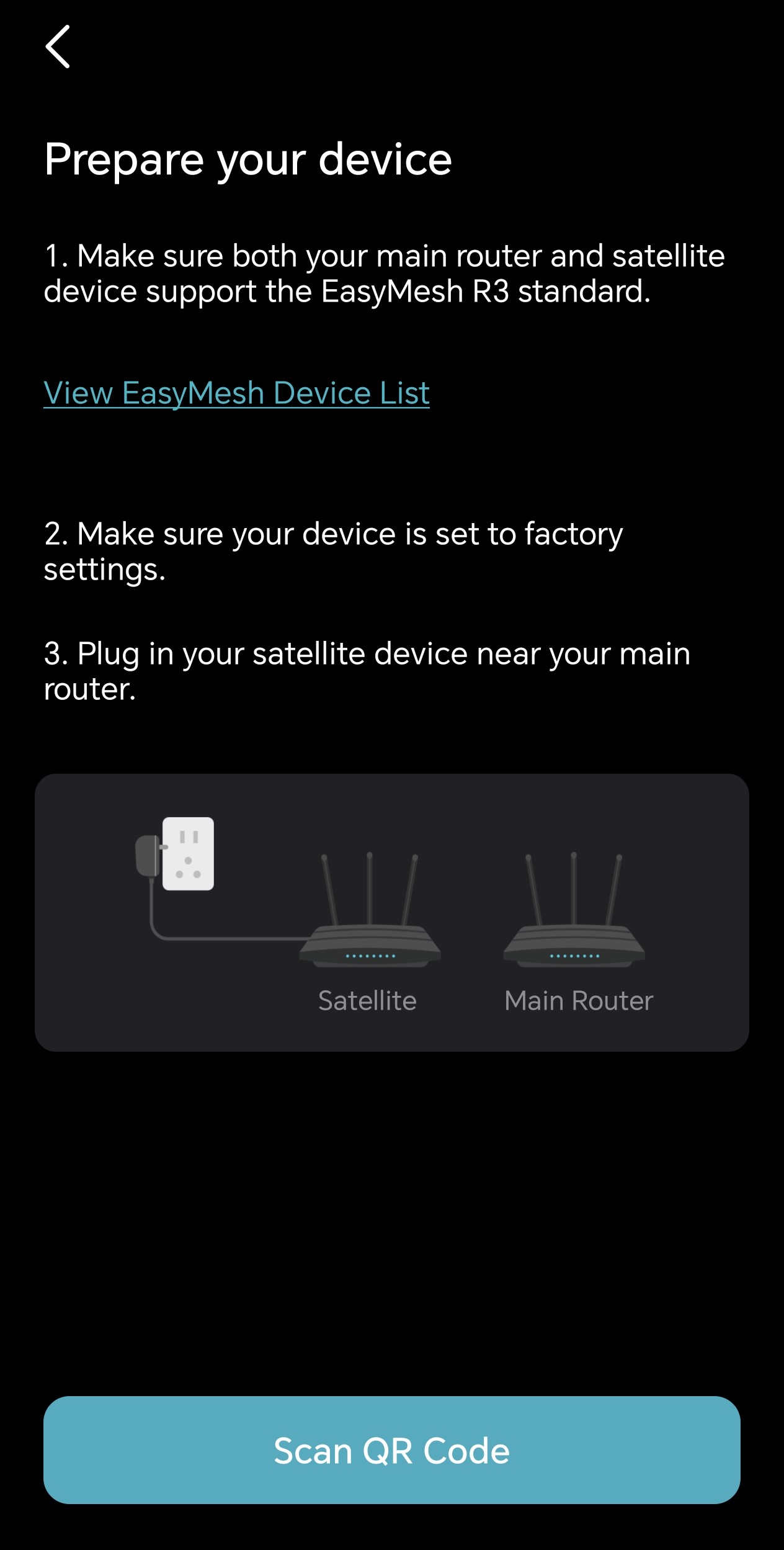
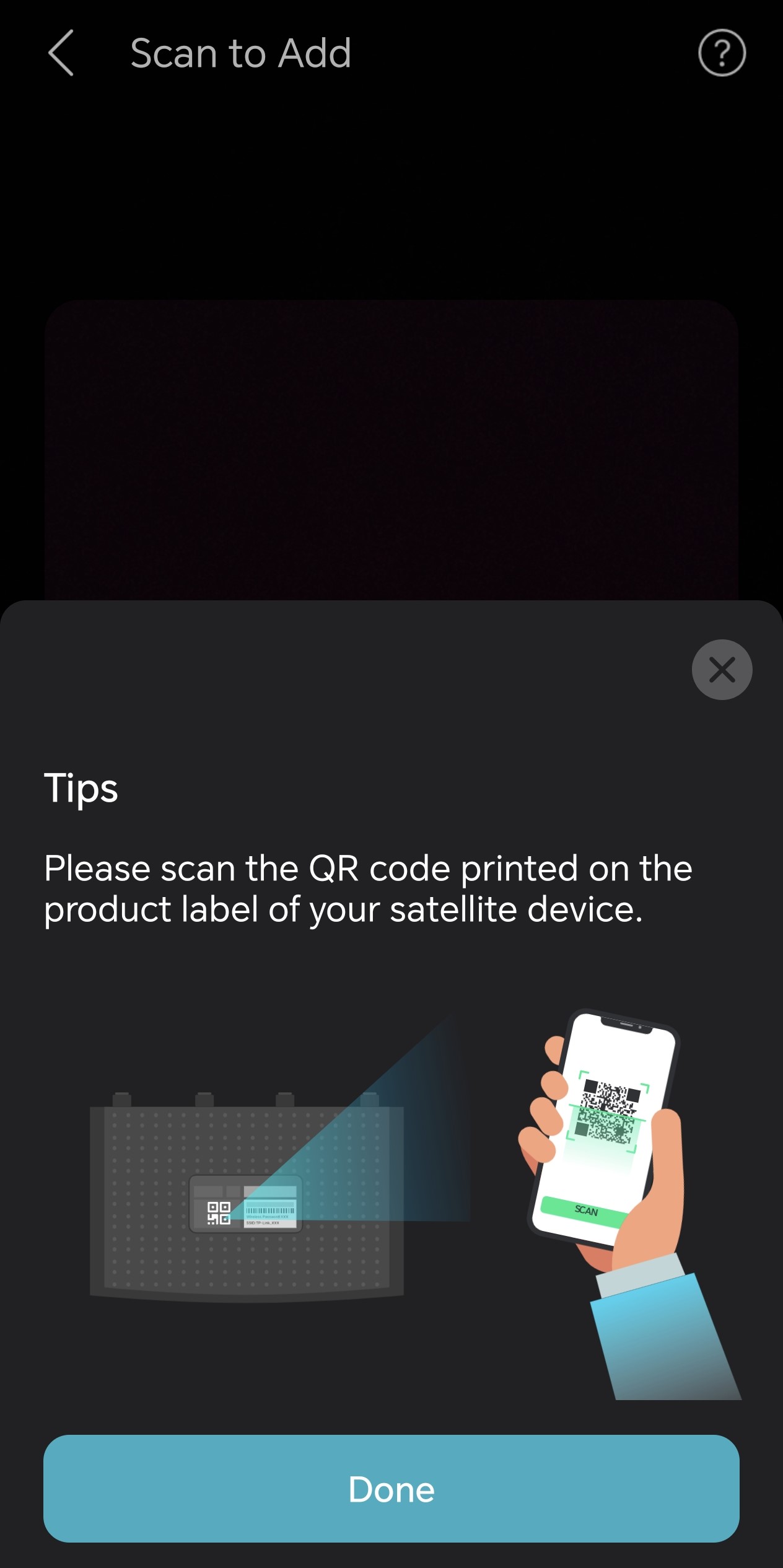
Adding new satellites is now faster and more intuitive via EasyMesh DPP. Within the Tether app, simply scan the QR code on a compatible satellite device to securely and automatically configure it into your mesh network - eliminating manual entry and reducing setup errors.
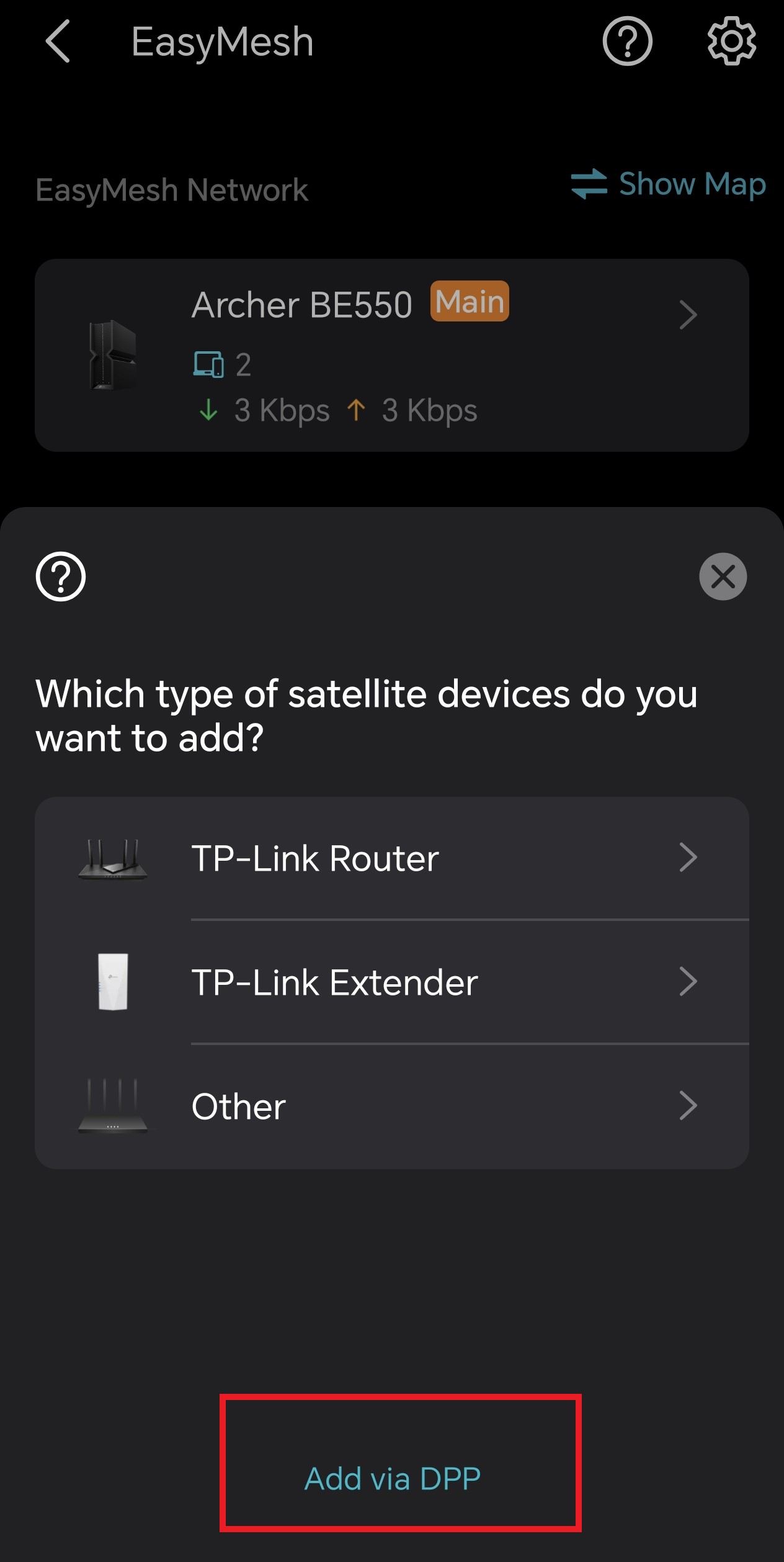
One-Click EasyMesh Network Reset & Reboot
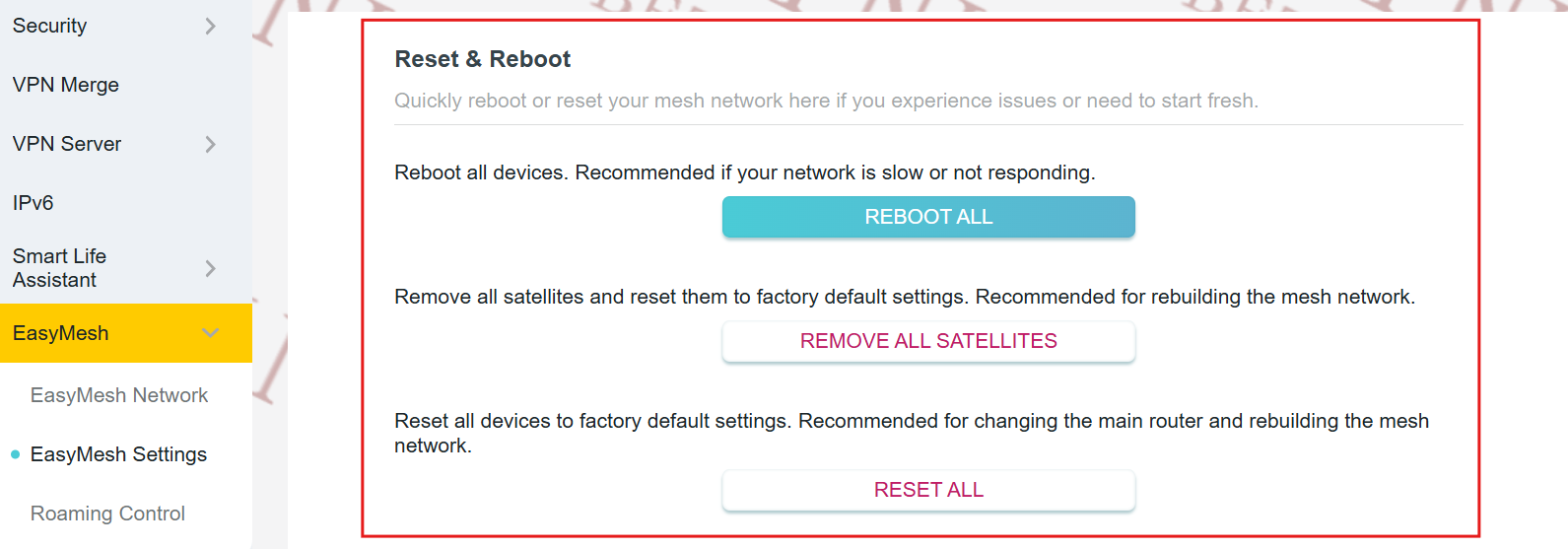
Troubleshoot mesh instability with a single action: the main router now offers “Reset EasyMesh Network” and “Reboot All Nodes” options. These tools provide a quick way to refresh the entire mesh topology without physical access to individual units.
Fast Roaming with 802.11r Support
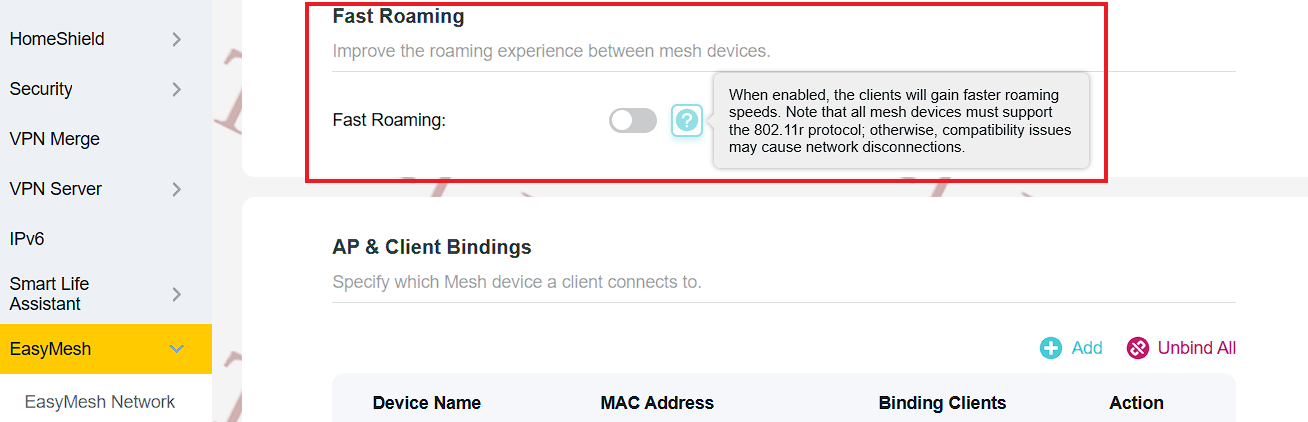
Seamless client roaming is enhanced through native support for the IEEE 802.11r (Fast BSS Transition) protocol across the EasyMesh network. Compatible devices will experience near-instantaneous handoffs between nodes - ideal for real-time applications like VoIP and video streaming.
AP & Client Bindings for Client Affinity
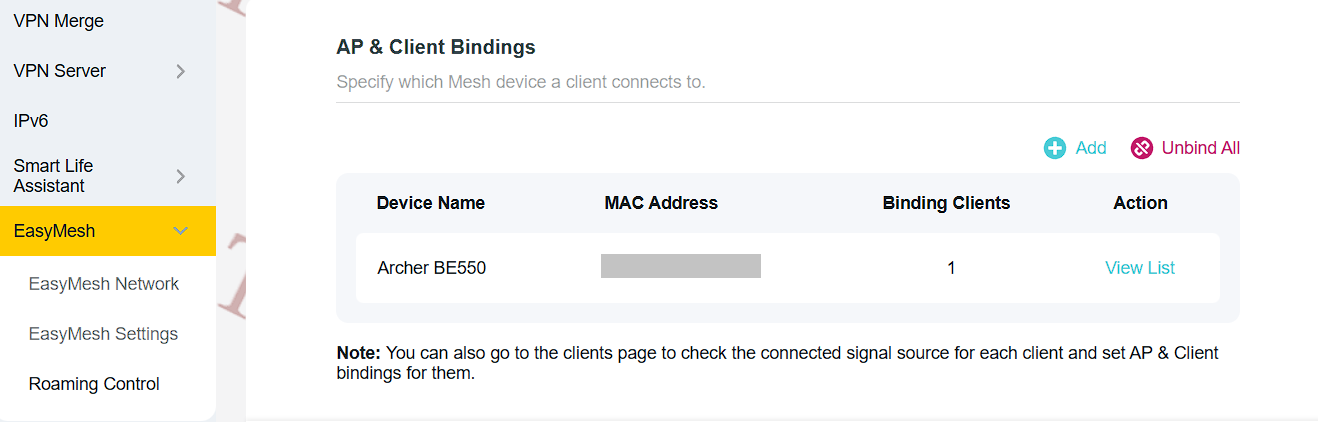
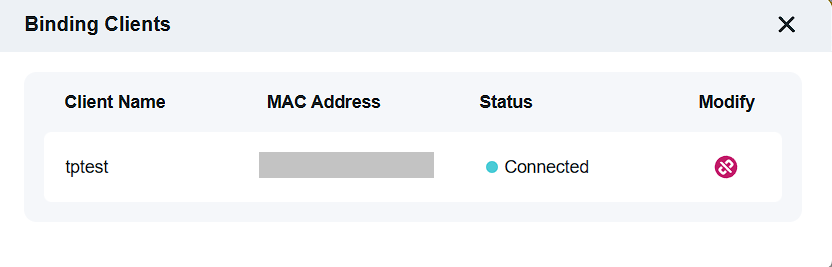
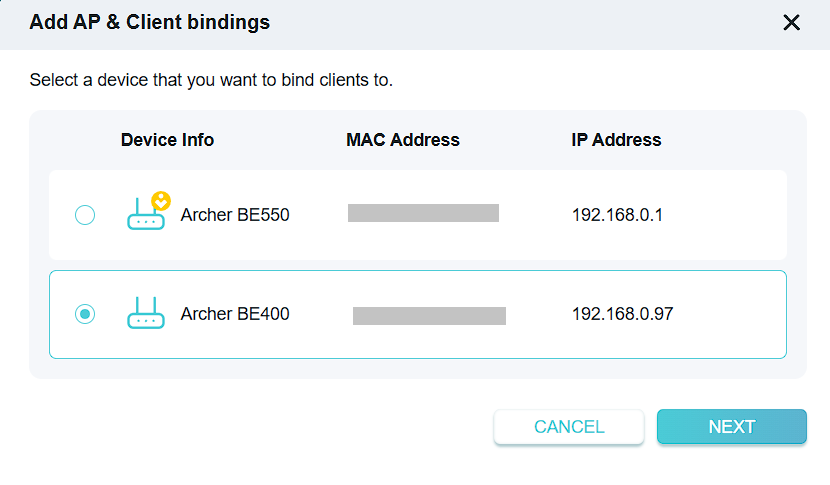
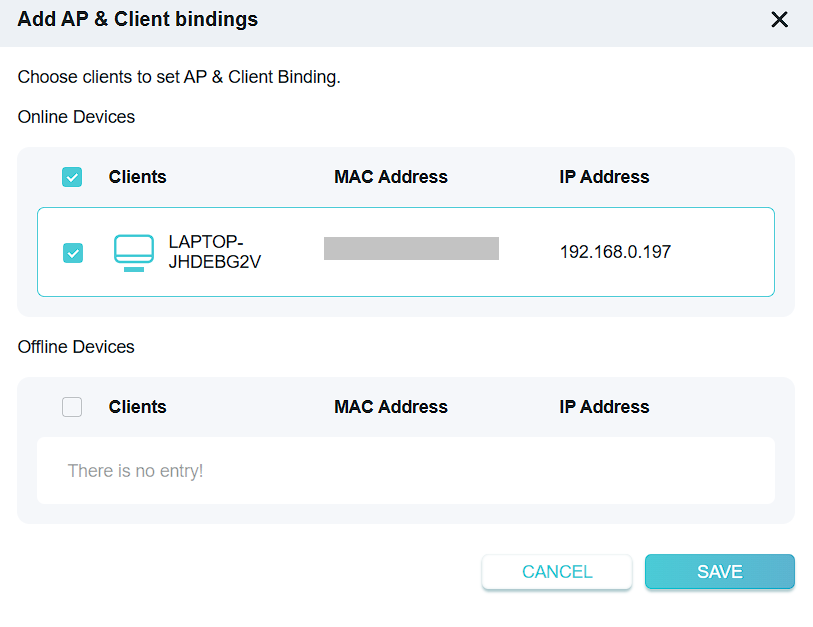
Gain granular control over network connectivity with AP & Client Bindings. You can now pin specific devices (such as smart TVs or IoT sensors) to a designated EasyMesh node, preventing unnecessary roaming and optimizing connection stability for stationary or latency-sensitive clients.
Additional EasyMesh Improvements
- IPTV Support: LAN ports on satellite units now support IPTV traffic pass-through.
- Password Synchronization: The main router’s admin password can be synced to compatible satellites for unified access control.
- UI/UX Refinements: Streamlined interface for all EasyMesh-related functions, improving navigation and readability.
Optimized Parental Controls Interface
The parental control dashboard has been visually and functionally refined, offering clearer scheduling options, device grouping, and usage insights - making family-friendly network management more intuitive than ever.
Other Enhancements in This Update:
• Improved EasyMesh network stability.
• Enhanced device wireless stability.
• Optimized OpenVPN client reconnection reliability after reboot.
Side Note: As you're already aware, the MLO Backhaul has been removed from this new pre-release version, and it may be added back in future versions.
Upgrade today to transform your home network into a smarter, faster, and more secure ecosystem with the power of next-generation EasyMesh!
Firmware Download:
Before Upgrading
- Pre-release and Beta firmware should be used at your own discretion. We cannot guarantee the functionality of features or technical support for Pre-Release or Beta Firmware.
- It is always recommended to save a copy of the router's Backup Config file before upgrading or downgrading firmware.
- This pre-release firmware is available for all regions.
- For instructions on how to upgrade your router's firmware, please see: How to Upgrade the Firmware on TP-Link Wi-Fi Routers
- The screenshots in this article are taken from the web GUI of Archer BE550 V2 for reference only.
- There will be an official firmware release in the future. If you are not comfortable using beta firmware, please wait for the official release or contact our support teams for assistance.
- This Pre-Release Firmware cannot be reverted to the previous official release.
Direct Firmware Download Link
| Archer BE550_V2/V2.6 Archer BE9300(US)_V2 |
Archer BE550/BE9300_V2_1.4.1 Build 20260914 (Pre-release firmware) |
Additional Information
As always, we value your feedback. If you encounter any issues during or after the router firmware upgrade, please leave a message below and include the following information. Your feedback helps us continuously improve and provide you with better products and support.
Please provide detailed information, including but not limited to:
- A detailed network layout, including how the devices are connected, especially if there are EasyMesh satellite devices.
- If anomalies arise, provide a detailed description of the behavior and specifics on the conditions that seem to trigger it.
- Screenshots of relevant error messages, etc.
Thank you for your continued support and contributions as valued members of our community!
Sep 16, 2026
Release of this article.
Related Article:
Archer BE550/BE9300 Firmware 1.3.1 - Guest/IoT Network Extension via EasyMesh, VPN Merge, and More