
New Arrival Tapo C575D New Outdoor Dual 4K Lens Pan/Tilt Security Camera with PoE


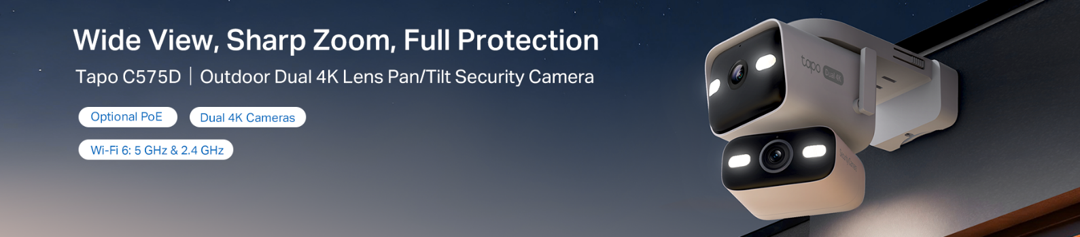 Tapo C575D - Outdoor Dual 4K Lens Pan/Tilt Security Camera with PoE
As many of you have recently seen, the Tapo C575D has been officially launched in the United States!
The C575D offers a variety of highly sought-after features, ranging from dual 4K lenses, Dual-Band connectivity, and even PoE!
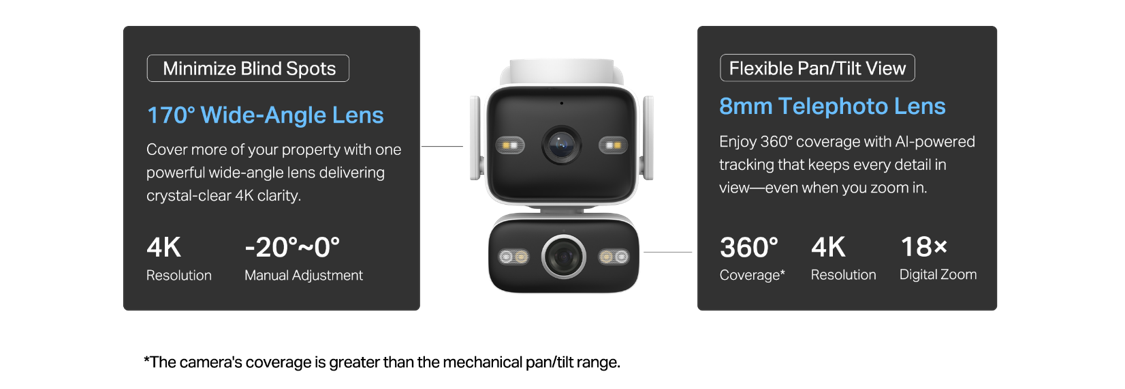
4K Dual Views – The wide-angle lens provides a larger area of coverage, allowing the 8mm telephoto lens to track events and ensure that every detail is as clear as possible.
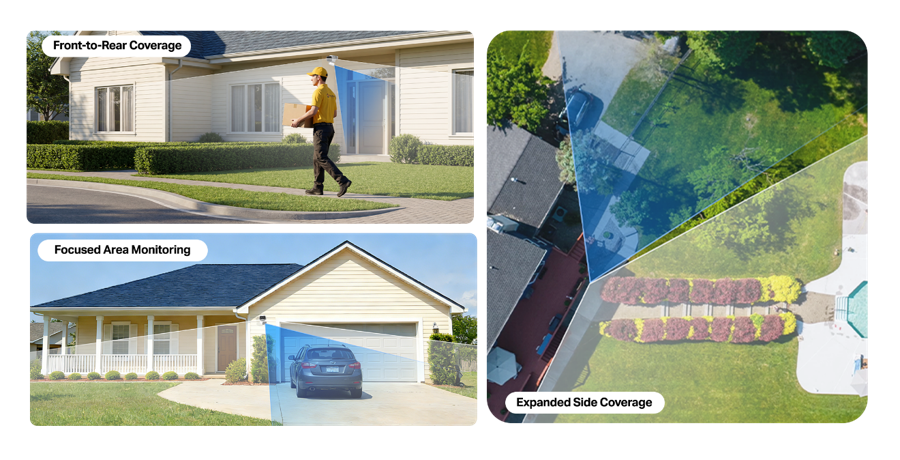
Front-to-Rear Coverage: Keep the Pan/Tilt lens pointed 180° away from the fixed lens to capture both sides of an entryway or door.
Focused Area Monitoring: Use the telephoto lens to monitor high-priority areas such as package drop-off zones, driveways, or gates, while the wide-angle lens maintains a full view of the surrounding area.
Expanded Side Coverage: Position the Pan/Tilt lens to the left or right of the fixed lens to extend coverage across a wider area, reducing blind spots and monitoring more of your property from a single camera.
Synchronized Automatic Event Tracking to Never Miss an Event
When the fixed lens detections are triggered (motion, person, pet), the pan/tilt lens will automatically pivot to focus on and track the moving object.

Dual-Band (2.4 + 5GHz) Connectivity – Connect the Tapo C575D to either a 2.4GHz connection for longer-range performance or use the 5 GHz connection for faster speeds.
With Wi-Fi 6 compatibility, rest easy knowing that your camera can take advantage of greater speeds, stability, and better handling of network congestion in heavy-bandwidth scenarios.
Smart Night Vision - Choose from vibrant full-color with spotlights, discreet black-and-white infrared, or an automatic Smart Mode based on Al light detection for the best clarity in any nighttime scenario.
Flexible Installation with DC or PoE Power!
Power the camera with a DC adapter or an Ethernet cable with PoE for reliable power and stable internet. (PoE: 802.3 af/at; Maximum Power: 11.5 W)
Option 1: Standard Power Setup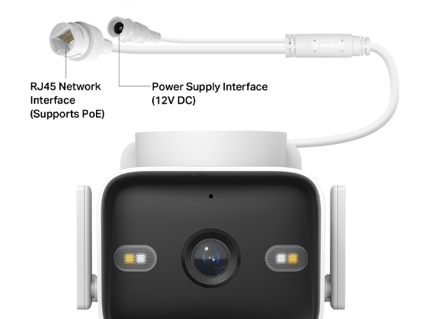
Power the camera with the included DC adapter and connect via Wi-Fi or Ethernet.
Option 2: PoE Setup for Extended Runs
PoE for Power and Data
Power and connect over one Ethernet cable with PoE, designed for stable, long-distance connections.
PoE for Power, Wi-Fi for Data
Power your camera via a PoE Ethernet connection while using the 2.4/5 GHz Wi-Fi Connection for data.

Buy the Tapo C575D on Amazon or the Official Tapo Store
Ready to Get Started with PoE?
PoE Compatibility opens new doors for camera installations, as you can now power and network the camera over much longer distances – without resorting to battery or solar cameras that cannot benefit from features such as continuous recording or RTSP/ONVIF.
While we recommend using the cable for both data and power when available due to the extremely quick load times possible over wired connections (Personal Load Time on the C575D while at Home from a Closed App via Notification was 1.54 Seconds to Live View), it is possible to provide only power over its ethernet connection while relying on the camera's traditional Wi-Fi connection to connect to your home network and the Tapo app.
- One Ethernet Cable for Data and Power to the Camera
- One Ethernet Cable for Power, with Data Being Handled via Wi-Fi
There are also a few methods for providing or 'injecting' PoE Power into your ethernet cables.
- PoE-capable Network Switches
- PoE Injectors (Single Device)
You can learn more about PoE, the devices needed to support PoE, and the advantages of using it in our networking article:
What is PoE and What it Can Do for Your Home?
|
|
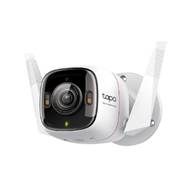
Tapo C325WBv2* |
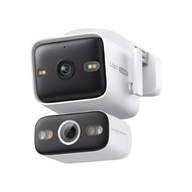
Tapo C575D |
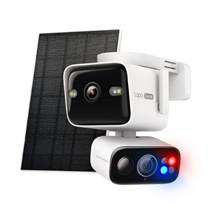
Tapo C675D |
|
|
ColorPro Night Vision 2K Camera with Optional PoE Power |
Dual 4K Wired Camera with Optional PoE Power |
Dual 4K Battery Camera with Red/Blue Alarm Lights and Solar Panel |
|
|
|
|
|
| Overview |
|||
| Video Resolution |
2560 x 1440px |
Fixed: 4K (3840 × 2160px) PT: 4K (3840 × 2160px) |
Fixed: 4K (3840 × 2160px) PT: 4K (3840 × 2160px) |
| Power Options |
DC Power or PoE |
DC Power or PoE |
Battery (5V Charging) |
| PoE |
PoE: 802.3 af/at; Maximum Power: 5.4 W) |
802.3 af/at; Maximum Power: 11.5 W) |
|
| Network Options |
Wired or 2.4 GHz |
Wired or 2.4 GHz or 5GHz |
2.4 GHz or 5 GHz |
| RTSP/ONVIF |
Yes |
Yes |
No |
|
|
ColorPro Night Vision, Color Night Vision, IR Night Vision |
Infrared Night Vision (98 ft.) Color Night Vision (65 ft.) |
IR-Mode/Full-Color Mode |
|
|
2× Built-in Spotlights |
Fixed Lens (Wide-Angle Lens): PT Lens (Telephoto Lens): |
4× 850 nm IR LED 4× White LED 2× Alarm LED (Blue & Red) |
| Buy Now |
*The Tapo C325WBv1 is not PoE-compatible. Specifications and Details listed on this page are specific to Version 2
Contact Support or Join our Official Subreddits: r/tapo, r/tplink, r/omada_networks