
Tapo P105 V1 Scheduling problem?

Recently the plug has been not adhering to the schedule set for it to turn on and then off. It turned a light on at the correct time, but turning it off was well before the set time. On time was Sunset and off time was a set time.
I did check the schedule and the time on my Deco which is the correct time.
I did check for a f/w update, and that is how I got this one. One feature of the new update was that it had a scheduling fix.
Well, I have a scheduling problem.
It the unit 'bad' or is there a f/w problem?
- Copy Link
- Subscribe
- Bookmark
- Report Inappropriate Content
IrvSp wrote
Wayne-TP wrote
@IrvSp A reset only takes about 10 seconds (press down the power button for 10 seconds), and reconfiguring the plug can be done in under a minute if everything goes smoothly.
Well, I did give it a try and was able to do it.
When my iPhone did connect to it, (blinking Orange/Green) it asked if I wanted to keep the old settings and I declined. Did a FULL reset, network/password, device name/icon, and the Schedule.
We'll see how that works tonight.
OK, after the RESET, and not keeping the settings and starting from scratch, the Schedule is WORKING with the correct times ON and OFF.
Thank you.
- Copy Link
- Report Inappropriate Content


Try to create a new schedule to turn off the plug right away, like two minutes later. If it works, delete the old schedule and create a new one; see if that makes any difference.
More troubleshooting suggestions can be found here: Schedule, Timer or Away Mode Not Working on Tapo and Kasa Smart Devices. If no helps, contact technical support for further assistance.
- Copy Link
- Report Inappropriate Content
Thanks for the reply.
I did change the time to go off, it still isn't working? Seems to be a random time too that it happens? It might be 'set' inside the Tapo? I say that as I've set turn on to be at sunset, which changes each day.
In the iOS Tapo app in the support center is a choice of User Manual, and selecting that and 3 choices, data sheet, quick install, and install and users guide. The Install and Users Guide DOES not open, the others do?
I did find that on the Support D/L page for the Tapo.
From it is something I guess I have to try --> Press and hold the button for 10 seconds to reset it. In the app I did fine under Help though how to reset it as well, and there is also a 5 second hold of the button. Seems that is more for connectivity issues, so the full factory reset I assume is needed?
Would be a 'pain' to get to the plug, have to move some stuff, not easy to get to.
Have a better suggestion that doesn't require resetting the plug? Too bad the app can't do it? The Deco app can reboot a Deco and Thether can reboot a router, why not the Tapo app?
- Copy Link
- Report Inappropriate Content
IrvSp wrote
Thanks for the reply.
I did change the time to go off, it still isn't working? Seems to be a random time too that it happens? It might be 'set' inside the Tapo? I say that as I've set turn on to be at sunset, which changes each day.
In the iOS Tapo app in the support center is a choice of User Manual, and selecting that and 3 choices, data sheet, quick install, and install and users guide. The Install and Users Guide DOES not open, the others do?
I did find that on the Support D/L page for the Tapo.
From it is something I guess I have to try --> Press and hold the button for 10 seconds to reset it. In the app I did fine under Help though how to reset it as well, and there is also a 5 second hold of the button. Seems that is more for connectivity issues, so the full factory reset I assume is needed?
Would be a 'pain' to get to the plug, have to move some stuff, not easy to get to.
Have a better suggestion that doesn't require resetting the plug? Too bad the app can't do it? The Deco app can reboot a Deco and Thether can reboot a router, why not the Tapo app?
Did you create a new schedule or edit the old one? Create a new rule instead if you were editing the existing schedule.
How about setting the plug to turn on at a fixed time? Does it take effect at the right time? You could also try using an automation — select “Time of Day” as the trigger and set the plug to turn on or off, then see if it works.
Right now, I think we need to figure out whether the plug has the wrong time zone (did you check? Does it show the correct time zone in the device settings?) or whether only certain control commands aren’t working.
If it’s the latter, you can reach out to the support team and have them look into it. A reset might not be necessary in that case — though, to be honest, it’s usually one of the most effective ways to resolve just about any issue.
- Copy Link
- Report Inappropriate Content
You are confusing me or I don't know how to find somethings...
First of all, the time, NOWHERE on the TAP app is that shown, It picks it up, or should from the LAN, and my Deco has the correct time as does all my devices.
Schedule, there is ONLY one, some choices for ON and OFF.
ON is set to SUNSET and that DOES work fine.
OFF is manually set and IT DOES NOT work, it has a mind of its own it seems. Some where about 1 hour after it turns on, and before the time to turn off.
I've changed the OFF time a few times, no difference, it does NOT honor that time choice.
Also, more confused, it seems it can be controlled by my DECO APP! It seems it under Smart Devices:
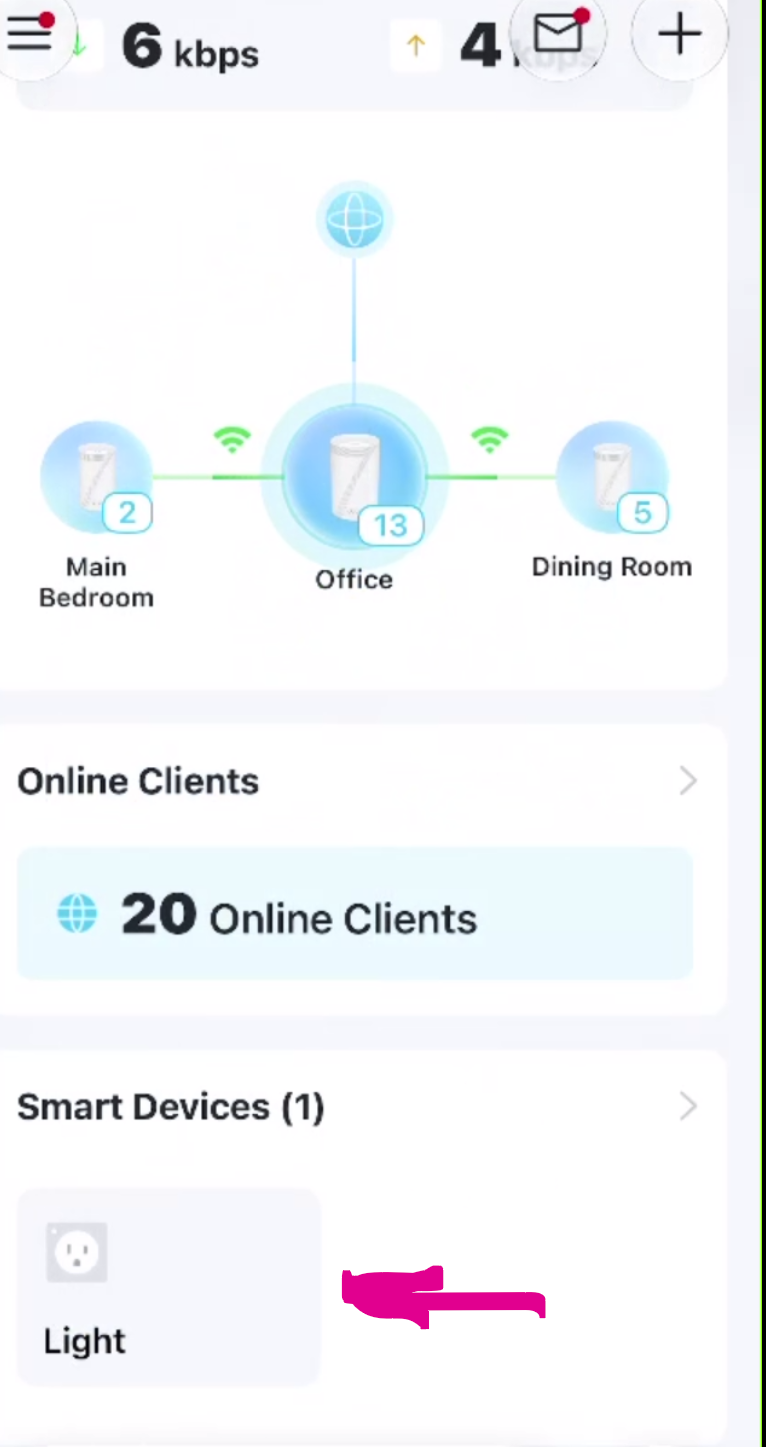
Clicking on LIGHT:
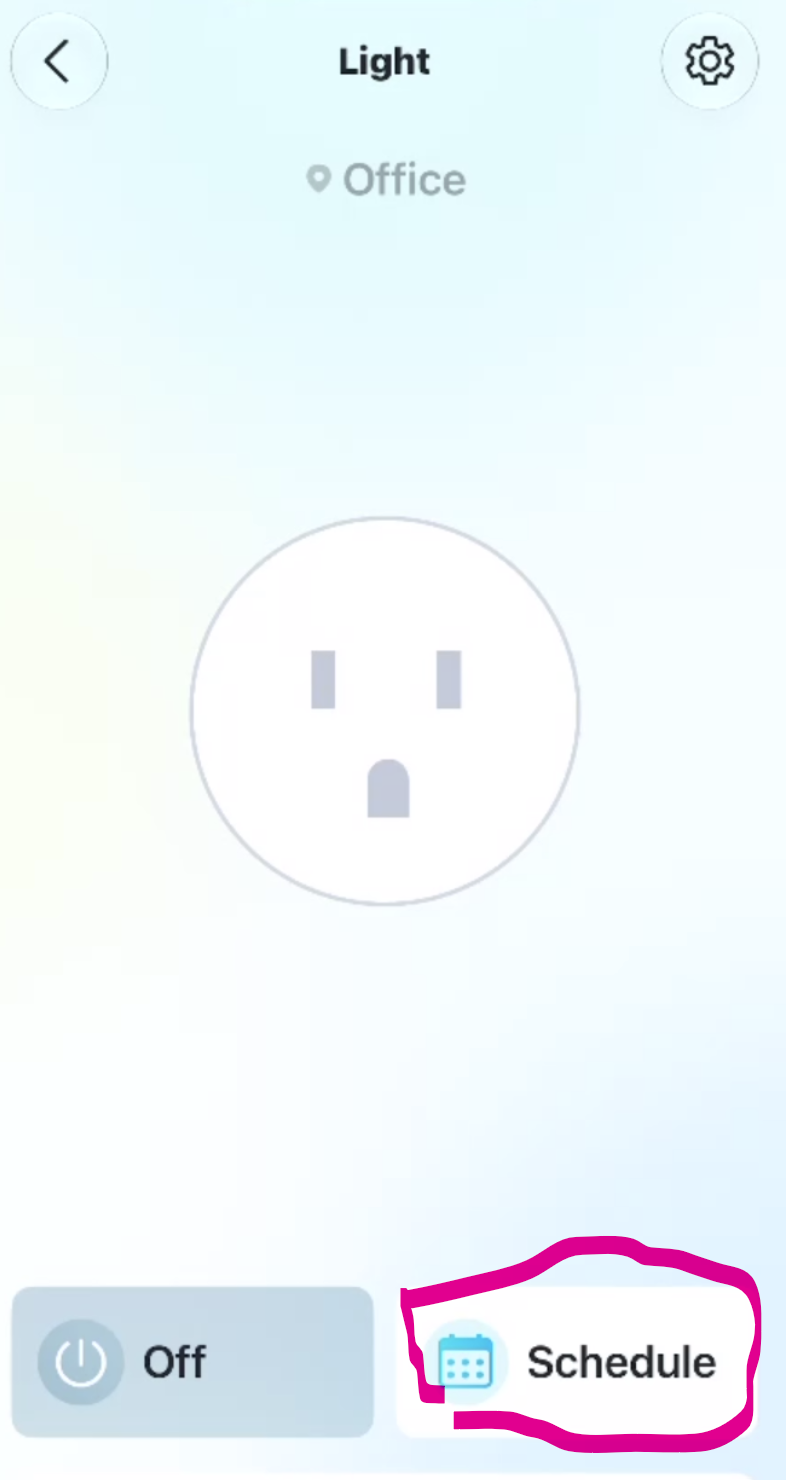
None Set:
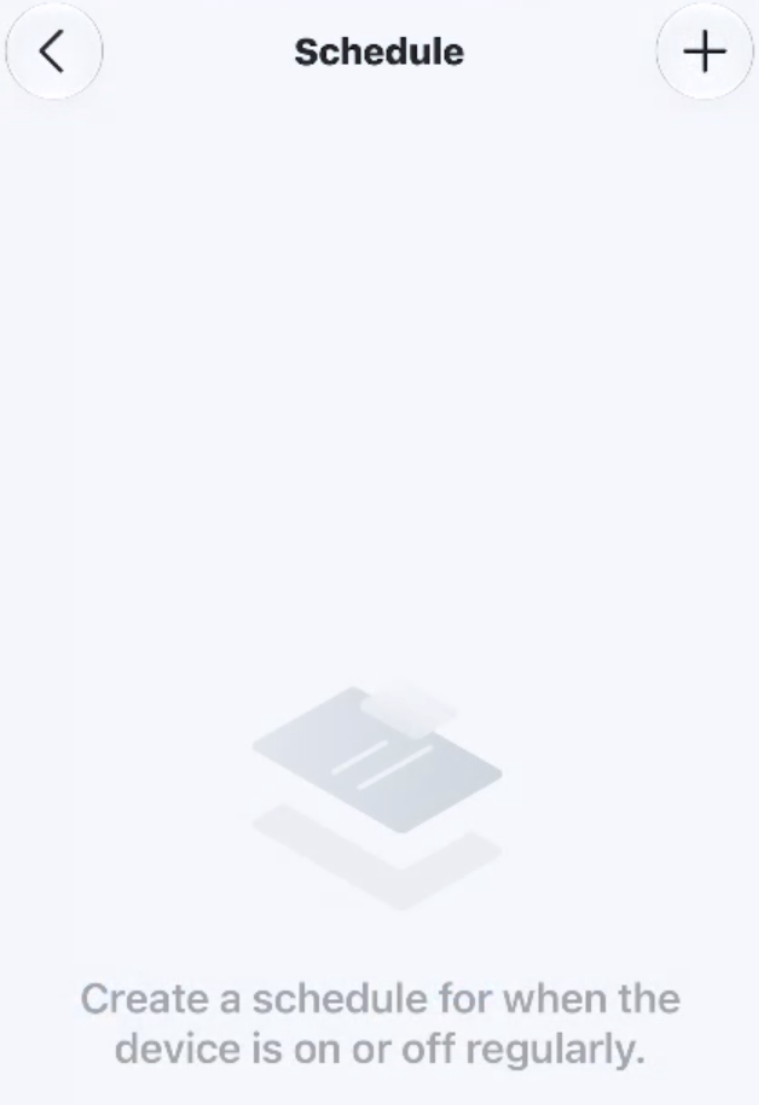
I wonder if it has something 'set' and gets in the way?
However, I can create one, and it looks just like the TAPO app?
Bottom line, the plug is not doing what I want for OFF time only.
- Copy Link
- Report Inappropriate Content
My earlier suggestion was to create a new schedule in the app to turn the plug off — as in a brand-new schedule, rather than editing the one that isn’t working (for example, changing the effective time and saving it again). Since you didn’t explicitly mention whether you’d tried creating a new rule, I wanted to emphasize that just in case.
If you did confirm that even a newly created schedule can’t turn the plug off at a fixed time, then the next suggestion was to test whether turning on the plug at a fixed time works. (Yes, it can turn on at sunset, but what if it is scheduled to turn on at a fixed time, or sunrise?)
*By “fixed time,” I mean any specific point in the day, like 7:36 AM — not sunrise/sunset. That said, testing the turn-off command at sunrise/sunset would actually be more informative. I didn’t bring it up earlier because it’s less convenient, but since it’s come up now: if you’re going to keep troubleshooting and would rather hold off on resetting the plug, it’s worth testing — the results would be more valuable.
Comparing results across different combinations can help isolate the exact symptom. For example: Is the issue specific to the “turn off” action — does “turn off” fail at any fixed time of day, whether a specific time or sunrise/sunset? Or is it tied to a particular combination of action and time setting — for instance, it only fails with fixed time + turn off, while fixed time + turn on, or sunrise/sunset + turn off, all work normally?
Of course, these tests are only meant to help confirm the exact symptom so we can narrow down the cause — they aren’t solutions in themselves. If you’d prefer not to reset the plug, the more precise the information you share with support, the better they’ll be able to assist you. That said, as I mentioned earlier, the fastest and most effective way to resolve this is usually to reset and reconfigure the device — the plug doesn’t support changing its time zone within the Tapo app, and its time zone is synced from your phone’s system during setup. Beyond that, if the support team ultimately can’t identify the cause or provide a solution that avoids a reset, you may still end up needing to reset and reconfigure anyway. So if resetting the plug and re-adding your custom settings isn’t too much of a hassle compared to all these troubleshootings, you might as well just go ahead and do it.
Some Tapo devices can be managed within the Deco app, there is such a function. You can check this article to learn more about this function: General questions about the Smart Home feature in the Deco app, but at the moment, let's not make this issue even more complicated, we don't need to do any tests in the Deco app.
- Copy Link
- Report Inappropriate Content
Thanks for the Reply!
I discovered this morning something about using the TAP APP...
Depends on the device used. Normally I'd use my iPhone, as that is what the screen captures came from. This morning I used my iPad.
Big difference in what I saw, on the iPhone I NEVER saw the bottom line and this is what I would see:
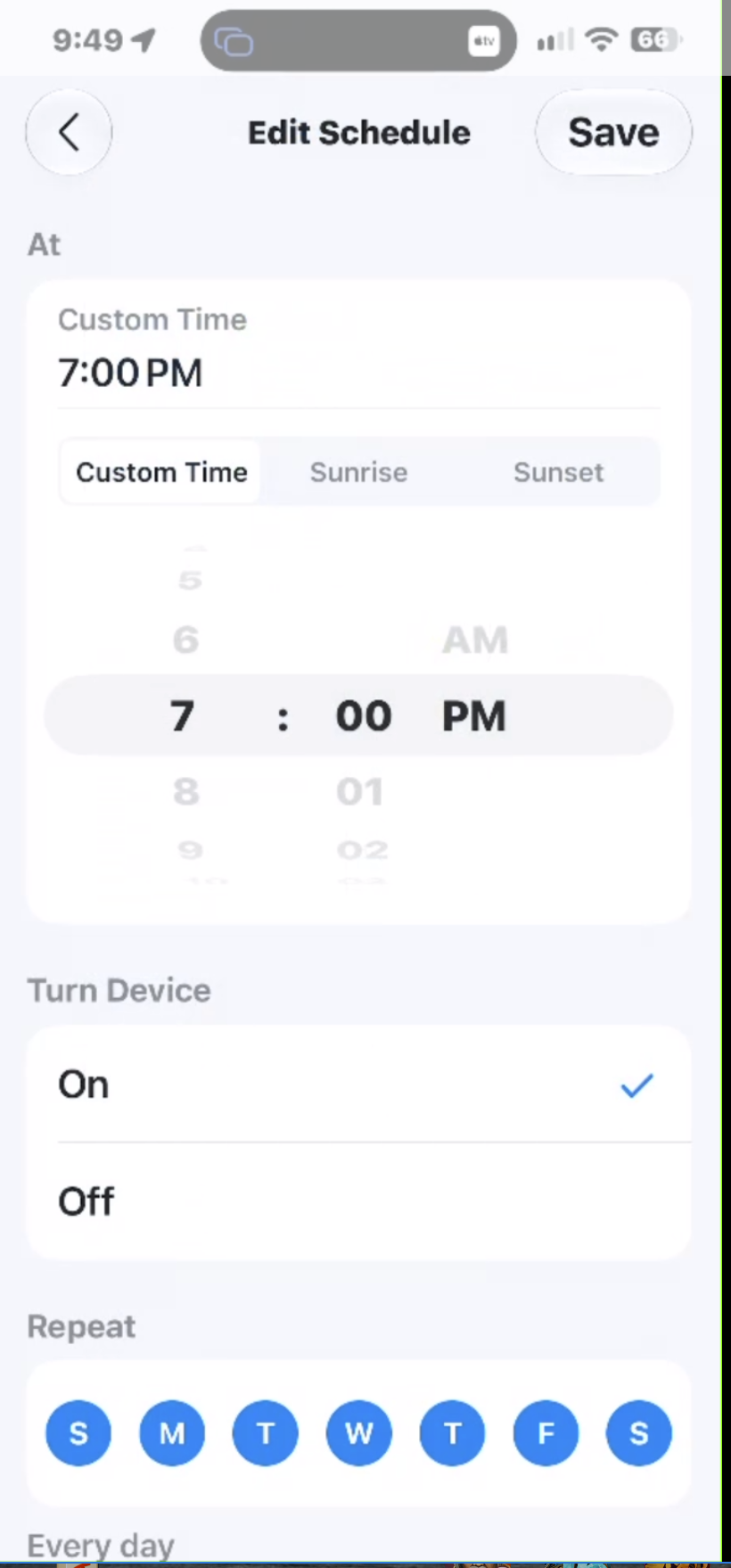
There is NO scroll bar, that black area is background from my screen capture. However, on my iPad I did see the FULL screen, and there was the part I was missing on the iPhone... which now that I knew there was more, I could scroll the screen and see this:
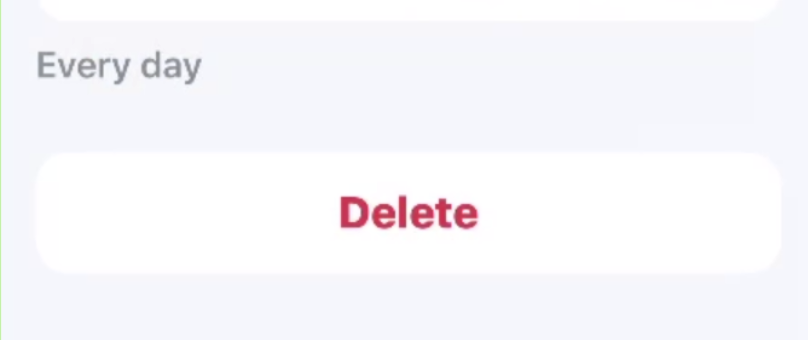
So NOW I could DELETE it and put in new fixed times.
We'll see how that goes.
If the iPhone app had scroll bars I would have been able to see the DELETE!!!
- Copy Link
- Report Inappropriate Content
Well, the ON time works fine, still though the OFF time is not what is set?
I might need to get down on the floor and behind some stuff and RESET the plug I guess?
- Copy Link
- Report Inappropriate Content
IrvSp wrote
Well, the ON time works fine, still though the OFF time is not what is set?
I might need to get down on the floor and behind some stuff and RESET the plug I guess?
Yes, that would save a lot of trouble, in most cases. Just keep in mind that you will need to do a factory reset. How to Reset a Tapo or Kasa Smart Plug: Soft Reset and Factory Reset
- Copy Link
- Report Inappropriate Content
@IrvSp The schedule page doesn't seem to display correctly on your iPhone. By any chance, do you have your phone’s system font size set to the largest? I’d suggest trying a smaller font size (iPhone Settings > Display & Brightness > Text Size), maybe somewhere in the middle, and see whether the app page still displays incorrectly.
Also, could you share your phone model, iOS version, and current system font size (with a screenshot)? I'd like to report this issue to our testing team.
- Copy Link
- Report Inappropriate Content
Wayne-TP wrote
@IrvSp The schedule page doesn't seem to display correctly on your iPhone. By any chance, do you have your phone’s system font size set to the largest? I’d suggest trying a smaller font size (iPhone Settings > Display & Brightness > Text Size), maybe somewhere in the middle, and see whether the app page still displays incorrectly.
Also, could you share your phone model, iOS version, and current system font size (with a screenshot)? I'd like to report this issue to our testing team.
iPhone text size is one less than the largest.
Smaller size 'might' fix it, but I don't want to use that size. One would think a program could 'know' it and output the screen to match. As far as I know, no other app displays incorrectly?
However, I did change the size:
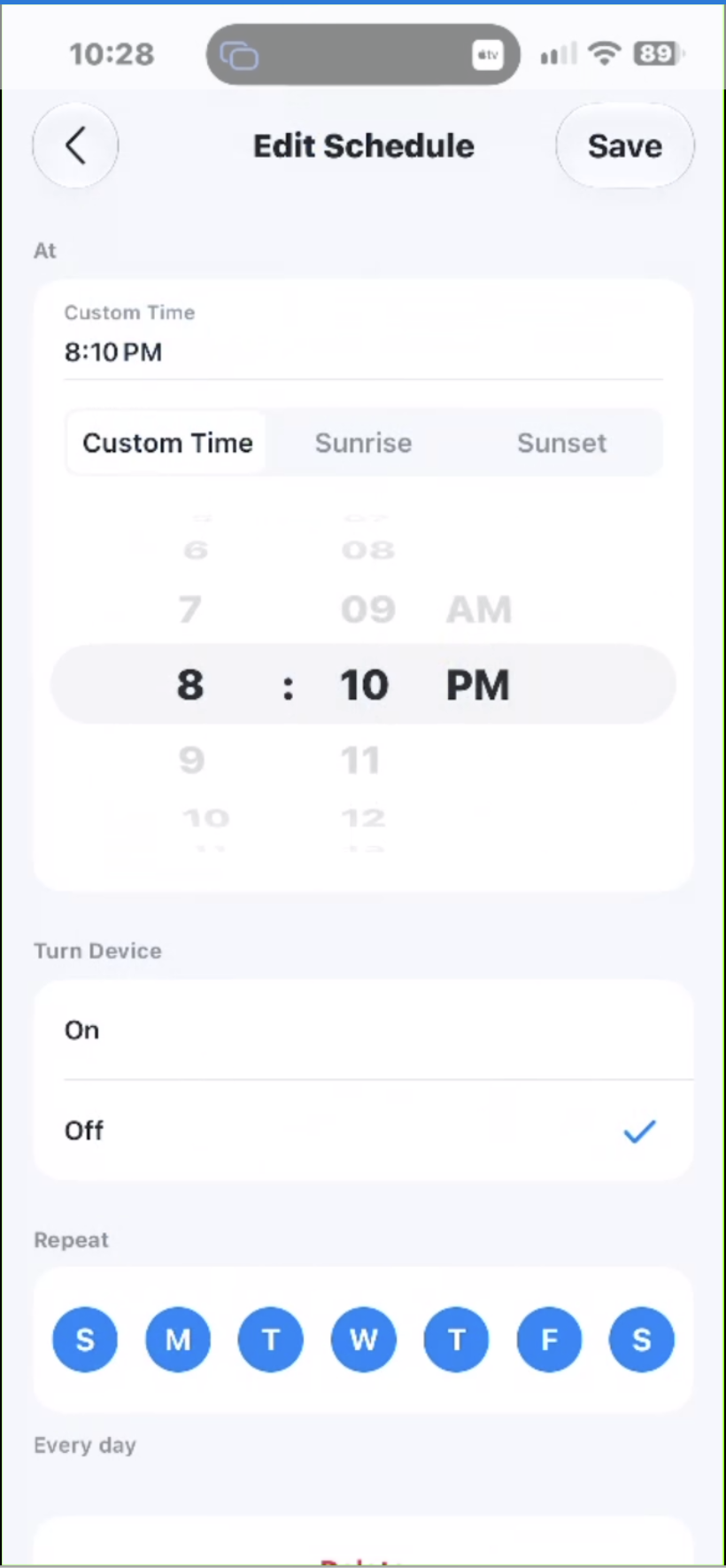
No Scroll bar BUT at the very bottom I do see there is MORE data!!
Still an app problem I feel.
- Copy Link
- Report Inappropriate Content
Information
Helpful: 0
Views: 770
Replies: 22
Voters 0
No one has voted for it yet.