Kasa HS220 Default doesn't work

I just installed an older HS220 (it came as a pair but didn't need it until now. After installation, I updated the firmare.
Our old dimmer (not smart) had manual buttons to set brightness. If you set it to a dim setting (this is in our bathroom, the dim setting is set very low), when you press, it comes on at 25% power. If you double press, it comes on at 100% power. If it is at 100% power and you turn it off, the next time you use it, it remembers the manual 25% setting and comes on dimmed.
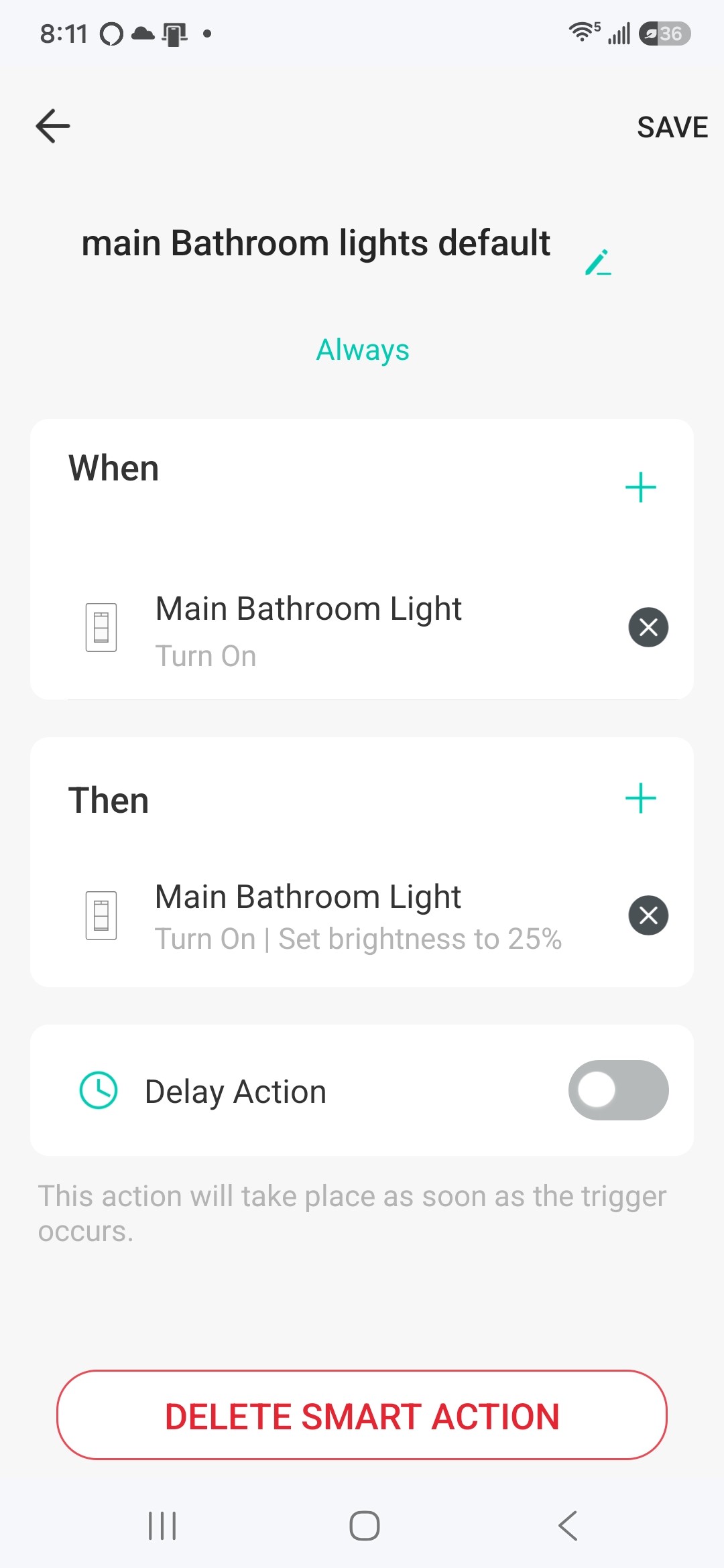
On the new Kasa HS220, I went into the settings and set the double tap and long press settings. I wanted the double tap to go to 100%, just like the old switch. I also set the main brightness to 25%.
But if we double tap, the switch goes to full brightness. but if you single click to turn it off and then single click to turn it on (as if you're just turning it on the next morning), it comes on at 100% instead of the default setting of 25%.
I tested this several times and the result is the same.
Maybe not related, but if I operated the switch manually, the switch on/off status changes in the app, but the power level (in light grey text below the switch name), does not change.