
Omada switches spamming DNS requests
Omada switches spamming DNS requests

Hello,
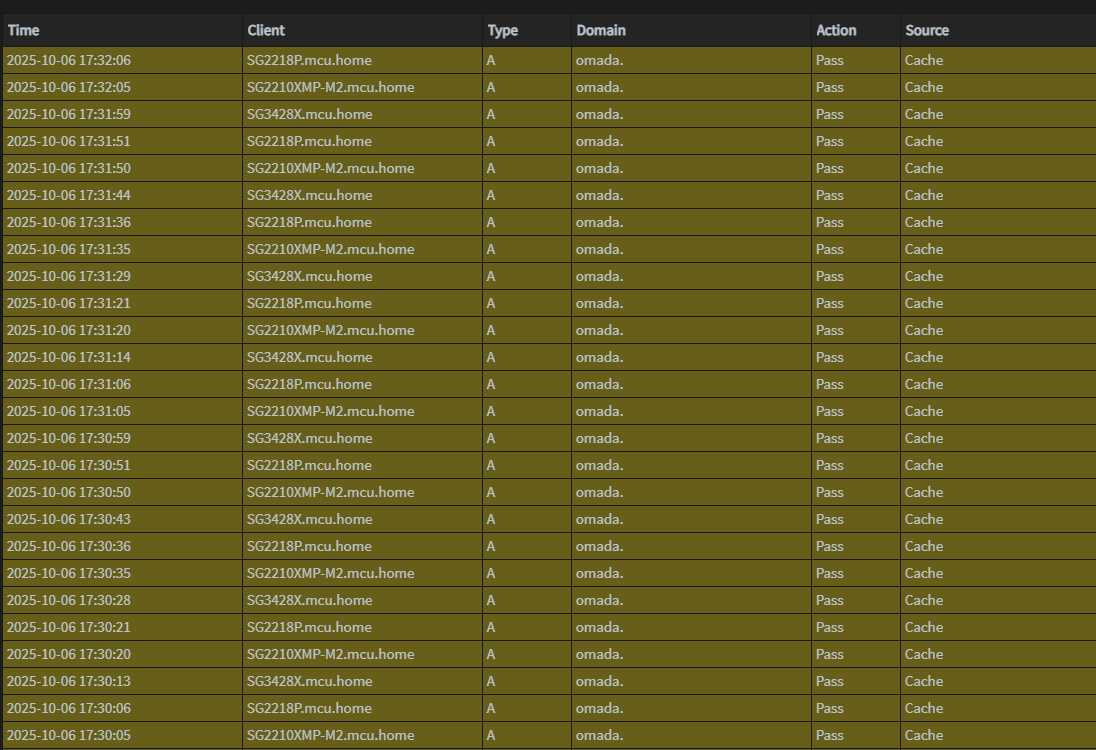
This applies to all my Omada switches. Every 15 seconds, each switch sends out a DNS request to omada. It fills up my logs with unnecessary requests. I run my switches as standalone and I assume this has something to do with a controller. Am I missing a setting on how to stop this? Thanks
- Copy Link
- Subscribe
- Bookmark
- Report Inappropriate Content

The command that worked for me (SG2210P switch) was (over SSH):
Switch> enable
Switch# configure
Switch(config)# no controller discover
Switch(config)# end
Switch# copy running-config startup-config
... update:
scratch that, even with this (and a reboot) the switch still spams with DNS requests...
- Copy Link
- Report Inappropriate Content

This is still a problem. I updated firmware on 1 of my switches and now it is constantly spamming DNS queries for the domain `omada`.
The no controller discover command did not work for me and I do not have cloud controller enabled.
How do I make this stop ?
- Copy Link
- Report Inappropriate Content
@ishanjain28 You don't. TP-Link apparently refuses to fix it.
- Copy Link
- Report Inappropriate Content


@smithj33 @ishanjain28
It's actually implemented for some devices in the next release; if your devices have pre-release firmware available, look for the "Remote Adoption" feature.
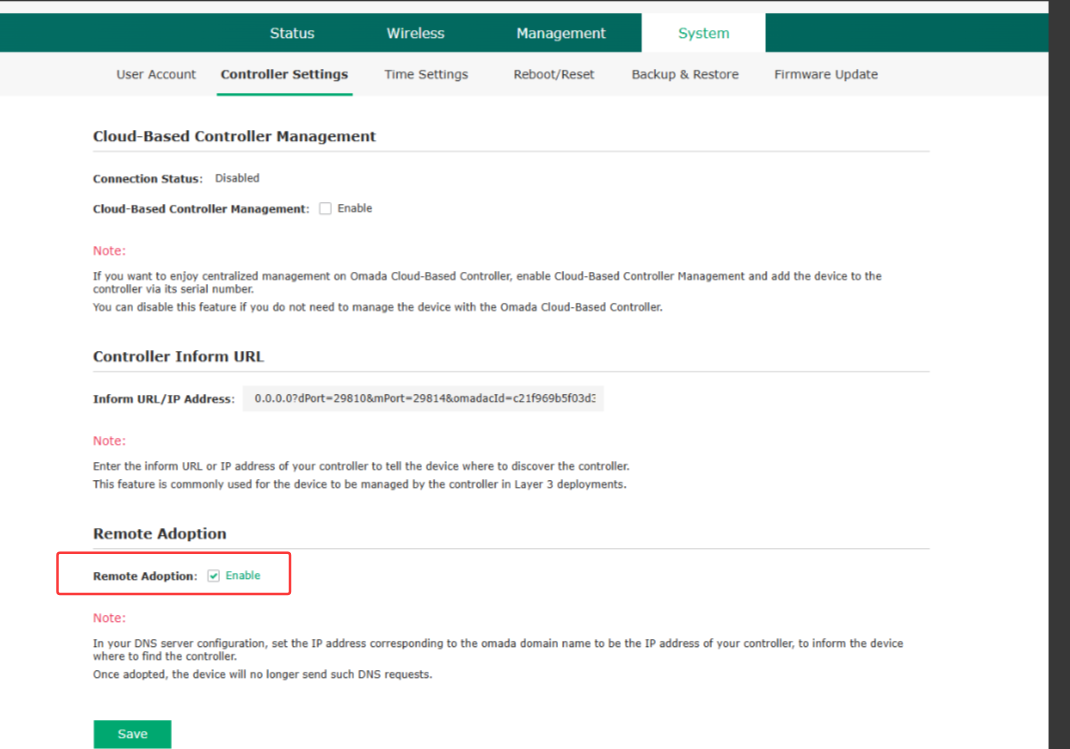
Unchecking that box will stop the DNS requests. As for when it is slated for official release, unfortunately, I have no news on that.
- Copy Link
- Report Inappropriate Content
@NeilR_M Glad this made it in to some recent firmware release notes, but I am not finding the option in the UI. Do you know if this is command line only on switches? Thanks
I figured it out, in case anyone wants to disable the dns spamming if you're running your switches in standalone mode:
- SSH into the switch or use the console port.
Type these commands:
- enable
- configure
- no controller dns-adoption
- exit
- copy running-config startup-config
- exit
- exit
In the GUI, click Save at the top for good measure.
- Copy Link
- Report Inappropriate Content
@smithj33 It should be in the GUI as well, not sure why it wouldn't show up there. What switch specifically are you looking at? And are you certain the firmware update applied properly?
- Copy Link
- Report Inappropriate Content
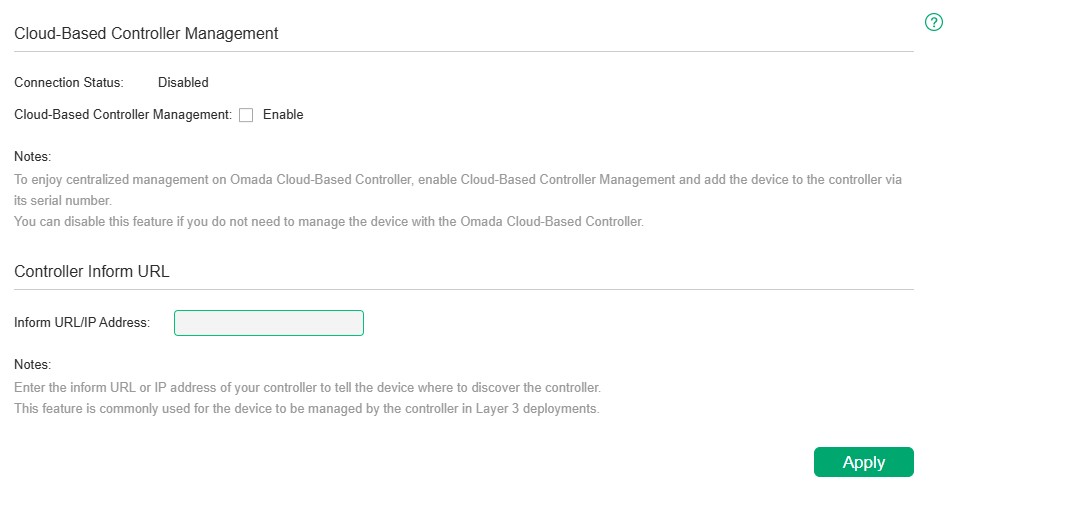
@NeilR_M I updated 3 switches. SG2210XMP-M2, SG2218P and SG3428X. All updates applied properly and nothing in the GUI. The controller GUI settings didn't change at all. But the command at least works from the CLI, so i'm happy with that.
- Copy Link
- Report Inappropriate Content
Information
Helpful: 0
Views: 2401
Replies: 17
Voters 0
No one has voted for it yet.