
Failure to update EAP772(EU) v2.0 from v1.2.3 to v1.3.2

I've placed four EAP772 (V2) access points at a client of ours. Their initial firmware was/is v1.2.3, and I'm trying to upgrade them to the current v1.3.4. As a direct update isn't possible according to the firmware release notes, I'm trying to upgrade through v1.3.2. This always fails: the upgrade simply times out after a while of the frontend saying that the upgrade is in progress. The same happens when trying to upgrade to v1.3.4 directly.
I don't seem to find v1.2.3 (which the APs came with) on the official firmware list: is this possibly the reason why the upgrade doesn't work? Thanks for pointing me in any direction!
- Copy Link
- Subscribe
- Bookmark
- Report Inappropriate Content
Yes, this seems to have done the trick, the updates ran through after fixing the Java heap size of the controller. It's rather unfortunate that the controller does not show any information except in server.log that the heap is full, and that the default heap size isn't automatically set to a larger value than the OS default (Debian presumably sets this to 256M I guess). Okay, so that should resolve this issue!
- Copy Link
- Report Inappropriate Content


Hi @modelnine
Thanks for posting here.
Please share a screenshot of the current firmware 1.2.3.
Is there any error message when failing to update to 1.3.2? Please share a screenshot.
Did you try updating to 1.3.3? Will it succeed?
- Copy Link
- Report Inappropriate Content
@Vincent-TP concerning the current firmware:
 I've not tried updating to 1.3.3, as that specifically states that it's only updatable from 1.3.2 according to the firmware page:
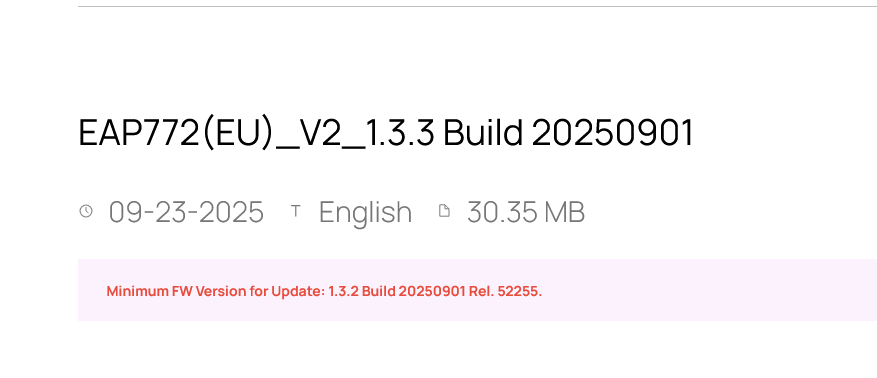
The error message is unspecific:

I can access the corresponding AP, and the controller can, too:
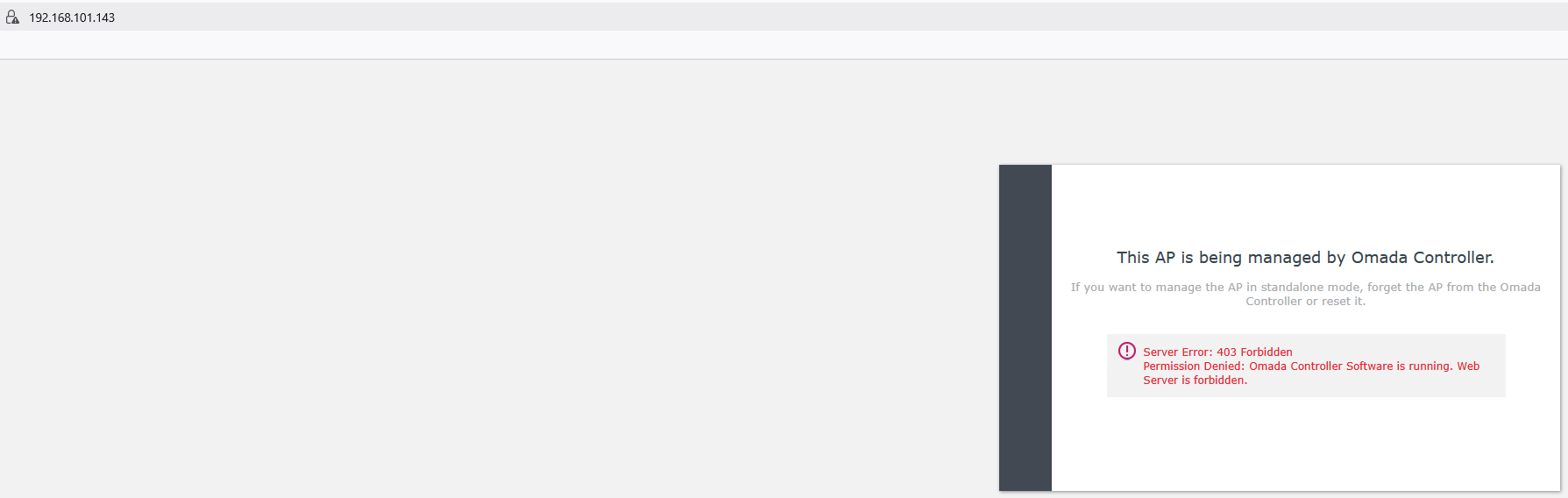
I'm rather stumped what to do here. Thanks for getting back to me!
- Copy Link
- Report Inappropriate Content
Hi @modelnine
Thanks for the info.
Did you update the firmware via the update button beside the firmware version?
Please try manually uploading the firmware versions:
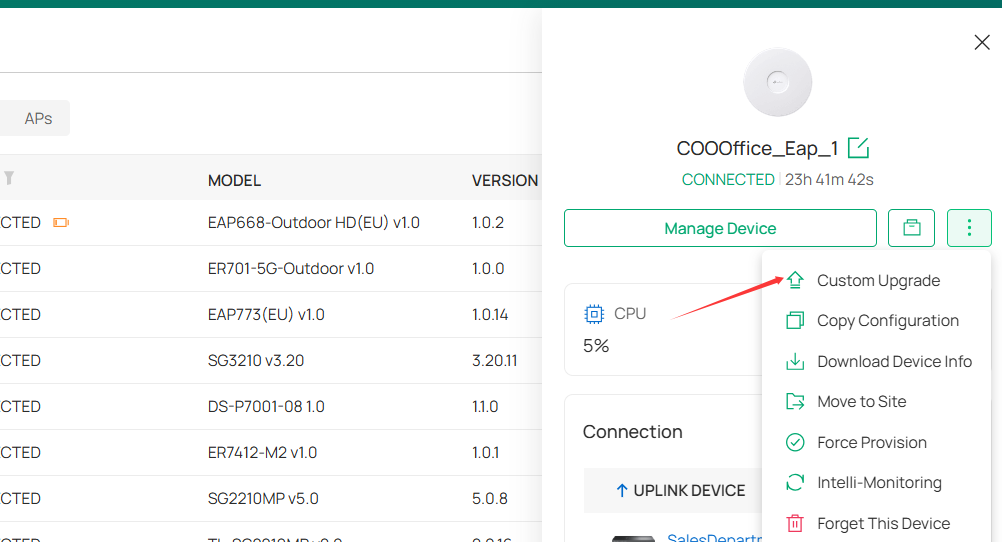
Please try both 1.3.2 and 1.3.3.
- Copy Link
- Report Inappropriate Content
@Vincent-TP this (i.e., custom upload) is how I convinced the system to upgrade to 1.3.2 (it offered me 1.3.4 out of the box). I'll try 1.3.3 now.
- Copy Link
- Report Inappropriate Content
Hi @modelnine
I just checked the error message. It says
Failed to upgrade online. Please check your network config, and make sure the devices can access the controller's HTTPs management port.
Did you update it via remote management? If yes, we need to open the TCP port 8043. Or please update it via local access.

Which ports do Omada SDN Controller and Omada Discovery Utility use? (above Controller 5.0.15)
- Copy Link
- Report Inappropriate Content
@Vincent-TP yes, port 8043 is open for myself (that's how I made the screenshots of the Omada controller) and also open for the devices to connect to the controller. The controller can also connect to the APs, and vice versa, even though that has to happen through a firewall. Possibly, I've found the culprit: it seems that the Omada Controller does not have enough stack space and fails to serve the file. I've restarted the controller with -Xmx2048m, and now it seems that it upgrades fine to 1.3.2 for one device. I'll try the others.
- Copy Link
- Report Inappropriate Content
Yes, this seems to have done the trick, the updates ran through after fixing the Java heap size of the controller. It's rather unfortunate that the controller does not show any information except in server.log that the heap is full, and that the default heap size isn't automatically set to a larger value than the OS default (Debian presumably sets this to 256M I guess). Okay, so that should resolve this issue!
- Copy Link
- Report Inappropriate Content
Hi @modelnine
Great to hear that the issue has been resolved!
I’d like to confirm whether the error messages are the same for each failed upgrade attempt. If they are, perhaps I should provide feedback to the relevant team for optimization.
Failed to upgrade online. Please check your network config, and make sure the devices can access the controller's HTTPs management port.
- Copy Link
- Report Inappropriate Content
@Vincent-TP yes, the error message was equal for all tries. Generally, I don't think that this error message itself can be made clearer, as it is by principle correct (the APs WERE trying to access the controller to download the firmware, but/and the controller did NOT respond to the access in a way that served the firmware), and as this is a network access I of course thought that it was due to firewalling between controllers and APs (which the error message insinuates of course), which I could exclude and that's what made the error message so strange. ;-)
Generally, what would be really great is if the controller or a thread of the controller fails with a Java exception due to insufficient heap space, that the controller also posts this as a separate error message in the GUI, so that you can see it from the controller itself: increasing the heap space through control.sh is no problem (just adapt JAVA_ARGS), but if you don't know that you need to look in server.log for that message in this specific case (the controller worked for all the rest of its functionality), you'll not think about this as a possible error.
Thanks for pushing this to development, and if they need logs to see the Java exception, just get back to me!
- Copy Link
- Report Inappropriate Content
Information
Helpful: 0
Views: 671
Replies: 9
Voters 0
No one has voted for it yet.