
Problem connecting P110 into Omada Wifi Connection, MAC block/MAC Filter/Lock To AP

Hello,
I am having a problem connecting a P110 smart socket to the Omada network via an EAP653 access point using Wi-Fi.
According to the log,
[Failed]P110 failed to connect to EAP653 Living Room with SSID "Wlanxyz" on channel 1 because the user was blocked by MAC block/MAC filter/lock to AP. (9 times in the last minute)
However, I do not have any MAC filters or similar running within the SSID Wlanxyz. I can also connect other devices without any problems (including other P110 sockets).
I can also connect the affected socket to another Wi-Fi connection that is not assigned to this Omada network without any problems.
The affected Omada network has a total of 4 Wi-Fi connections. The error occurs with every Wi-Fi connection, regardless of which one I select.
Is this a bug?
The Omada version is 6.0.0.25.
Thank you and best regards,
Marco
- Copy Link
- Subscribe
- Bookmark
- Report Inappropriate Content
Hello, thank you very much for your quick response. I discovered the error by clicking on the device labelled p110. A colleague had previously connected the socket to a fixed AP, which is not accessible from the current position of the socket. This caused the eap653 to block it. Thank you very much for your support and for your efforts. Best regards, Marco S.
- Copy Link
- Report Inappropriate Content

Hi @MarcoSch
We don't have this kind of bug or related known issues.
It’s possible that you previously configured some settings that blocked the access. You can click the error message, and in the top-right corner of the redirected page, you'll see a date range. Please adjust the date to an earlier period to check if there are any relevant configuration entries.
Alternatively, you can create a new 2.4 GHz SSID to test connectivity. Please don't enable any advanced settings for the test 2.4G SSID.
If still the same, don't hesitate to let us know.
- Copy Link
- Report Inappropriate Content
Hello, thank you very much for your quick response. I discovered the error by clicking on the device labelled p110. A colleague had previously connected the socket to a fixed AP, which is not accessible from the current position of the socket. This caused the eap653 to block it. Thank you very much for your support and for your efforts. Best regards, Marco S.
- Copy Link
- Report Inappropriate Content
Hello, I have one final question on this topic. Is there a way to list all devices that are connected to a specific AP? In other words, devices that are blocked from all APs except the one to which they are supposed to be connected.
- Copy Link
- Report Inappropriate Content

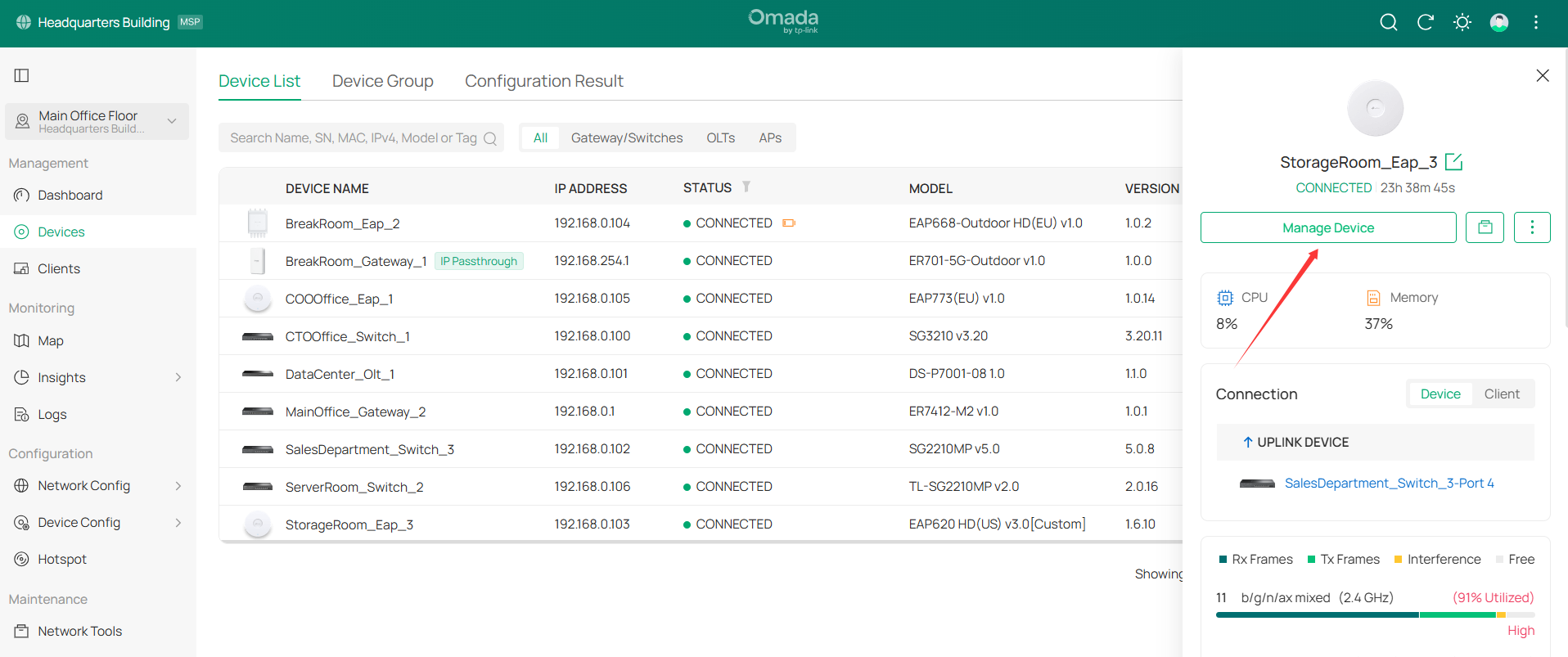
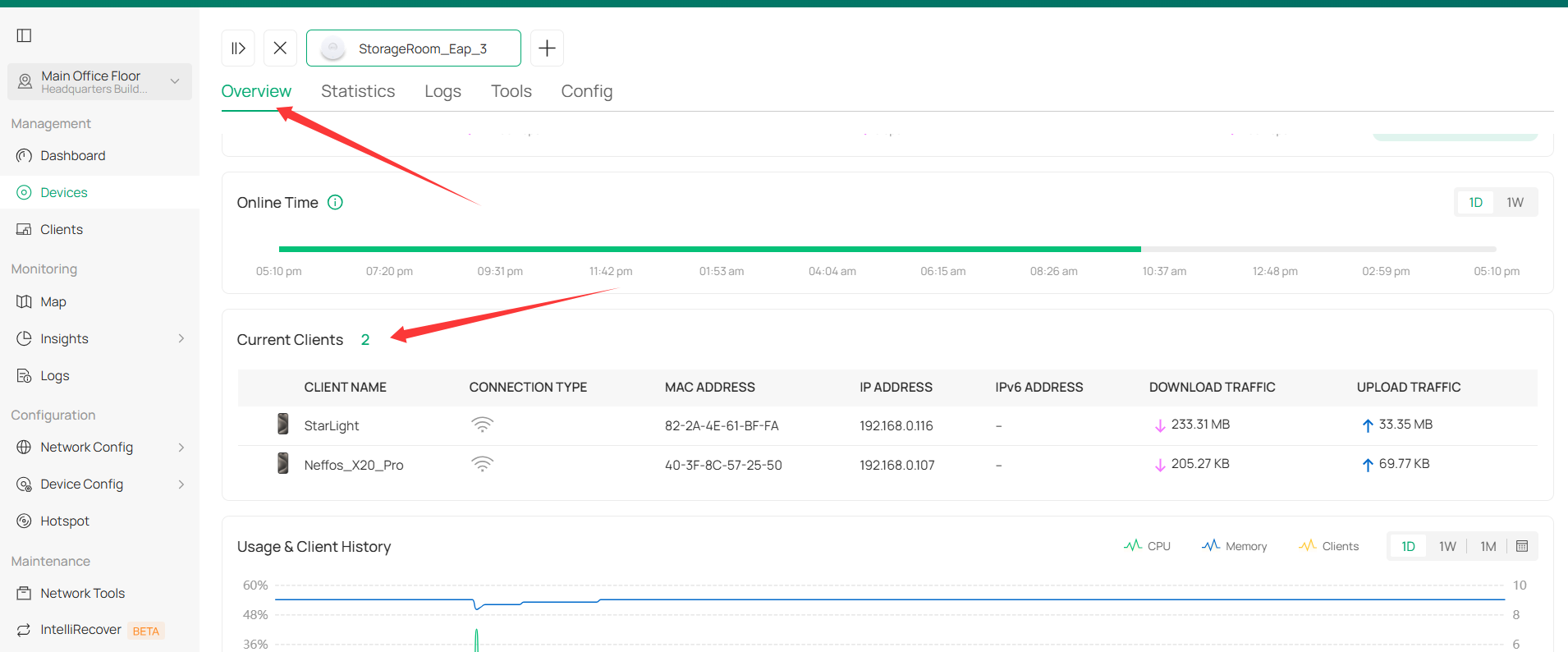
- Copy Link
- Report Inappropriate Content
 Hi @Vincent-TP,
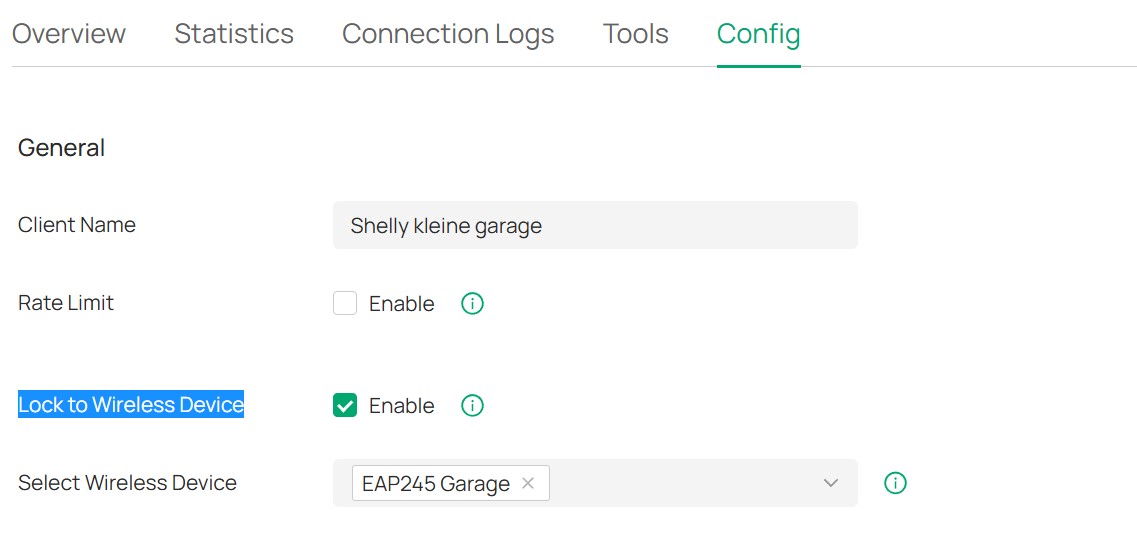
thank you for your reply. I think I may have expressed myself unclear here. I would like to have a list of the clients, that are locked to a specific Wireless Device. The problem here was, that the TP-Link socket was locked to a specific AP at some point and after the TP-Link socket was moved, this was forgotten. Later it was no longer possible to connect to another access point in the same network. Hence the question about the possibility of listing all clients that have been locked to a specific AP. Thank you.
- Copy Link
- Report Inappropriate Content
Hi @MarcoSch
Thanks for the explanation.
Currently, it doesn't support displaying all clients that have this feature enabled. I will report this situation to the relevant department, and they will consider potential optimization solutions.
- Copy Link
- Report Inappropriate Content
- Copy Link
- Report Inappropriate Content
- Copy Link
- Report Inappropriate Content
- Copy Link
- Report Inappropriate Content
you have to activate Your dhcp Server log and then you will find the User / device and you can select it. In the device tab you can delete the device lock.
- Copy Link
- Report Inappropriate Content
Information
Helpful: 0
Views: 400
Replies: 10
Voters 0
No one has voted for it yet.