
How to set Festa F41 to N only mode
How to set Festa F41 to N only mode
How to set Festa F41 to N only mode
Posts: 53
Helpful: 7
Solutions: 1
Stories: 0
Registered: 2020-03-26

2025-12-17 23:37:04 - last edited 2025-12-23 21:38:36
Posts: 53
Helpful: 7
Solutions: 1
Stories: 0
Registered: 2020-03-26
How to set Festa F41 to N only mode
2025-12-17 23:37:04 - last edited 2025-12-23 21:38:36
Tags:
Showing b/g/n mixed at the top right of the screen but I went thru ever setting page and I find no way of setting it to N only mode. 
#1
Options
- Copy Link
- Subscribe
- Bookmark
- Report Inappropriate Content
Thread Manage
Module Manage
Announcement Manage
11 Reply
Posts: 53
Helpful: 7
Solutions: 1
Stories: 0
Registered: 2020-03-26
Re:How to set Festa F41 to N only mode
2025-12-26 12:26:59
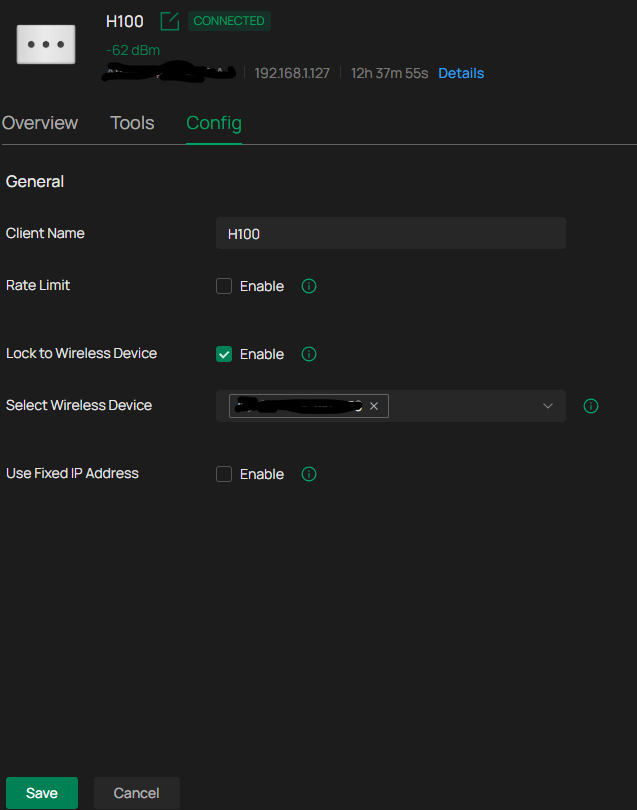
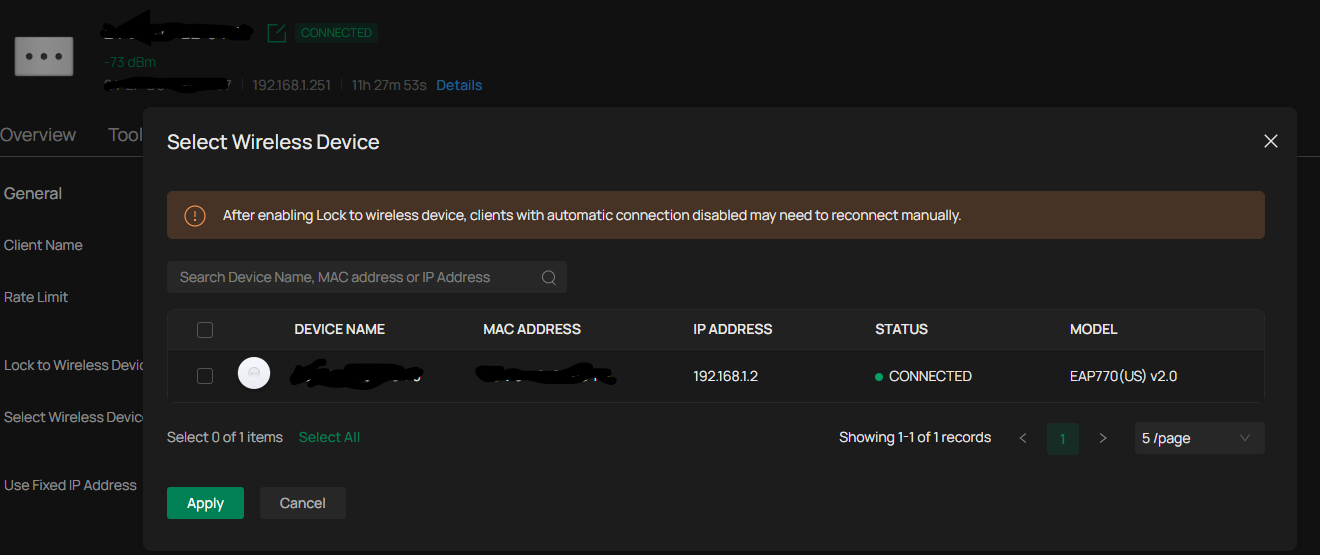
I think I found it under the Omada Cloud, under clients, under config. It is called Lock to Wireless Device? I don;t think this option is available when the EAP770 was in stand-alone mode?
0
We appreciate your feedback. Feel free to let us know more. Log in to submit feedback.
0
We appreciate your feedback. Feel free to let us know more. Log in to submit feedback.
#12
Options
- Copy Link
- Report Inappropriate Content
Thread Manage
Module Manage
Announcement Manage
Posts: 53
Helpful: 7
Solutions: 1
Stories: 0
Registered: 2020-03-26
2025-12-17 23:37:04 - last edited 2025-12-23 21:38:36
Posts: 53
Helpful: 7
Solutions: 1
Stories: 0
Registered: 2020-03-26
Information
Helpful: 0
Views: 1073
Replies: 11
Voters 0
No one has voted for it yet.
Tags
Report Inappropriate Content
Transfer Module
New message