
How to factory reset EAP660 HD

How do I factory reset this device? There are two sets of flashing lights when you hold down the reset button. The first set is rapid short flashes after about 5 seconds and the second set is after 10 seconds and they're slow long flashes. I have tried releasing the reset button after both set of flashes and I'm the middle of both sets of flashes. The problem is that the factory ssids will become available but when I try to connect to one it disconnected and goes back to the original SSID with password. The devices are also not accepting SSH connections.
- Copy Link
- Subscribe
- Bookmark
- Report Inappropriate Content


Hi @Slayvus
Thanks for posting here.
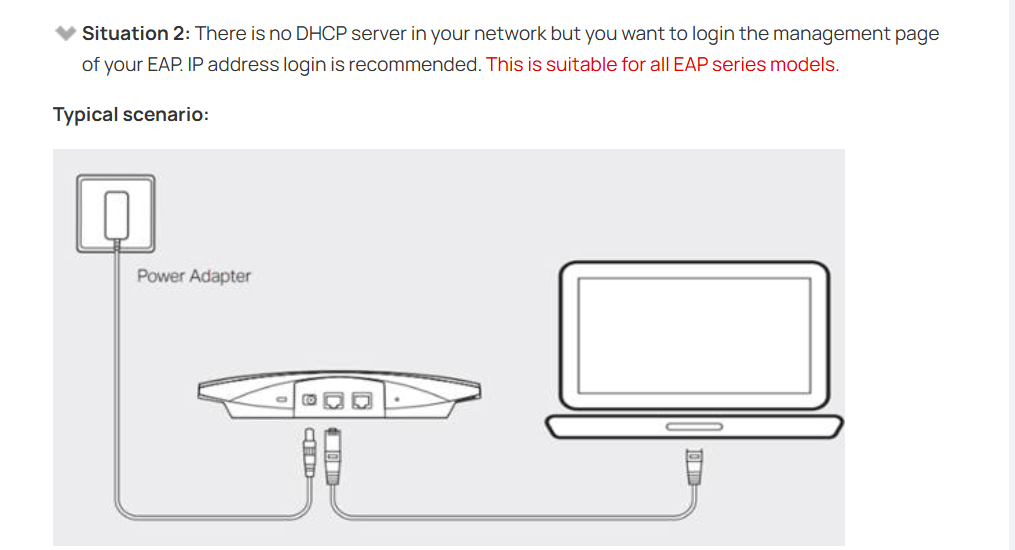
To avoid the situation MRS mentioned, you can manage the device without Internet access, which will prevent it from being automatically adopted by the old controller.
Detailed steps, please refer to situation 2 in the following guide:
How do I login to the web management page of the EAP Series products (Standalone mode)?
- Copy Link
- Report Inappropriate Content

If the access point goes back to the old ssid then you probably have enabled remember device on the controller. or that it is configured on omada cloud essential or standard., then the access point will automatically adopt itself to the controller again, to solve it you can delete the access point from the controller, then it will also reset to default but will not adopt automatically again.
- Copy Link
- Report Inappropriate Content
@MR.S they were purchased second hand from an electronics recycler.
- Copy Link
- Report Inappropriate Content
ok, then you may have a big problem, if the access point is on a controller then it automatically adopts itself when it connects to the internet.
Can you try accessing the device with http or https? try that and see what message you get
- Copy Link
- Report Inappropriate Content
Hi @Slayvus
Thanks for posting here.
To avoid the situation MRS mentioned, you can manage the device without Internet access, which will prevent it from being automatically adopted by the old controller.
Detailed steps, please refer to situation 2 in the following guide:
How do I login to the web management page of the EAP Series products (Standalone mode)?
- Copy Link
- Report Inappropriate Content
Information
Helpful: 0
Views: 592
Replies: 4
Voters 0
No one has voted for it yet.