
Captive Portal no longer loading (Festa Cloud)

Hello,
I am running a small machine shop, and recently I've realized that our captive portal is no longer working. At least it's not working in the sense that I expect it to.
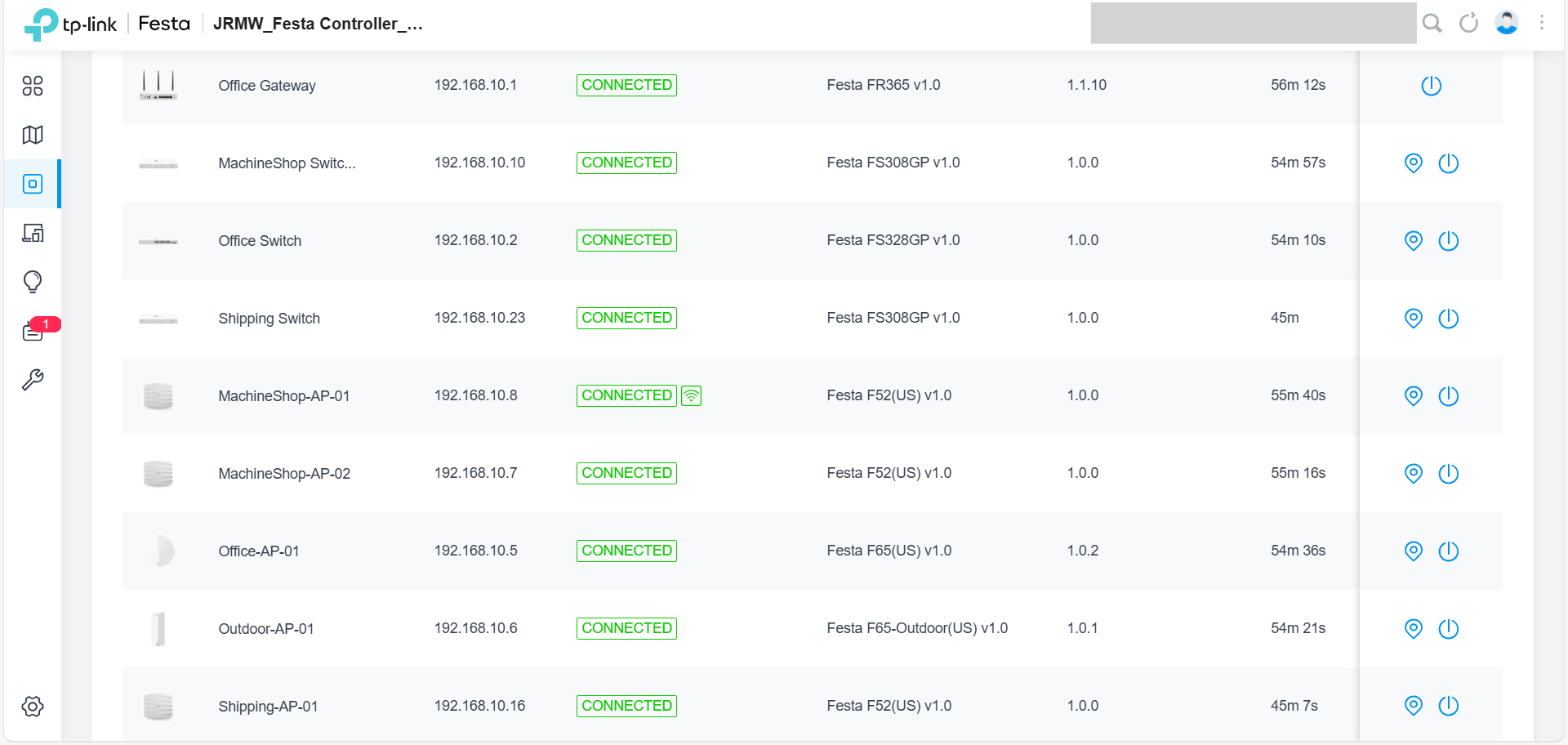
I am using the Festa cloud controller via tplinkcloud.com. I've attached a hardware list below in case it's helpful.
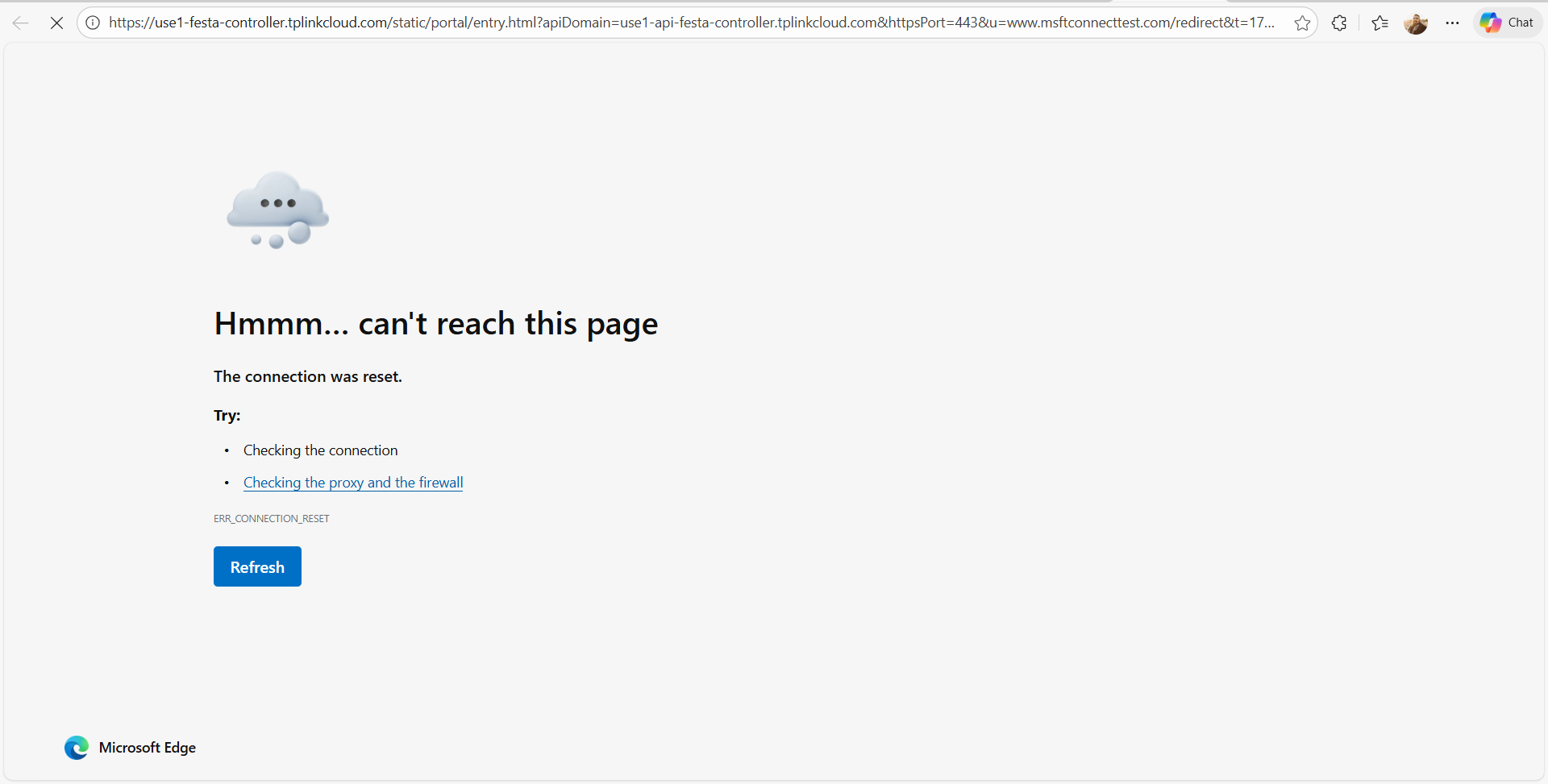
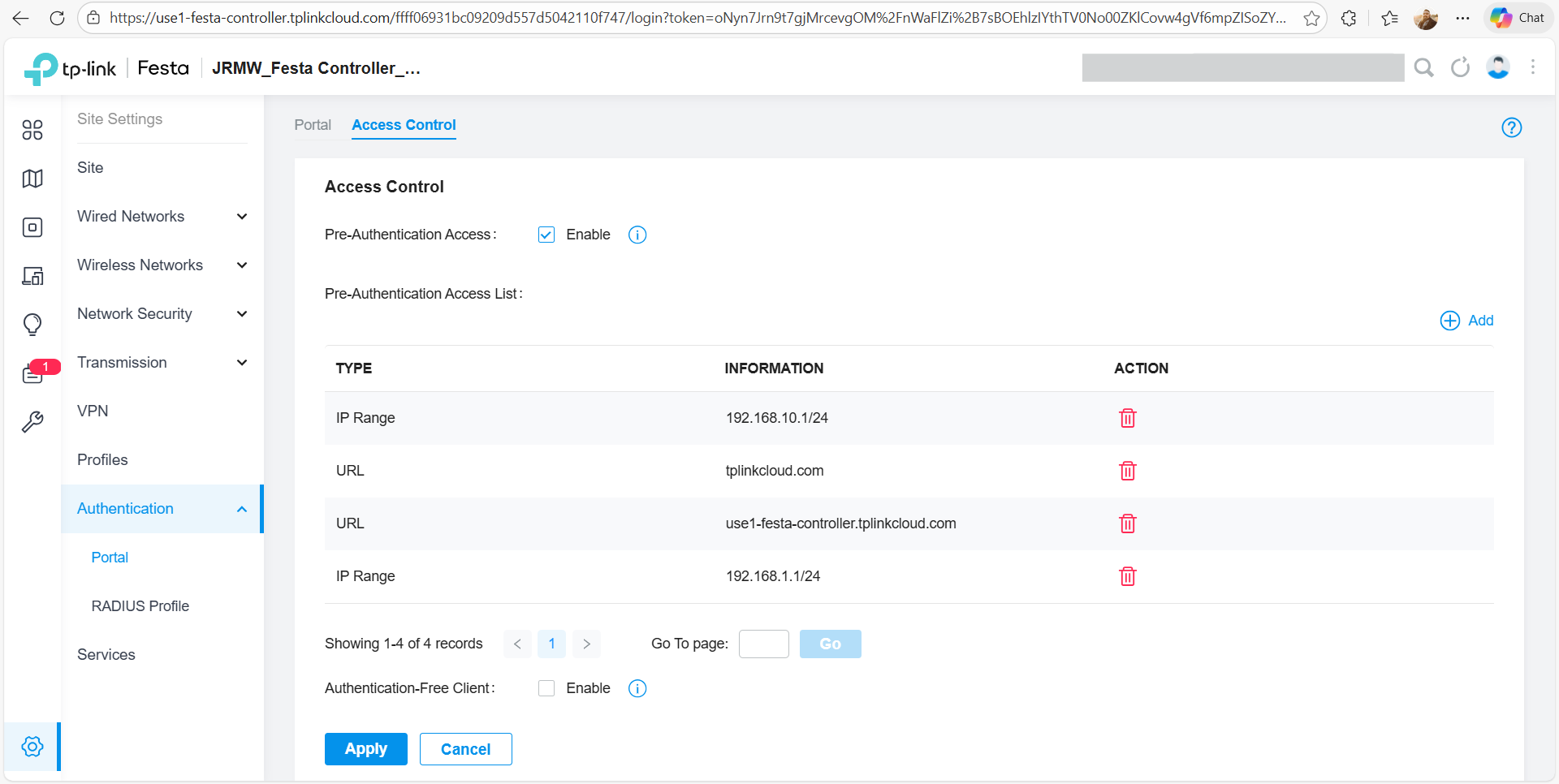
Due to how rural we are, we use Starlink for our ISP, and as such, our network lies behind Starlink's network at 192.168.10.x. When we first set up the network, we were able to access the portal with no issue, but we recently had a customer come in, and we realized that when they connected to the guest network, it looked like our network tried to send them to the correct page, but they just couldn't access it. Instead, they see the error shown below. What I find interesting is that when we switch back to the non-guest network, the portal loads as expected. I also tried to set up pre-authorization acces and it still didn't work.
Does anyone have any troubleshooting suggestions or anything else that I could try to figure out what's going on?
Thanks!
- Copy Link
- Subscribe
- Bookmark
- Report Inappropriate Content


@Jonathan-D Have you tried with multiple different devices on the Guest Network to check if it's just the customer's device or if it's across all devices? Also, I do see the uptime across your network devices as under an hour from the screenshot; was that due to a power outage or due to a manual reboot on your end?
- Copy Link
- Report Inappropriate Content
- Copy Link
- Report Inappropriate Content
@Jonathan-D Great to hear, as former IT I appreciate that that was step 1 haha
When a device is connected to the guest network, does it get an IP address? Also, have you tried turning off the portal authentication temporarily to see if the Guest Network functions still?
- Copy Link
- Report Inappropriate Content
Additionally, can you check and make sure your firmware is updated across the devices?
- Copy Link
- Report Inappropriate Content
@NeilR_M Hello!
- I didn't think about checking for firmware, but I just did that, and no updates for any devices were available.
- I disabled the portal on the guest network, and I can access the internet, but I can't access any network resources. (Which is intended)
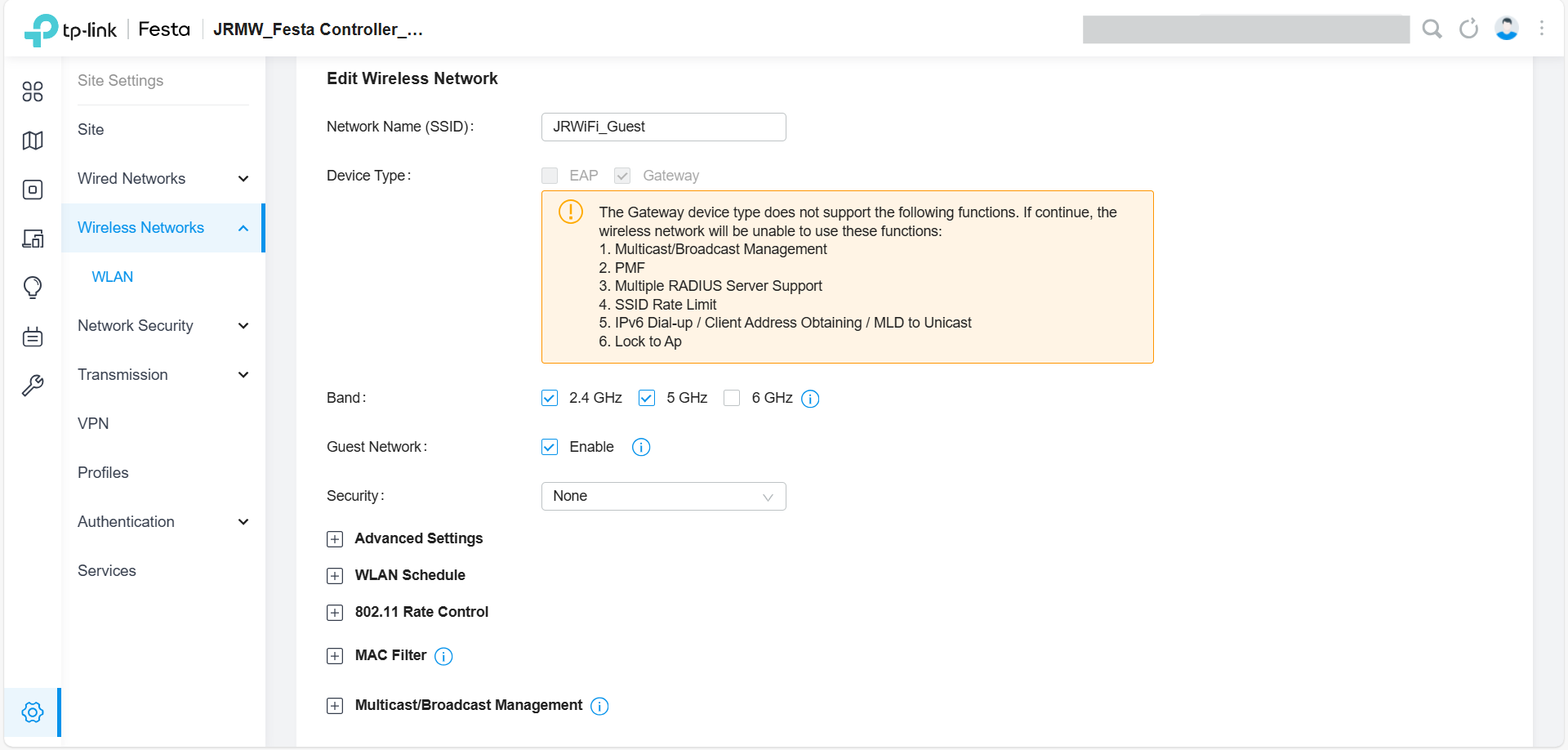
- (FYI: I have 4 wireless networks) For my next step, I decided to apply the portal to a different wireless network, and it works! (Note: this wireless network is not set up as a guest network, and it is set as a device type as Gateway only.)
- I next decided to make a new guest network that was similar to the gateway network I set up previously, and now the portal works. You can see the settings below.
What I find weird is that, from what I can tell, the portal refuses to work on EAP devices and will only work on wireless networks that are set up as only a Gateway device type. Is this normal/expected behavior?
- Copy Link
- Report Inappropriate Content
@Jonathan-D Thanks for updating, Jonathan! Interesting behavior you've experienced. I went ahead and created a ticket in our system for our technicians to do a bit more troubleshooting with you, if that's alright. Please check your email for a notification shortly.
- Copy Link
- Report Inappropriate Content
@NeilR_M Sounds good. Thank you!
- Copy Link
- Report Inappropriate Content

I have the same bug.
When i am in guest network, no accès to my portail.
Url from my portail work when i go to an another network ...
When i turn off portail, internet is working and url from portail worked.
How can i solve it?
- Copy Link
- Report Inappropriate Content
@Mes10-Cycles As it happens, the portal authentication will not work on guest networks, but there is a workaround for getting that same functionality. Here's the steps provided on that ticket.
1- Create a new VLAN for guest users.
2- Create a new SSID with guest network enabled and both EAP and Gateway checked.
3- Assign the guest VLAN to the newly created SSID (SSID --> Advanced Settings --> VLAN).
4- Select the new SSID in the portal authentication settings page.
5- Uncheck the Pre-authentication access checkbox.
6- Create an access control rule (gateway ACL) to prevent the guest VLAN from accessing the default VLAN.
That will allow you to emulate the functionality of a guest network and still have portal authentication allowed.
- Copy Link
- Report Inappropriate Content
Information
Helpful: 1
Views: 921
Replies: 9
Voters 0
No one has voted for it yet.