NVR1008H (HW v1) Going Offline Every 50–60 Minutes and Changing IP Address

NVR1008H (HW v1) Going Offline Every 50–60 Minutes and Changing IP Address

NVR1008H (HW v1) Going Offline Every 50–60 Minutes and Changing IP Address
2 weeks ago
Model: VIGI NVR1008H  
Hardware Version: V1
Firmware Version: latest

Hi, I’m having an issue with my TP-Link VIGI NVR1008H, hardware version 1. Until recently it worked perfectly in continuous recording mode. Now it keeps disconnecting from the network — it goes offline after about 50 minutes to 1 hour, and then reconnects again after some time.

The NVR itself keeps running (it does not reboot), but since it is offline, it loses data from all cameras.

I tried restarting it and also performed a factory reset using the hardware button, but the issue remains.

Normally I use a static IP configuration. I noticed something strange:
when I switch to Dynamic IP, the NVR reconnects every time with an IP address that is one number lower than before.

Example:

  • First it connects with 192.168.1.118
  • After going offline and back online, it reconnects as 192.168.1.117
  • After the next drop: 192.168.1.116
    …and so on.

The offline intervals are inconsistent — sometimes 5 minutes, sometimes 10, sometimes nearly 30 minutes.

Nothing was changed in the network, no new devices were added, and everything had been running without issues before this started happening on its own.

What could be causing this problem?
Thanks!

  0      
  0      
#1
Options
4 Reply
Re:NVR1008H (HW v1) Going Offline Every 50–60 Minutes and Changing IP Address
a week ago

Hi  @dubikovo 

May I ask what is your network topology?

Besides the NVR1008H, do you have any other VIGI cameras? If you use the third party cameras with NVR1008H, may I know the model number of it?

When you use the static IP, was the NVR recovering the connection automatically or requires a manual reboot? When you use the dynamic IP, is the connection back on its own?

Best Regards! >> Omada EAP Firmware Trial Available Here << >> Get the Latest Omada SDN Controller Releases Here << *Try filtering posts on each forum by Label of [Early Access]*
  0  
  0  
#2
Options
Re:NVR1008H (HW v1) Going Offline Every 50–60 Minutes and Changing IP Address
a week ago

Hi,  @Hank21 


Thank you very much for your feedback!


At the moment, I am not using any VIGI cameras – all devices connected to the NVR are third‑party cameras. In total, I have 7 cameras, but to rule out any potential issues caused by third‑party devices, I am gradually disconnecting them and testing the system with a reduced number. Currently, I am down to 3 cameras, and the issue still persists:

  1. Hikvision HiWatch HWI‑B140H (LAN connected)
  2. HiLook IPC‑T240HA (LAN connected)
  3. Foscam S41 (Wi‑Fi connected)
  4.  

When using a static IP, the NVR restores the connection only if I physically unplug and reconnect the LAN cable.

If I do nothing, the NVR eventually reconnects on its own, but the time varies – sometimes 30, 40, or 50 minutes, and in some cases even up to 2 hours.


If you need any additional details I’ll be happy to provide them.


  0  
  0  
#3
Options
Re:NVR1008H (HW v1) Going Offline Every 50–60 Minutes and Changing IP Address
a week ago - last edited a week ago

  @dubikov

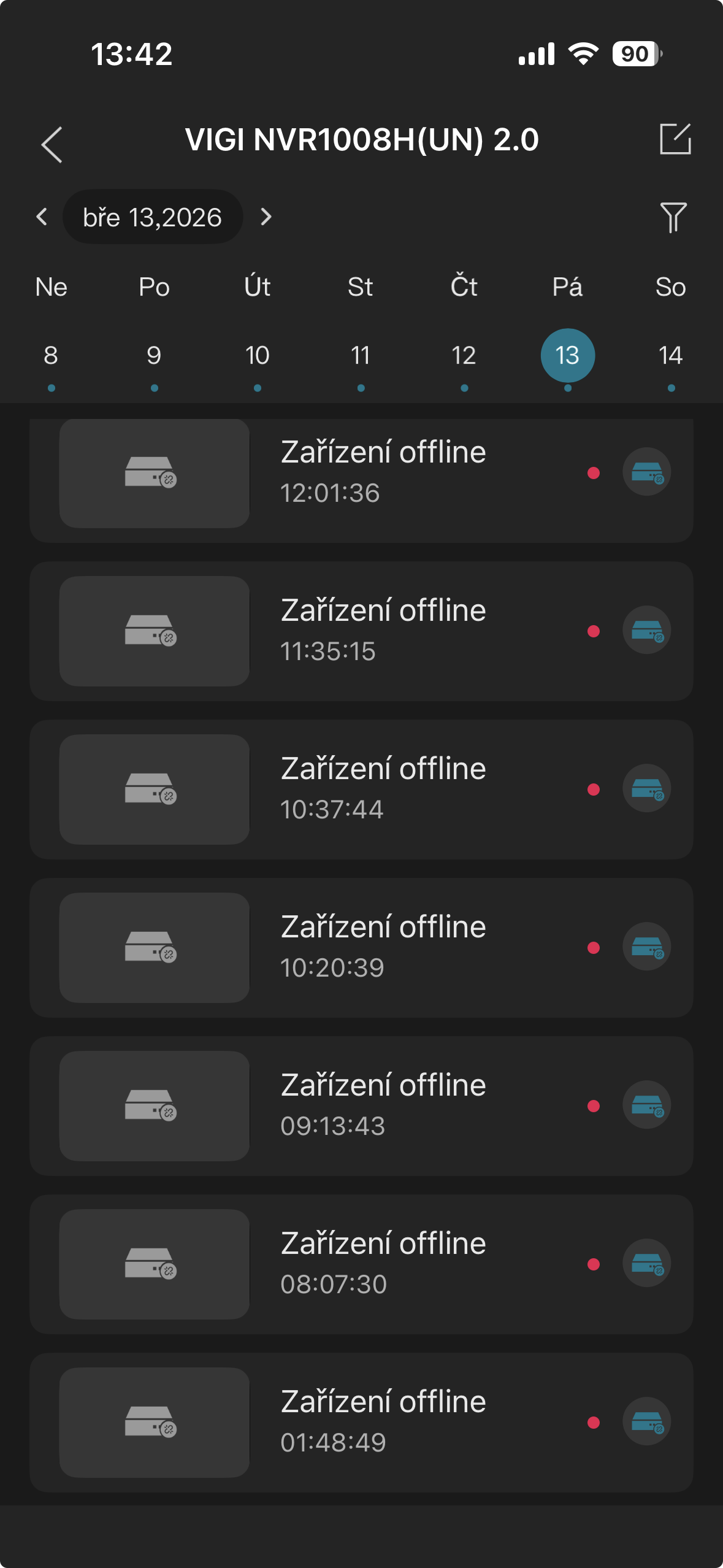
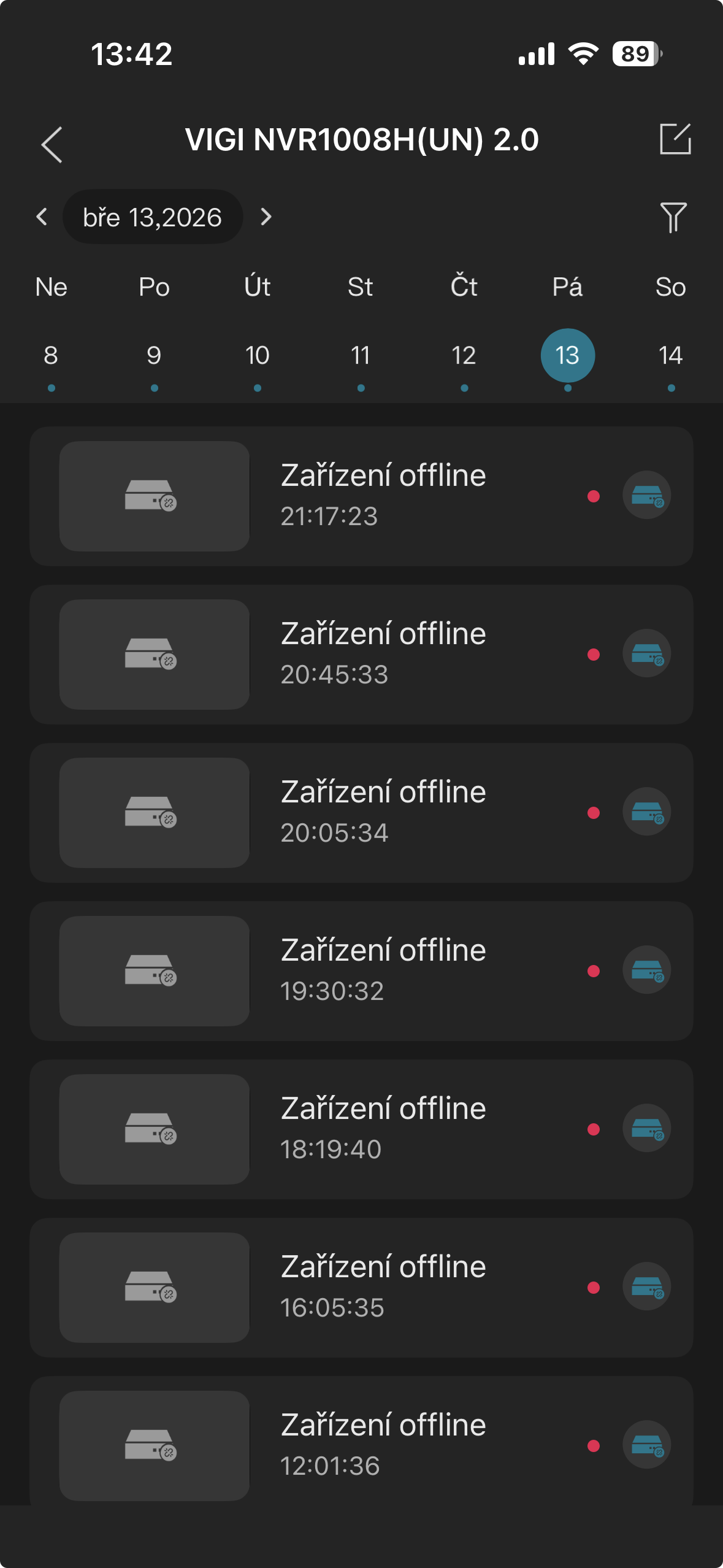
just f.e. - this is a screen shots from Mobile app about the "off-line status" from Friday the 13th:


  0  
  0  
#4
Options
Re:NVR1008H (HW v1) Going Offline Every 50–60 Minutes and Changing IP Address
a week ago

Hi  @dubikovo 

You may try the following suggestions:

1) Access the NVR’s web management interface and verify if it is bound to TP-Link VMS in the network settings. If it is connected, select Unbind.

2) Change the NVR’s network type to Dynamic IP, update the DNS to 8.8.8.8, and reduce the MTU.

3) Review the main route settings at the front end to ensure that blacklists, whitelists, firewalls, internet access authentication, and specific route entries are configured.

4) If the device is connected via Ethernet, ensure that the NVR and router are directly connected and check the quality of the network cable. If the device is wireless, adjust the device's distance to minimize signal attenuation caused by walls and optimize the wireless network environment

5) Try to update the firmware version if there is an available one.

Best Regards! >> Omada EAP Firmware Trial Available Here << >> Get the Latest Omada SDN Controller Releases Here << *Try filtering posts on each forum by Label of [Early Access]*
  0  
  0  
#5
Options