
Wireless bridge

Purchased EAP211 in the hopes of being able to bridge internet from the home to 2 separate buildings on the property. Was attempting to bridge them as multiport by buying two sets, creating one main and two clients. The first pair pairs easily. However, I cannot get a client from the other box to pair to the only main. Is this possible, or do I need to create two totally different setups
- Copy Link
- Subscribe
- Bookmark
- Report Inappropriate Content


Hi,@Rgreen2002
Thank you for posting your question on our business forum.
EAP Bridge Kits do support point-to-multipoint (PtMP) connections. Please follow the configuration steps below to set up your deployment:
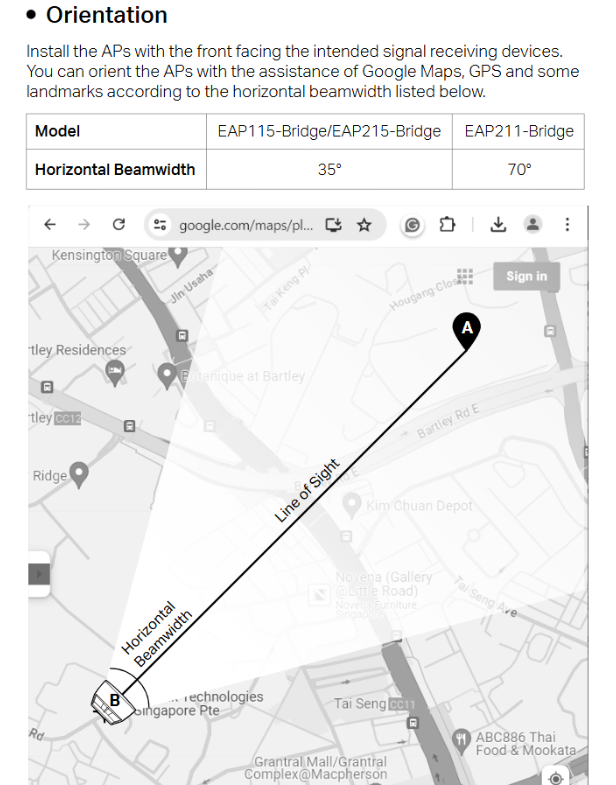
1.Place both client APs and the Main AP at your site, and ensure the main front panel of each client AP is correctly aligned and facing the main front panel of the Main AP.
2.Log into the management interface of your Main AP, then click Add Client-AP to start scanning for available client APs.
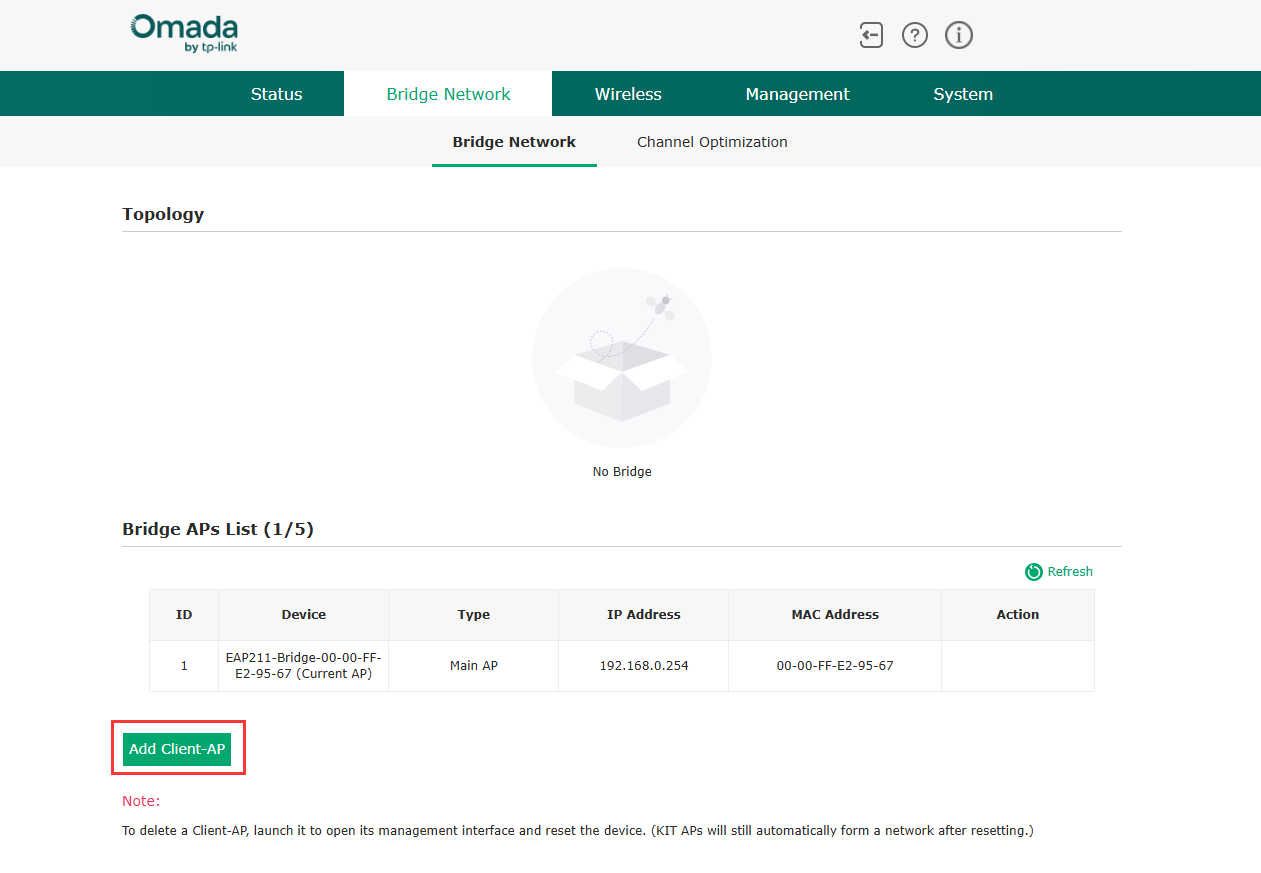
We would also like to share an note for stable operation: EAP Bridge products are equipped with directional antennas rather than omnidirectional antennas, so their wireless signal transmission has a limited effective coverage angle. After you successfully add both client APs to the Main AP, please ensure the included angle between each client AP and the Main AP is not excessively large, to avoid signal loss or connection instability. If you require more consistent and reliable signal transmission for your multi-client setup, we recommend deploying two separate complete sets of EAP Bridge Kits for your use case.
- Copy Link
- Report Inappropriate Content
Hi,@Rgreen2002
Thank you for posting your question on our business forum.
EAP Bridge Kits do support point-to-multipoint (PtMP) connections. Please follow the configuration steps below to set up your deployment:
1.Place both client APs and the Main AP at your site, and ensure the main front panel of each client AP is correctly aligned and facing the main front panel of the Main AP.
2.Log into the management interface of your Main AP, then click Add Client-AP to start scanning for available client APs.
We would also like to share an note for stable operation: EAP Bridge products are equipped with directional antennas rather than omnidirectional antennas, so their wireless signal transmission has a limited effective coverage angle. After you successfully add both client APs to the Main AP, please ensure the included angle between each client AP and the Main AP is not excessively large, to avoid signal loss or connection instability. If you require more consistent and reliable signal transmission for your multi-client setup, we recommend deploying two separate complete sets of EAP Bridge Kits for your use case.
- Copy Link
- Report Inappropriate Content
Information
Helpful: 0
Views: 193
Replies: 1
Voters 0
No one has voted for it yet.