
The device does not support the 802.1p Priority and Trust Mode configured in this configuration...

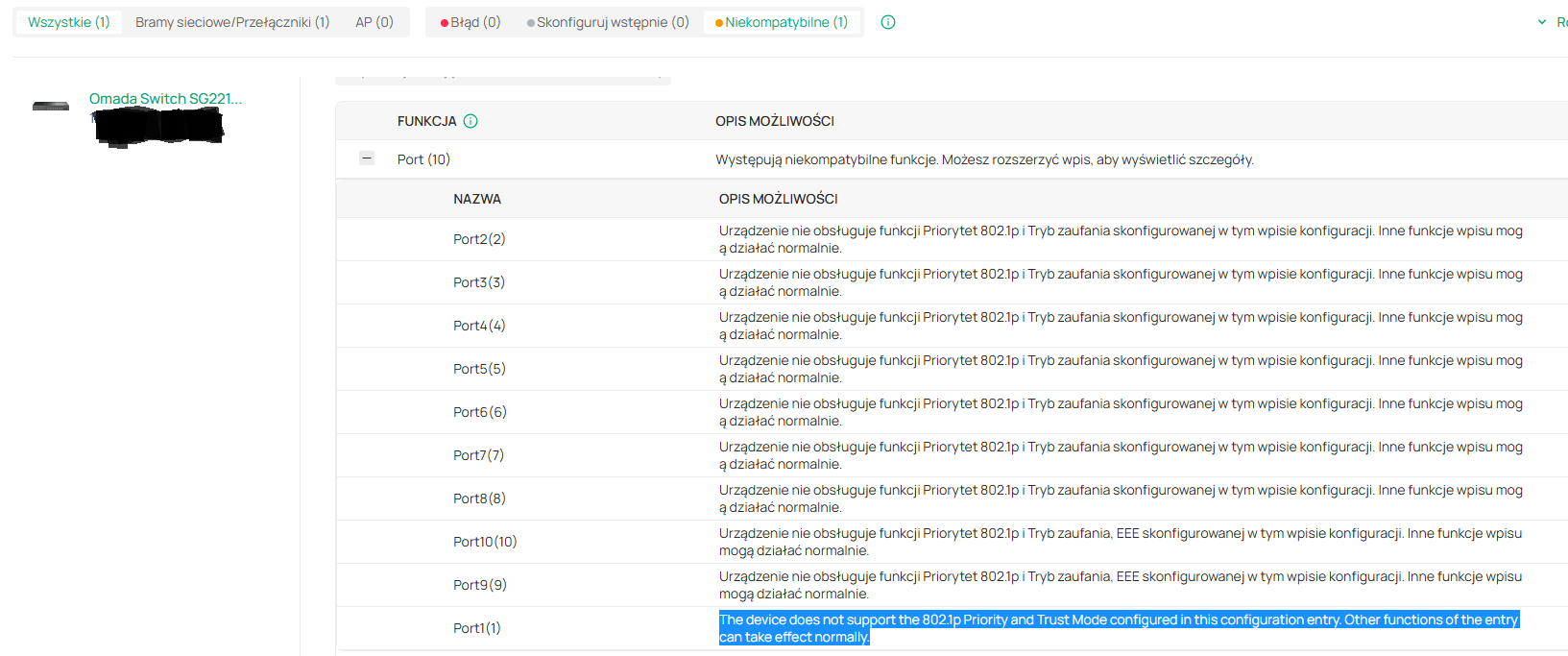
Hello, I've adapted a new switch SG2210MP v4.2 (4.20.20 Build 20260310 Rel.10715) to an Omada controller and I see this message:

The device does not support the 802.1p Priority and Trust Mode configured in this configuration entry. Other functions of the entry can take effect normally. (all ports)

The switch has the latest firmware. What does this mean and how can I fix it? Thank you for your help.
- Copy Link
- Subscribe
- Bookmark
- Report Inappropriate Content


@KajtekKajtek Thanks for your post, what that error code means is that there is a configuration on your switch that isn't supported; I do see that that specific model should support 802.1p, so it might be a specific combination of settings. Can you please provide a screenshot of your 802.1p Priority and Trust Mode settings for this device?
- Copy Link
- Report Inappropriate Content
Can you help to find this settings in Omada controller 6.0.0.25 ? I made factory reset before adopting. In standalone mode I saw this settings. Thank you.
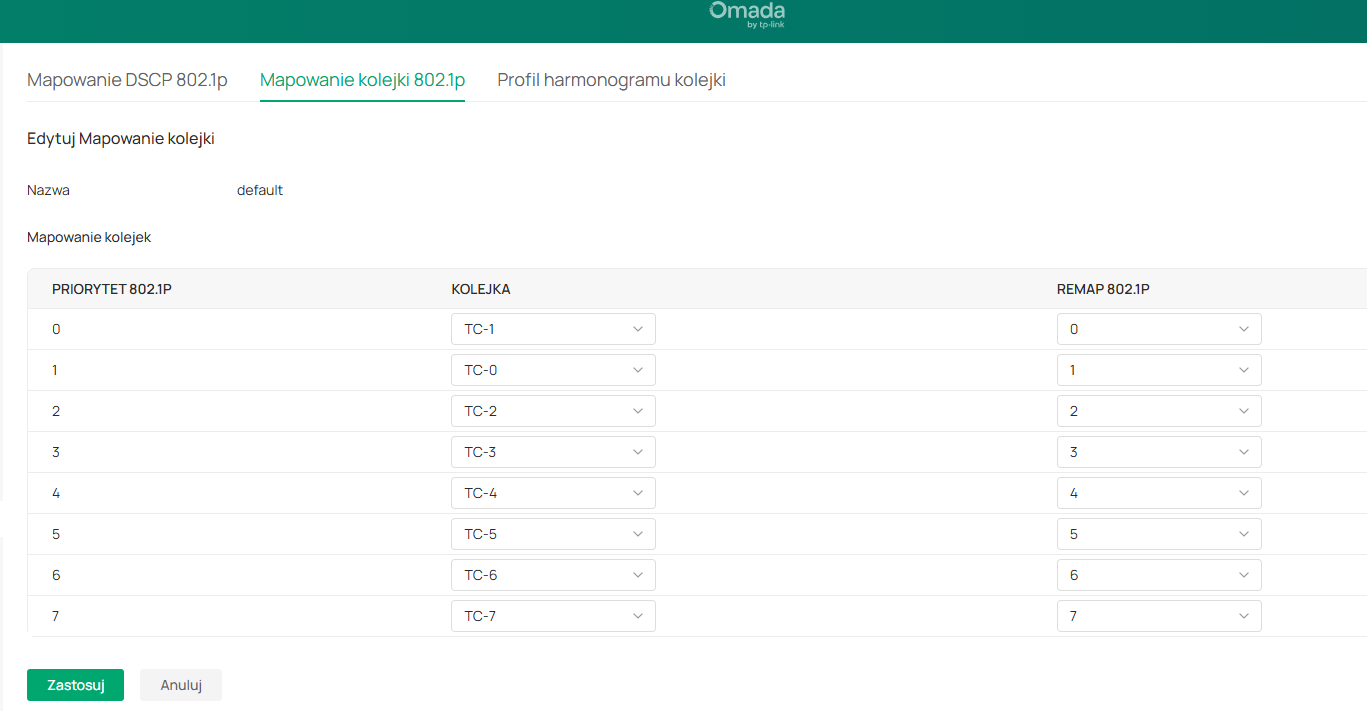
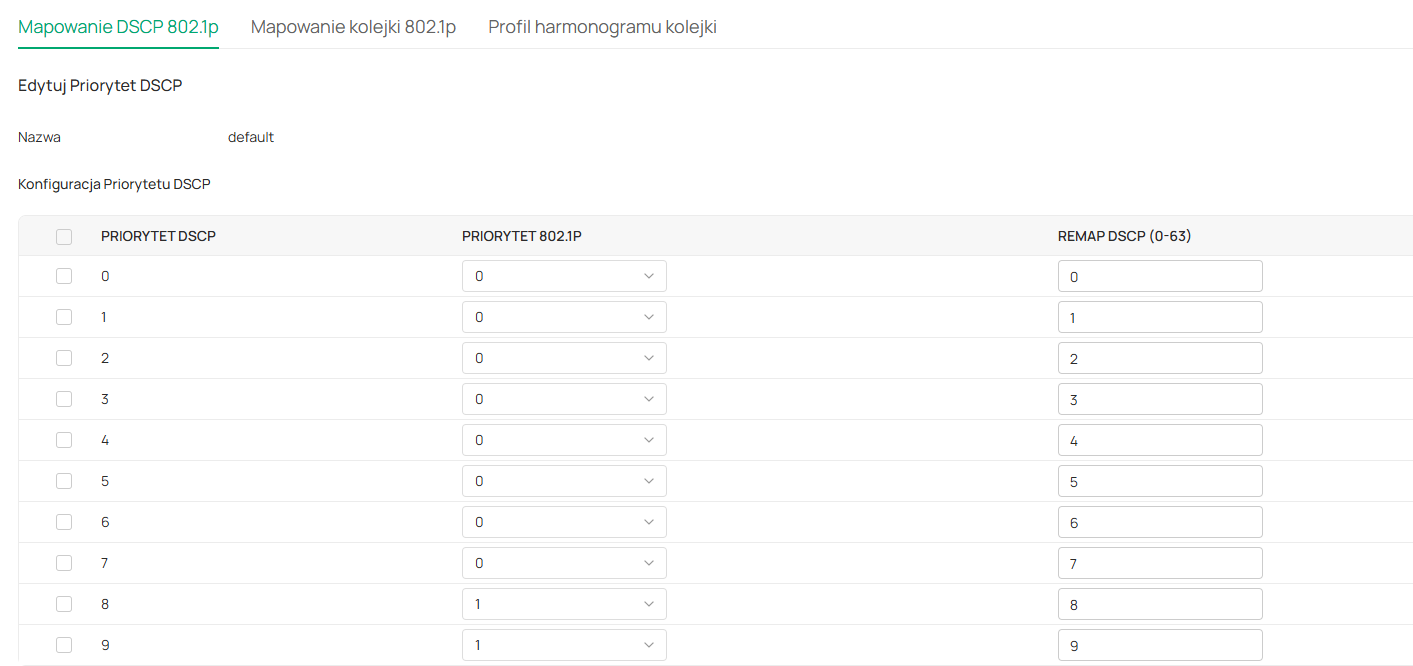
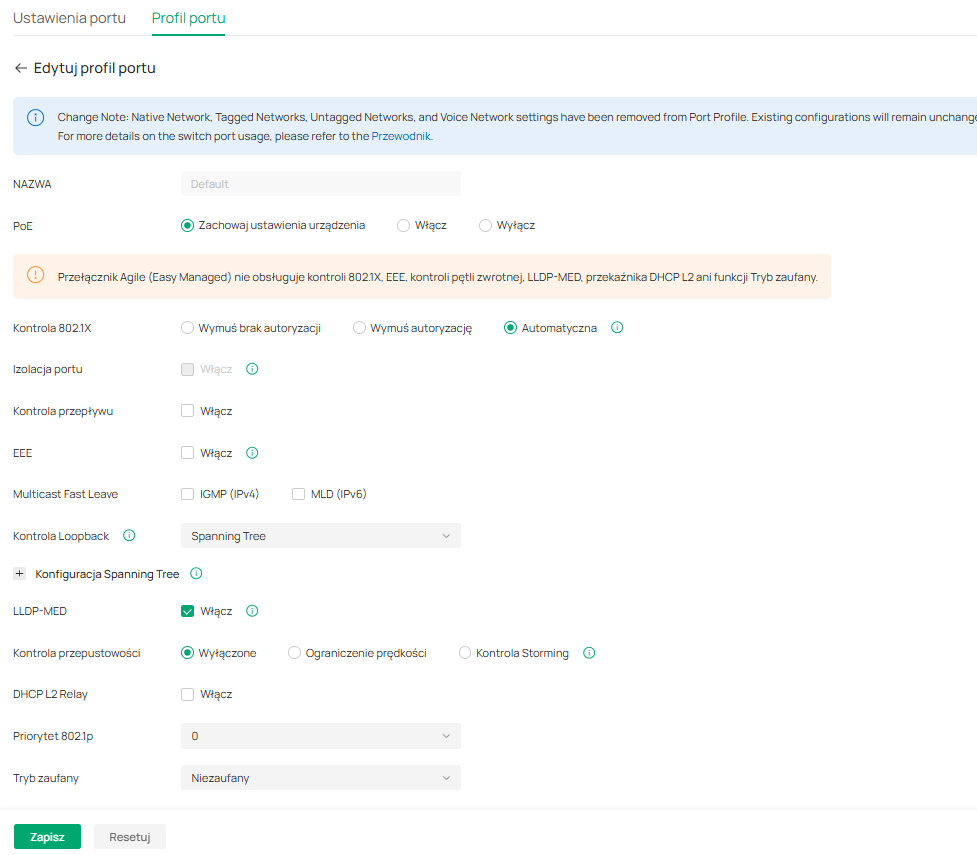
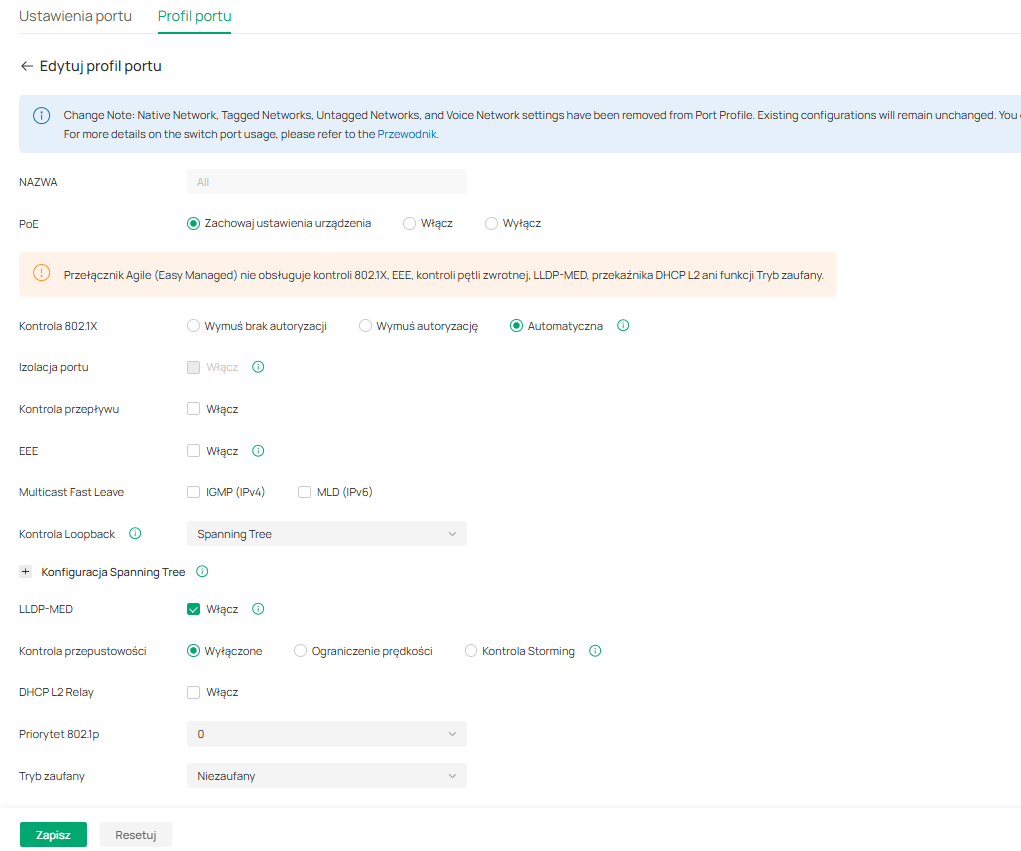
- Copy Link
- Report Inappropriate Content
All ports are default profile ALL. Priorytet 802.1p = 0, trust mode = untrusted.
- Copy Link
- Report Inappropriate Content

I use SG2008 switches here and I used to see that message when I was using older firmware. With the latest pre-release firmware for the switches, I no longer see it. In fact, the settings for the 802.1p priority and trust mode no longer appear in the Port Profile section of the controller with its latest firmware release.
- Copy Link
- Report Inappropriate Content
Thank you for info. I use latest firmware but not pre-release for controller 6.2 I guess.
- Copy Link
- Report Inappropriate Content
Information
Helpful: 0
Views: 92
Replies: 5
Voters 0
No one has voted for it yet.