My EAP235-Wall stopped working

My EAP235-Wall stopped working

My EAP235-Wall stopped working
Yesterday
Tags: #Wifi
Model: EAP235-Wall  
Hardware Version: V1
Firmware Version: 3.2.3 Build 20240815 Rel. 33684 (4555)

Hello,

I am super new to the world of Vlans and working with TP-LINK. I’ve purchased my equipment this past couple of weeks and for the past 3 days I’ve been slowly setting it up with a lot of searching in here, lot of googling and some help from chat gpt.

Today my EAP235-Wall came to my mail and I connected it to a port. It worked for a couple of hours. Then I must have changed something and while I (most of the times) connect to it, my phone says that there is no internet.

My equipment in order is:

ISP Router / Modem > TP-LINK ER605 > SG2218P (Here is my EAP235 with POE) > TL-SG108E

I’m going to post a lot of images, with the hope that someone can spot my mistake.

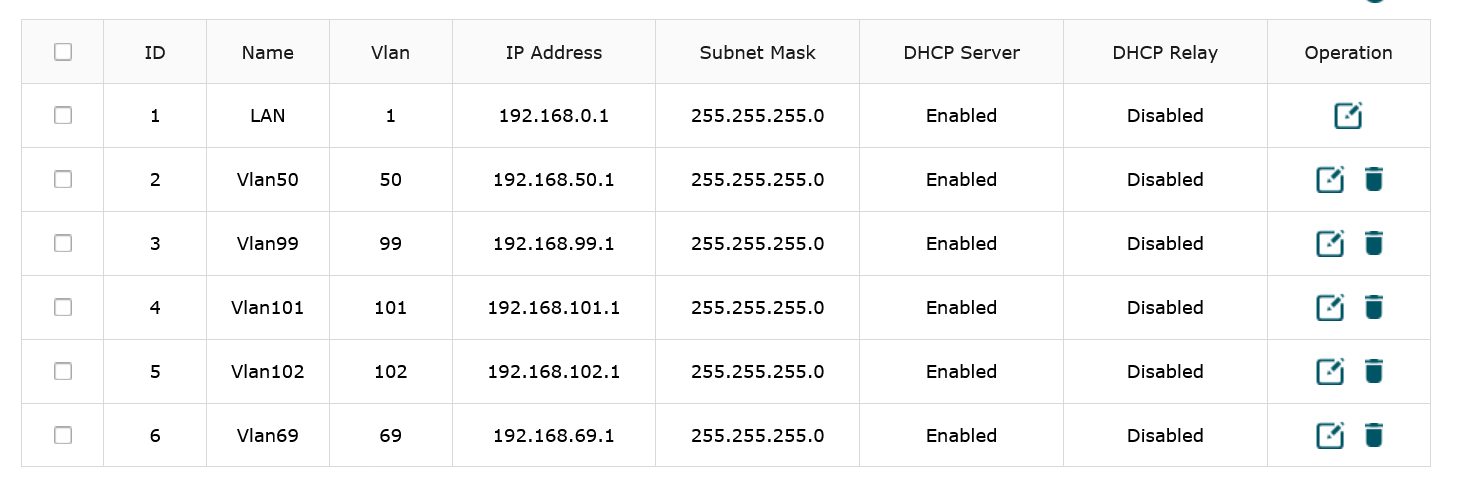
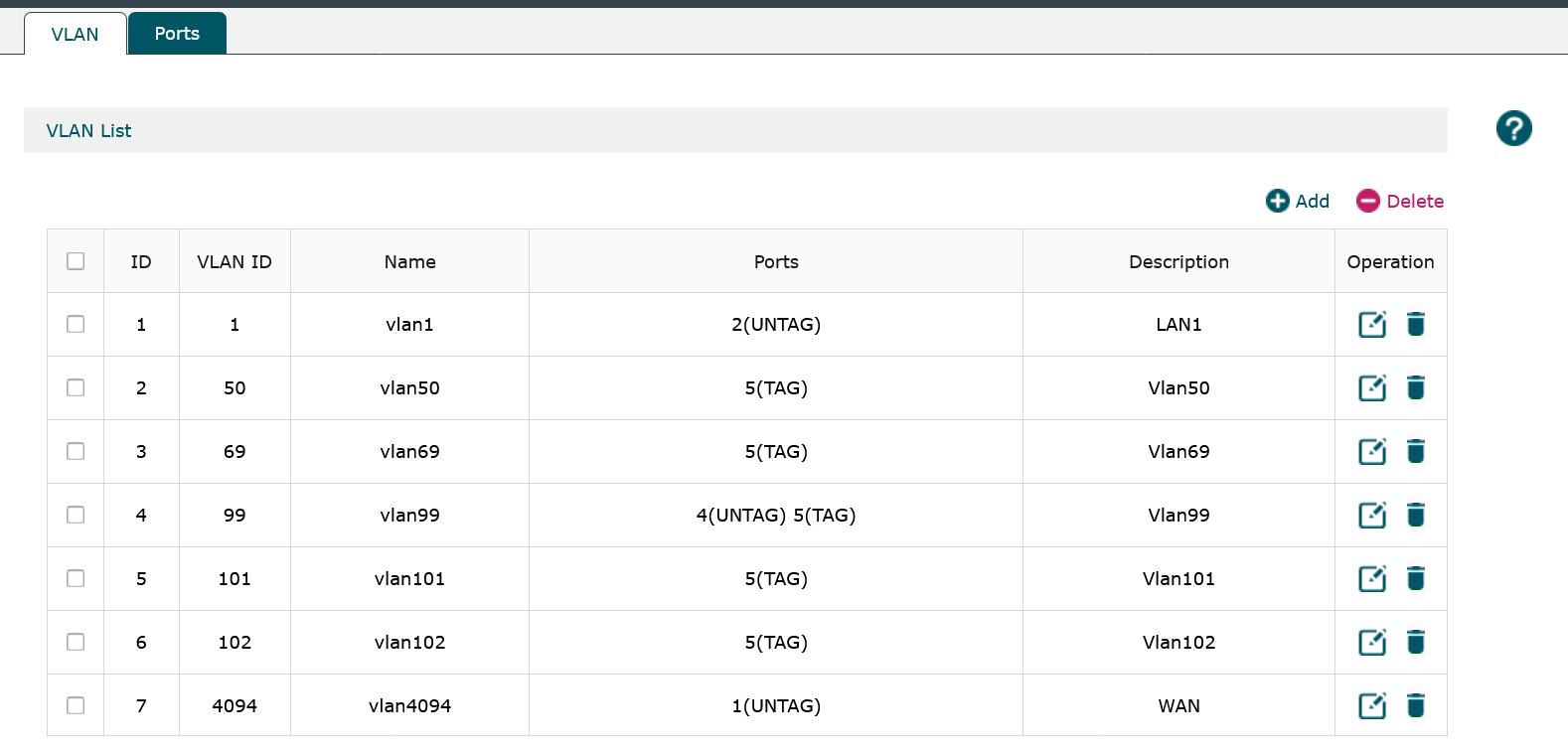
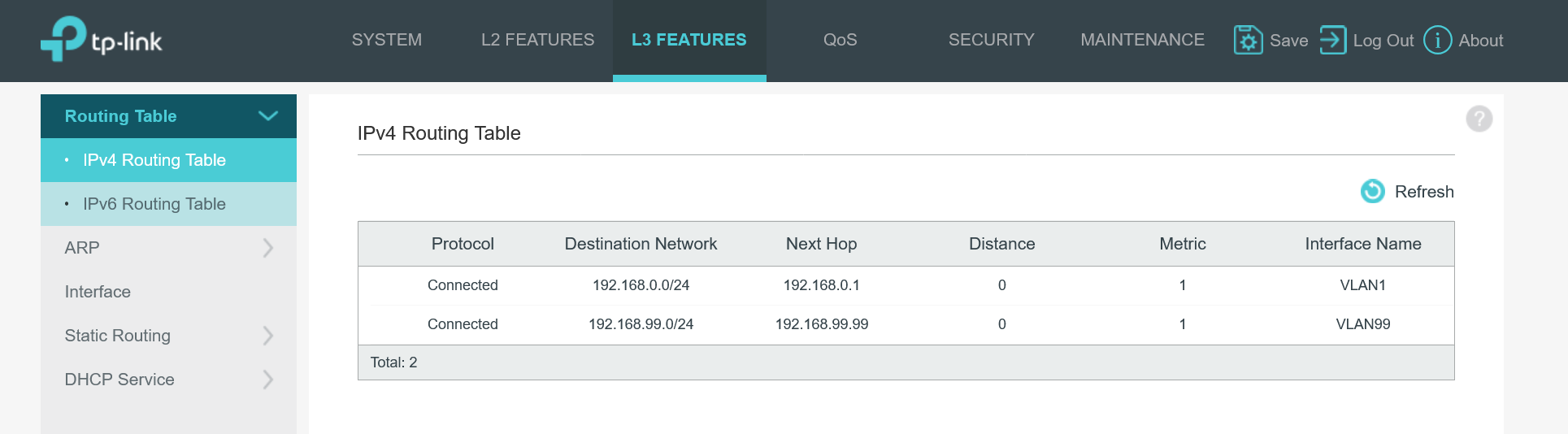
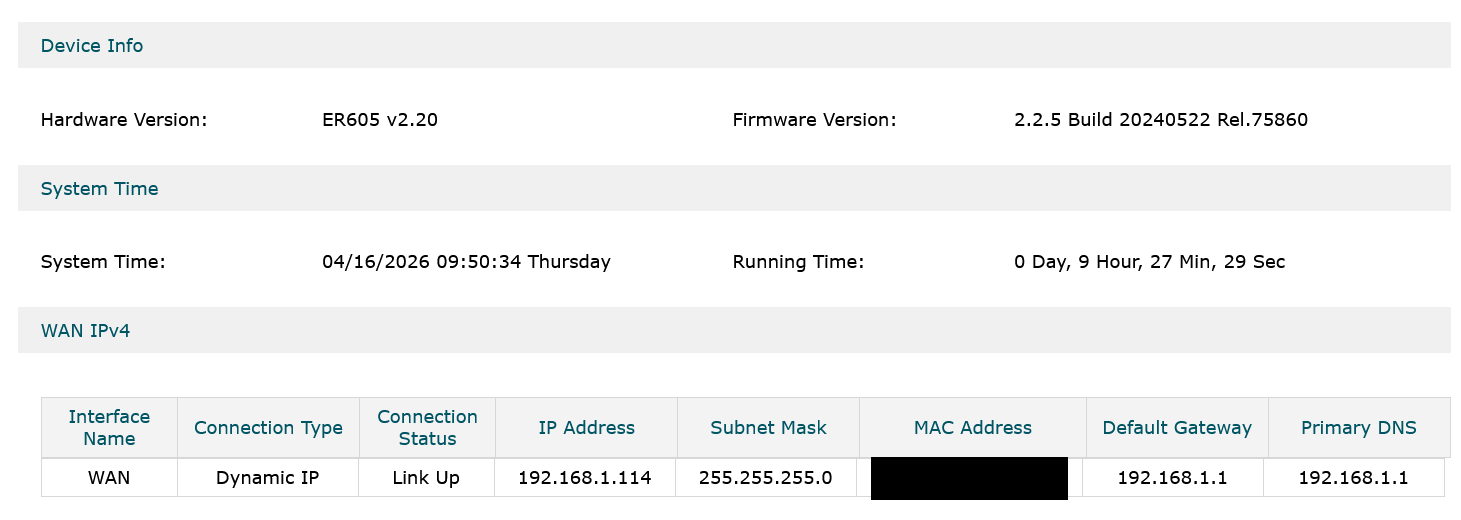
Router
Proof EAP235 is alive on POE.
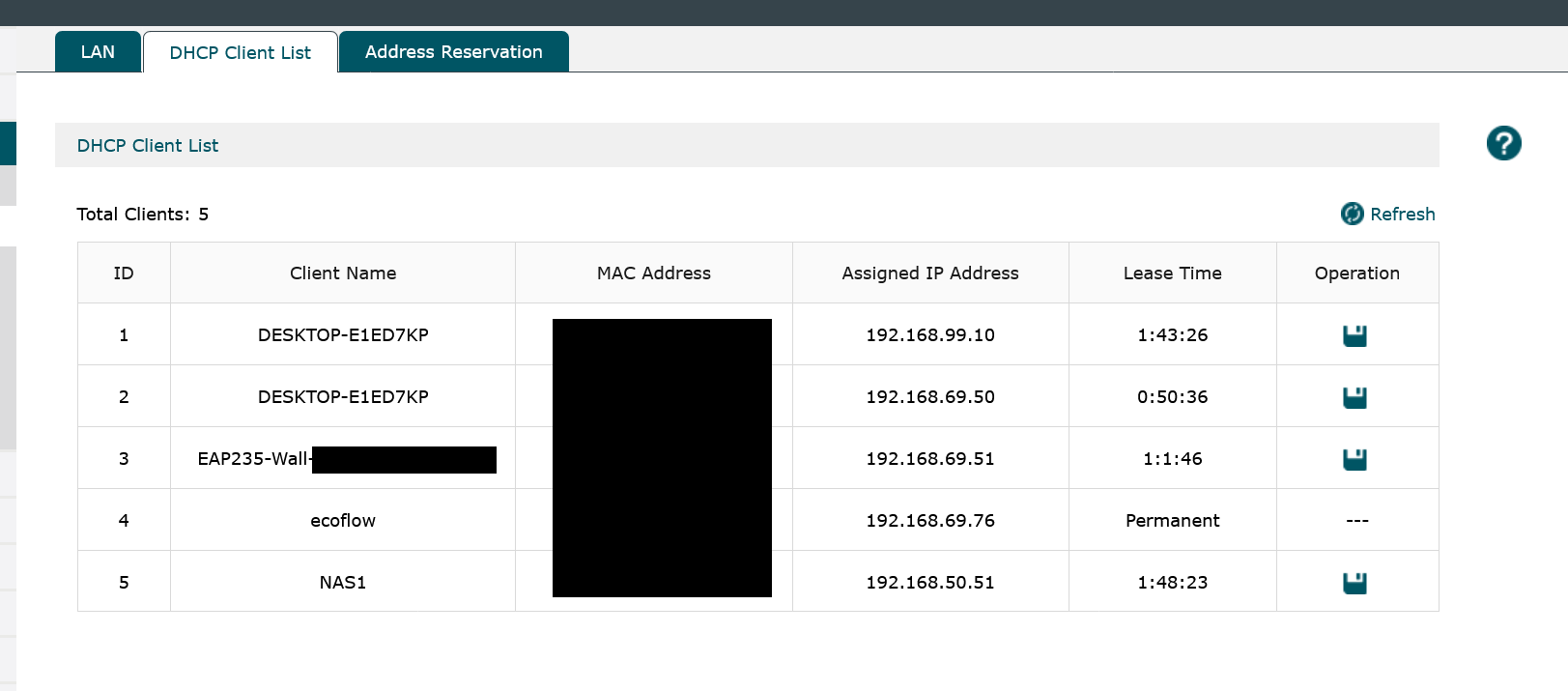
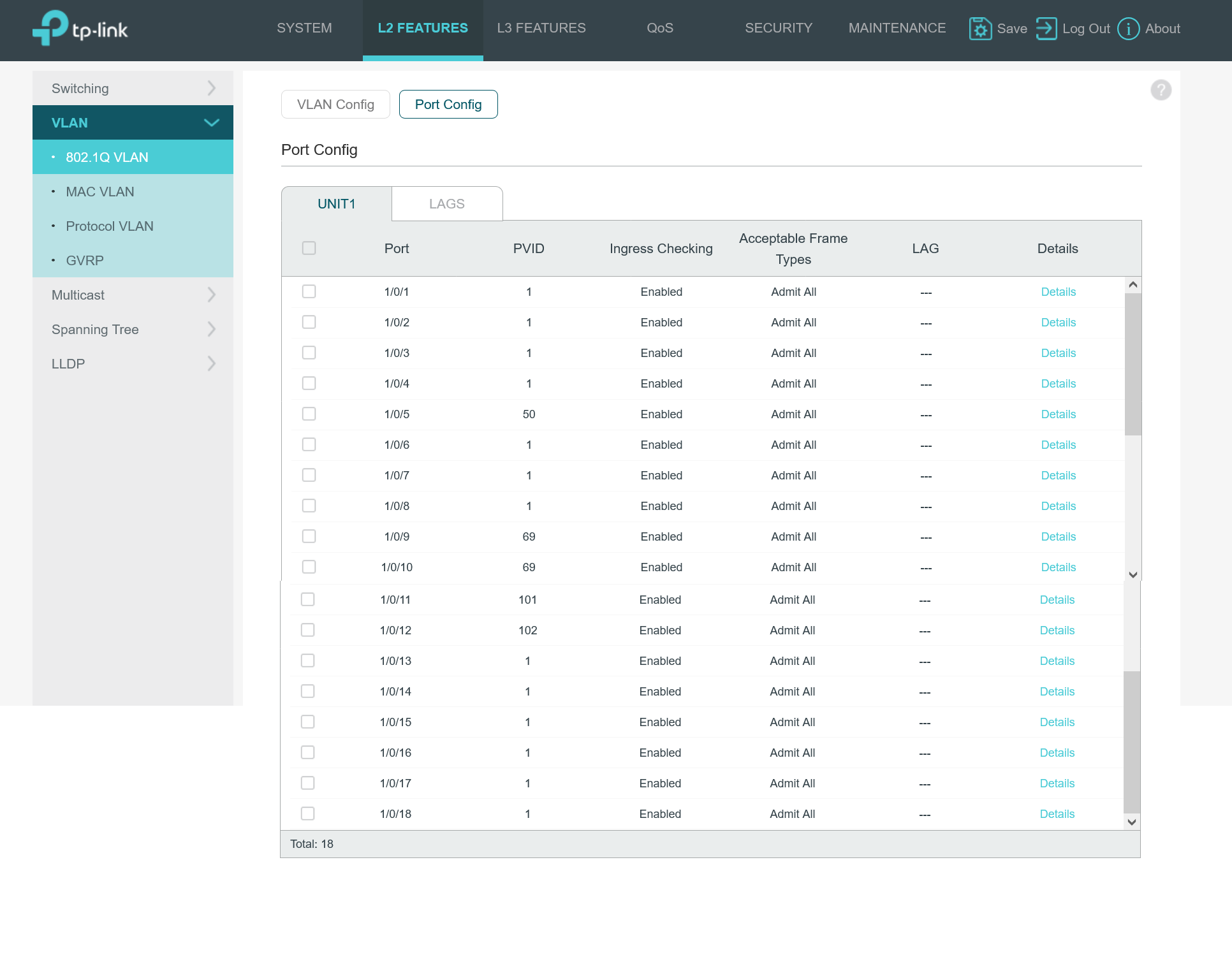
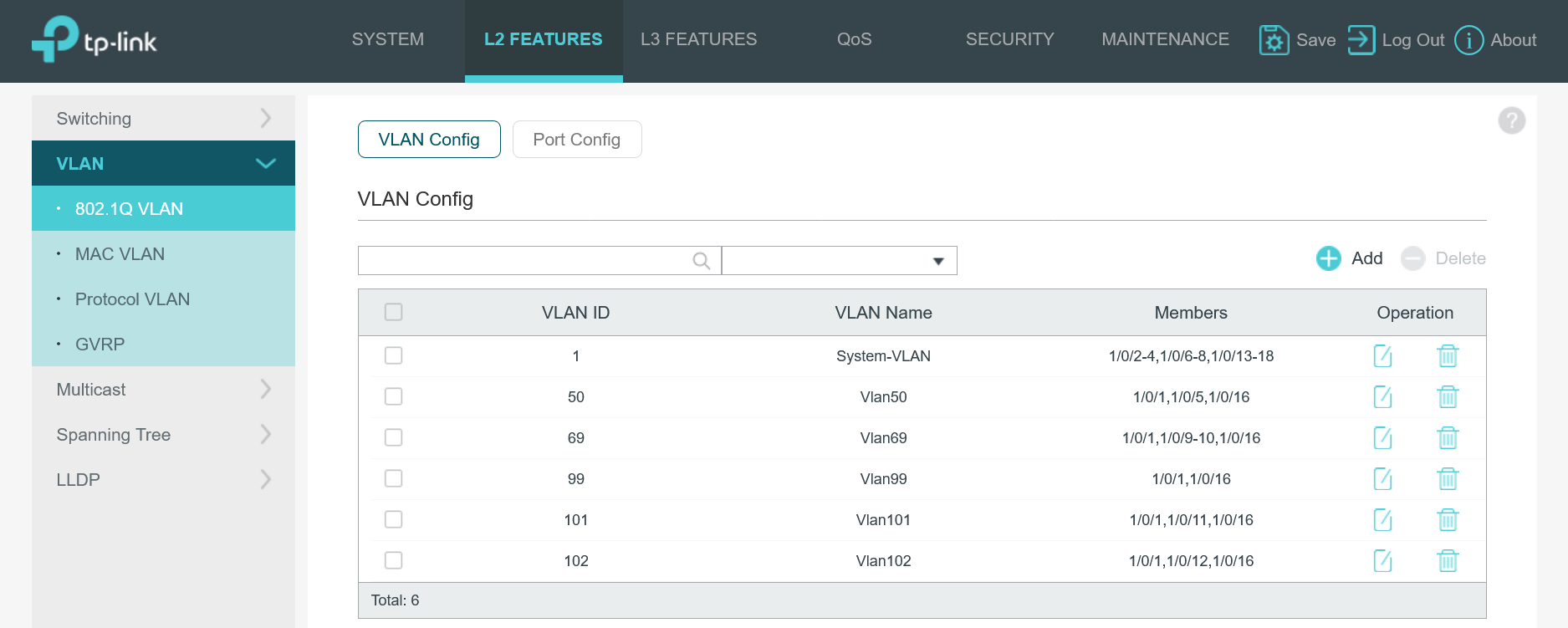
Now the POE switch settings:
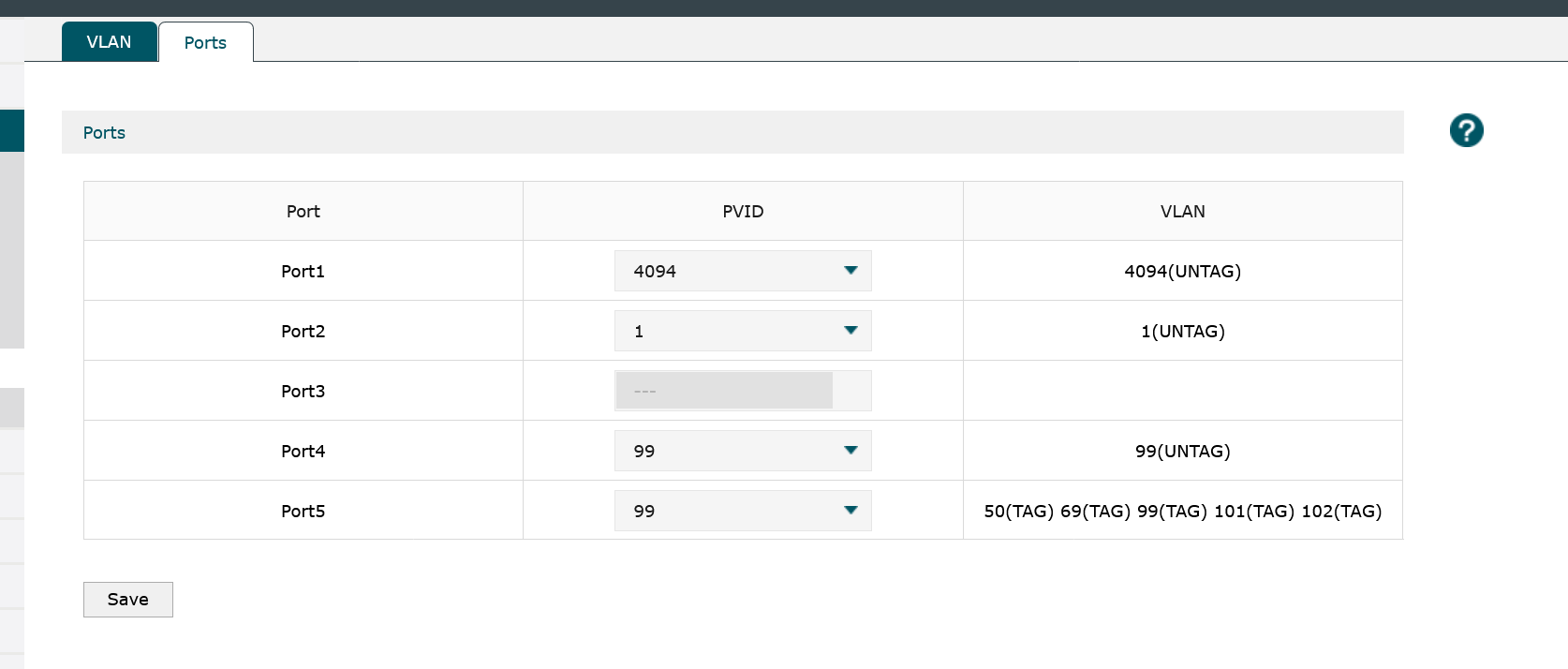
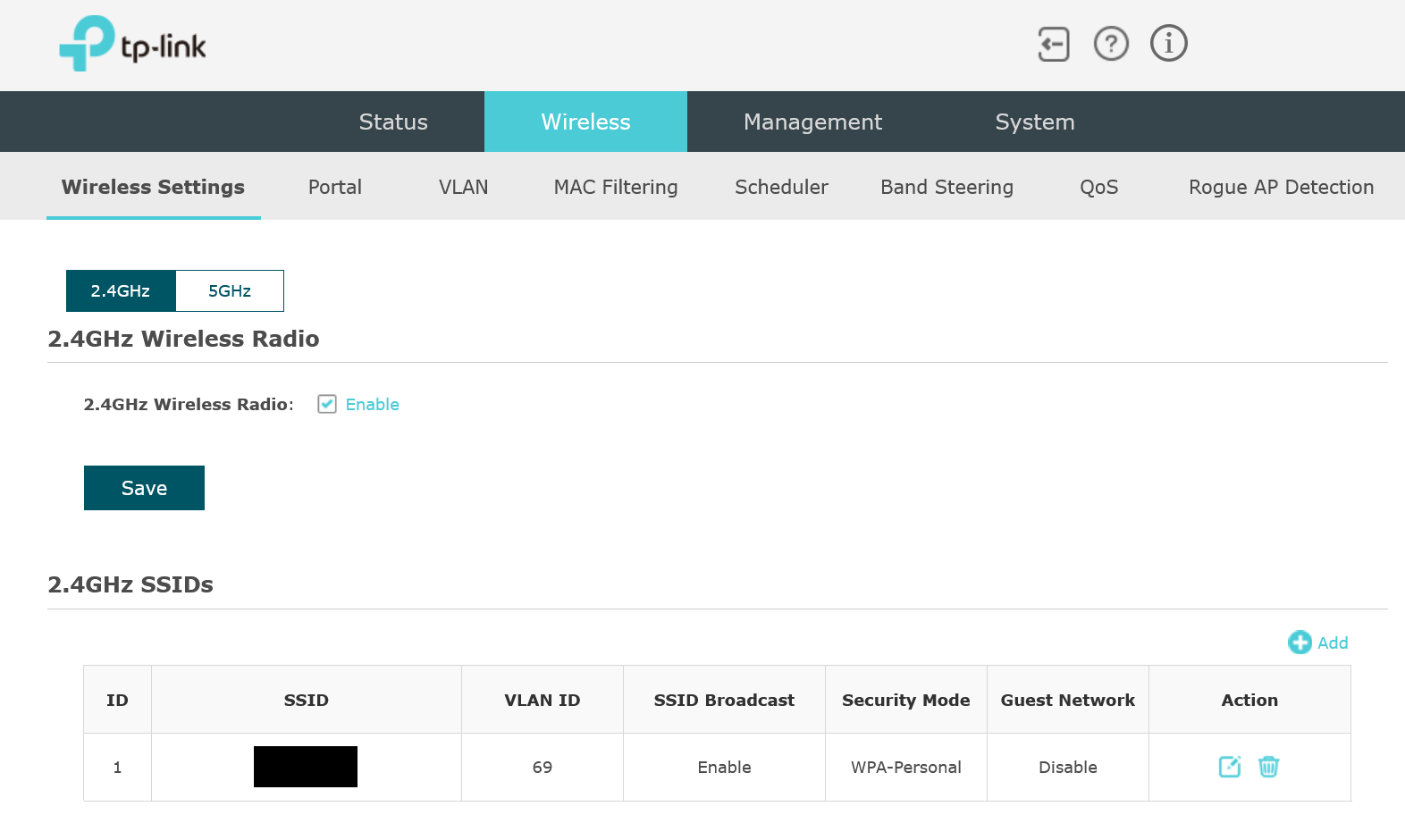
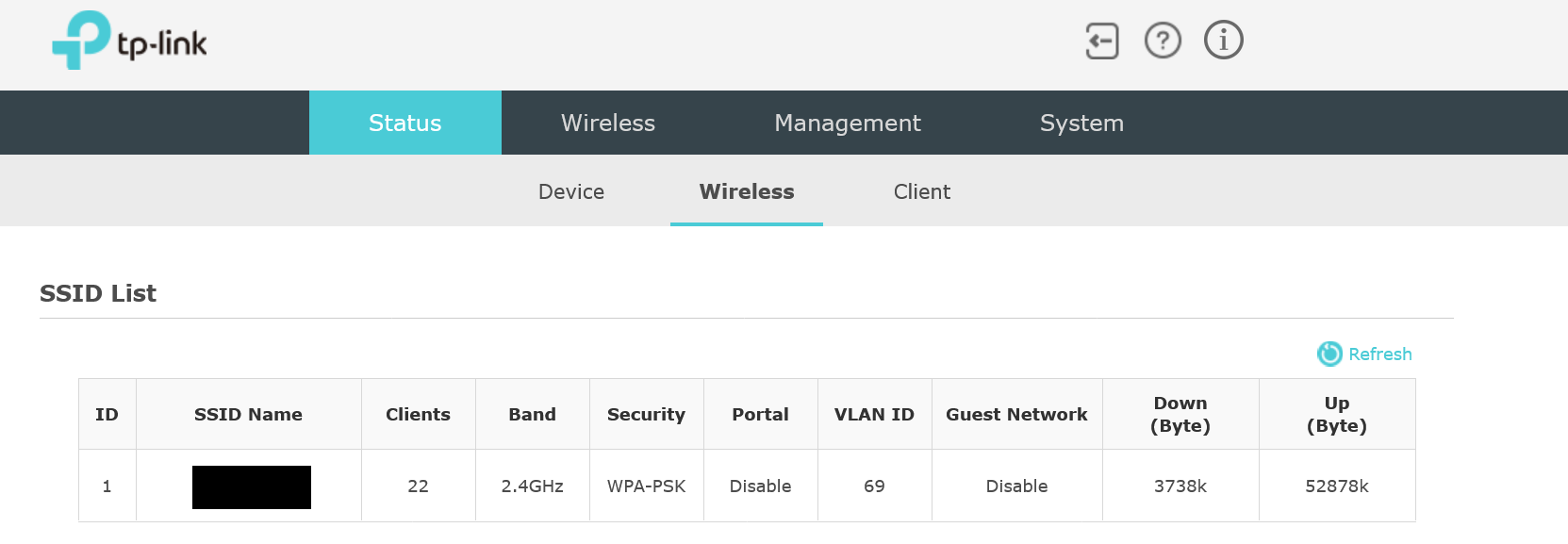
And the EAP settings:
Can someone spot what I am missing.. what have I changed that made it stop working? I think I have deleted something. A network @68 for old IOT that was transfered @69 but I can't remember exactly. I have reset the EAP but nothing seems to work.

Someone please, share some info.

  0      
  0      
#1
Options
2 Reply
Re:My EAP235-Wall stopped working
20 hours ago

  @BDKs If you set another port on your switch to the same configurations that your EAP is on and plug in a computer to that port, can it get internet? If not, you have a VLAN configuration issue and not an EAP issue. What are you trying to achieve with your VLANs here? Also, which ports have the connections between your devices? (ex: ER605 port 5 -> SG2218P port X)

Check out our subreddit, r/Omada_Networks! Want to help test and give feedback on new products? Sign up for the US Enterprise Beta Program here!
  0  
  0  
#2
Options
Re:My EAP235-Wall stopped working
13 hours ago

  @NeilR_M ,


Thanks for replying.


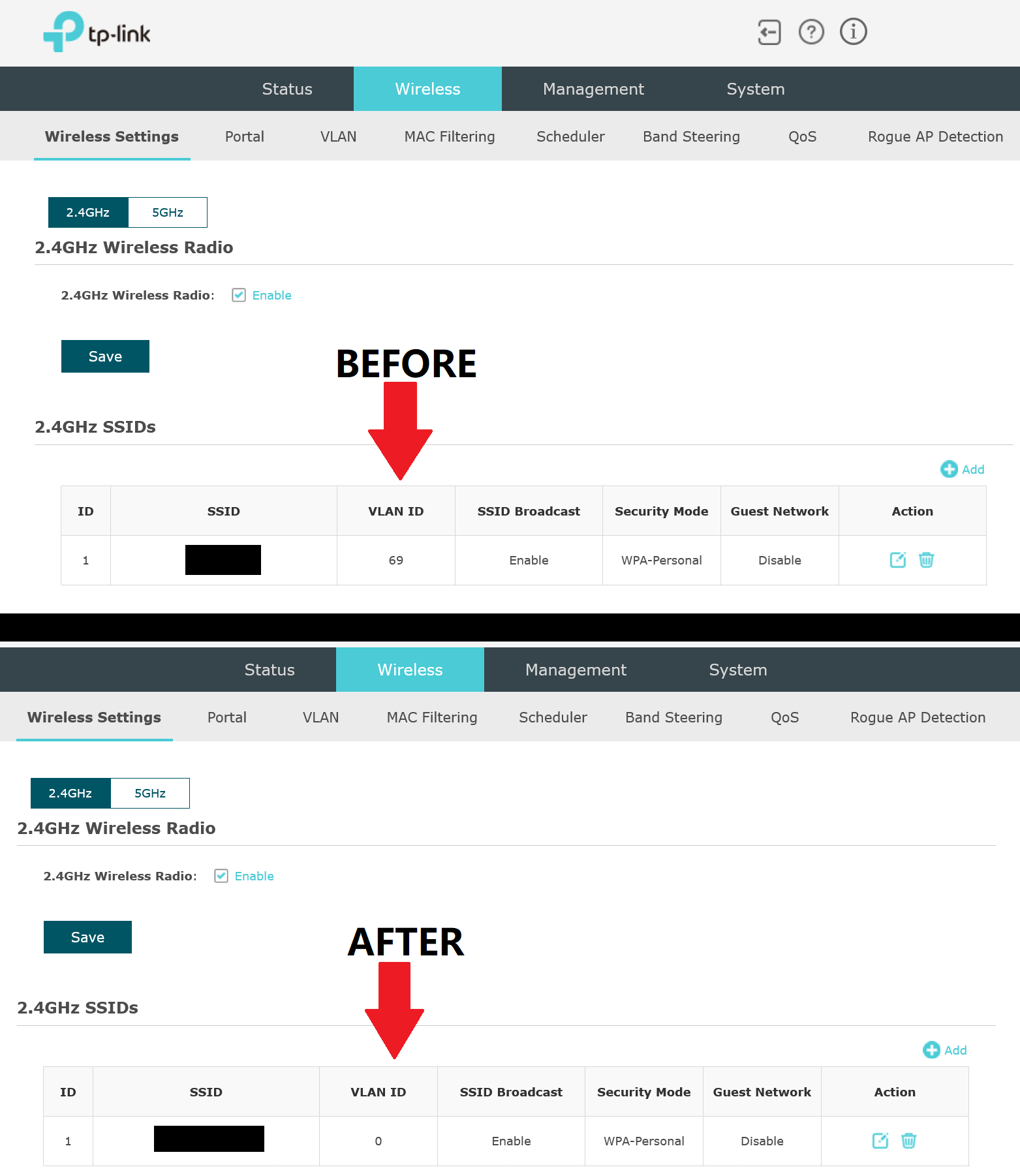
It seems like it works now. I reset it like a dozen times. I think this is what it caused the issue:


Port 10 on  SG2218P, is untagged Vlan 69 for the wireless IOT. So I kept editing and selecting VLAN ID 69. But that move caused issue. Or so I think. Because now that is set to 0, it works. I can't understand why. I would like to know though. smiley


  0  
  0  
#3
Options