
EAP225 Preconfigured Issues

Just installed a EAP211 data bridge kit today from one cottage to another adjacent 2. I Set it up using the free essentials Omada cloud controller through the APP. Everything was going fine until I tried to set up final 2 EAP's connected to the same client bridge. both straight out of the box but they just say Preconfigured and won’t connect to the system. Done quite a few of these recently and never had this issue before. Obviously tried resetting the AP and forget AP etc. Used the paperclip on the reset. But just getting a flashing green light on AP and won’t adopt to network. Any ideas please?
Thanks
- Copy Link
- Subscribe
- Bookmark
- Report Inappropriate Content
@Crashwilson Thank you all for responses, I got it sorted now, it was the cable run from the Bridge client to the indoor EAP. it seems as I had stapled the cable along the soffit, I clipped the wire so there was no connection. when I tested te cable with a tester all the lights lit up in correct sequence which was odd, the bit that confused me was it could see the EAP and said it was pre-confgured, rather than disconected.
Andy
- Copy Link
- Report Inappropriate Content


@Crashwilson Did you verify with a computer that the Client Bridge AP is receiving a downstream connection? Preconfigured with the Essentials controller usually just means the device isn't connected to the internet so it can't receive its configs, so it's likely there's a connection issue with the Bridge.
- Copy Link
- Report Inappropriate Content

How would cloud controller see the device if the device didnt have a valid and working upstream internet connection?
- Copy Link
- Report Inappropriate Content
@GRL I believe there's a database that the Cloud Controller accesses to ensure that the serial number/device key is valid, so it's not necessarily that the controller "sees" the device so much as it recognizes that the device is valid, and places it in preconfigured status.
General questions about Omada's Cloud-Based Controller | TP-Link
Questions 12 and 13 on this FAQ go into the Preconfigured status a bit more.
- Copy Link
- Report Inappropriate Content
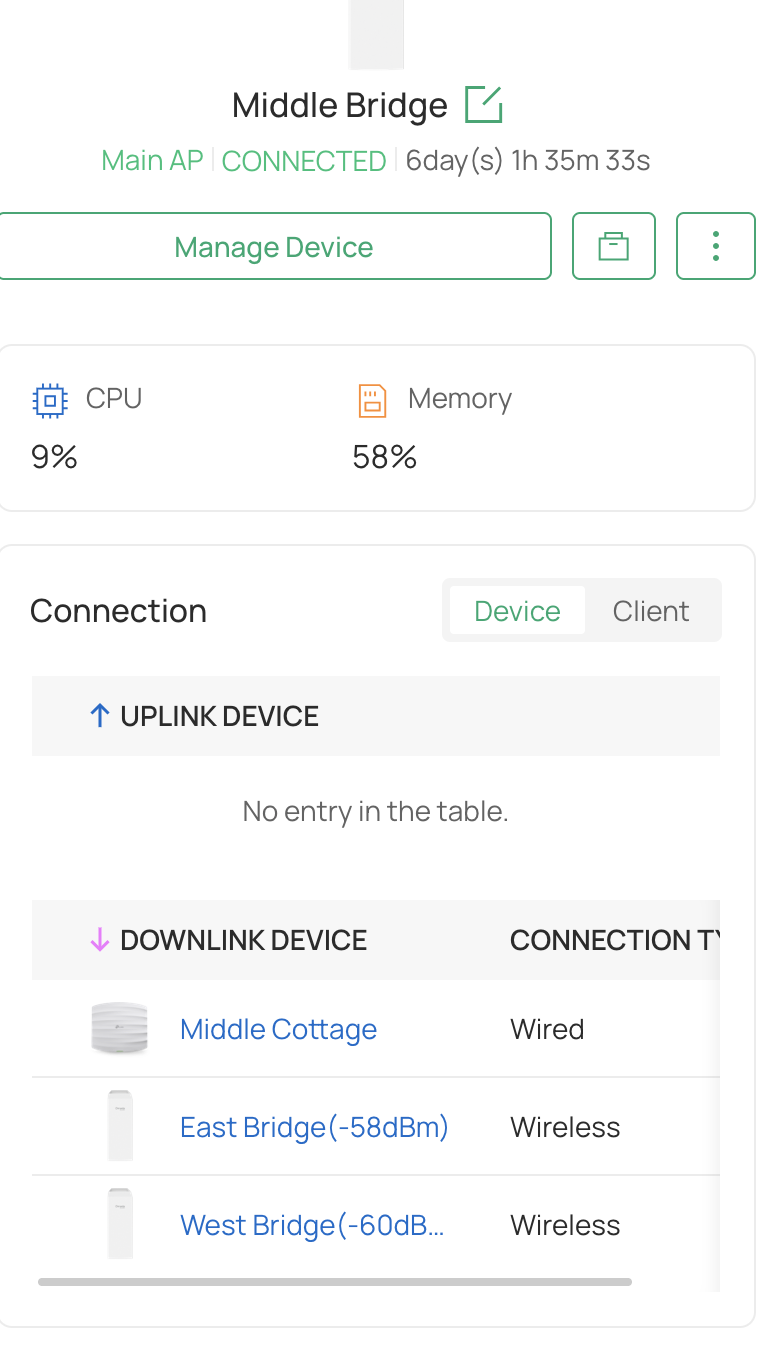
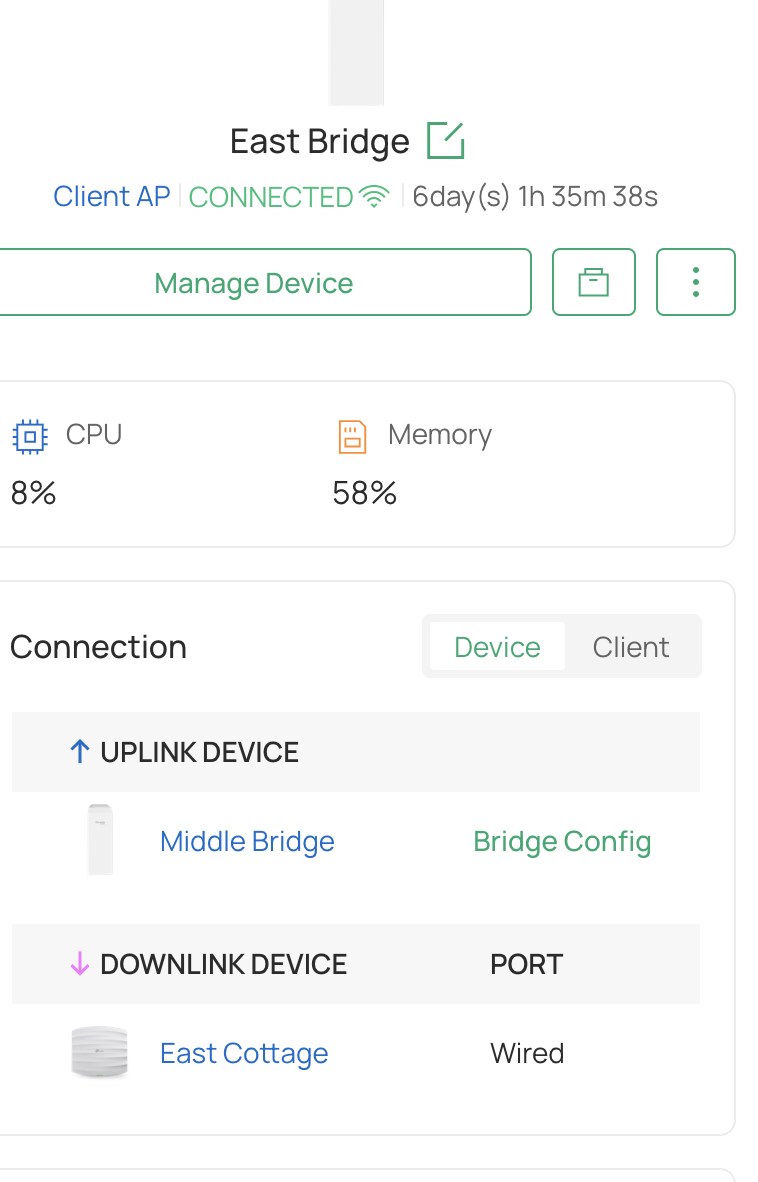
@Crashwilson I've taken a look and it seems that on the west bridge there is no downlink device, both east and west bridge clients are setup exactly the same, but east bridge can see its downlink eap225. I've checked the cable with a network cable tester linking west bridge to the eap225 and shows the cable is configured at each end correctly. Each setup uses a switcher to send power via poe to both bridge client and AP and there is 3 SSID's used so that my client can give separate ones for each cottage guests. The controller must be able to see the AP becuase as soon as I forget it and add it again its seen but wont get past its pre-configured state. I just cant seem to work out why this is happening.
- Copy Link
- Report Inappropriate Content
@Crashwilson If you plug in a PC to the downlink port of the West Bridge, do you get internet? Similarly, if you take the EAP225 and plug it in somewhere else, does it get connection properly? As you've said, these are brand new devices, and I'd hate for it to be a product defect with the specific EAP you're trying to plug in downstream.
- Copy Link
- Report Inappropriate Content
@Crashwilson Thank you all for responses, I got it sorted now, it was the cable run from the Bridge client to the indoor EAP. it seems as I had stapled the cable along the soffit, I clipped the wire so there was no connection. when I tested te cable with a tester all the lights lit up in correct sequence which was odd, the bit that confused me was it could see the EAP and said it was pre-confgured, rather than disconected.
Andy
- Copy Link
- Report Inappropriate Content
Information
Helpful: 0
Views: 452
Replies: 6
Voters 0
No one has voted for it yet.