
VIGI Cloud VMS "Installer" Role
 This thread has been locked for further replies. You can start a new thread to share your ideas or ask questions.
As a VIGI surveillance system installer in our area, I would have my clients' VIGI equipment connected to my Org's VMS so I can better manage my clients' VIGI devices remotely if any problems arise. The problem is: I can view all of my clients' live and playback videos as well if I wanted to and that concerns my clients for privacy reasons.
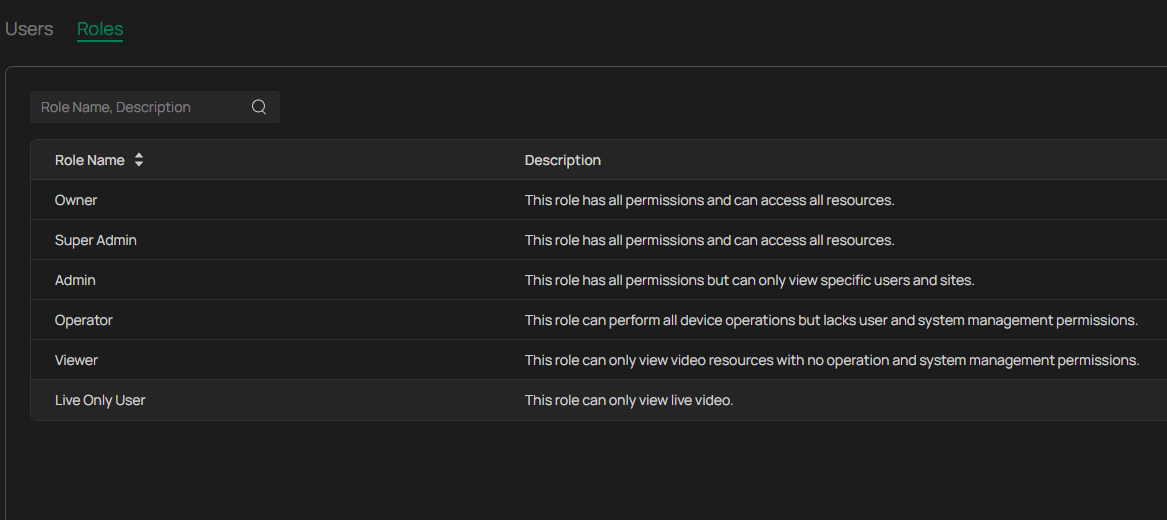
Currently, there are 6 non-editable roles on VIGI VMS, none of which are suitable for a surveillance system installer.
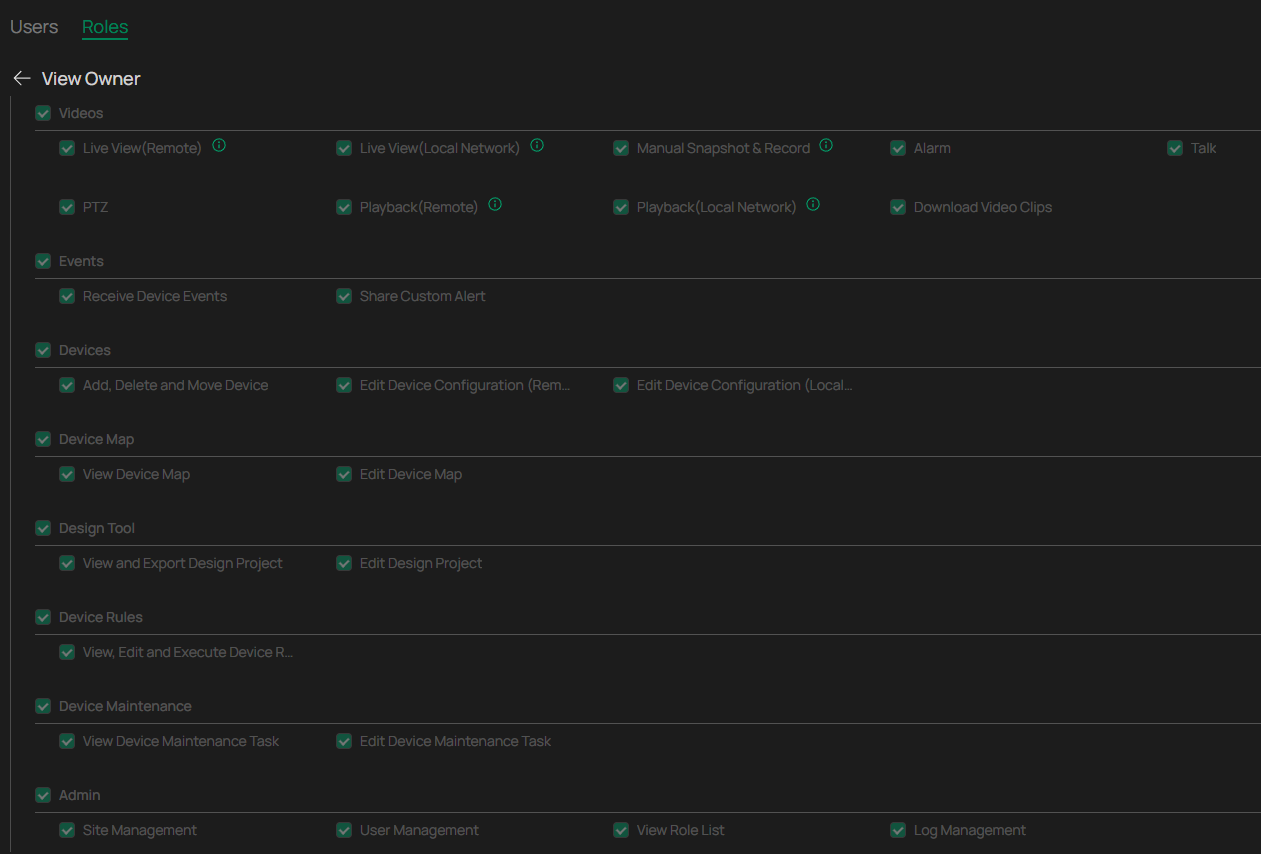
There should be an Installer/Partner Role (or custom role) that has all permissions except Videos, Events, & Devices. Only when the client presses a button on the VIGI App to "enable technician access" can the Installer/Partner access Owner-level permissions. And once the troubleshooting is done, the installer can turn off "enable technician access" in which the clients will be notified.

