Block Switch Login Page need to do on 2 Networks?

This thread has been locked for further replies. You can start a new thread to share your ideas or ask questions.

Block Switch Login Page need to do on 2 Networks?

This thread has been locked for further replies. You can start a new thread to share your ideas or ask questions.

Block Switch Login Page need to do on 2 Networks?
2025-04-30 12:35:00 - last edited 2025-05-06 07:44:43
Model: OC200  
Hardware Version: V1
Firmware Version: 1.34.2 Build 20250110 Rel.75707 (Stable)

Hi,


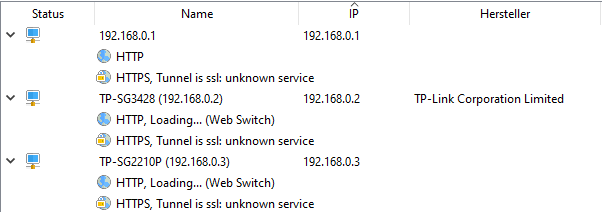
i did block the Switch IP 192.168.0.2 (Login Page) for Users

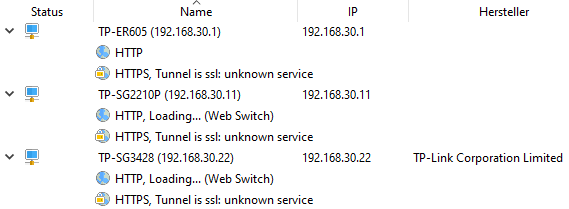
but now i see the Login Page is also reachable from another IP 192.168.30.22.


The given IP address is not listed in OMADA UI you can check with ip scanner


Omada create for all VLAN's separate IP for the switches.

Is this necessary for internal use?
 

ER605 v2.0 OC200 V1 TL-SG3428 v2.0 TL-SG2210P v5.20 TL-SG105E v5 EAP245(EU) v4.0 (1x) EAP653(EU) v1.0 (3x) Modem - Fritz!Box 7490 (DSL 100 / DS Lite tunnel)
  0      
  0      
#1
Options
1 Accepted Solution
Re:Block Switch Login Page need to do on 2 Networks?-Solution
2025-04-30 23:09:43 - last edited 2025-05-06 07:44:43

  @nurix 


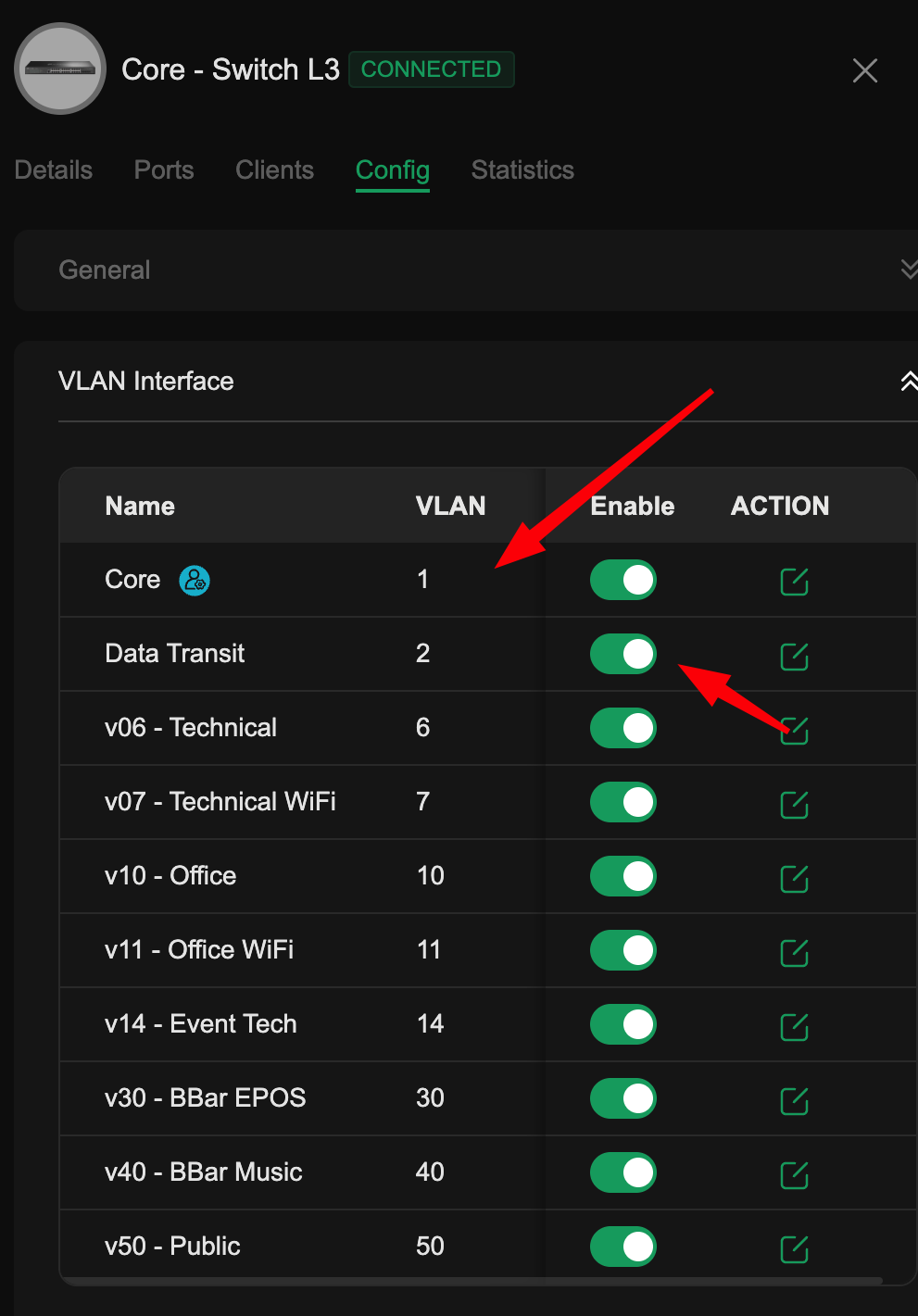
Switches will only have IP addresses on the management VLAN, and any other vlan you have defined a virtual interface for


Top arrow is my management interface (natural switch IP as shown in device list)

Second arrow is virtual interfaces I have enabled which also give them an IP in that vlan


you dont need to enable any vlan interfaces if you are not using the switch as either gateway or DHCP server for that vlan.


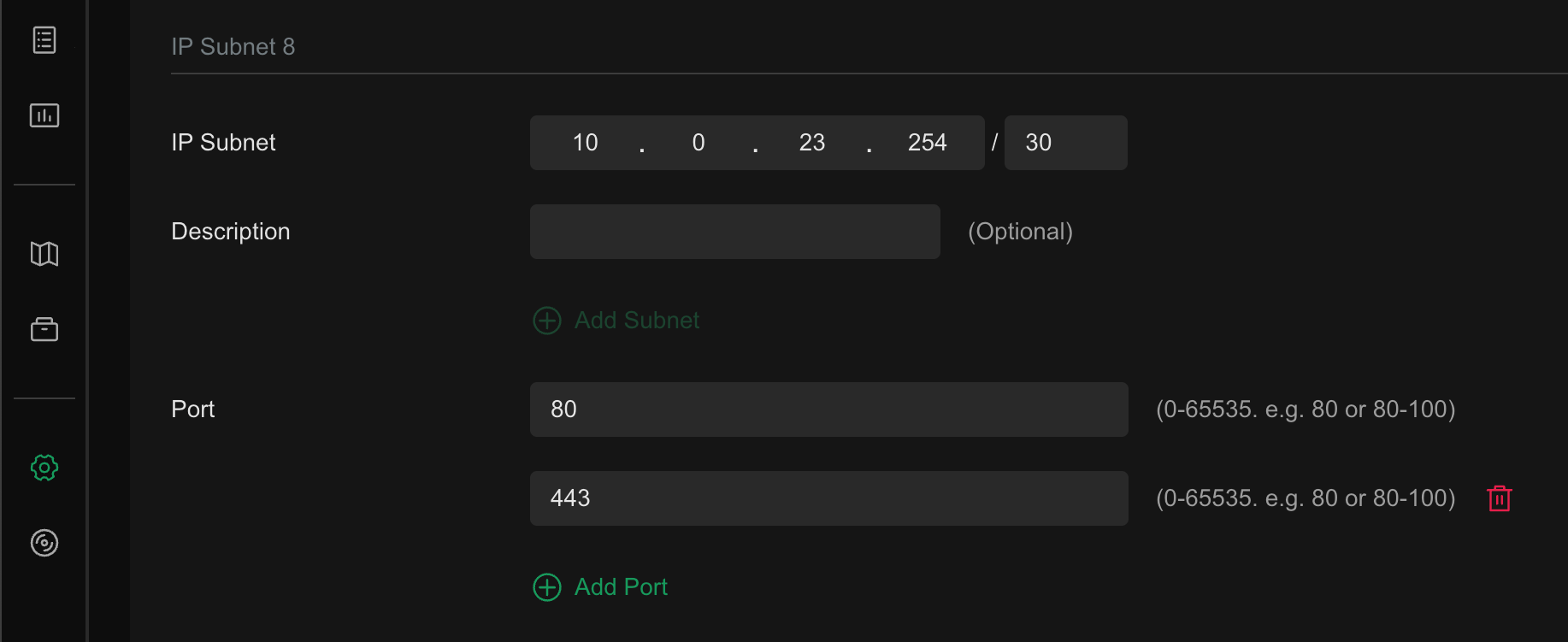
As to the second part of your question, if you want to block switch GUI access, even the screen that says "this switch is managed by omada", you need to create an IP-Port Group

Add the IPs of the switch interfaces

Add the ports 80,443


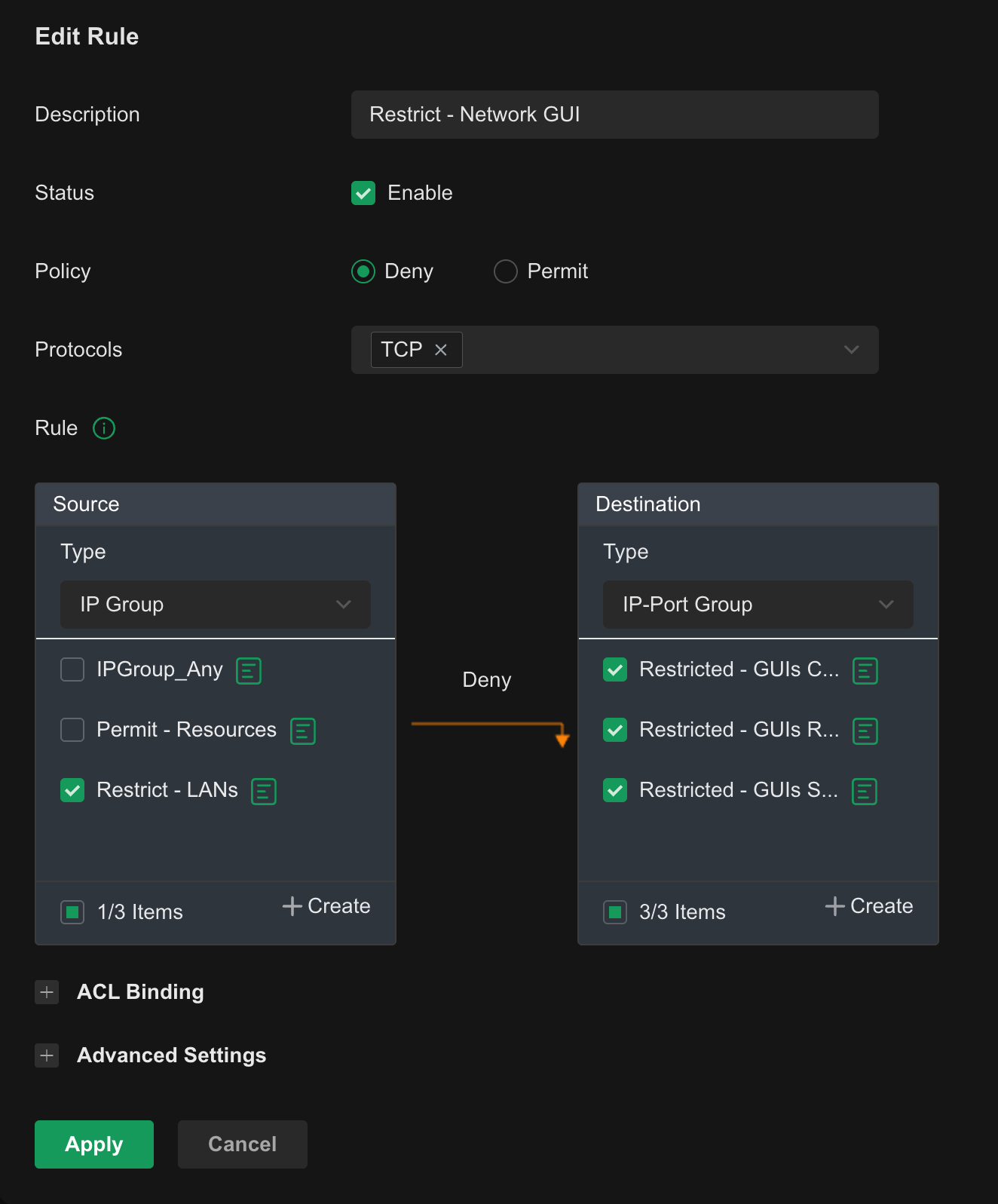
Then create a switch ACL blocking either networks, or an IP group you specify to that IP-port-group, TCP protocol only


****** DO NOT BLOCK YOUR MANAGEMENT VLAN TO THE SWITCH GUI ******

Recommended Solution
  0  
  0  
#2
Options
1 Reply
Re:Block Switch Login Page need to do on 2 Networks?-Solution
2025-04-30 23:09:43 - last edited 2025-05-06 07:44:43

  @nurix 


Switches will only have IP addresses on the management VLAN, and any other vlan you have defined a virtual interface for


Top arrow is my management interface (natural switch IP as shown in device list)

Second arrow is virtual interfaces I have enabled which also give them an IP in that vlan


you dont need to enable any vlan interfaces if you are not using the switch as either gateway or DHCP server for that vlan.


As to the second part of your question, if you want to block switch GUI access, even the screen that says "this switch is managed by omada", you need to create an IP-Port Group

Add the IPs of the switch interfaces

Add the ports 80,443


Then create a switch ACL blocking either networks, or an IP group you specify to that IP-port-group, TCP protocol only


****** DO NOT BLOCK YOUR MANAGEMENT VLAN TO THE SWITCH GUI ******

Recommended Solution
  0  
  0  
#2
Options