
Omada switches spamming DNS requests
Omada switches spamming DNS requests

Hello,
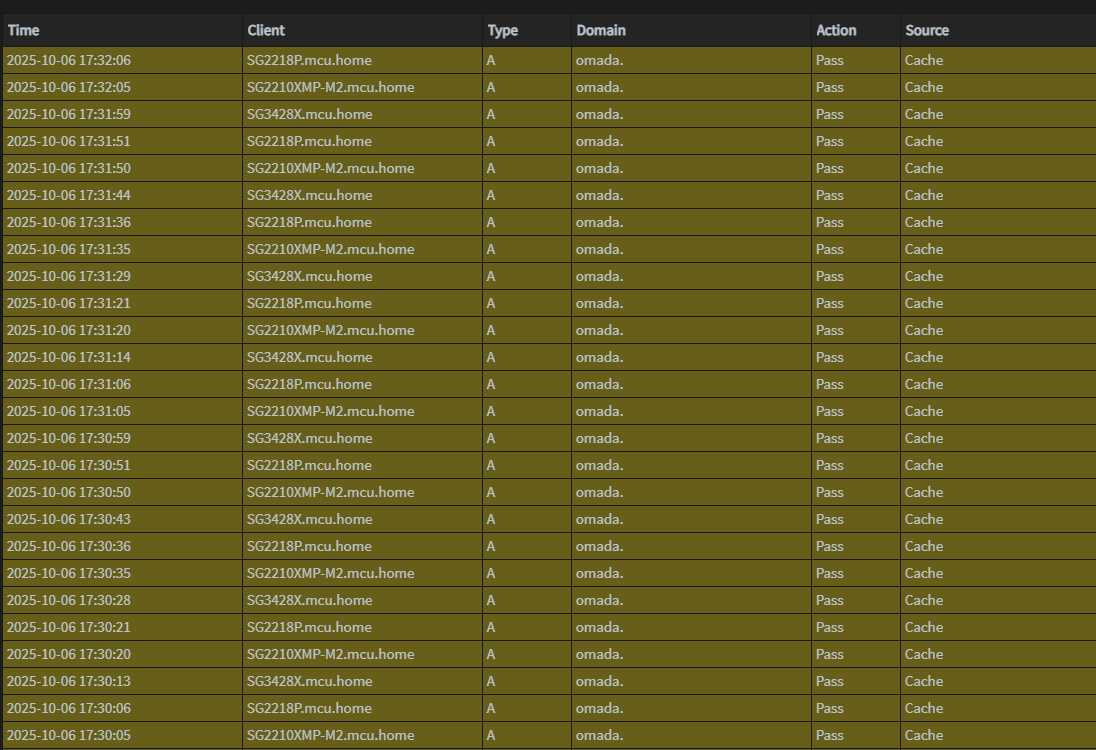
This applies to all my Omada switches. Every 15 seconds, each switch sends out a DNS request to omada. It fills up my logs with unnecessary requests. I run my switches as standalone and I assume this has something to do with a controller. Am I missing a setting on how to stop this? Thanks
- Copy Link
- Subscribe
- Bookmark
- Report Inappropriate Content


@smithj33 @ishanjain28
It's actually implemented for some devices in the next release; if your devices have pre-release firmware available, look for the "Remote Adoption" feature.
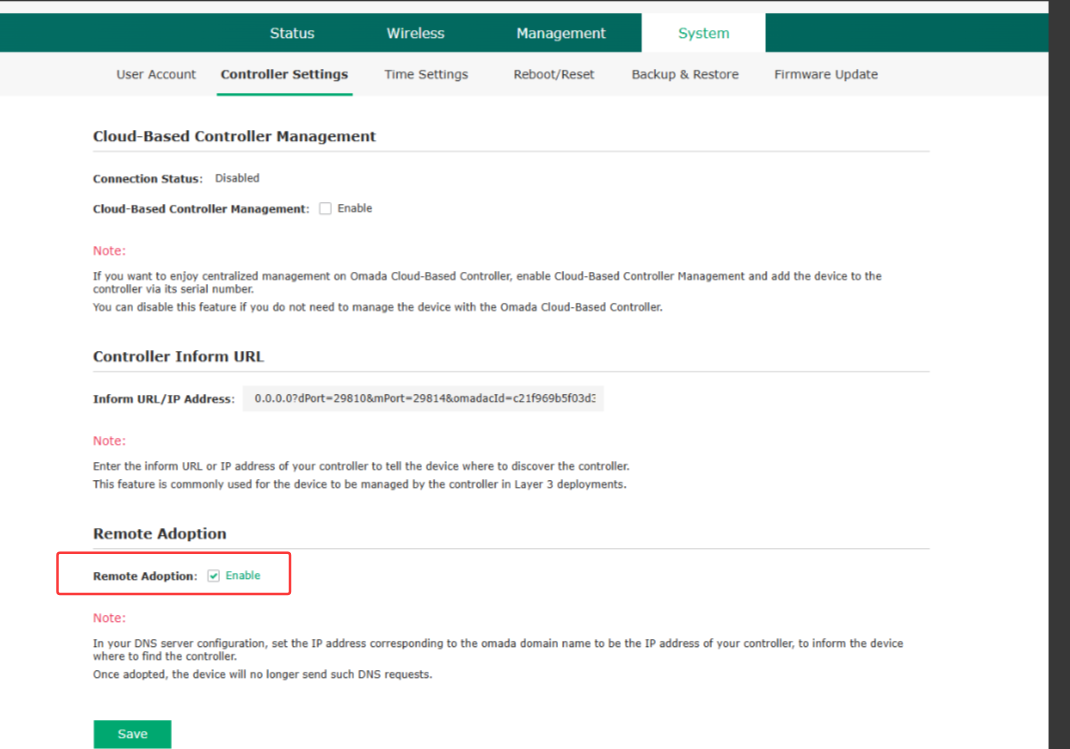
Unchecking that box will stop the DNS requests. As for when it is slated for official release, unfortunately, I have no news on that.
- Copy Link
- Report Inappropriate Content
@smithj33 Is Cloud-Based Controller Management Enabled? That would be in System -> Controller Settings on the SG2008P, for example.
That would be the first place I'd check.
- Copy Link
- Report Inappropriate Content
@NeilR_M Yeah that was the first place I looked. I found a post on Reddit that seems to indicate TP-Link is aware of it and it is related to controller discovery. Seems firmware engineers forgot to disable controller discovery in standalone mode. I hope it gets fixed because it's kind of ridiculous and is an easy fix.
- Copy Link
- Report Inappropriate Content

You can disable it via the CLI using the command no omada discover.
- Copy Link
- Report Inappropriate Content
@Ethan-TP I was really hoping that would work, but it didn't. The command is actually, "no controller discover", but after changing it, saving the config and rebooting the switch, all 3 of my switches are still sending out the requests every 15 seconds. Thanks for the suggestion though. If you find out anything else, please let me know.
- Copy Link
- Report Inappropriate Content
Currently, the feature deactivation may not be fully implemented. We will completely disable this DNS request in the future. The project is already in our planned roadmap, but the exact timeline for implementation is still unknown.
- Copy Link
- Report Inappropriate Content
@Ethan-TP Thank you!
- Copy Link
- Report Inappropriate Content

@Ethan-TP Any updates on this issue? I have ten (10) EAP-610s, upgraded one to 1.6.0 firmware, and it's still sending 'omada' DNS queries every 15 seconds. Are there workarounds besides blocking the requests?
-Greg
- Copy Link
- Report Inappropriate Content
No changes or workarounds. What's frustrating is that this is an easy fix with a check box. I'm sure being on the verge of being banned in the US has them busy though.
- Copy Link
- Report Inappropriate Content
@smithj33 I installed the Omada Controller locally in a Proxmox Linux container, adopted all the APs and the 'omada' DNS queries went away. FYI.
- Copy Link
- Report Inappropriate Content
@boudin Good you got yours fixed. What's interesting is my APs have never sent those requests, using docker or bare metal controller, but all my switches do. I don't use the controller for my switches, only the APs. TP-Link forgot to turn off discovery when you disable controller support.
- Copy Link
- Report Inappropriate Content
Information
Helpful: 0
Views: 2040
Replies: 14
Voters 0
No one has voted for it yet.