there are no markers of motion detection after firmware upgrade to 1.4.3 Build 241121 Rel. 34128n

there are no markers of motion detection after firmware upgrade to 1.4.3 Build 241121 Rel. 34128n

there are no markers of motion detection after firmware upgrade to 1.4.3 Build 241121 Rel. 34128n
a week ago
Model: VIGI NVR1008H-8P  
Hardware Version: V1
Firmware Version: 1.4.3 Build 241121 Rel. 34128n

Hi,


there are no markers of motion detection after firmware upgrade to 1.4.3 Build 241121 Rel. 34128n.

Upgrade was made on December 27th 2025.

Markers are still visible for events prior to the upgrade.

There are four cameras VIGI C240 with motion detection enabled.

  0      
  0      
#1
Options
3 Reply
Re:there are no markers of motion detection after firmware upgrade to 1.4.3 Build 241121 Rel. 34128n
Monday

Hi  @Marko64 


Thanks for posting here.

To understand the situation better, please share the following info:

1. How did you manage the devices? Via the VIGI APP, the web browser, or the VMS platform?

2. Please share with us some screenshots.

3. Does this occur on all management interfaces?

  0  
  0  
#2
Options
Re:there are no markers of motion detection after firmware upgrade to 1.4.3 Build 241121 Rel. 34128n
Tuesday

  @Vincent-TP 


Hi,
 
Thanks for quick replay.
I am using VIGI APP on Android as my dother and her boyfriend on Apple phones.
We all have the same issues.
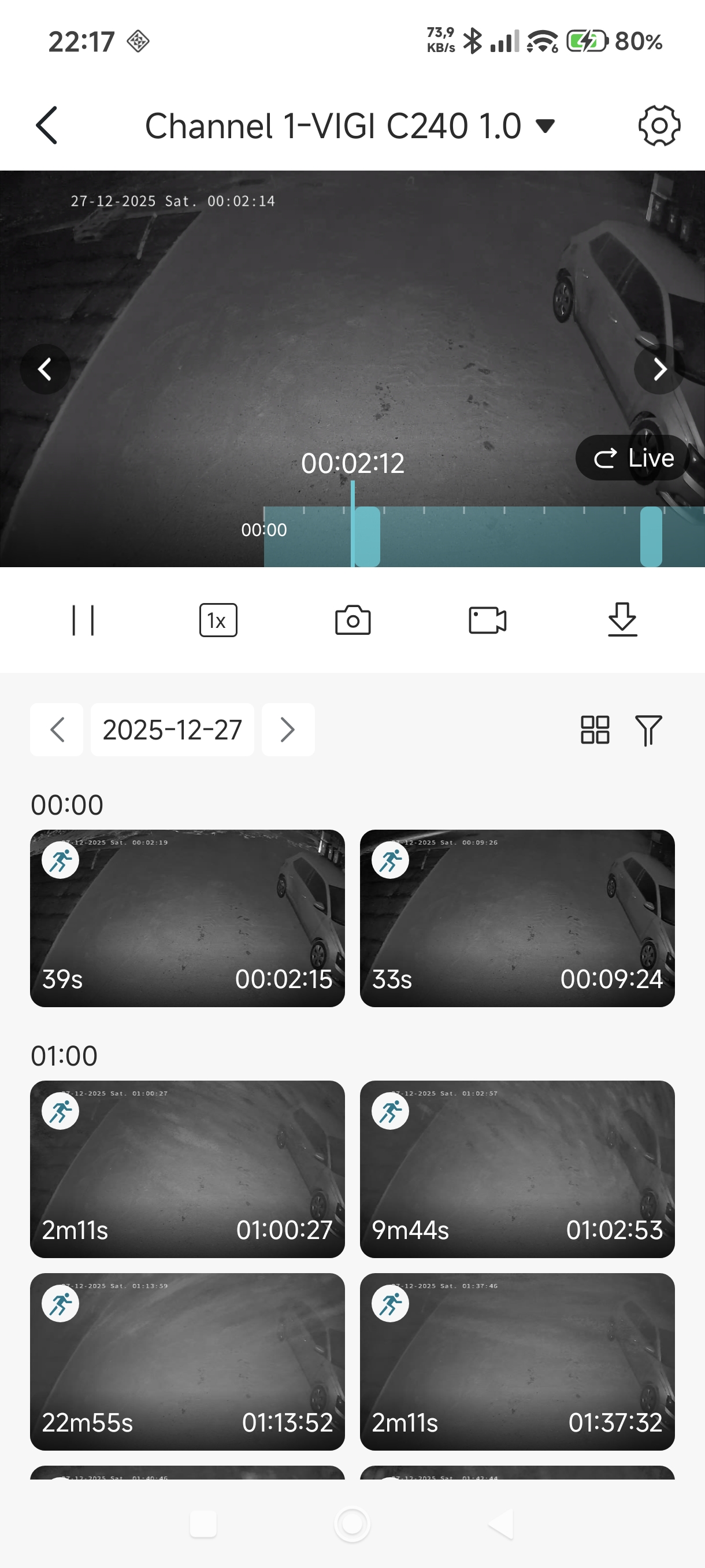
As you can see on photos there are light green markers and there are some pictures related to this markers below.
Picture 1
 
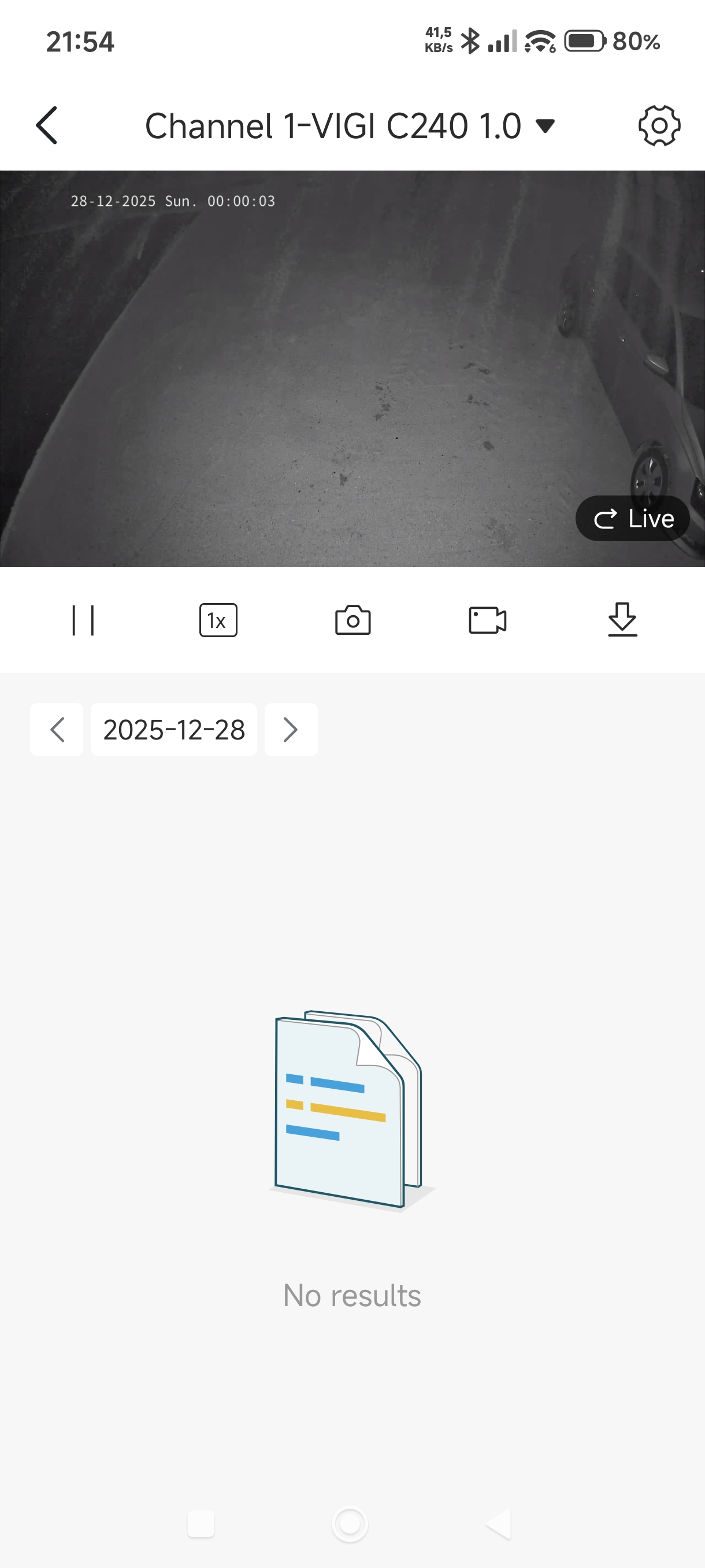
A day later after the update there are no markings and related photos.
Picture 2
 
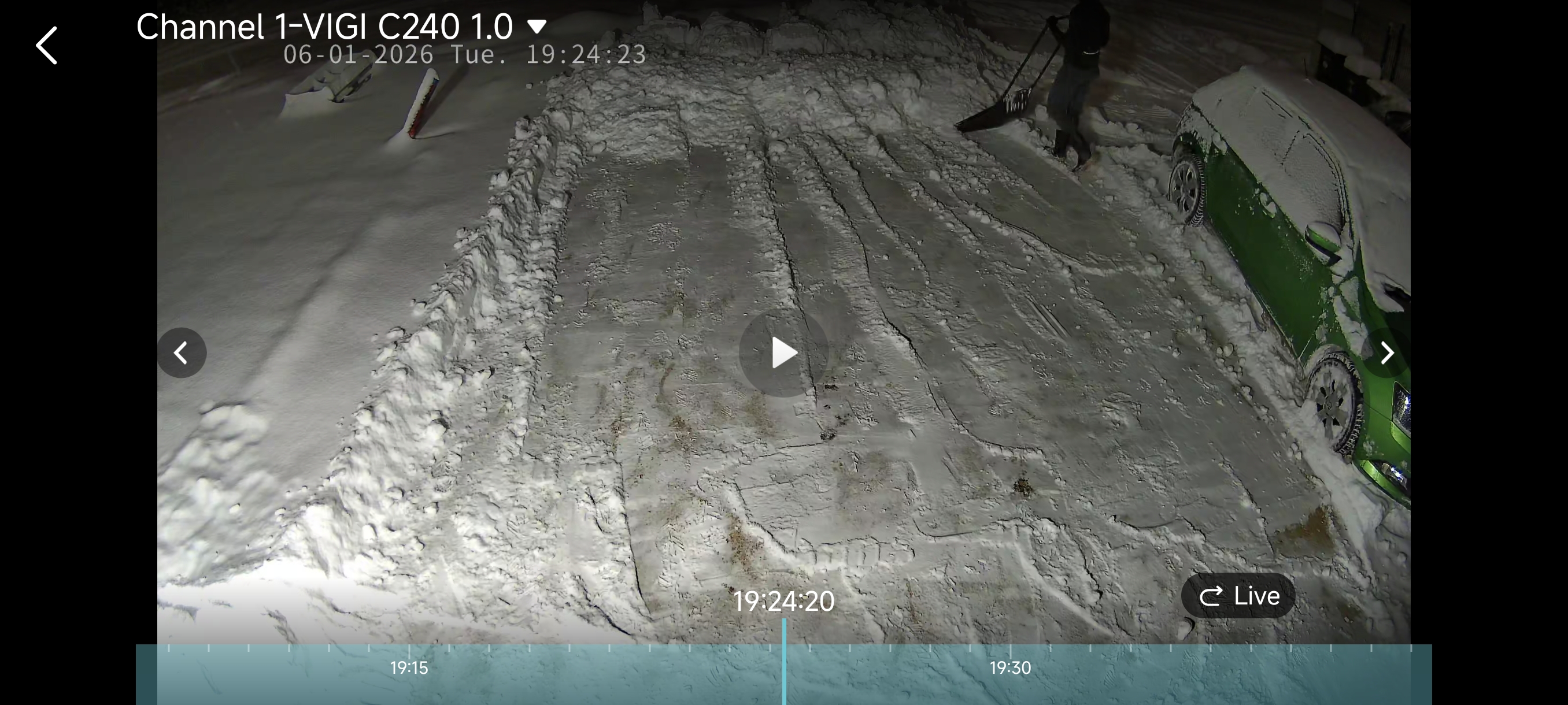
This is the current state - there was a movement without marker.
Picture 3
 
I tried with NVR restart and with restart of this camera but no luck.
Motion detection is turned on all cameras.
 
Best regards
Marko
  0  
  0  
#3
Options
Re:there are no markers of motion detection after firmware upgrade to 1.4.3 Build 241121 Rel. 34128n
Wednesday

  @Marko64 


Thank you so much for taking the time to post the issue on the TP-Link community!
To better assist you, I've created a support ticket via your registered email address and escalated it to our support engineer to look into the issue. The ticket ID is TKID260111648. Please check your email box and ensure the support email is well received. Thanks!
Once the issue is addressed or resolved, please update this topic thread with your solution to help others who may encounter the same problem as you did.
Many thanks for your excellent cooperation and patience!

  0  
  0  
#4
Options