
Enable permanent EAP787 LED on with color and/or flashing frequency change for status change
Enable permanent EAP787 LED on with color and/or flashing frequency change for status change

My Ubiquiti UniFi UAP-AC-HD has an LED with different colors flashing frequencies. This makes it easy to determine the AP's status at a glance. OTOH, the EAP787's LED lights up only on initial boot and then turns off afterwards. This happens even when the site LED setting is set to On. As a result, the only way to determine the status of an EAP787 is to login to Omada Controller or directly into the AP, which is a PITA.
Can we get proper LED status functionality?
- Copy Link
- Subscribe
- Bookmark
- Report Inappropriate Content


Hi @jdrch
Thanks for posting here.
Below is the meaning of the LED status.
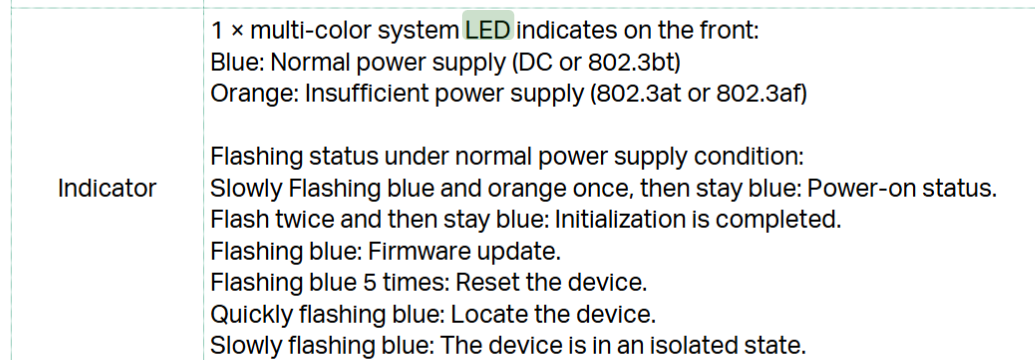
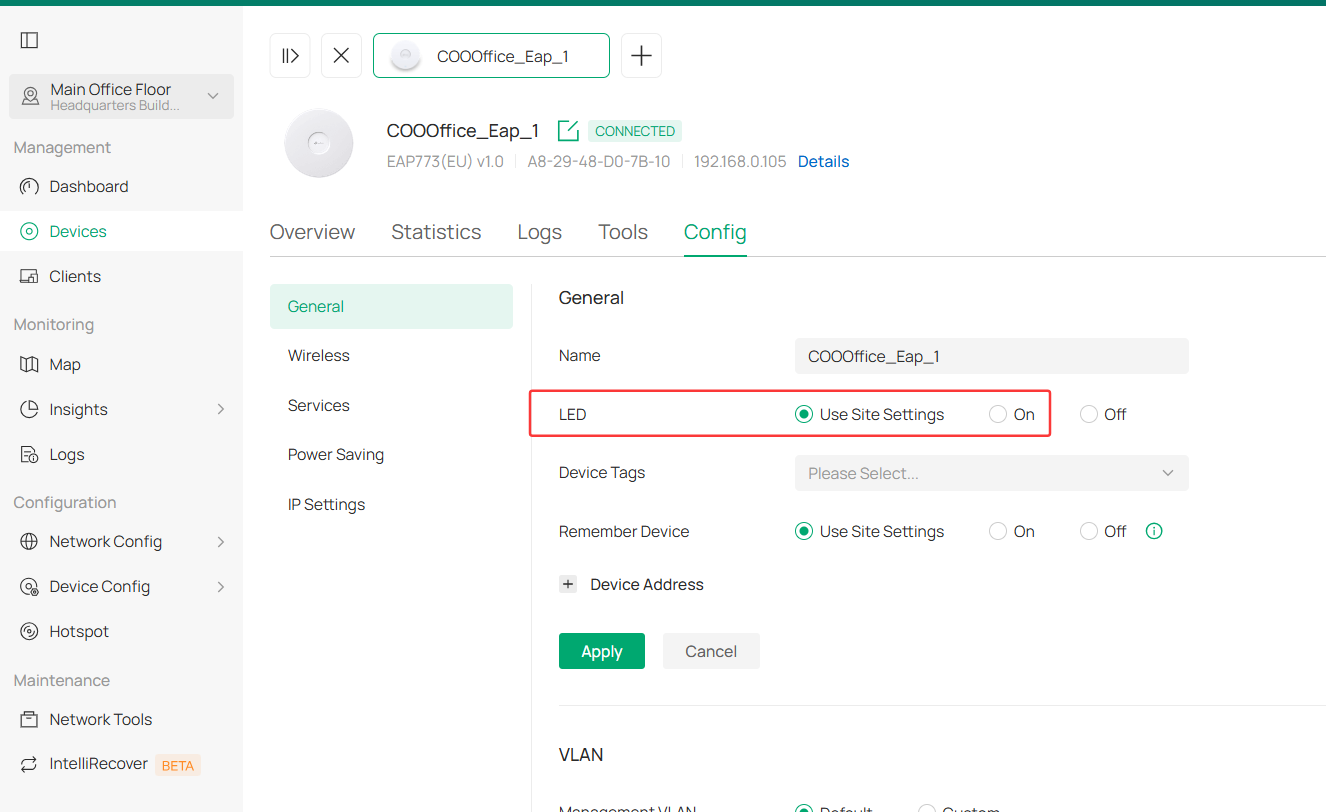
As for the LED off situation, please go to the EAP's config page, and make sure it's not configured as Off.
- Copy Link
- Report Inappropriate Content
@Vincent-TP Good question about the POE budget. I checked and it turns out the EAP787 is a PoE++ device while the switch it's connected to is PoE+. The switch claims to be able to provide 30W/port, but the specs sheet says even at that level it delivers a max of 25.5 W to the device. This is less than the 29W in the EAP787's specs.
I've ordered a PoE++ switch to see if that makes a difference. Thanks!
UPDATES
2026-01-24
I replaced the previous switch with an Ubiquiti UniFi Pro Max 16 POE++ switch and now the LED is lit all the time as it should be. Thanks!
- Copy Link
- Report Inappropriate Content
Hi @jdrch
Thanks for posting here.
Below is the meaning of the LED status.
As for the LED off situation, please go to the EAP's config page, and make sure it's not configured as Off.
- Copy Link
- Report Inappropriate Content
@Vincent-TP Hi, thanks for replying!
I've always had the LED set to On:
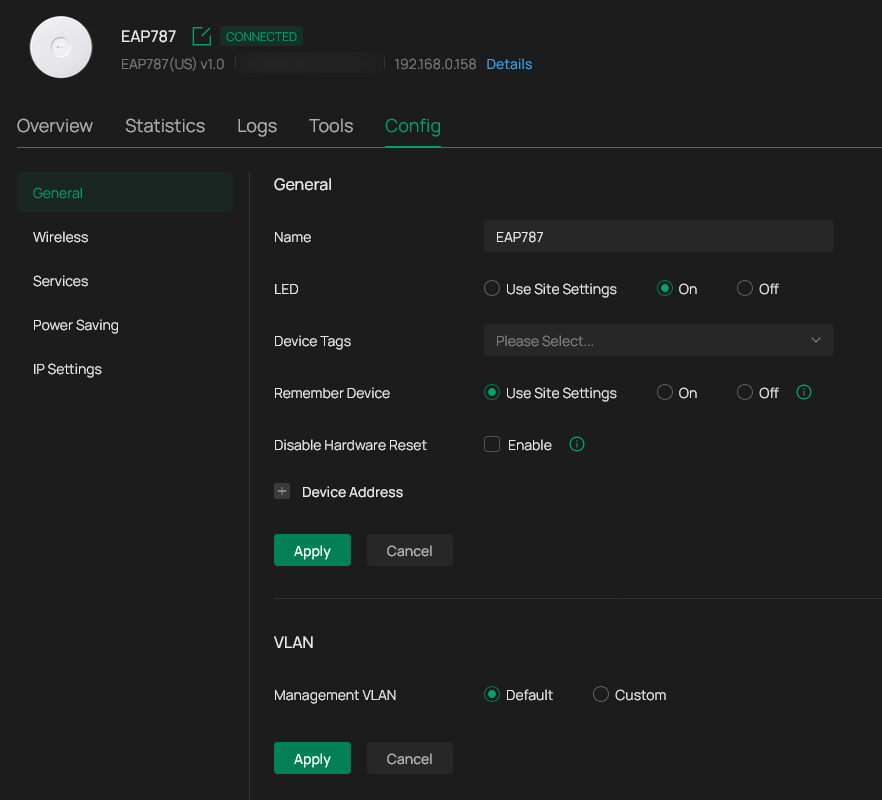
However, the EAP787 has no visible LED at all nonetheless.
- Copy Link
- Report Inappropriate Content
Hi @jdrch
Thanks for the reply.
That's weird. How many EAP units do you have in total? Are they all off?
Is the Internet working correctly?
If convenient, would you please share a picture showing the LED status?
- Copy Link
- Report Inappropriate Content
@Vincent-TP the only EAP I have is the one in the screenshot. It's on and operating. I'll take a pic and upload it later.
- Copy Link
- Report Inappropriate Content
- Copy Link
- Report Inappropriate Content
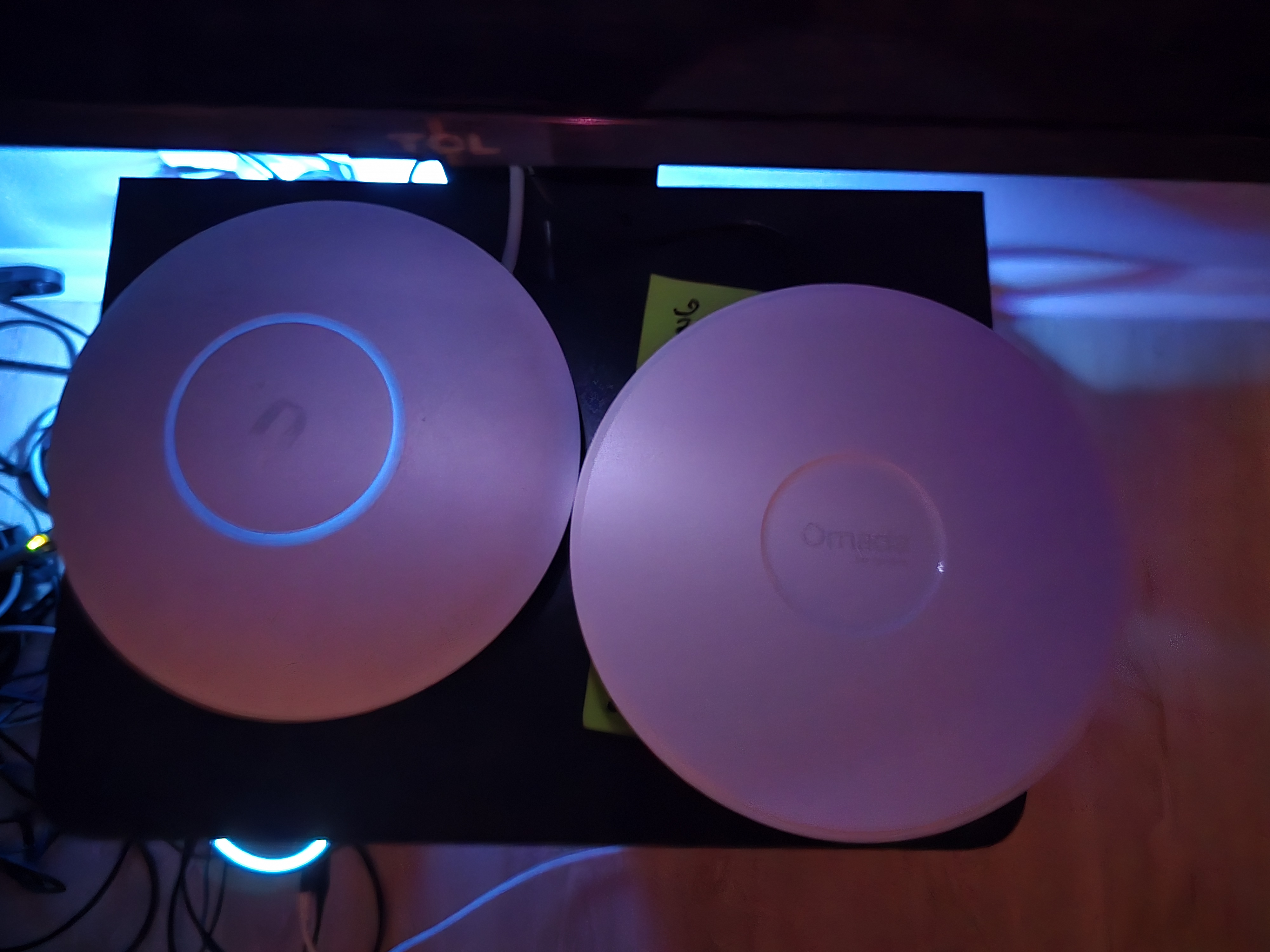
@Vincent-TP Here's the picture you requested, showing the EAP787 beside the UniFi UAP-AC-HD. As you can see, the UniFi AP's LED is on, while the EAP's isn't:
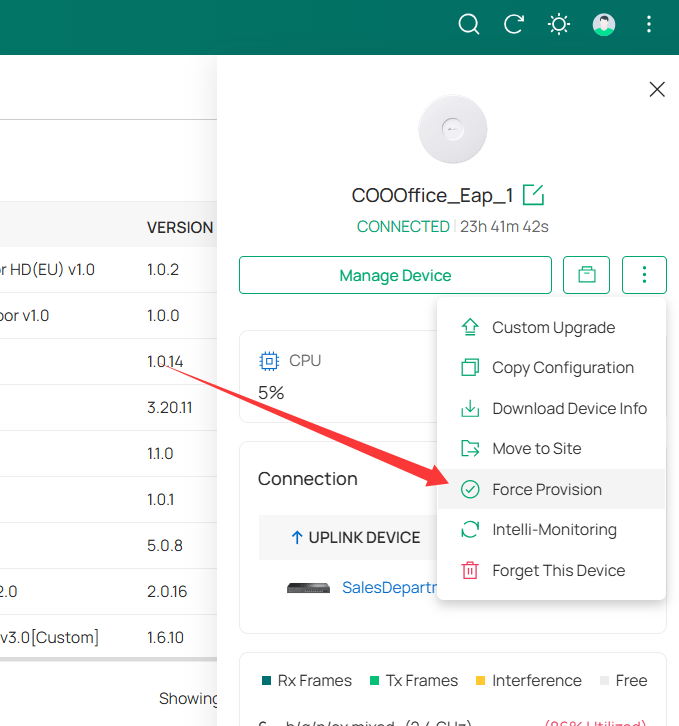
I'm very hesitant to Force Provision the EAP as I've already had to adopt it twice. The 1st time was during initial setup, the 2nd was last week when it got stuck in Adopting mode after I converted Omada Controller to run as a service on Windows.
The EAP is powered by a POE switch.
- Copy Link
- Report Inappropriate Content
Hi @jdrch
Thanks for the picture.
Under normal circumstances, a force provision typically does not cause any issues. During this process, the EAP will briefly restart and lose connectivity, as the controller pushes the configuration again.
I think you should try this during a period of low network usage. Additionally, please let me know the model of the PoE switch. Is it a TP-LINK model?
- Copy Link
- Report Inappropriate Content
@Vincent-TP the POE switch is a NETGEAR GS316PP.
- Copy Link
- Report Inappropriate Content
Thanks for the info.
Is the switch's POE budget sufficient?
An LED that is lit up is a fundamental feature for an EAP. It is likely a hardware issue with the EAP's LED.
You may contact your retailer to check the EAP's warranty.
Before doing so, it is advised to reset the EAP and run it in standalone mode to check whether the LED lights up. This step is to rule out any improper configurations in the controller.
- Copy Link
- Report Inappropriate Content
@Vincent-TP Good question about the POE budget. I checked and it turns out the EAP787 is a PoE++ device while the switch it's connected to is PoE+. The switch claims to be able to provide 30W/port, but the specs sheet says even at that level it delivers a max of 25.5 W to the device. This is less than the 29W in the EAP787's specs.
I've ordered a PoE++ switch to see if that makes a difference. Thanks!
UPDATES
2026-01-24
I replaced the previous switch with an Ubiquiti UniFi Pro Max 16 POE++ switch and now the LED is lit all the time as it should be. Thanks!
- Copy Link
- Report Inappropriate Content
Information
Helpful: 0
Views: 1310
Replies: 11
Voters 0
No one has voted for it yet.