CPE710 Fallover with Fibre connection

CPE710 Fallover with Fibre connection

CPE710 Fallover with Fibre connection
Monday - last edited Wednesday
Model: CPE710  
Hardware Version: V1
Firmware Version: 2.3.0 Build 20211216 Rel. 41372 (0000)

Hi sorry if this has been asked before but i could not find an exact answer,


I would like to request some technical assistance regarding a setup involving two CPE710 units—one in AP mode and one in Client mode. The wireless bridge currently works correctly, but I am trying to configure a failover solution.


Currently, my main connection is established via fiber through two switches. I would like the Client CPE710 (which is on the same subnet as the rest of my network) to provide access to my cameras and smart devices only if the fiber connection goes down.


The issue I am encountering is that if I connect the Client CPE710 to the Ethernet port​ of the switch while the fiber cable is still active​/connected to the same switch, I lose my connection entirely (yes i know). Essentially, I need the wireless connection to take over automatically if the fiber fails, without causing a conflict when both are physically connected.


Does this configuration seem possible, and ​if it is could you advise on how to achieve this​ please?


Cheers, Dave.

  0      
  0      
#1
Options
1 Accepted Solution
Re:CPE710 Fallover with Fibre connection-Solution
Wednesday - last edited Wednesday

Hi  @Vincent-TP 


Yes, SG2210XMP-M2 can do this.

Below is the guide:

How to configure STP/RSTP on L2 Managed switches using the new GUI


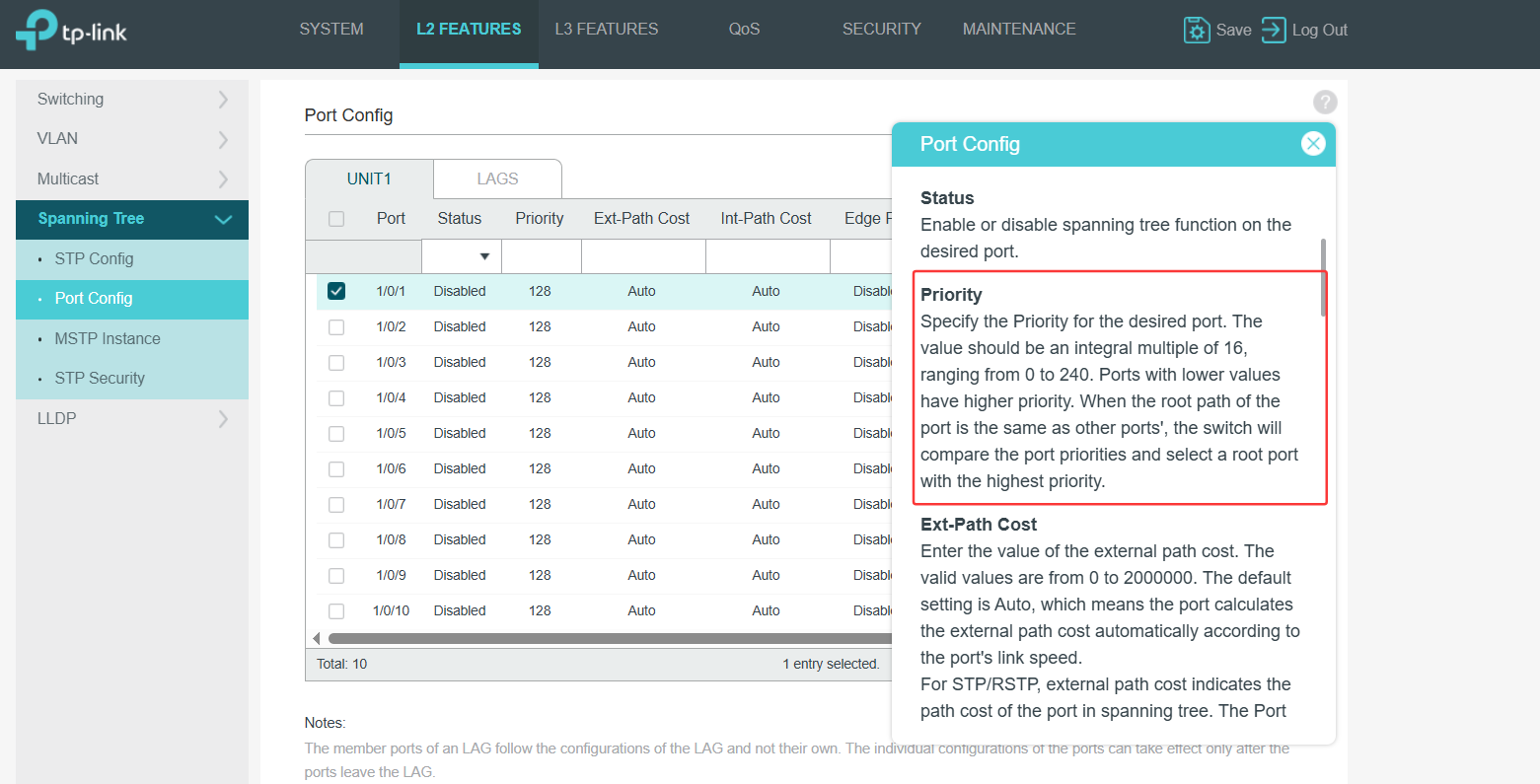
In step 2, you need to configure the Priority of the backup port to be bigger than the fiber port:


Recommended Solution
  1  
  1  
#6
Options
6 Reply
Re:CPE710 Fallover with Fibre connection
Tuesday - last edited Wednesday

Hi  @Nesswill 


Thanks for posting here.


The issue you encountered (a complete network outage when both wireless and fiber connections are linked to the same switch) is quite common.

The root cause is typically a network loop or routing conflict. This cannot be resolved solely through CPE or wireless settings; the core solution lies in the switch configuration.


While a CPE wireless bridge is effectively an Ethernet cable, connecting two “cables” (fiber and wireless) to the network simultaneously without causing conflicts requires the switch’s intelligent protocols (such as STP) or dedicated equipment to enable failover. Please prioritize seeking a solution at the switch level.

It is recommended that you contact your switch supplier’s technical support and tell them your topology and requirements (two uplinks: one fiber and one wireless bridge, requiring automatic failover). Ask them the following:

Does the switch model support RSTP or port failover functionality? How should it be configured to achieve the desired switching logic? This is the most direct and accurate path to a resolution.

In the meantime, check your existing equipment: Confirm whether the switch you are currently using is a managed switch. Unmanaged switches typically cannot achieve automatic failover.

  0  
  0  
#2
Options
Re:CPE710 Fallover with Fibre connection
Tuesday - last edited Tuesday

  @Vincent-TP 


Thank you my current switch does not support this but was looking at the SG2210XMP-M2 or SG3210XHP-M2 as i need POE and two fibre ports, any help or suggestions very appreciated.


Thank you, Dave.

  0  
  0  
#3
Options
Re:CPE710 Fallover with Fibre connection
Wednesday

@Vincent-TP 

Hi can you let me know if this switch SG2210XMP-M2 will give me what i need please?


Cheers, Dave.

  0  
  0  
#4
Options
Re:CPE710 Fallover with Fibre connection
Wednesday

  @Nesswill

Please allow me some time to confirm. thanks.

Nesswill wrote

@Vincent-TP 

Hi can you let me know if this switch SG2210XMP-M2 will give me what i need please?


Cheers, Dave.


  1  
  1  
#5
Options
Re:CPE710 Fallover with Fibre connection-Solution
Wednesday - last edited Wednesday

Hi  @Vincent-TP 


Yes, SG2210XMP-M2 can do this.

Below is the guide:

How to configure STP/RSTP on L2 Managed switches using the new GUI


In step 2, you need to configure the Priority of the backup port to be bigger than the fiber port:


Recommended Solution
  1  
  1  
#6
Options
Re:CPE710 Fallover with Fibre connection
Wednesday

  @Vincent-TP 


Fantastic - Thank you!


Dave.

  0  
  0  
#7
Options