
EAP610-Outdoor adopt problem

My controller OC0300 can´t adopt my EAP610. I can management EAP610 by web, cloud-based controller management is enabled
The EAP620 appears in the controller, but the adoption process fails when I try to adopt it.
- Copy Link
- Subscribe
- Bookmark
- Report Inappropriate Content


Hi @dwewq
Thanks for posting here.
What's the error message when it fails to adopt it?
You may refer to the following guide to do some troubleshooting:
What should I do when the Omada Controller (V4) fails to adopt the devices?
- Copy Link
- Report Inappropriate Content
Hi @dwewq
Thanks for posting here.
What's the error message when it fails to adopt it?
You may refer to the following guide to do some troubleshooting:
What should I do when the Omada Controller (V4) fails to adopt the devices?
- Copy Link
- Report Inappropriate Content
@Vincent-TP I got this message:
- Copy Link
- Report Inappropriate Content
Hi @dwewq
Thanks for the reply. They are compatible.
What's the firmware version of the OC300 and EAP?
According to the guide, 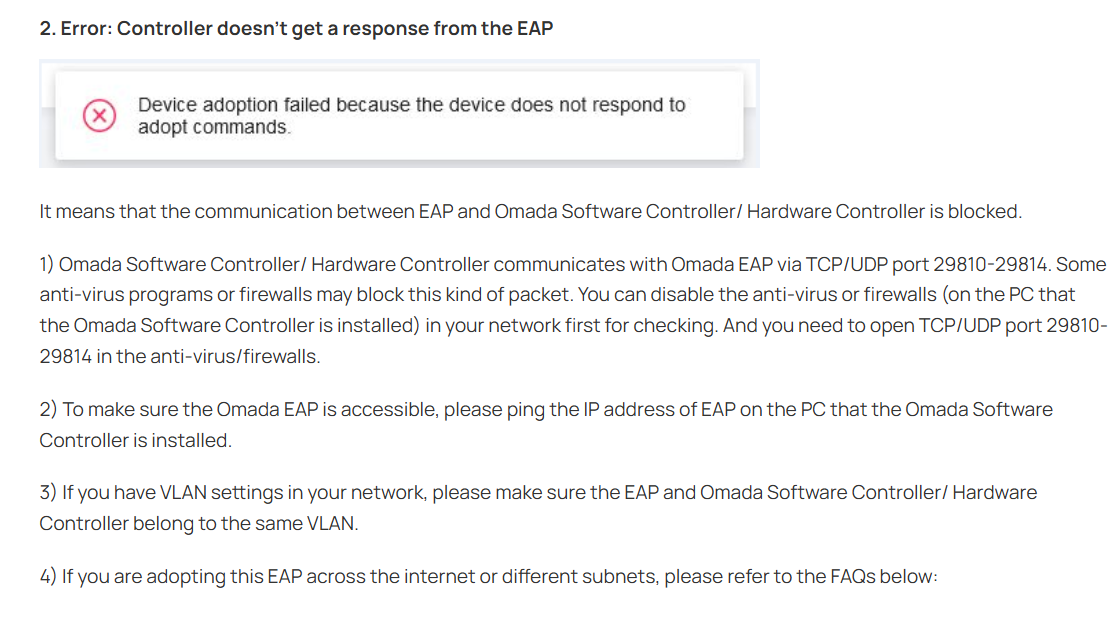
From a certain version, Omada Software Controller/ Hardware Controller communicates with Omada EAP via TCP/UDP port 29810-29817, 29815, 29816, and 29817 are newly added. Please make sure the ports are opened.
- Copy Link
- Report Inappropriate Content
Information
Helpful: 0
Views: 424
Replies: 3
Voters 0
No one has voted for it yet.