
ER605 VPN Gateway
ER605 VPN Gateway

So I have 100mb+ on the ethernet from my starlink going into my ER605 router on WAN1, but when I ran speed test on ports 2 to 5 all I get is a dreadful 40mb or less every time.
Am I missing something on the configuration? or is the ER605 not a gig switch capacable of passing such speed?
- Copy Link
- Subscribe
- Bookmark
- Report Inappropriate Content


Hi @B_Star
Thanks for the valuable reply.
Basically the VLAN configuration would not affect the bandwidth, but it still depends on your network environment.
If possible, you may try to restore the configuration and reset the ER605 to test speed again.
Or you may refer to this guide for more test and share us with the result: How to use Iperf to test the speed on TP-Link routers
- Copy Link
- Report Inappropriate Content
Hi @B_Star
Thanks for posting in our business forum.
May I ask the speed test screenshots from your modem and ER605 respectively?
Is your network connection like modem>ER605>clients? Is this a newly installed router or working fine before? What kind of cables did you use for test?
- Copy Link
- Report Inappropriate Content
Hello @Hank21,
Thanks for replying to my query.
here are the screenshots you requested.
Hello @Hank21,
Thanks for replying to my query.
here are the screenshots you requested.
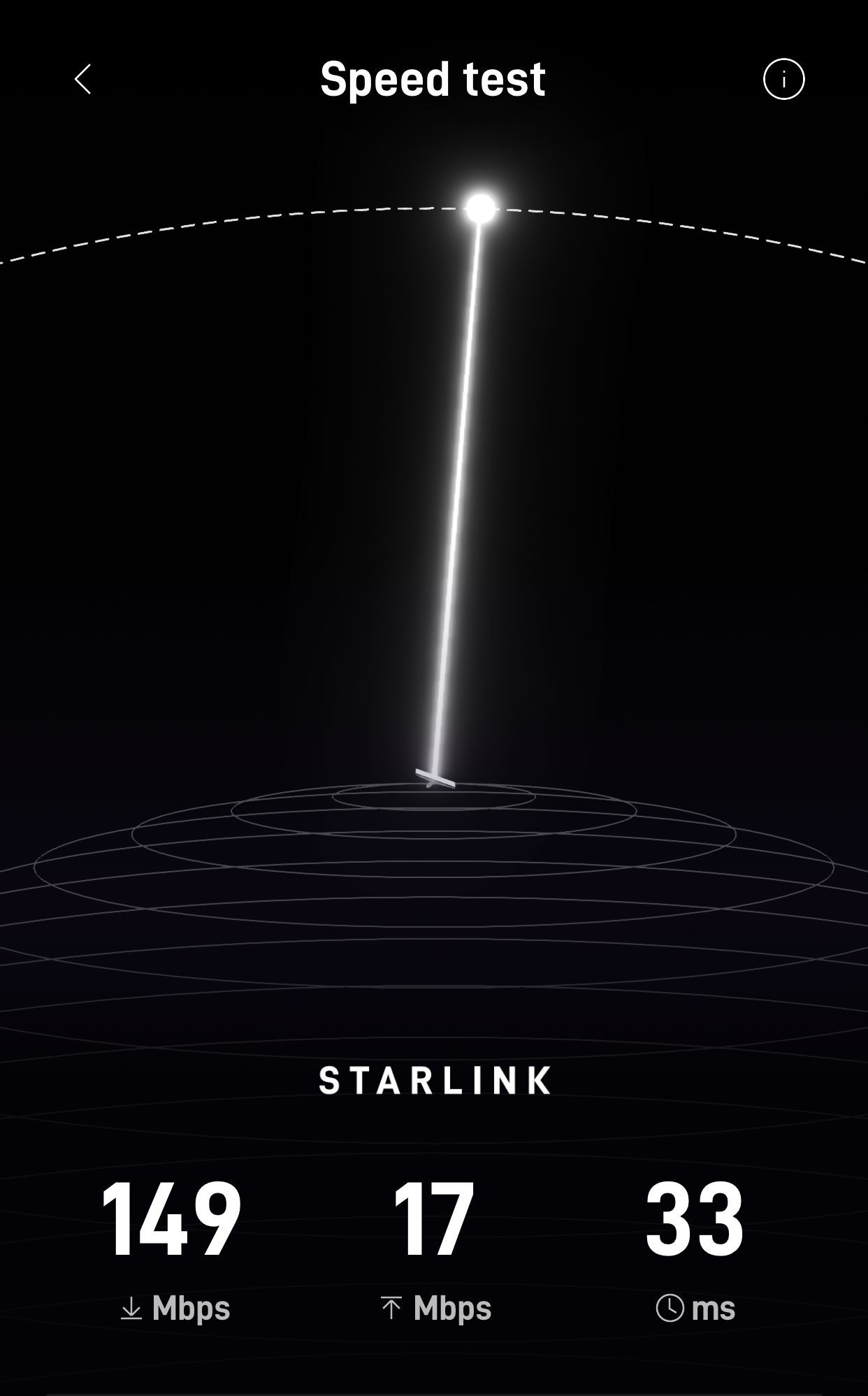
This is WiFi directly connected to the starlink mini dish itself, using starlink app on my phone to do the test.
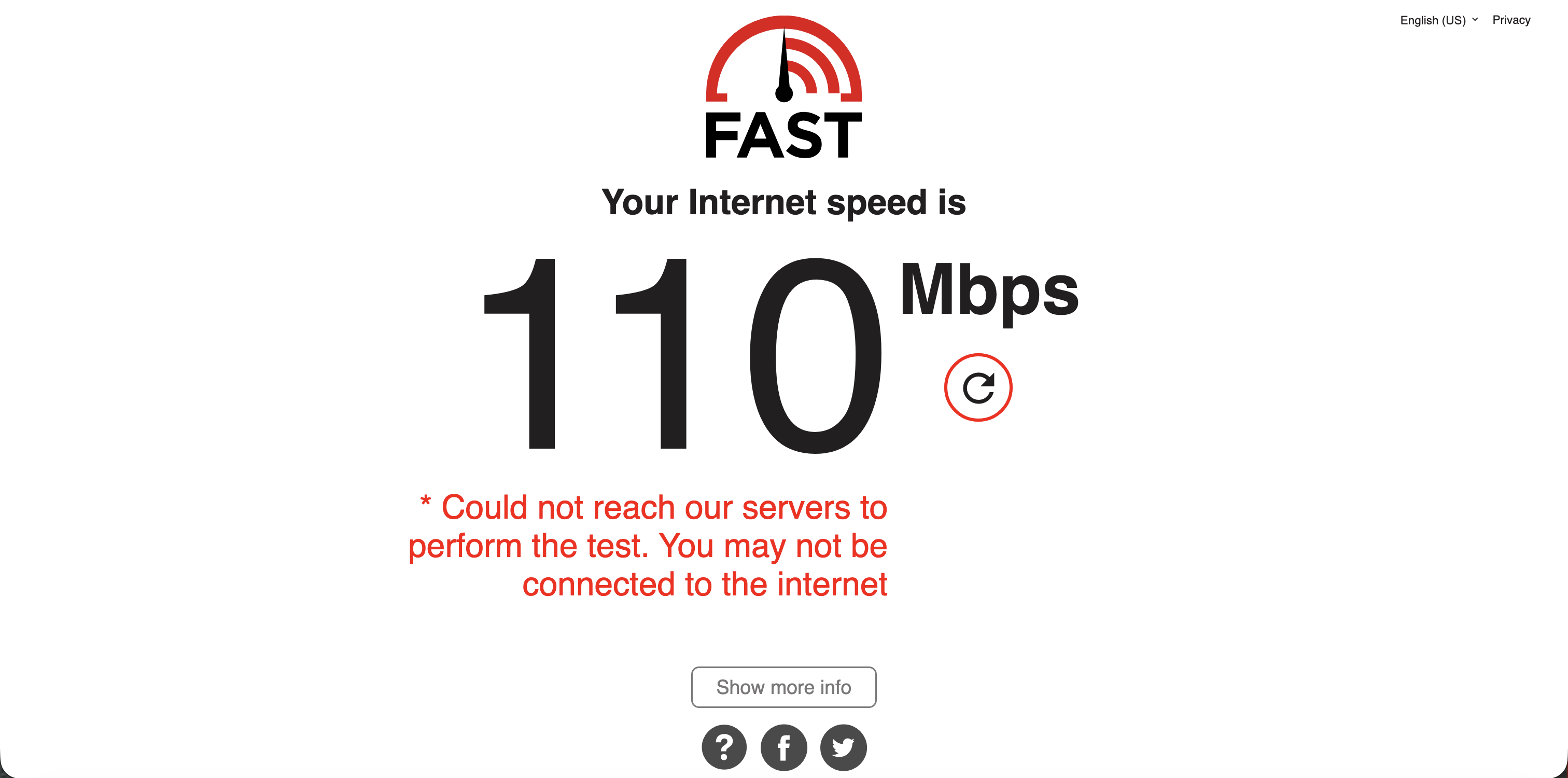
This is with the ethernet from the starlink directly connected to the M1 via USB-C to ethernet adapter. (Before going into ER605 WAN port)
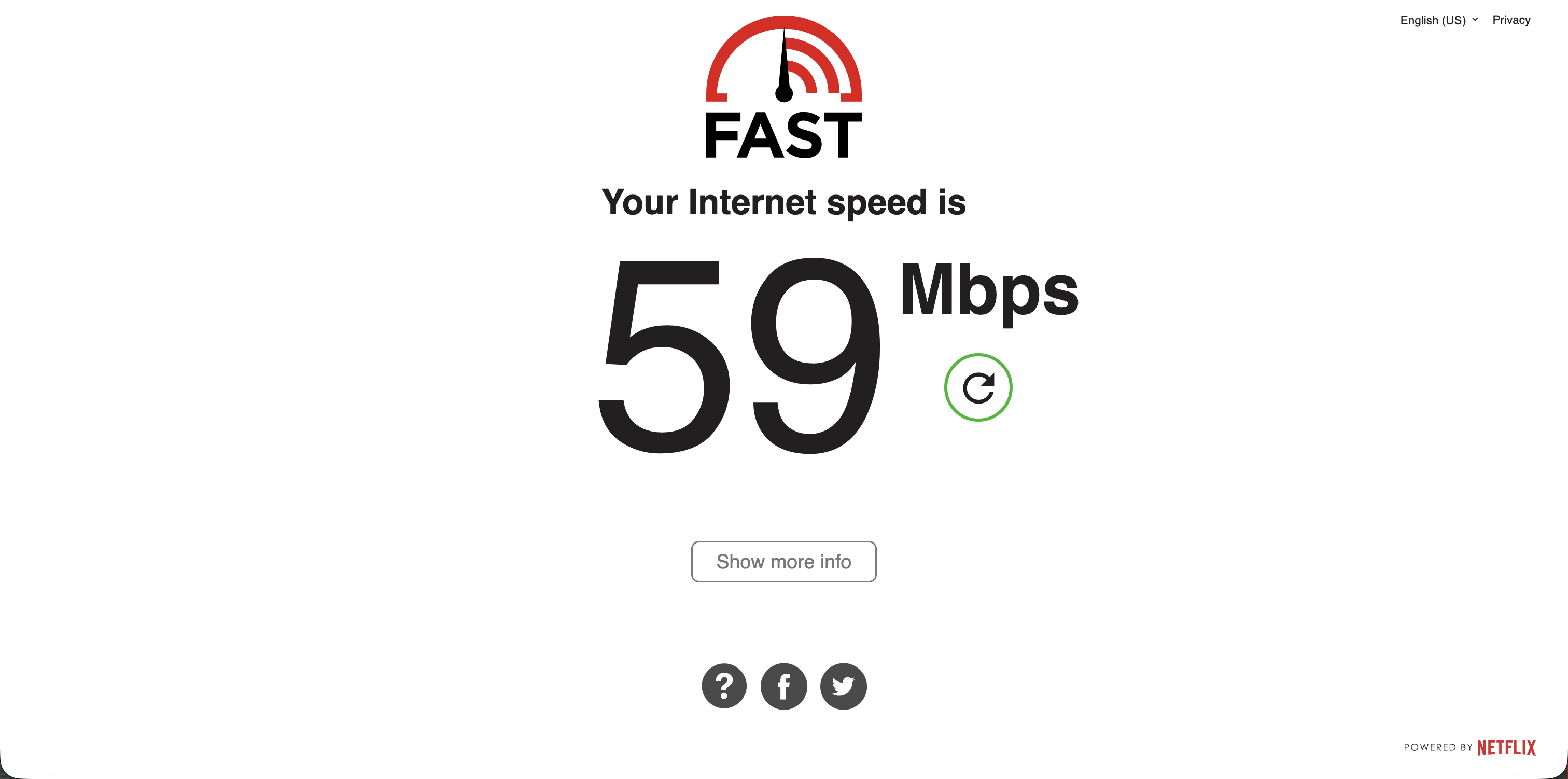
This is with the ethernet directly plugged into any LAN port on the ER605.
These are the results.
- Copy Link
- Report Inappropriate Content
Hi @B_Star
Thanks for the valuable reply.
May I know what is the hardware and firmware of your ER605 V2? You can find this on web page under Status>System Status.
Since it is mentioned that the WAN 1 is used to connect the Internet, you may try to change cables and different WAN ports.
If the firmware of your ER605 is not the latest, you can try to update the firmware with this link as well.
- Copy Link
- Report Inappropriate Content
@B_Star
The model is ER605 v2.20 (UN2.26 n the label) and the firmaware is 2.3.3 Build 20251029 Rel.18054
- Copy Link
- Report Inappropriate Content
- Copy Link
- Report Inappropriate Content
How much does VLANs affect bandwidth if at all? I have three VLANs on the router but all the traffic goes through the hotspot's VLAN.
- Copy Link
- Report Inappropriate Content
Hi @B_Star
Thanks for the valuable reply.
Basically the VLAN configuration would not affect the bandwidth, but it still depends on your network environment.
If possible, you may try to restore the configuration and reset the ER605 to test speed again.
Or you may refer to this guide for more test and share us with the result: How to use Iperf to test the speed on TP-Link routers
- Copy Link
- Report Inappropriate Content
@Hank21 Thanks you so much, I will try those suggestions.
- Copy Link
- Report Inappropriate Content
I'm still not having any luck with this and it's getting very frustrating when I get my clients calling to say the network is slow and I always confirm it it by doing a speed test on the network. But straight from the Starlink always give me 120mb down, sometimes even more but yet ER605 throttling my bandwidth. It's not helping business especially when this is were I make my living from.
The UI is the only thing that's preventing me from getting another ecosystem because I've trained my staffs on it it and they know their way around it and comfortable on using it.
- Copy Link
- Report Inappropriate Content

ER605 v2 is more than capable of handling a full 1 gig connection on its WAN, you need to start simple - just because a cable works well for one device does not mean its a good cable. Try a different cable, factory reset the ruter and do a basic config and start from there........something is causing the speed loss but you will need to narrow it down
- Copy Link
- Report Inappropriate Content
Information
Helpful: 0
Views: 1119
Replies: 14
Voters 0
No one has voted for it yet.