VIGI PC Client: Internet Server Error during Cloud Login and blocked

VIGI PC Client: Internet Server Error during Cloud Login and blocked

VIGI PC Client: Internet Server Error during Cloud Login and blocked
Monday - last edited Yesterday
Model: VIGI PC Client  
Hardware Version:
Firmware Version:


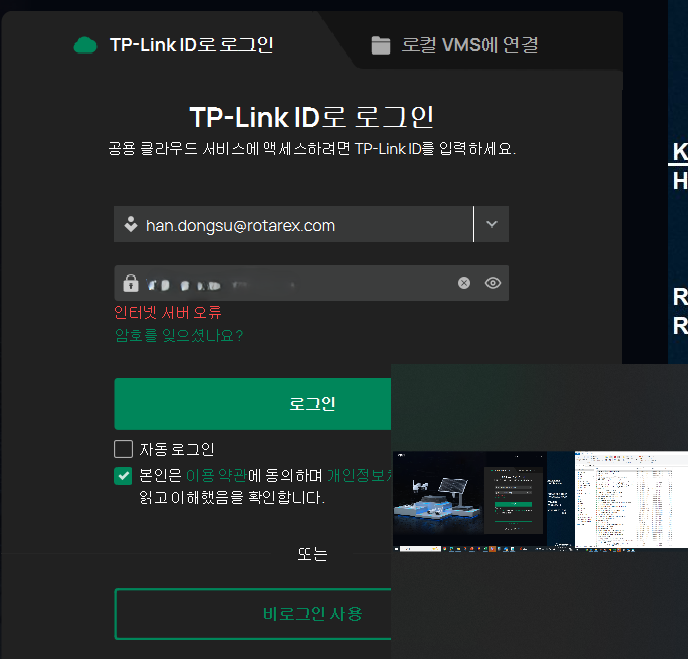
I am experiencing an issue where I cannot log into the Cloud Service on the VIGI PC Client. Every time I attempt to log in, I encounter an "Internet Server Error."

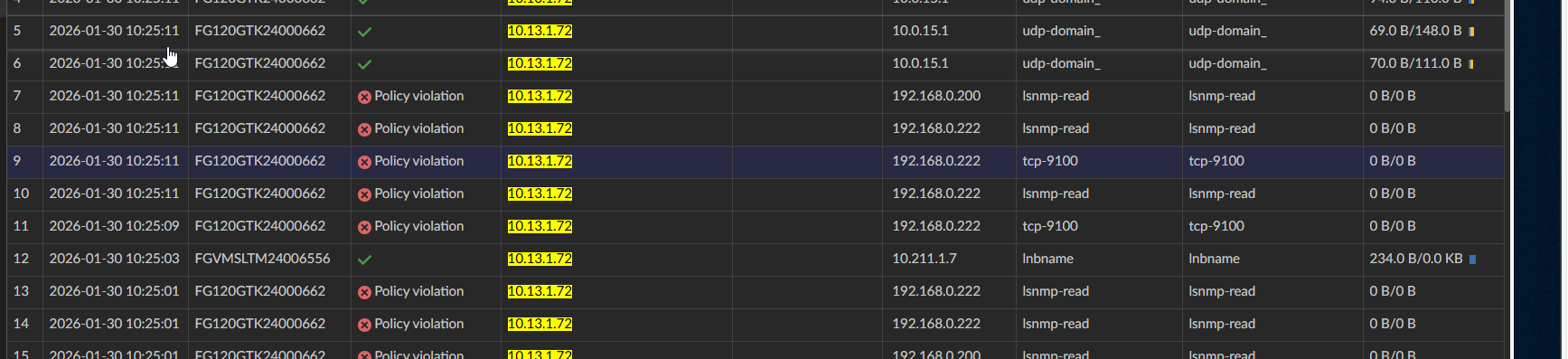
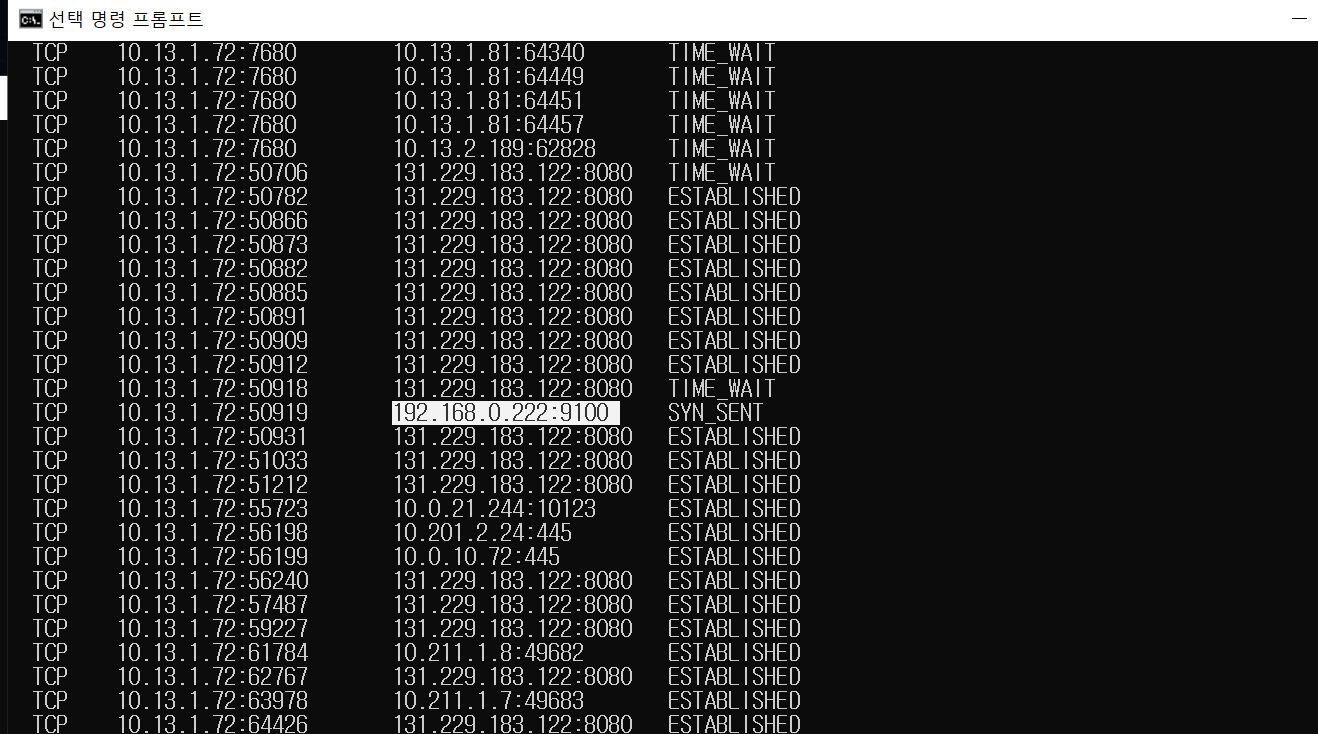
Upon investigating my firewall logs, I discovered that the VIGI PC Client is attempting to initiate TCP connections to private IP addresses (192.168.0.222 and 192.168.0.200), which are being blocked by my security policy.
 

I have a few questions regarding this behavior:

  1. Reason for Private IP Access: Why does the client attempt to connect to these specific private IPs during the cloud login process? Are these hardcoded discovery attempts, or is the client trying to sync with local NVR/cameras before completing the authentication?

  2. Resolution: How can I resolve the "Internet Server Error"? Do I need to explicitly allow these internal connections for the cloud login to succeed, even if I only intend to use cloud features?

  3. Configuration: If these IPs are cached from previous sessions, is there a way to clear this configuration or reset the client's network discovery settings?


Any insights or recommended firewall configurations to bypass this error would be greatly appreciated.

  0      
  0      
#1
Options
2 Reply
Re:VIGI PC Client: Internet Server Error during Cloud Login and blocked
Yesterday

Hi  @Ronnor 

Thanks for posting in our business forum.

Before answering your concerns, may I ask what is your network topology?

What devices belong to these two IP addresses 192.168.0.222 and 192.168.0.200?

When the issue occurs, is the Internet working fine on your other local devices?

Is it possible that you can provide us with a screenshot of the login page?


Best Regards! >> Omada EAP Firmware Trial Available Here << >> Get the Latest Omada SDN Controller Releases Here << *Try filtering posts on each forum by Label of [Early Access]*
  0  
  0  
#2
Options
Re:VIGI PC Client: Internet Server Error during Cloud Login and blocked
12 hours ago

  @Hank21 

 Hello Hank21
 

Here are the details:


1. Network Topology


Network Traffic Flow


Client → Core Switch (CICSO Meraki MS250-48FP-HW) → Web Proxy (Skyhigh Security) → Firewall (FortiGate 120G HA Cluster) → Internet


2. Device Information (192.168.0.222 & 192.168.0.200)
We don't use this segmentation, so we are not sure which device this IP address belongs to


3. Internet Status
When the issue occurs, the Internet on other local devices stays stable.


4. Screenshot
I have attached the login page screenshot as requested.

It is written in red letters as ‘Internet server error.’


  0  
  0  
#3
Options