
T1500G-10PS Cannot connect to Omana Cloud

Have a T1500G-10PS network switch that I am trying to add to Omana cloud controller. I have added 2 APs sucessfully but cannot get the switch to even connect. The status page on the switch reports as offline. I have tried with and without the Omada inform URL but the result is the same. Switch has internett access and can ping external servcers (tested Google and CloudFlare and both are working, also NTP is working). I have also tried with the IP address instead of the URL for the inform URL, but didnt make a difference.
- Copy Link
- Subscribe
- Bookmark
- Report Inappropriate Content


Hi @Matt102
Thanks for the valuable reply.
The web page means it can be connected to the Omada cloud-based Controller, while the status shows offline, so you may need to check the Internet of the switch firstly and try to add it via serial number or inform URL.
By the way, since the T1500G-10PS is an old model, and there are limited features you can use under Controller management, so we recommend that you can choose a new model in the compatibility list or use this device in standalone mode.
- Copy Link
- Report Inappropriate Content

Since I updated to Omada Controller 6 I have this alert. It seem's they don't want to support it anymore, but it's still working since it was already attached before updating to omada 6. If you still want to use it, you need to have Omada controller 5.x, add the switch and then update to 6.x
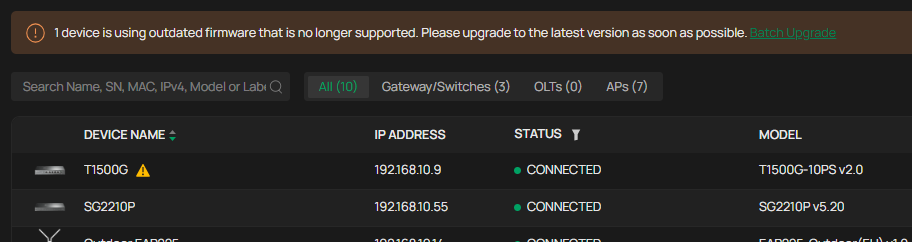
(the screenshot is Omada Controller 6.1 and there is no newer firmware for the switch)
- Copy Link
- Report Inappropriate Content
Hi @Matt102
Thanks for posting in our business forum.
The T1500G-10PS V2 is not compatible with the Omada cloud Controller so you cannot connect it to cloud.
For more information and compatible models, please check the following link:
- Copy Link
- Report Inappropriate Content
@Hank21 there is definatly some support on the switch:
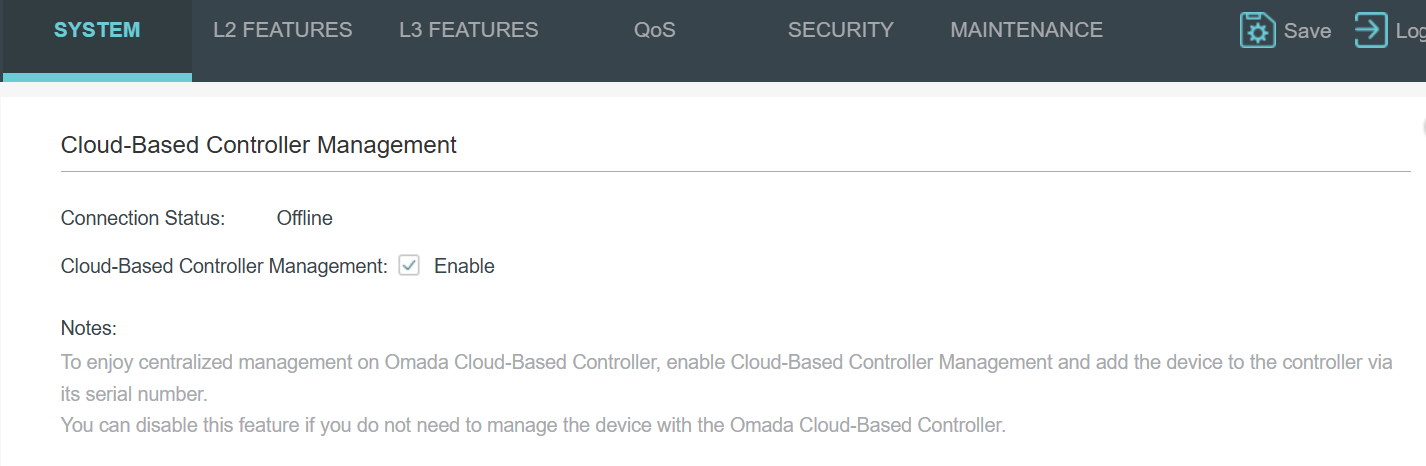
Switch info:
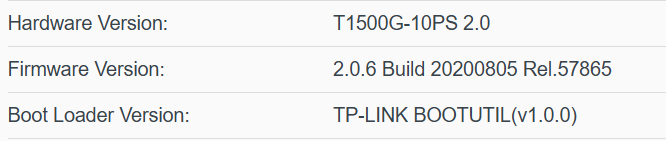
I haven't tried adding by serial number, I assumed if the switch reports as being offline that it wouldn't be able to be added by any means
- Copy Link
- Report Inappropriate Content
Hi @Matt102
Thanks for the valuable reply.
The web page means it can be connected to the Omada cloud-based Controller, while the status shows offline, so you may need to check the Internet of the switch firstly and try to add it via serial number or inform URL.
By the way, since the T1500G-10PS is an old model, and there are limited features you can use under Controller management, so we recommend that you can choose a new model in the compatibility list or use this device in standalone mode.
- Copy Link
- Report Inappropriate Content
Since I updated to Omada Controller 6 I have this alert. It seem's they don't want to support it anymore, but it's still working since it was already attached before updating to omada 6. If you still want to use it, you need to have Omada controller 5.x, add the switch and then update to 6.x
(the screenshot is Omada Controller 6.1 and there is no newer firmware for the switch)
- Copy Link
- Report Inappropriate Content
Information
Helpful: 0
Views: 459
Replies: 4
Voters 0
No one has voted for it yet.