
Device IPs not displayed in the controller
Device IPs not displayed in the controller

Hi everyone, I have a network with an ER605 router, 5 switches and 7 APs, all Omada.
In the controller, if I go to the device list I can see all the connected clients, but for all the wired clients the IP address is not shown. The IP address is not shown even for devices for which I have set a DHCP reservation. All the devices on my network are using DHCP.
Instead, for the wired cameras, which are mixed in on the same switches and not on dedicated switches, the IP addresses are shown correctly even though they have a static IP and not DHCP.
Obviously this situation isn’t good.
- Copy Link
- Subscribe
- Bookmark
- Report Inappropriate Content


Hi @MicMic
Thanks for the feedback.
You may find an answer here:
https://community.tp-link.com/en/business/forum/topic/719468?replyId=1497932
Regarding the CCTV cameras, have you configured IP reservations for them? What are the brand and model numbers?
- Copy Link
- Report Inappropriate Content

it sounds like you have ES switcher? if you have a switch in this series, you will not be able to display the IP address on wired client
- Copy Link
- Report Inappropriate Content
@MR.S And why then are my 25 CCTV devices, all wired, displayed correctly with their IP addresses?
- Copy Link
- Report Inappropriate Content
- Copy Link
- Report Inappropriate Content
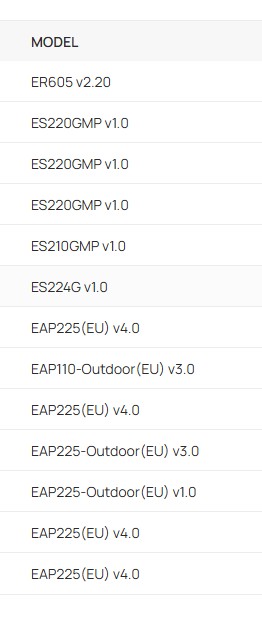
- Copy Link
- Report Inappropriate Content
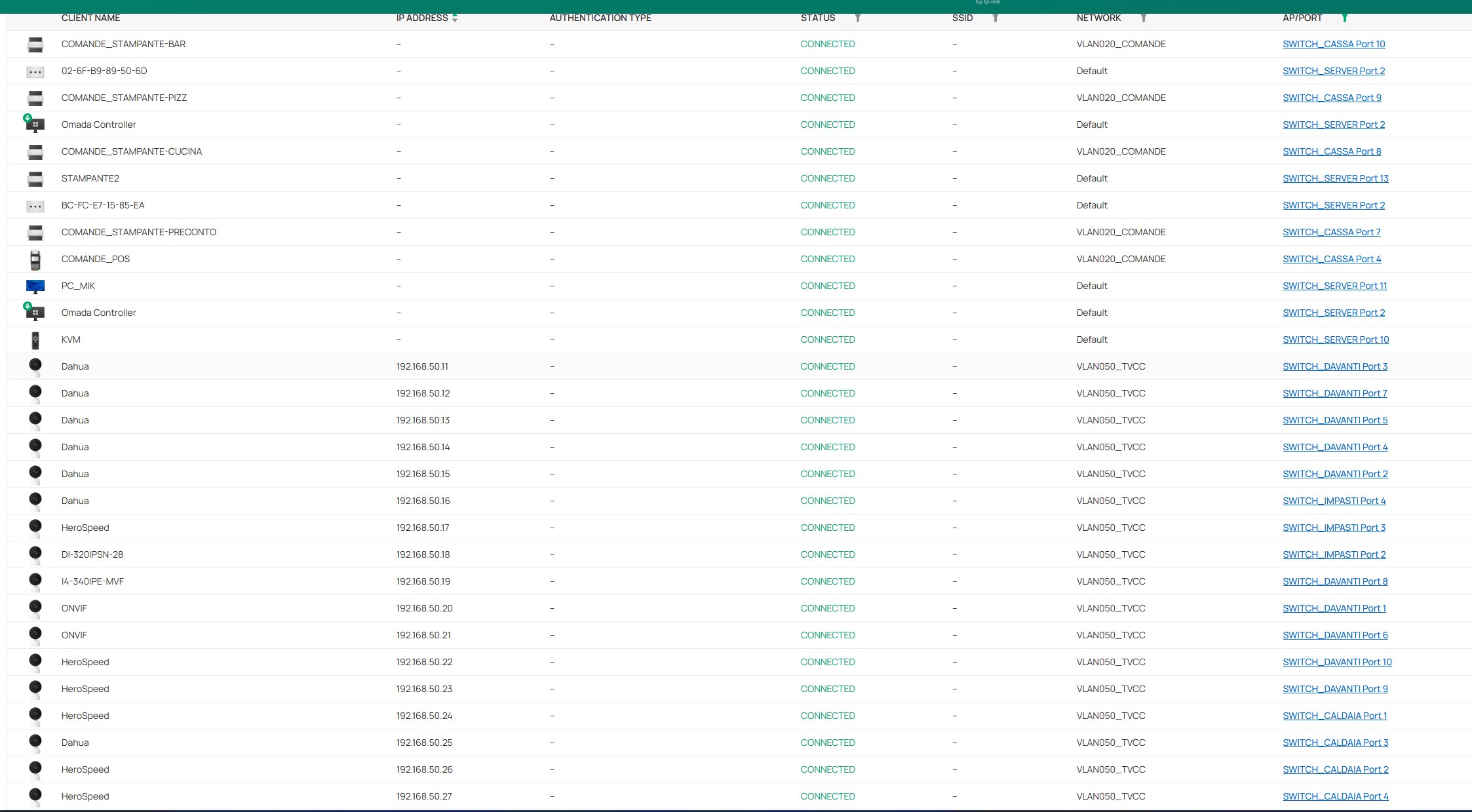
and these are the wired devices, some of them.
- Copy Link
- Report Inappropriate Content
yes it is the switches that cannot show the client IP, there are pages up and down on the forum about this, why the camera shows the IP I don't know,
- Copy Link
- Report Inappropriate Content
I can accept that no wired devices are shown, but if 30 wired devices have their IP addresses shown in the list, it means that something is different... It's quite logical, otherwise no wired IP addresses would be shown.
Personally, it seems more like a bug or a feature that has been intentionally removed.
- Copy Link
- Report Inappropriate Content
There are many who do not accept it, there is rumors there will be an upgrade to the router or controller that will make the IP addresses appear, but when it will come I do not know, if you are very dependent on seeing the IP is the recommendation and using the SG2xxxx switch which is a model with several function, I do not know more about that matter.
- Copy Link
- Report Inappropriate Content
Hi @MicMic
Thanks for the feedback.
You may find an answer here:
https://community.tp-link.com/en/business/forum/topic/719468?replyId=1497932
Regarding the CCTV cameras, have you configured IP reservations for them? What are the brand and model numbers?
- Copy Link
- Report Inappropriate Content
Hi, the “funny” thing is that I have Dahua cameras, HeroSpeed cameras (OEM), ProVision cameras, and maybe even more... All of them, and I mean all of them, are listed in the Omada controller with visible IP addresses, including the Dahua NVR.
The entire CCTV network has static IP addresses set on individual devices!
This clearly shows that this feature is supported by the hardware and that it is only a software issue...
A €50 camera is detected and managed perfectly, but Linux and Windows servers, etc., are not?
PS Unfortunately, I had already tried the ARP solution, but it doesn't work. However, I have now activated it on all my networks, and I will wait for communications and possibly restart everything to force communication.
- Copy Link
- Report Inappropriate Content
Information
Helpful: 0
Views: 924
Replies: 12
Voters 0
No one has voted for it yet.