
Unable to update firmware on EAP225(US) v3.0

Re: EAP225(US) v3.0.
Unable to upgrade firm through Omada OC200 v6 controller.
It is connect via mesh through EAP620 HD(US) v2.0.
Any advice would be appreciated. Thank you.
G.
- Copy Link
- Subscribe
- Bookmark
- Report Inappropriate Content


Hi @tradenet
The current firmware is a little bit outdated with Omada Controller V6, so please try to upload the firmware file manually to 5.2.2 firstly, and then to 5.2.3 (the latest firmware) with this link: https://support.omadanetworks.com/product/eap225/v3/?resourceType=download
You may refer to this firmware update guide:
- Copy Link
- Report Inappropriate Content
Well, I've tried everything. From resetting to putting in stand alone.It just won't take the firmware. I've tried even loading earlier versions. In standalone mode it just comes back with bad file error. So I am at a loss as to what to do with it.
- Copy Link
- Report Inappropriate Content
Hi @tradenet
May I check if you have any screenshot of this error when you uploaded the firmware suggested?
By the way, may I ask how did you update the EAP? Was there any power outage during the process?
- Copy Link
- Report Inappropriate Content
Hi @Hank21
These have been the first attempts of trying to update the firmware since the AP has been put into service. Mainly because the previous controller Omada OC200 firmware had been upgraded to v 6. and the AP was flagged "outdated", under the previous controller v. 5 firmware the AP had never been flagged for upgrades.
To answer your question, no there was no power outages during the upgrade process.
1.) My first attempt was to try to upgrade it through the controller UI. (image 2). I get a popup "Failed to upgrade no device ready to upgrade".
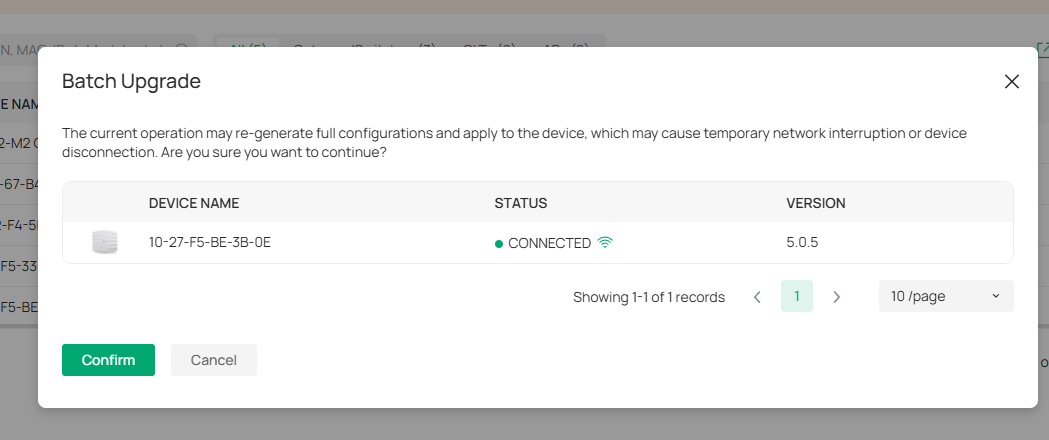
2.) My second attempt was to upgrade via custom upgrade ie. uploading the firmware. (images 3 & 4). See error failure.
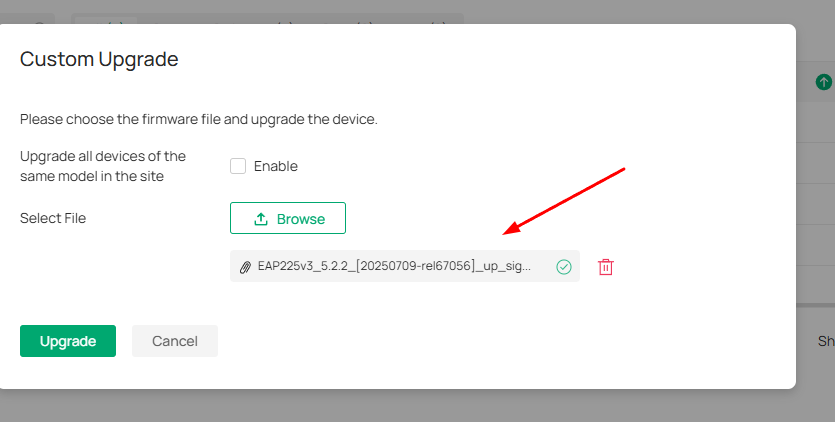
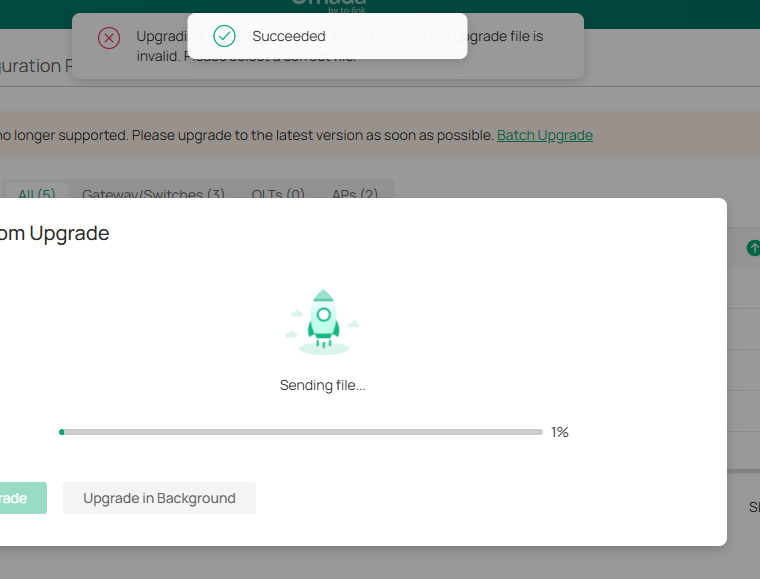
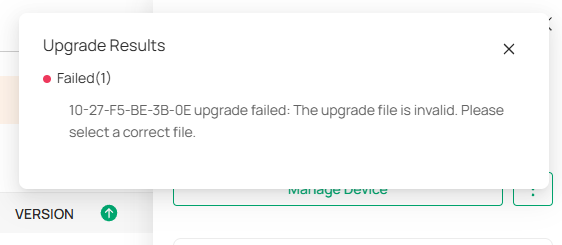
3. ) My third attempt was to disable mesh and wire it direct to the switch. However, the same issues persisted as above.
4. ) My fourth attempt was to move the AP off the network, forget it. Directly access it, however when trying to do the upgrade directly from it's UI, all I got was a "bad file" error.
I've tried different browsers, including "Icognito", reseting it and different PC's. Same issues.
I've put the AP back into service. No problems with adopting and provisioning including uplinking and mesh networking it. All working as intended using the orginal factory installed firmware.
So, now I am at a loss. I've tried everything.
- Copy Link
- Report Inappropriate Content

Hi @tradenet
Thanks for the info.
That error message indicates you were trying to upload the wrong firmware for the EAP.
To better understand the situation, please share a screenshot of the EAP225's firmware page. We need to know the full firmware number.
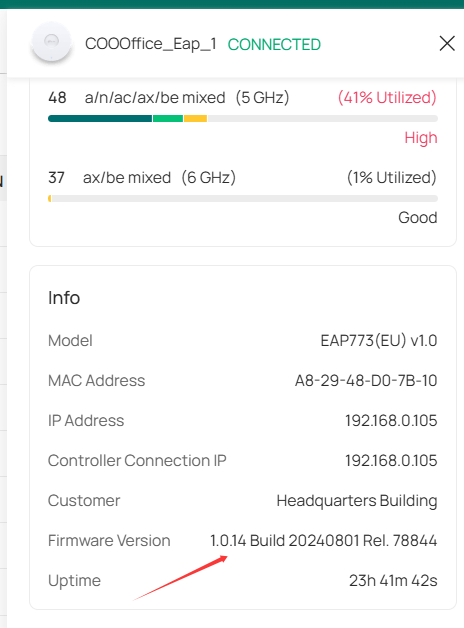
- Copy Link
- Report Inappropriate Content
Information
Helpful: 0
Views: 217
Replies: 5
Voters 0
No one has voted for it yet.