
UDP Server traffic via VLAN not possible
UDP Server traffic via VLAN not possible

Hi Omada world :)
I have an issue discovered that my clients (wireless tablets) can not connect to a running Docker container (minecraft server) - once they are moved into a separated VLAN.
PROBLEM:
- Minecraft Bedrock Server (marctv/minecraft-bedrock-server:latest) running perfectly on Synology DS923+ Docker (Port 21132 UDP/TCP)
- Wired clients (VLAN1) - can connect
- External via NAT - can connect
- Mobile iPhone/Android in VLAN30 (192.168.30.x) - can not connect via IP Adress and port "Multiplayer connection failed"
DIAGNOSIS:
- Ping NAS-IP (192.168.1.2) from VLAN30 → working
- Other Docker service Port 8123 (TCP) from VLAN30 → working
- If I connect instead from IP Adress with the FQDN and open the NAT in Omada its working
- therefore my conclusion is: UDP 21132 specifically blocked!
OMADA SETUP:
- ER605 Gateway, Omada Controller v6, EAP225/EAP653
- VLAN1: NAS/Server (192.168.1.2:21132)
- VLAN30: Mobile WLAN (30-Home WLAN)
I then tried to create Gateway ACLs.
one in each direction - but its also not working

I also added an mDNS config

as for the printer, becuase this solved my issue printing from iOS devices to my printer.
But as of Now, the client just receives this error after trying to connect.

Thanks for any help/advice/ideas on this.
Best regards,
Mark
- Copy Link
- Subscribe
- Bookmark
- Report Inappropriate Content


Hi @Compumark
Thanks for your valuable feedback.
Please try to setup the SSID for EAP225 and test is the same issue would happen again or not.
By the way, what the firmware versions of your EAP225 and EAP653?
- Copy Link
- Report Inappropriate Content
What do you mean with please try to setup the SSID for EAP225 and test is the same issue would happen again or not.
SSIDs are up and running a longer time already and are applied to the EAP225 devices (5 devices) and EAP653 1 device and EAP225Outdoor - 1 device
Here are the screenshots of the used SSID setup.
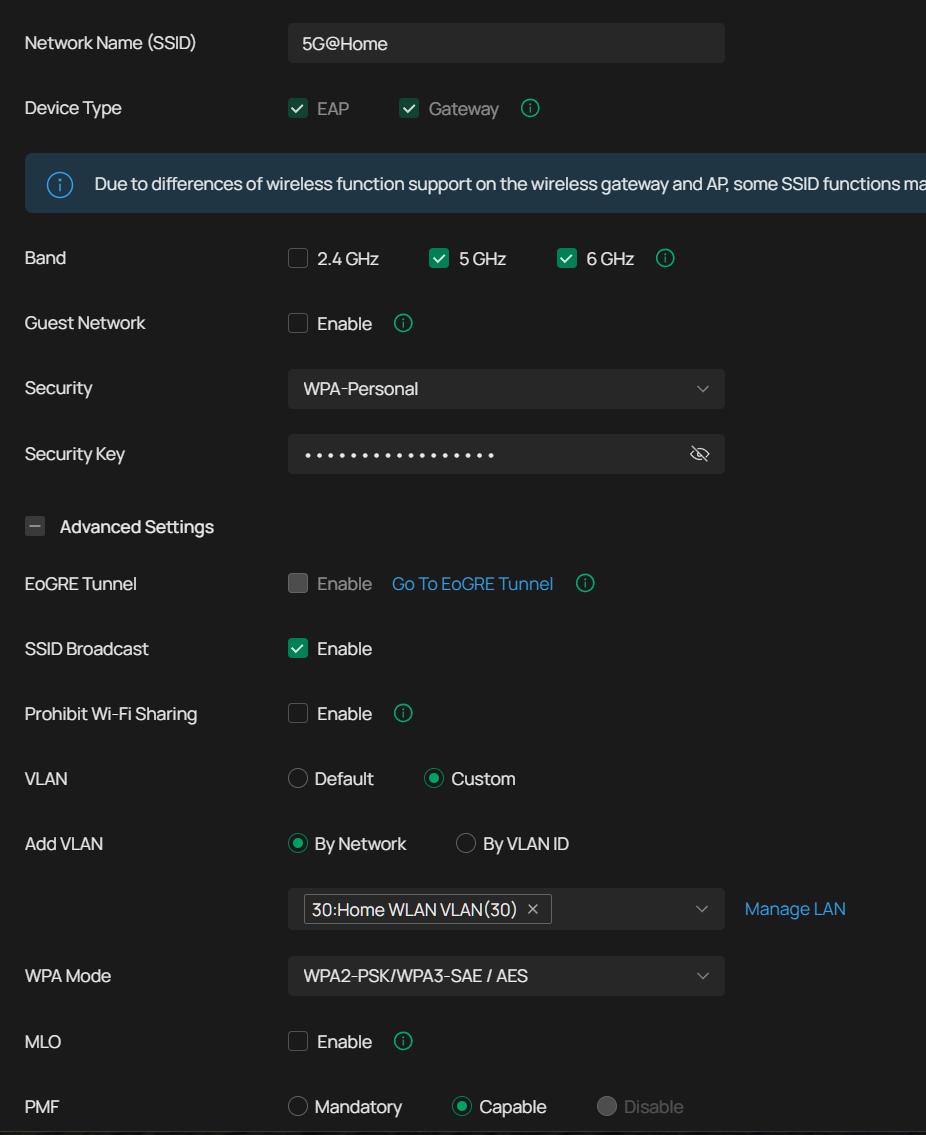
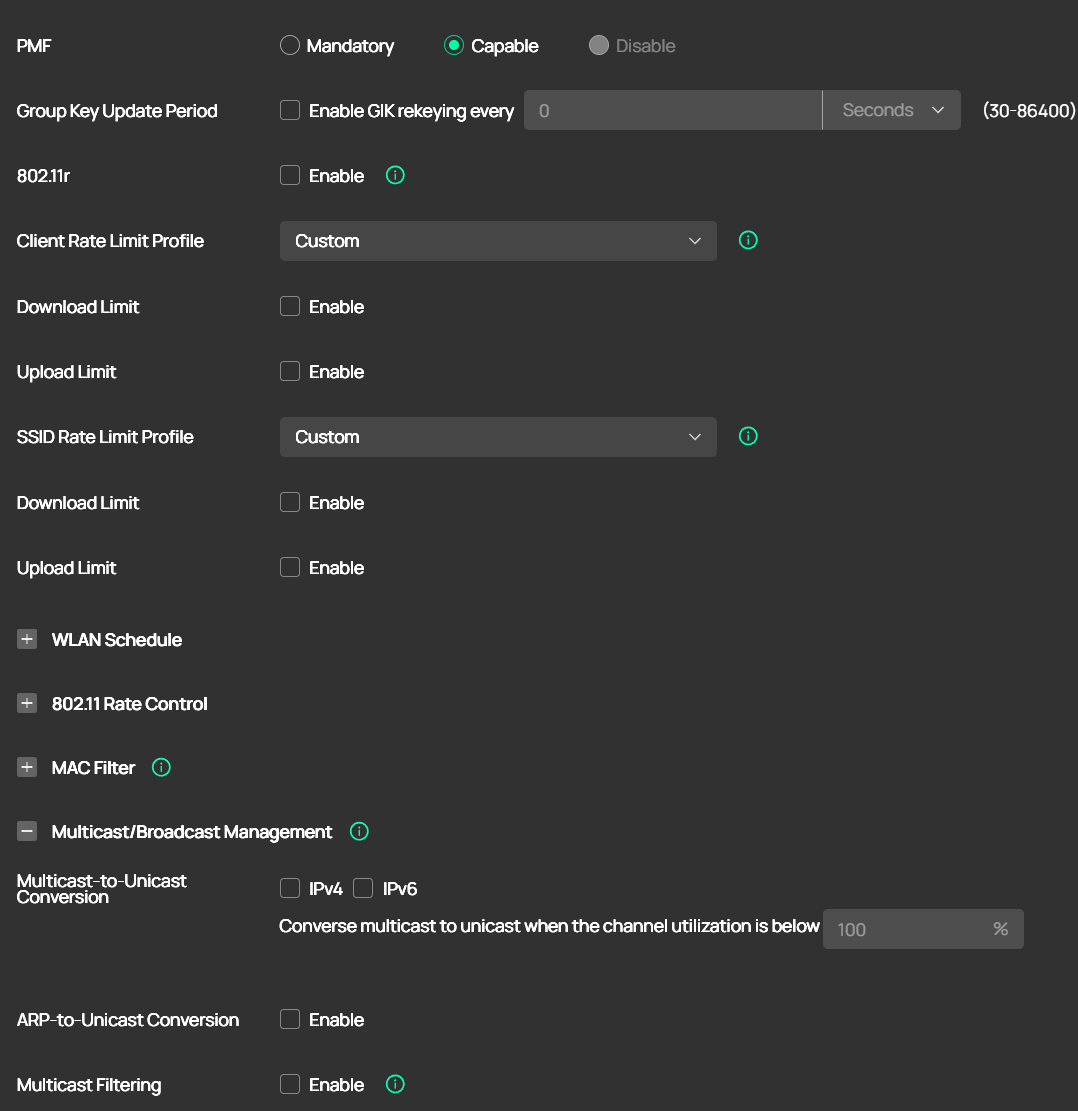
Firmwares are as follows:
EAP225 with 1.3.1
EAP653 with 1.3.5
ER605 with 2.3.2
Omada Controller 6.1.0.19
added the topology as well
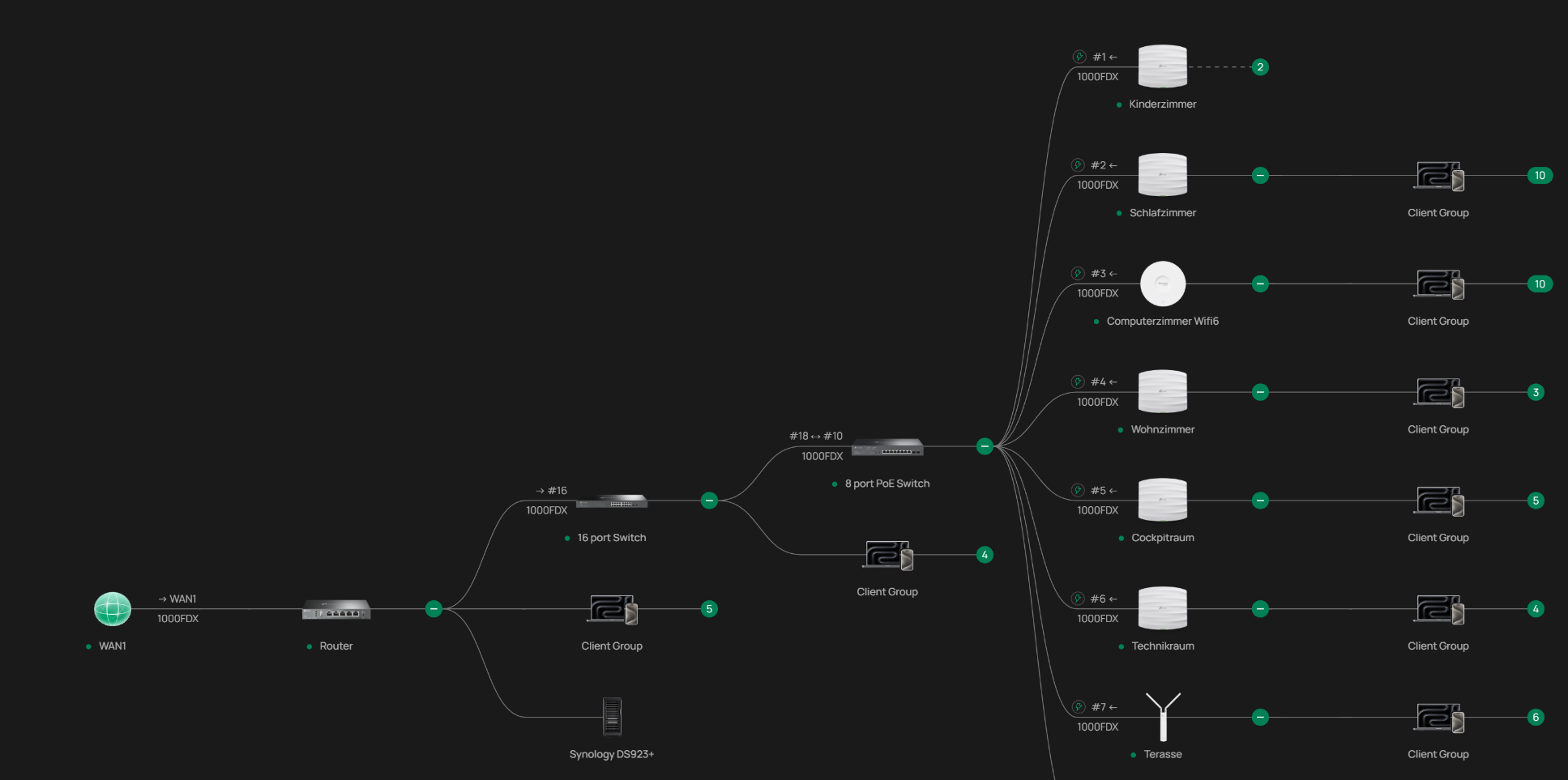
- Copy Link
- Report Inappropriate Content
Hi @Compumark
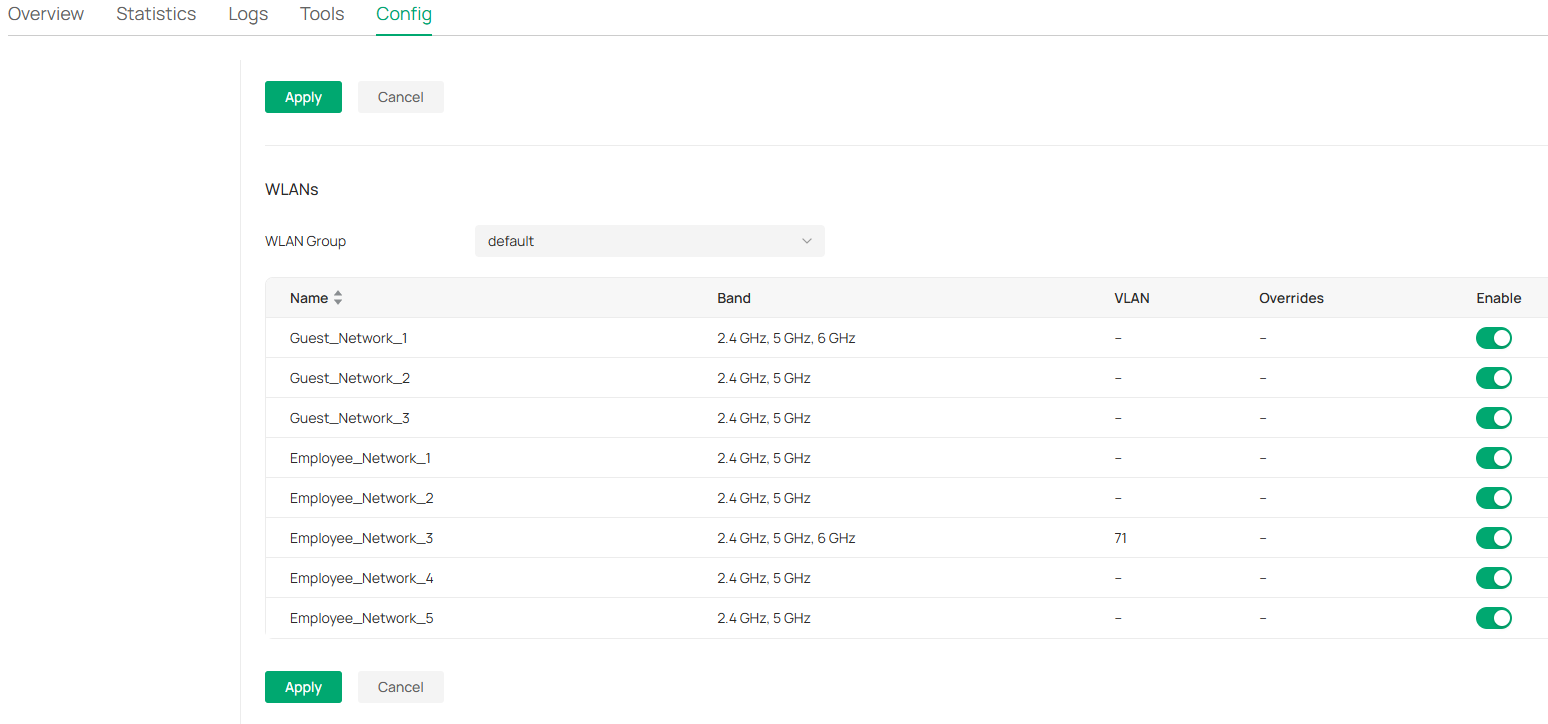
You can go to Devices>Manage Device>Config>Wireless to enable a single SSID for your EAP225 and connect the clients to EAP225 only to test if the same issue would happen or not.
This is used to locate if the issue lies in the individual EAP or all EAPs.
- Copy Link
- Report Inappropriate Content
I just disabled all WiFi, except one, on one EAP225.
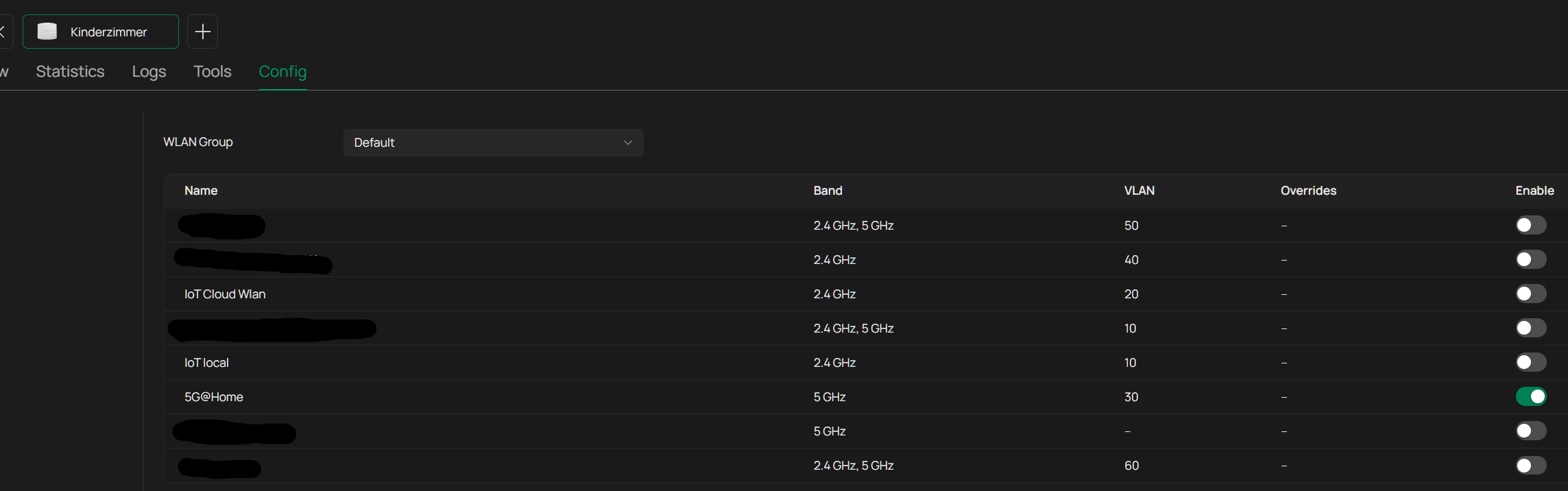
only one client was connected:
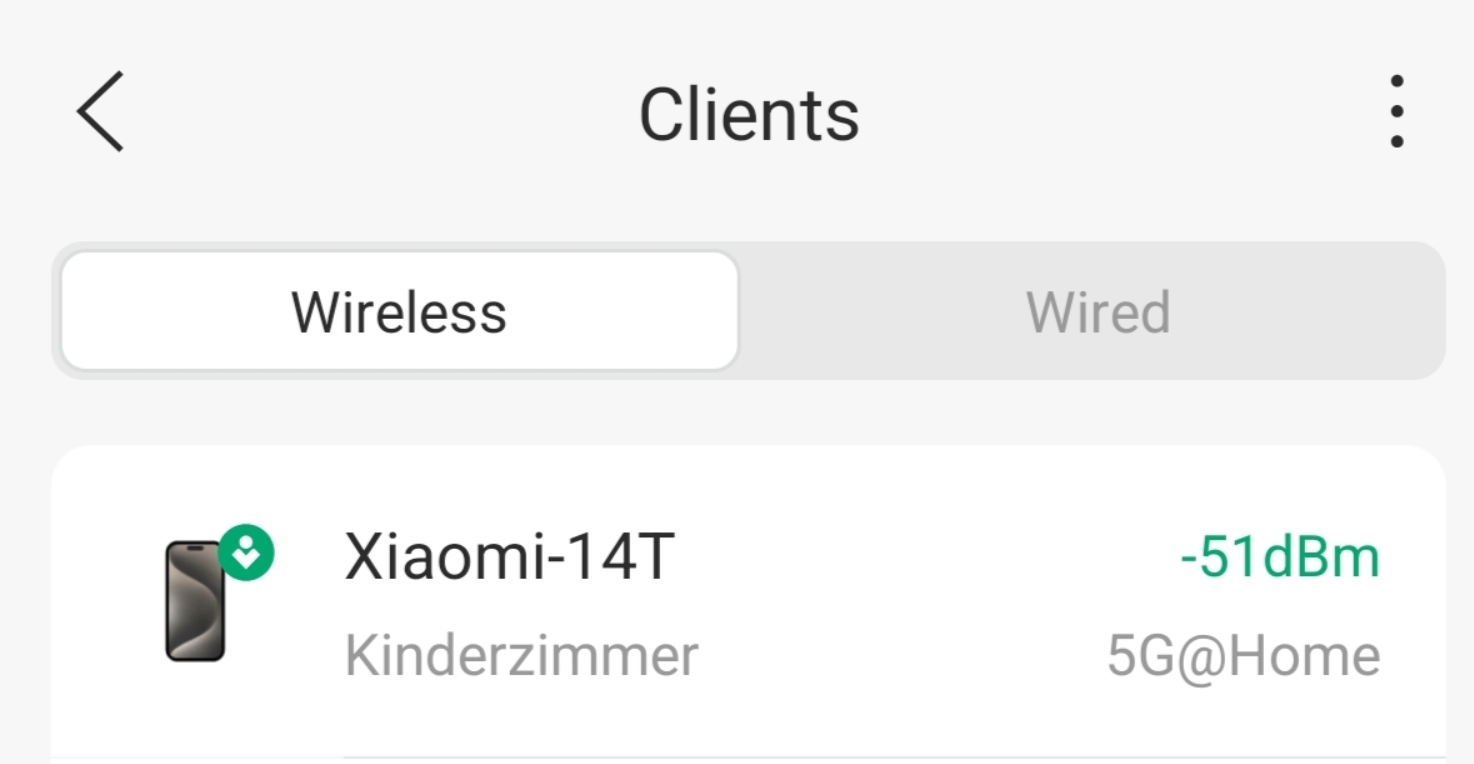

But the error is still existing. No connection can be esatblished.
- Copy Link
- Report Inappropriate Content

@Compumark If you create a new SSID that is set to connect to VLAN 1, and try connecting to the server from that newly created SSID, do you get the same error?
If no, it might be an issue with your settings on VLAN30, otherwise, we might need to look a little deeper into your configs.
- Copy Link
- Report Inappropriate Content
Hi,
I wanted to add the VLAN1 to the new SSID - but VLAN 1 is not allowed by Omada.

I entered then my VLAN10
and its working to connect with a client
switched to VLAN30 its not

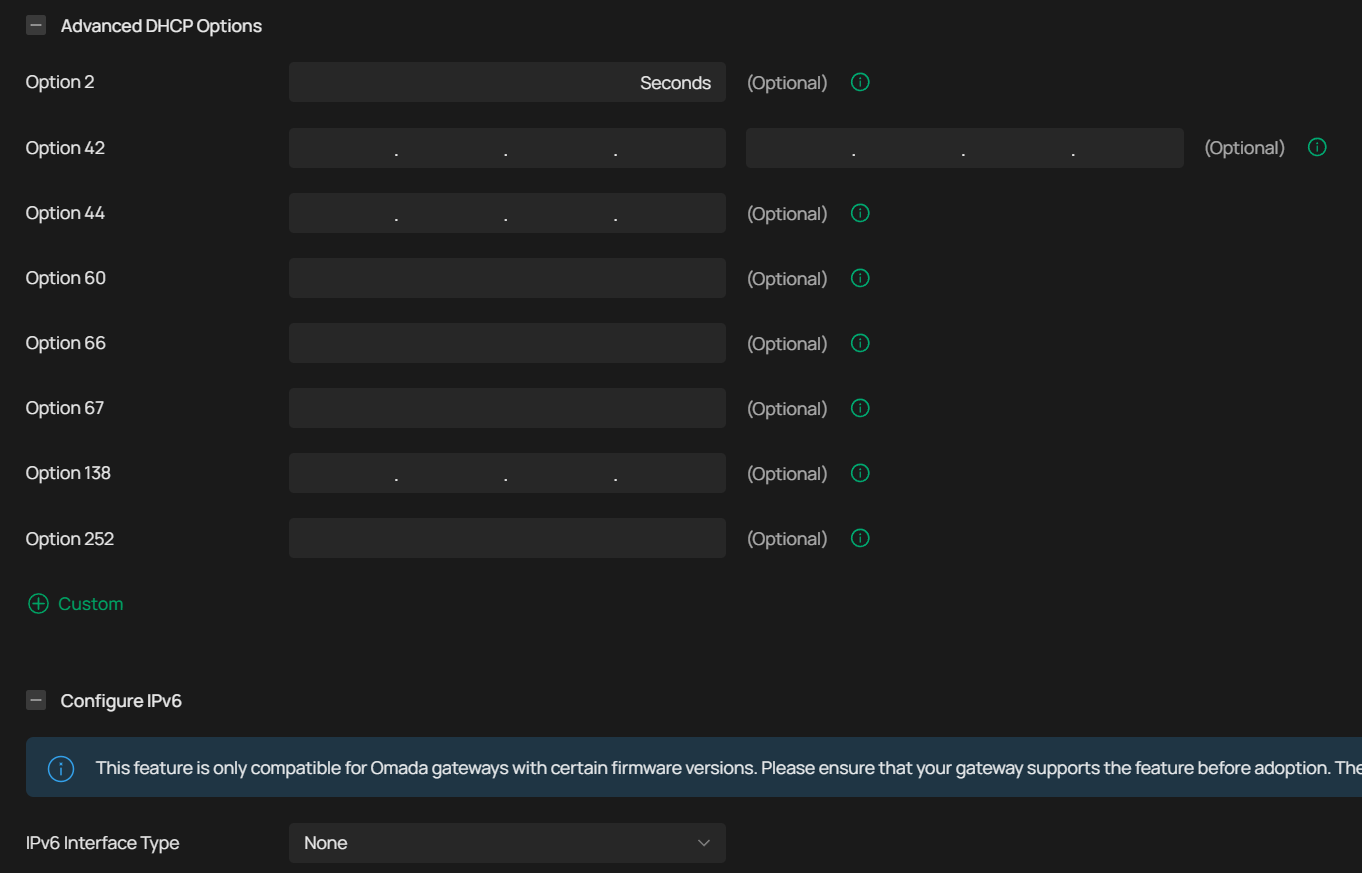
So I started checking the VLAN Config between 10 and 30.
VLAN10 config:
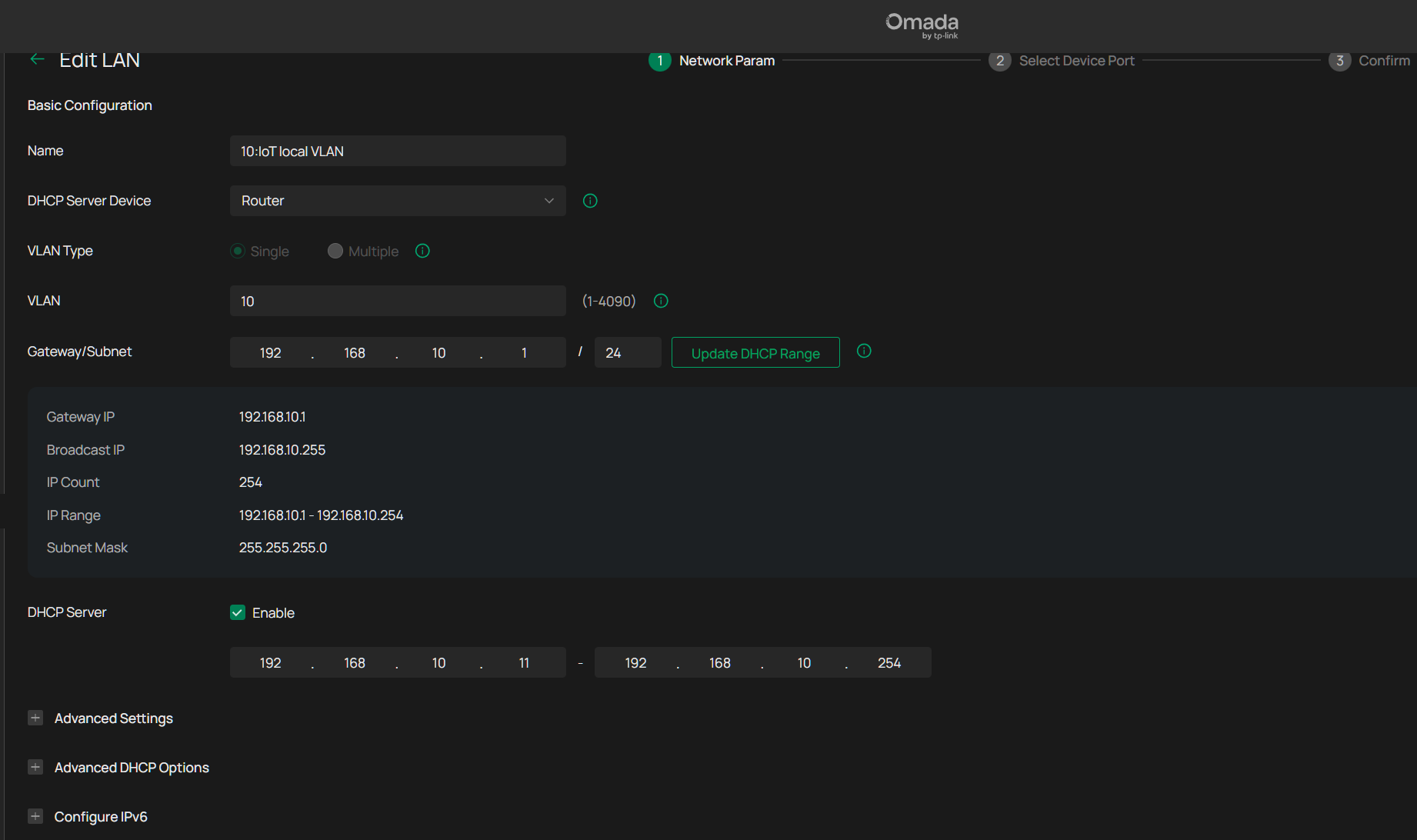
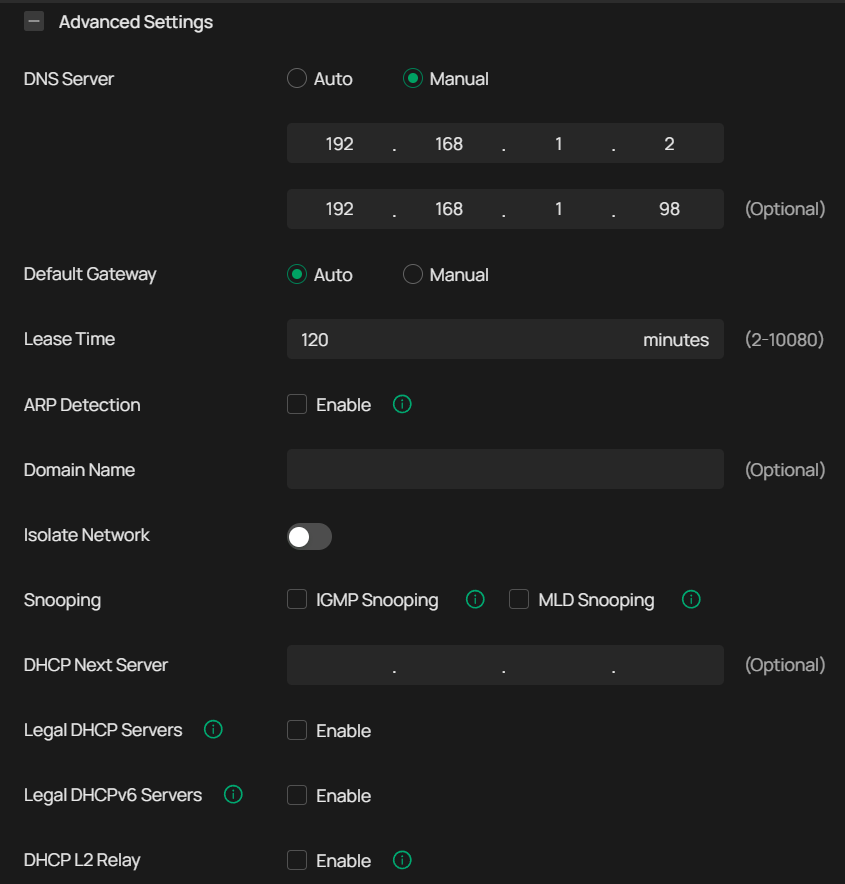
VLAN30:
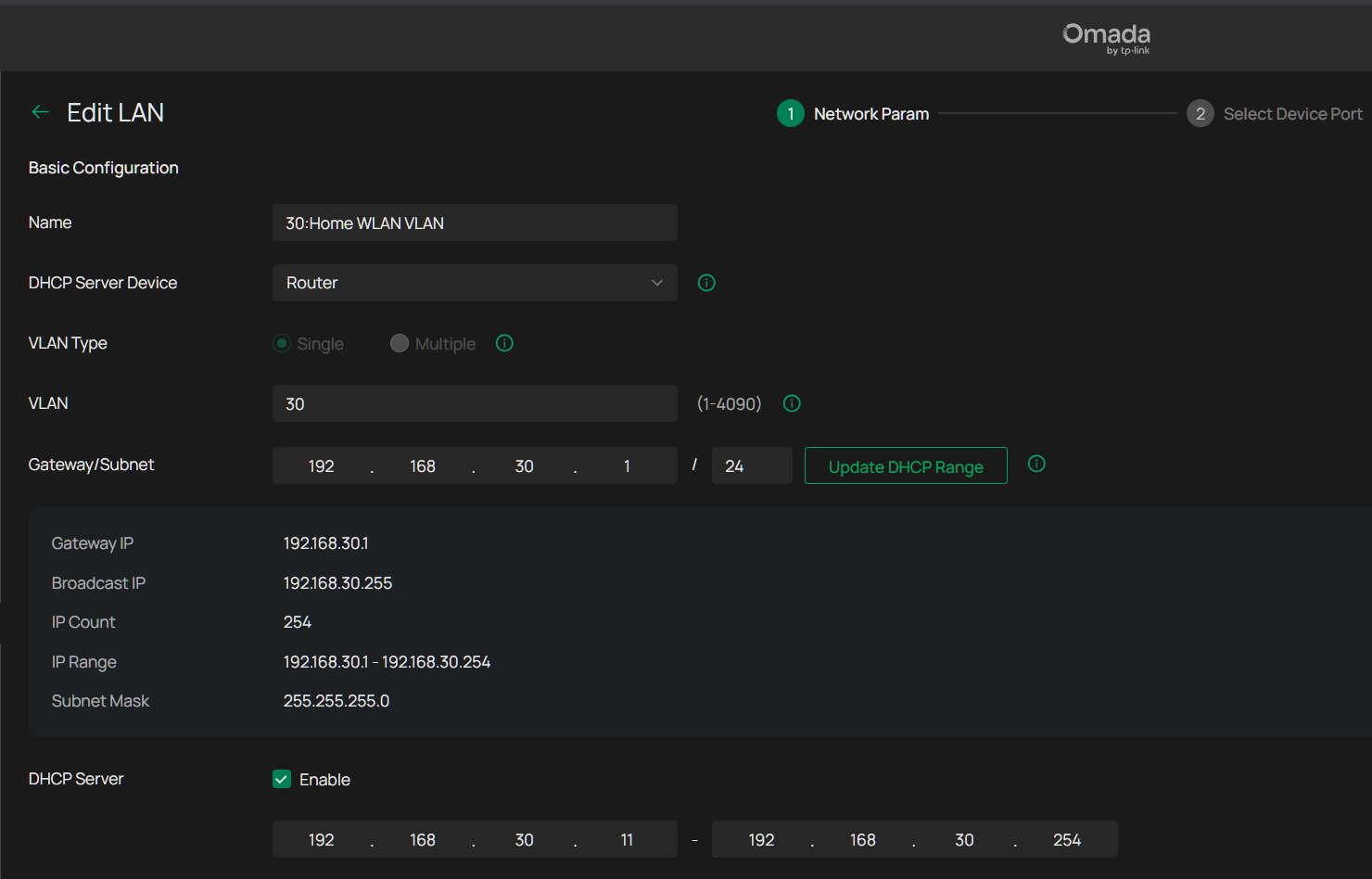
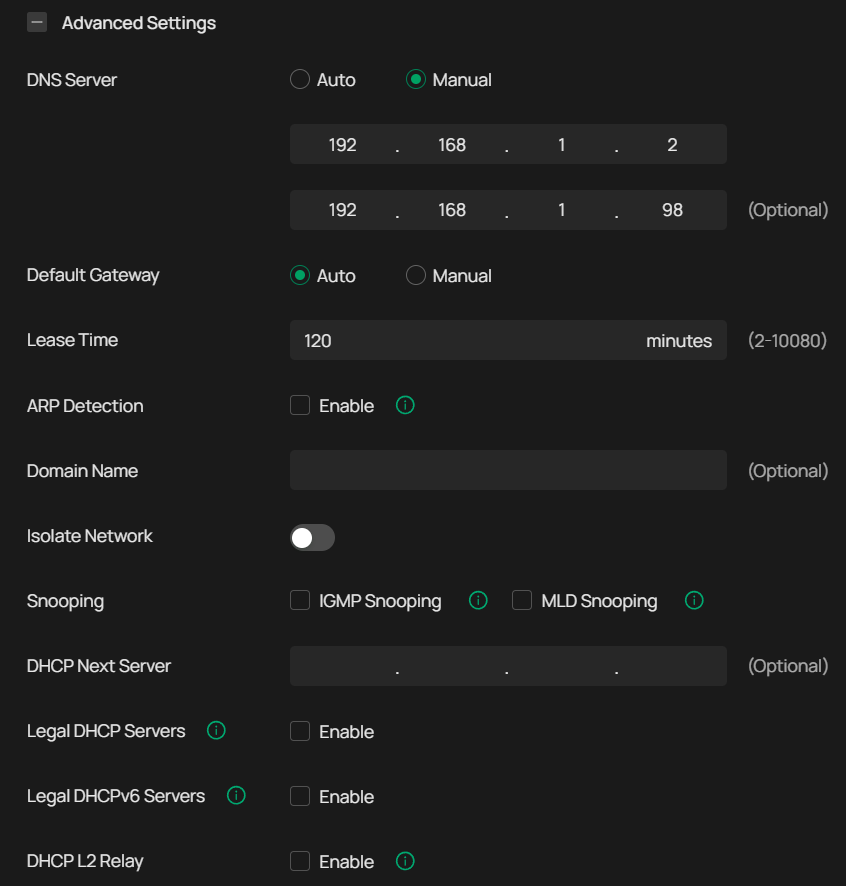
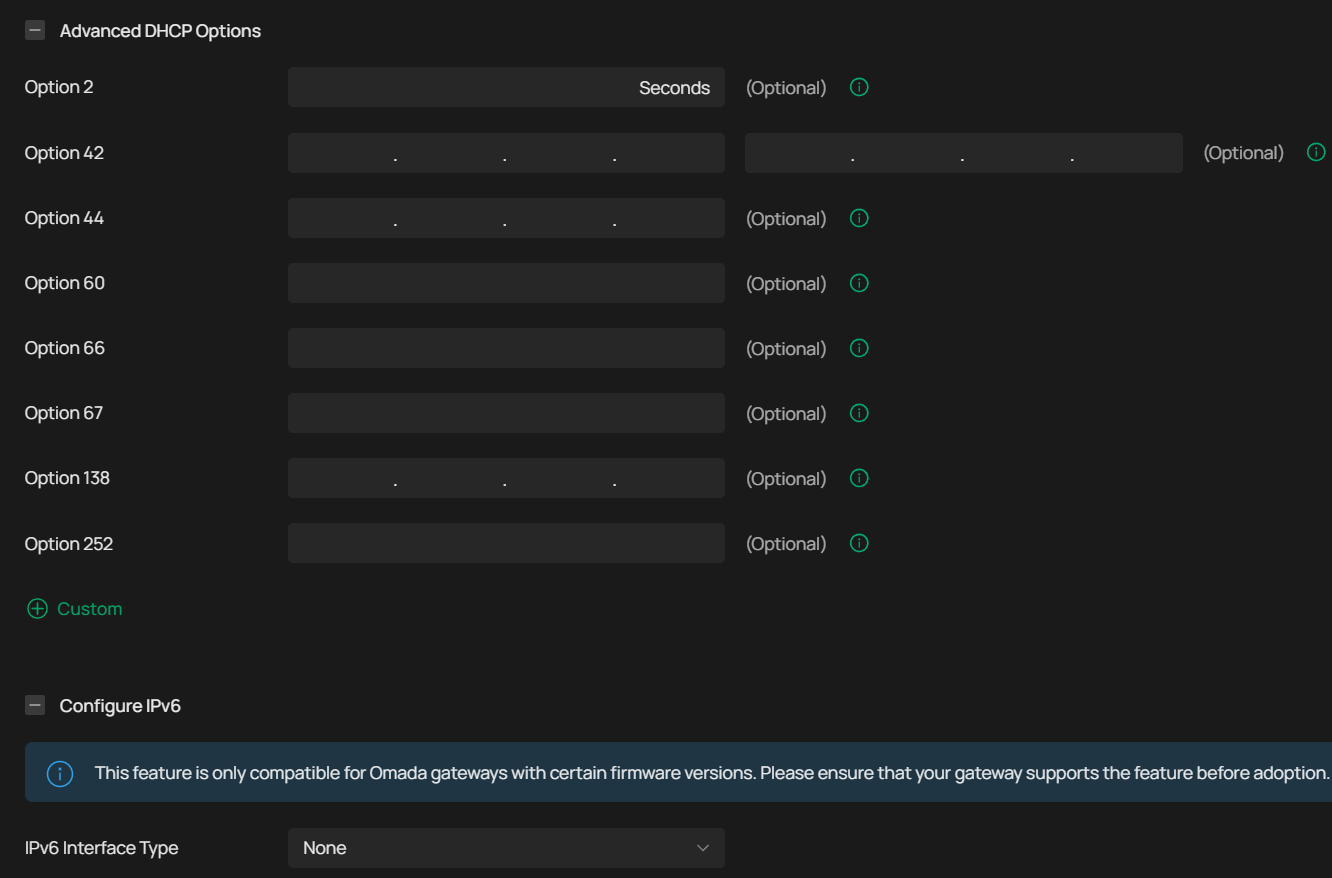
I can not find any difference in this config.
- Copy Link
- Report Inappropriate Content

UDP data can be very tricky to cross vlan boundaries, and for some services it isnt possible. Can you switch the server to TCP mode ?
- Copy Link
- Report Inappropriate Content
I just checked, I didnt found a possibility to switch.
But as the VLAN10 is working, but no other it must be there in some config/data routing.
- Copy Link
- Report Inappropriate Content
- Copy Link
- Report Inappropriate Content
@Compumark What ACL rules do you have that affect VLAN 10? Can you check those, and then maybe also consider adding equivalent gateway rules for VLAN 30 that allow TCP traffic as well?
- Copy Link
- Report Inappropriate Content
Information
Helpful: 0
Views: 1512
Replies: 13
Voters 0
No one has voted for it yet.