
DHCP Snooping cannot be enabled on port
DHCP Snooping cannot be enabled on port

Hello, I am new to the DAI/DHCP Snooping feature. I am having issues trying to enable DHCP snooping on my ports. I understand that it cannot be enabled on uplink/downlink ports but most of these ports are configured as access ports, why can't I select them?
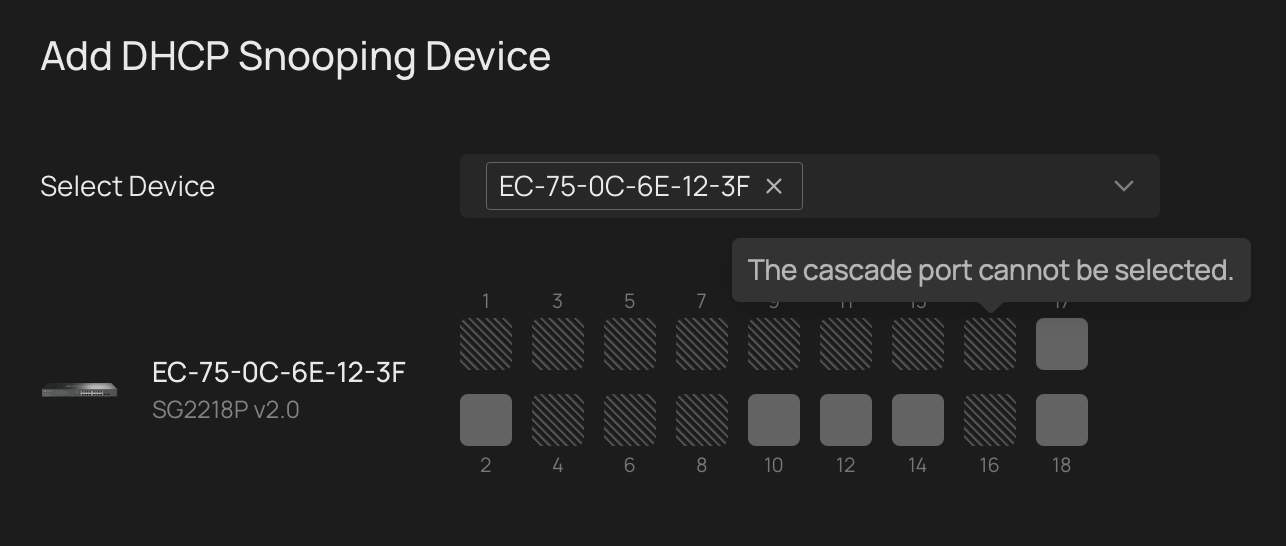
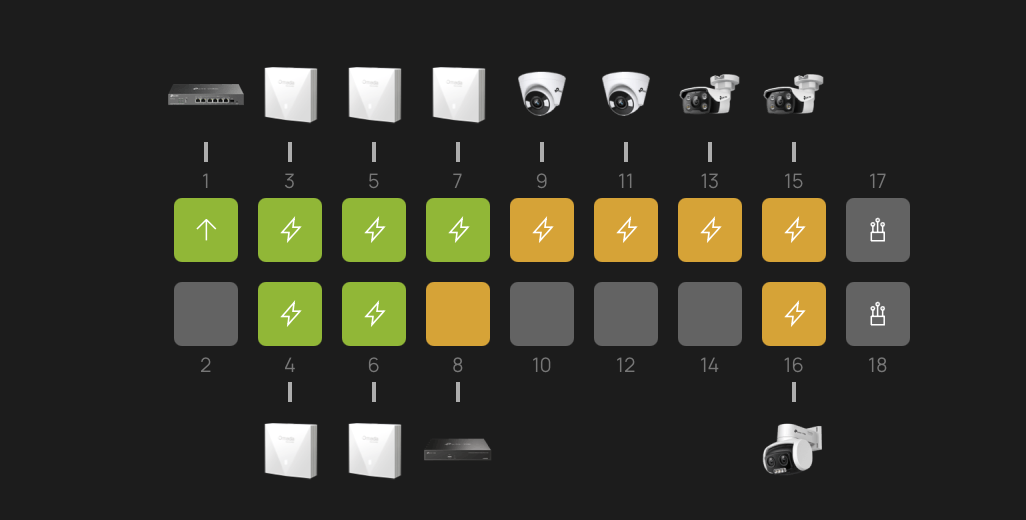
Thank you for your help!
- Copy Link
- Subscribe
- Bookmark
- Report Inappropriate Content


@zacl Just following up with an update on this, Controller Version 6.2.10.X and on should allow you to enable DHCP Snooping on ports with IP Cameras, but not APs. This is because APs may have many other clients connected to them, making them not truly edge ports.
- Copy Link
- Report Inappropriate Content

- Copy Link
- Report Inappropriate Content
- Copy Link
- Report Inappropriate Content
- Copy Link
- Report Inappropriate Content
@Hank21 I have updated the switch to new 2.0.17 firmware already, but the issue still persists. As requested, network topology and connected devices as follows (it is same as the port view that I showed above):
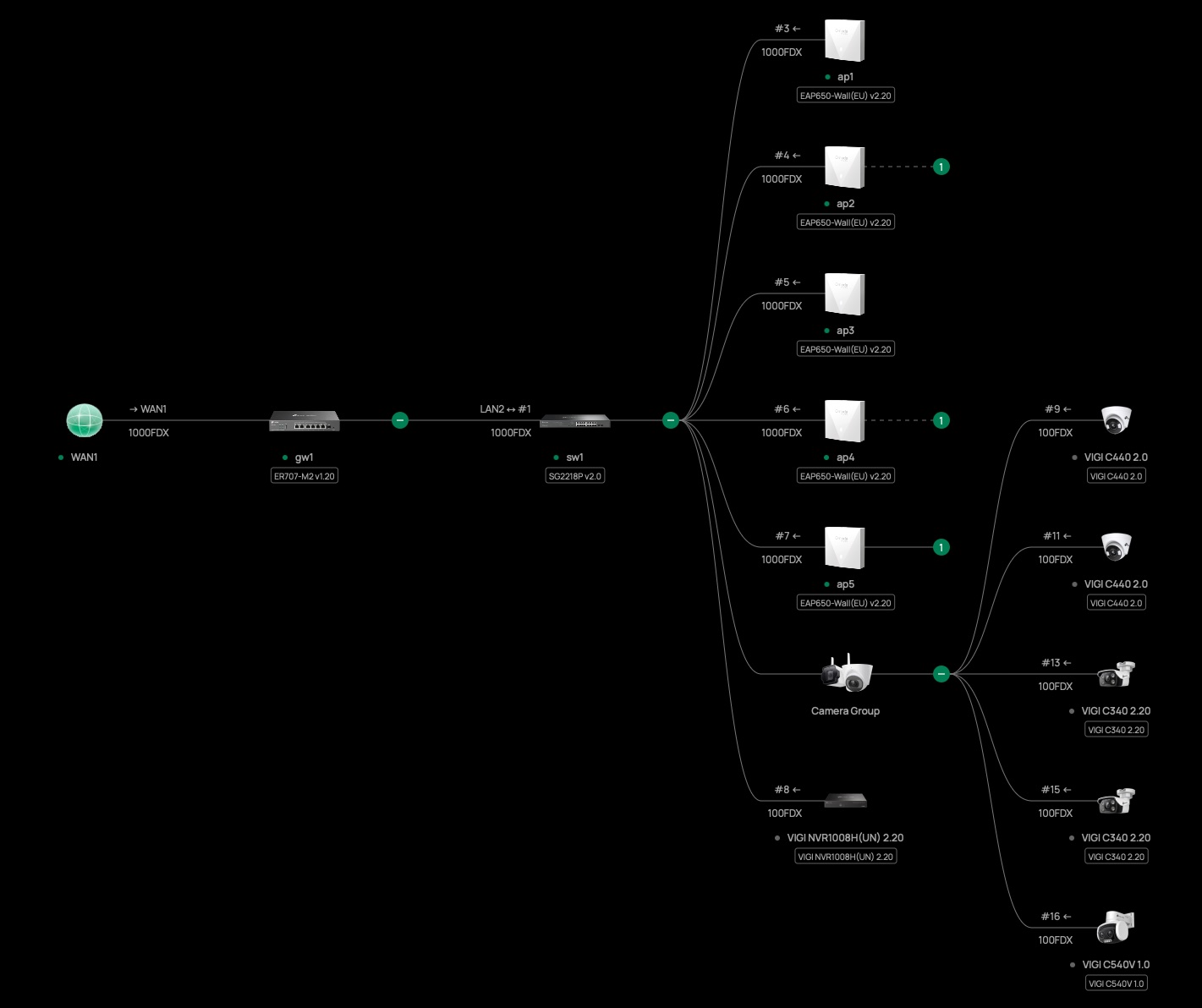
As you can observe from my initial screenshot, all connected ports cannot be snooped; only unconnected ports can be selected.
- Copy Link
- Report Inappropriate Content

You can only enable snooping on ports that dont go to devices that the controller recognises as a SDN or ViGi device.
I just checked and i cannot enable it for things like my ViGi cameras (recognised as a "downlinked" device and EAPs
This could be intentional, or a bug, not sure
- Copy Link
- Report Inappropriate Content
@GRL Thanks for sharing! In my case, all of the connected devices (APs, NVRs, IPCs) cannot be enabled. I can understand if uplink ports are disabled but cannot understand why they are disabled for downlink ports?
Based on the documentation:
Choose the ports you wish to enable DHCP Snooping on, by choosing a port, the DHCP packets will be snooped to form IMPB entries, and the DHCP server response packets sent from the client connected will be dropped.
It does look like a bug to me unless I am misunderstanding this?
- Copy Link
- Report Inappropriate Content
@NeilR_M Hello Neil, I observed that Hank has been away for some time, can I trouble you to have a look at this issue?
I have recently upgraded to Omada Controller v6.2.0.17 and the issue still exists.
- Copy Link
- Report Inappropriate Content
@zacl No problem, let me review and I'll get back to you
- Copy Link
- Report Inappropriate Content
@zacl Just spent a little bit of time confirming like GRL, but yeah any devices that have Controllers, IPCs or APs can't have DHCP snooping enabled. Let me check in with R&D to see if it's intentional or a bug, and I'll get back once I have some news!
- Copy Link
- Report Inappropriate Content
@zacl Just following up with an update on this, Controller Version 6.2.10.X and on should allow you to enable DHCP Snooping on ports with IP Cameras, but not APs. This is because APs may have many other clients connected to them, making them not truly edge ports.
- Copy Link
- Report Inappropriate Content
Information
Helpful: 0
Views: 1004
Replies: 11
Voters 0
No one has voted for it yet.