Protokolle der Besuchten Seiten ansehen

Protokolle der Besuchten Seiten ansehen

Protokolle der Besuchten Seiten ansehen
Sunday - last edited Sunday
Model: OC200  
Hardware Version: V2
Firmware Version:

Guten Morgen,
kann man irgendwo im Omada auf dem OC200 das Surfverhalten nachvollziehen.
Da ja DPI integriert ist sollte dies ja möglich sein.

Zur Sachlage und warum,:
Wir haben das Netz in einem unserer Gebäude in dem unser Personal und auch Gäste untergebracht sind.
Nun wurde der Verdacht geäußert das eine Person dort nun nenne wir es mal Reichlich, Sittenwidrige, Moralische Abscheuliche Strafrechtliche Sachen konsumiert.
Ich denke jeder versteht was ich meine.

Nun wurde ich vom Eigentümer beauftragt dem nachzugehen ob es sich nachweisen lässt.

Natüriich hat jeder Nutzer dieses Netzes den AGBs zustimmen müssen in denen auch vermerkt ist das es Überwacht wird.
Danke


  0      
  0      
#1
Options
1 Reply
Re:Protokolle der Besuchten Seiten ansehen
12 hours ago - last edited 12 hours ago


Hi,@MikeLa 
Thank you for posting on our business forum.

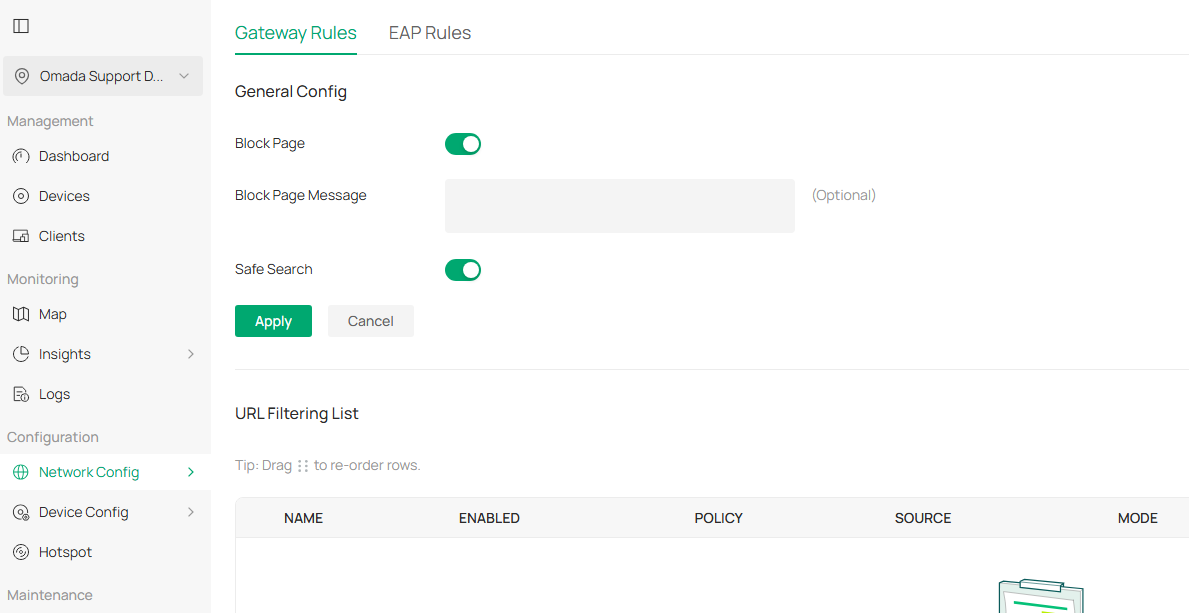
Omada Controllers support the URL Filtering feature, which allows you to block specific websites and filter unwanted search content as needed.

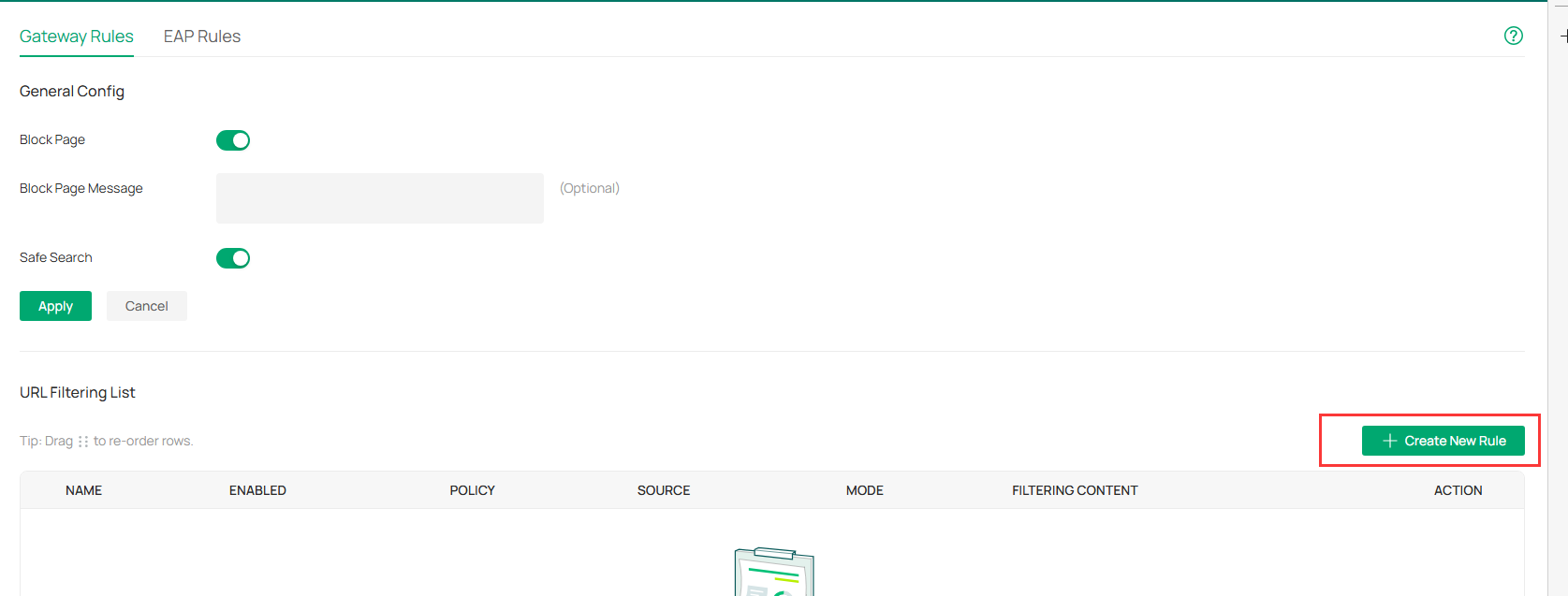
To configure this feature, please launch the Omada Controller, access your target site, then navigate to Network Config > Security > URL Filtering. You can adjust all relevant parameters under the Gateway Rules tab.

  • Block Page: Users who attempt to access a blocked website will be redirected to a dedicated notification page, which informs them that the site has been blocked per your network access policy. 
  • Block Page Message:You can customize a Block Page Message that displays when users try to visit a blocked URL, explaining the reason for access denial. This feature effectively reminds users to comply with your organization's network usage rules.
  • Safe Search: Toggling this option on enables global Safe Search for your entire network. This feature filters search results to block inappropriate content, making it ideal for use in family and educational environments.


You can also create custom rules in the URL Filtering List to match your specific usage requirements.


For more detailed instructions, please refer to the FAQ:How to Configure URL Filtering on Omada Gateway via Omada Controller(v5.15 and above) | Omada Network Support


  0  
  0  
#3
Options