
EAP610 outdoor und EAP615Wall Firmware error?

Hello,
After updating the EAP 610 outdoor, the EAP615 has disappeared from the system and can no longer be added as a mesh client.
The EAP615 is recognized and adopted as a wired access point.
How can this be fixed, as I only need the EAP615 as a mesh client?



When using two EAP610 outdoor devices, the mesh connection remains stable even after the update.
- Copy Link
- Subscribe
- Bookmark
- Report Inappropriate Content


Hi,@VolkerS
Thank you for posting on our business forum.
To confirm, are you experiencing that the previously established Mesh connection disconnects after upgrading the firmware of your EAP610-Outdoor?
You mentioned in your post that "The EAP615 is recognized and adopted as a wired access point." We would like to confirm further: is your EAP615 actually physically connected to the upstream network via a wired cable?
Have you attempted to manually reconnect the EAP615 as a Mesh EAP to the EAP610-Outdoor after the firmware upgrade? If you still cannot add it successfully, is there any error message displayed during the process?
In addition, we would like to kindly collect more information for further analysis:
- What type of controller are you using, and what is its current version?
- What is the current firmware version of each of your EAP devices?
- What's the topology of your network?
This information will help us analyze your case more accurately. Thank you very much for your cooperation.
- Copy Link
- Report Inappropriate Content
Hello,
The EAP615 can be adopted as an access point in the OC 300. It can no longer be used as a mesh repeater.
The EAP 615 is broadcasting an SSID, but I cannot connect in standalone mode because no IP address is being assigned.
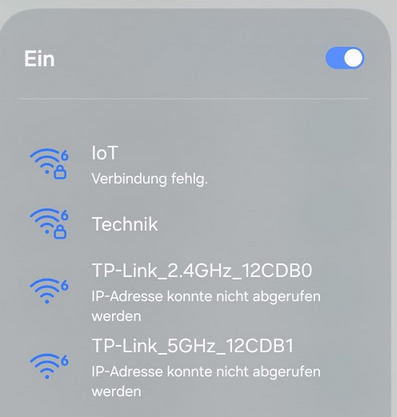
There are no error messages because I can't even access the system.
In addition, we would like to kindly collect more information for further analysis:
- What type of controller are you using, and what is its current version?
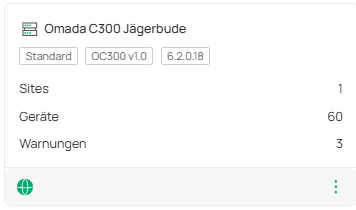
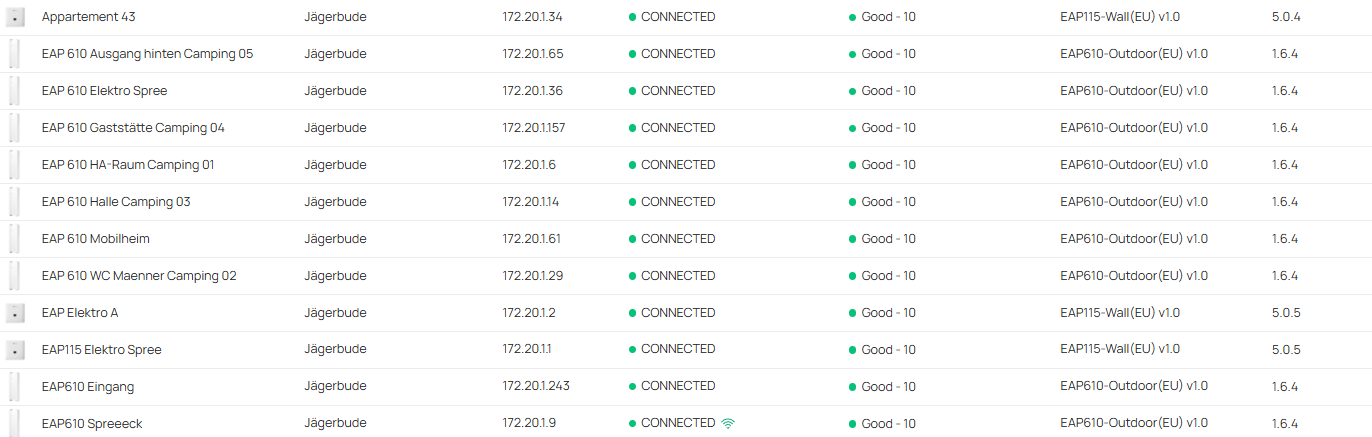
- What is the current firmware version of each of your EAP devices?
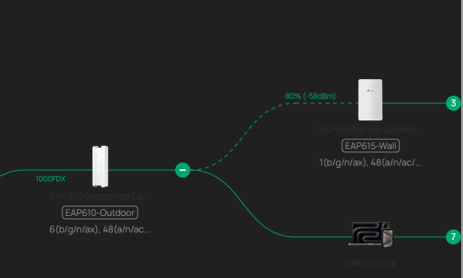
- What's the topology of your network?

- Copy Link
- Report Inappropriate Content
The EAP615 can be integrated as an access point.
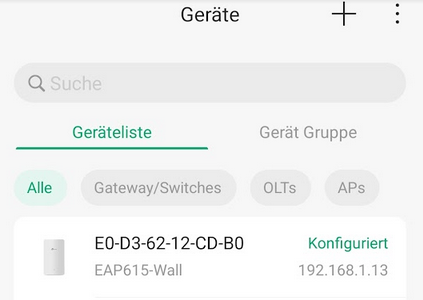
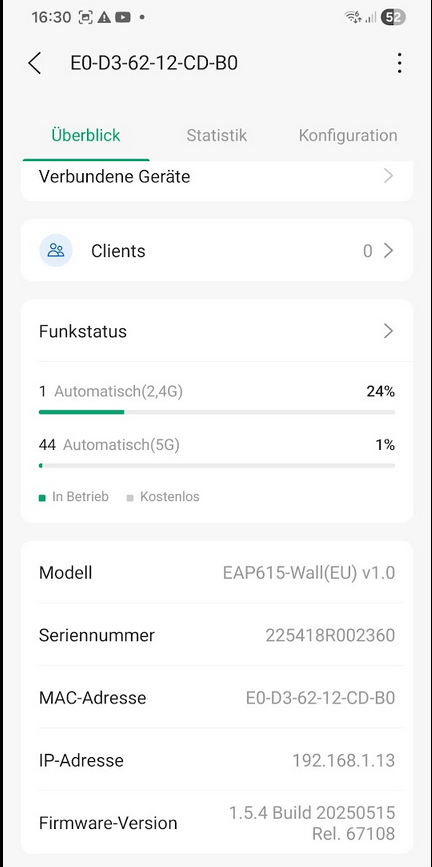
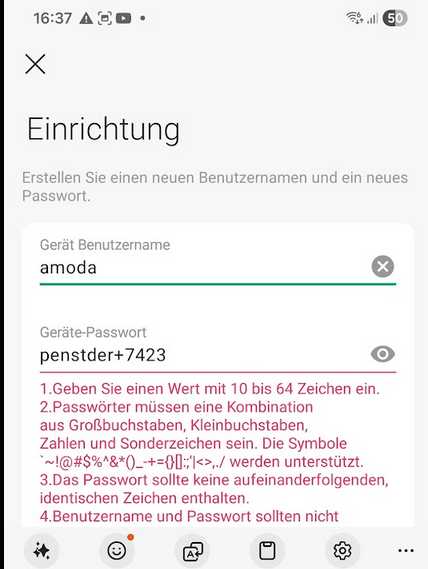
The EAP615 cannot be configured in standalone mode because I cannot assign a password.
I can't see which setting I've overlooked.
The EAP615 cannot therefore be managed manually.
tt
- Copy Link
- Report Inappropriate Content
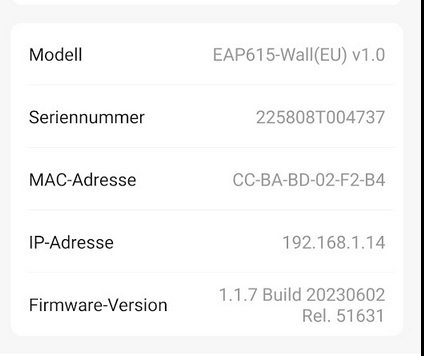
I bought and tested two new EAP615Wall devices today. As a result, the EAP615Wall devices can be ruled out as the source of the problem, since they shipped with an older firmware version.
These also failed to integrate into the system as mesh repeaters.
That leaves only the EAP 610 outdoor device with its firmware update.
- Copy Link
- Report Inappropriate Content
Hi,@VolkerS
Thank you very much for providing all this relevant information.
We have the following recommendations for your reference:
1.After completing the firmware upgrade, please try resetting your EAP to factory defaults, then manually add it as a Mesh EAP to check whether the addition can be completed successfully.
2.You mentioned this issue only emerged after the firmware upgrade. We would like to confirm: did you encounter th2.is problem before the upgrade? If it is convenient for you, could you please try rolling back the firmware to your previous version to check if the issue still persists?
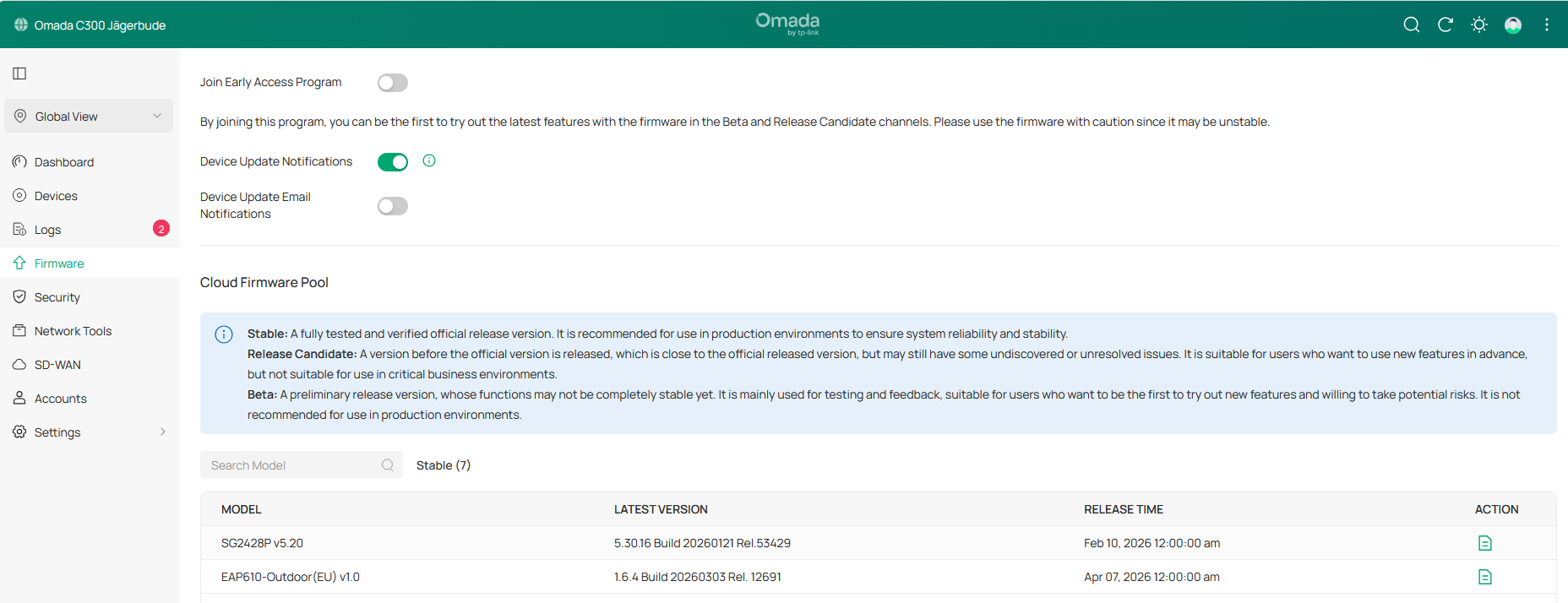
3.We noticed that the firmware version of your current EAP610-outdoor is 1.6.4, while the latest official firmware released by our team for EAP610-outdoor is only version 1.4.4. Could we please confirm if you are currently running a Beta firmware? And could you also let us know where you obtained this firmware version from?

- Copy Link
- Report Inappropriate Content
thanks for your Reply.
1. After the firmware upgrade, please reset your EAP to factory settings and then manually add it as a Mesh EAP to check if the addition was successful.
This will not be successful, as the EAP615 cannot be manually added as a Mesh Repeater.
2. You mentioned that this problem only occurred after the firmware upgrade. We would like to confirm: Did this problem already occur before the upgrade? If possible, could you please try reverting the firmware to your previous version to check if the problem persists?
This is very time-consuming. Please initiate a firmware downgrade via the Omada controller.
I've been trying to resolve the Wi-Fi client connection problems for quite some time now. After upgrading to version 1.6.4, the situation has only worsened. Manually resetting all the EAP610s is extremely time-consuming, and I wouldn't even know how to do it. The controller is refusing the firmware downgrade.
Before the upgrade, the EAP615 was configured as a mesh repeater. See screenshot again.
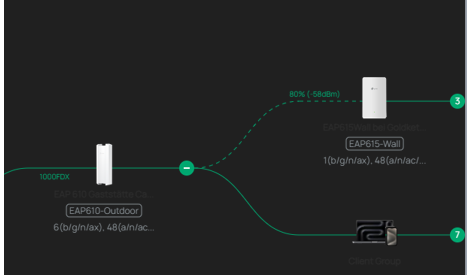
3. We noticed that your EAP610-outdoor firmware version is 1.6.4, while the latest official firmware from our team for the EAP610-outdoor is only available in version 1.4.4. Could you please confirm whether you are currently using beta firmware? And could you also tell us where you obtained this firmware version?
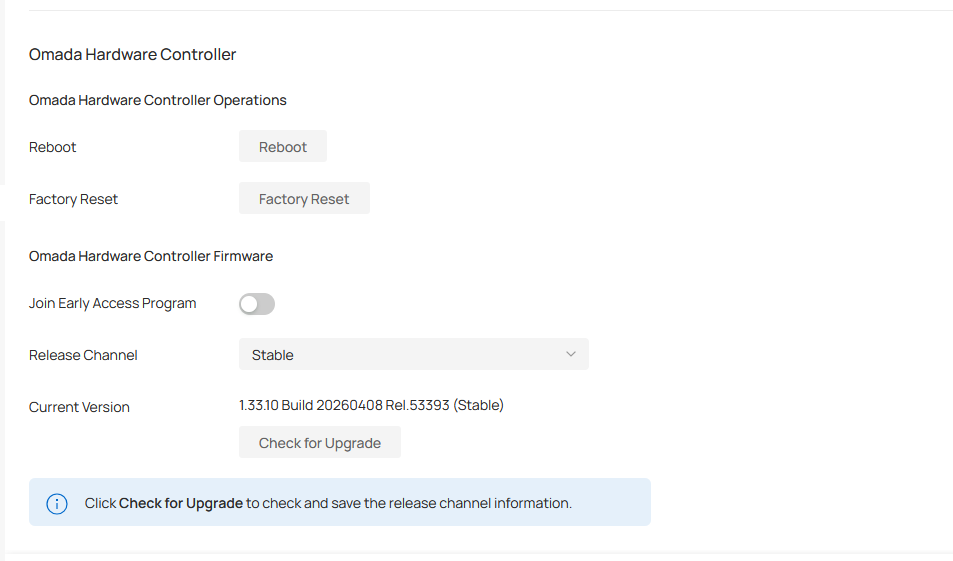
The firmware was displayed as an upgrade by the controller and then installed. My error reports regarding the controllers were ignored by support and not answered politely.
Perhaps support could actually take the time to address the issues themselves instead of passing the buck to the customer. That would save a lot of time. After all, it's an online management system.
Note:
If the outdoor EAP610 is managed by a controller, access to its interface is blocked. Since the controller refuses the downgrade, all EAPs would have to be removed from the system, reset, and then downgraded.
These are also not installed at ground level, so I need a lifting device to reach the reset button.
This inconvenient situation with the cameras as well—the reset button behind a fiddly cover with microscopically small, unsecured screws—should be urgently reconsidered.
The effort required to manually reset the EAP 610 would take me several days.
- Copy Link
- Report Inappropriate Content
Hi, @VolkerS
Thank you for providing the relevant information.
Regarding the Controller error reports you previously submitted, could you kindly share the link to the corresponding post with us? This will enable us to conduct a full review of your original feedback.
As for the EAP issue you brought up, our team needs time for internal investigation and analysis. We greatly appreciate your patience and cooperation.
Should you have any additional information to supplement going forward, please feel free to share it with us here at any time.
- Copy Link
- Report Inappropriate Content
Hello,
Here is the reply email with the CAS number.

While the support team's response is basically correct, it also shows that they are apparently unwilling to get to the bottom of why the controller offers an unavailable firmware upgrade for installation every time it accesses the device.
Apparently, this affects not only the controller itself but also the devices.
I described the problem as follows.
The OC 300 (1.32.10) and OC200 (2.23.10) can no longer perform online updates. The update is displayed, but after confirmation, it is not installed.

- Copy Link
- Report Inappropriate Content
Information
Helpful: 0
Views: 191
Replies: 8
Voters 0
No one has voted for it yet.